Amazon Alexa devices are designed to be in a state of "passive listening," where they monitor local audio specifically for a pre-defined wake word, such as "Alexa" or "Echo." While the microphones are technically active, the device does not record or transmit your private conversations to the cloud until it detects that specific trigger word. Once triggered, the device sends the subsequent request to Amazon’s servers for processing.
The persistent question of whether "Alexa is listening all the time" often stems from a fundamental misunderstanding of the difference between local acoustic monitoring and cloud-based recording. As we move through 2026, the technology behind smart speakers has become more sophisticated, moving toward "Edge AI" and local processing, yet the core privacy concerns remain a top priority for consumers. To fully grasp how these devices interact with your home environment, one must look at the hardware, the software triggers, and the privacy controls available to users.
The Technical Reality: Passive vs. Active Listening
To understand how Alexa operates, it is essential to distinguish between the two states of the device’s microphone system. Alexa devices use a technology called "Acoustic Front End" (AFE) processing combined with a "Wake Word Engine" (WWE).
Passive Listening and the Local Buffer
When an Echo device is plugged in and the microphone is active (indicated by the lack of a red ring), it is in a state of passive listening. During this state, the device’s on-board processor monitors audio for a specific acoustic pattern that matches the wake word.
To do this effectively, the device uses a "rolling buffer." This is a short-term memory cache that stores only a few seconds of audio at a time. As new audio comes in, the oldest audio is permanently deleted. This process happens entirely on the local device hardware; no data is sent to the internet during this passive phase. The device is essentially "listening" only for the mathematical representation of the word "Alexa."
The Transition to Active Listening
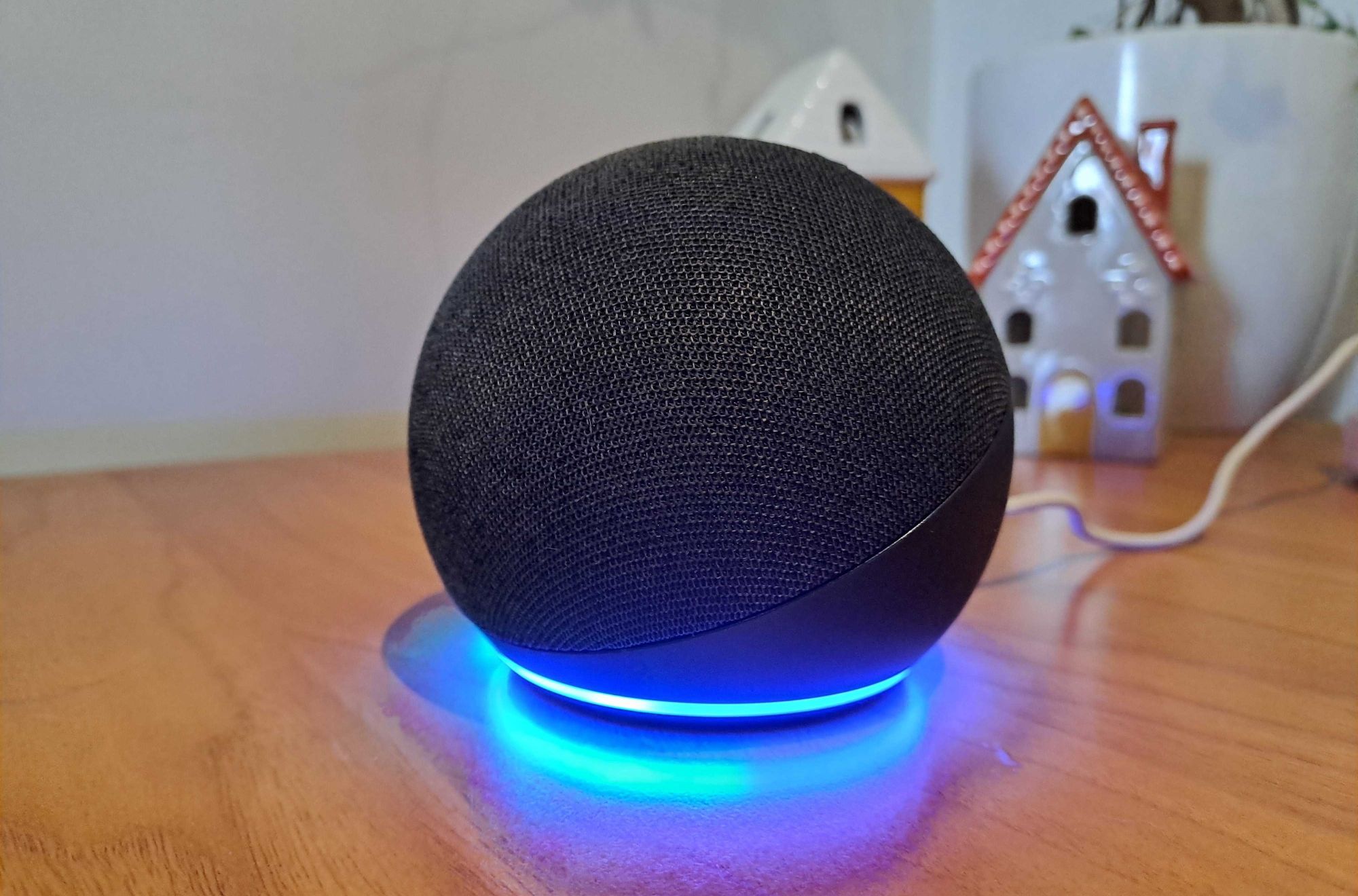
Once the Wake Word Engine identifies the trigger, the device enters "active listening" mode. You will see a visual indicator, typically a blue light ring or a blue bar on screen-based devices. At this moment, the rolling buffer—which contains the wake word itself and the start of your request—is packaged and encrypted. This data is then transmitted to the Alexa Voice Service (AVS) in the cloud.
The cloud-based system performs a second, more powerful verification to ensure the wake word was actually spoken. If the cloud-server determines it was a "false wake" (an accidental trigger), the device stops recording and terminates the session immediately.
Data Encryption and Cloud Security
A primary concern for users in 2026 is what happens to the data once it leaves the home. Amazon utilizes industry-standard encryption protocols to protect voice recordings.
- Encryption in Transit: All audio transmitted from an Echo device to the Alexa Voice Service is encrypted using Transport Layer Security (TLS). This prevents third parties from intercepting and "eavesdropping" on the data as it travels across the internet.
- Encryption at Rest: Once the data reaches Amazon’s data centers, it is encrypted and stored in secure servers. Access to this data is strictly controlled and audited to ensure compliance with privacy regulations like the GDPR and CCPA/CPRA.
- The Role of Artificial Intelligence: In 2026, many Alexa requests are processed using Large Language Models (LLMs) that have been optimized for voice interaction. While these models require significant data to improve, Amazon provides tools for users to opt-out of having their voice recordings used for training purposes.
How to Manage Your Alexa Privacy Settings
Managing your privacy is not a one-time setup but an ongoing process. Amazon has consolidated these features into the "Alexa Privacy Hub," accessible via the mobile app or a web browser.
Reviewing and Deleting Voice History
The most direct way to see what Alexa has "heard" is to review your voice history. This log contains every interaction that triggered the device, including accidental activations.
- Manual Deletion: Users can scroll through their history and delete specific recordings or entire days.
- Voice Deletion: You can say, "Alexa, delete what I just said" or "Alexa, delete everything I said today."
- Auto-Deletion: Within the Alexa app, you can set your voice history to automatically delete after 3 months, 18 months, or 36 months. Many privacy advocates recommend the 3-month setting or disabling the storage of recordings entirely.
Managing Permissions for Third-Party Skills
Alexa "Skills" are essentially apps for your smart speaker. Some skills may request access to specific information, such as your address for a weather report or your zip code for local news. It is vital to periodically review which third-party developers have access to your data. In the Alexa app, navigate to Settings > Alexa Privacy > Manage Skill Permissions to revoke access to any skill that no longer requires it.
Physical Privacy Controls: The Mute Button and Camera Shutter
For users who want absolute certainty that their device is not listening, hardware solutions provide the most reliable safeguard.
The Microphone Disconnect
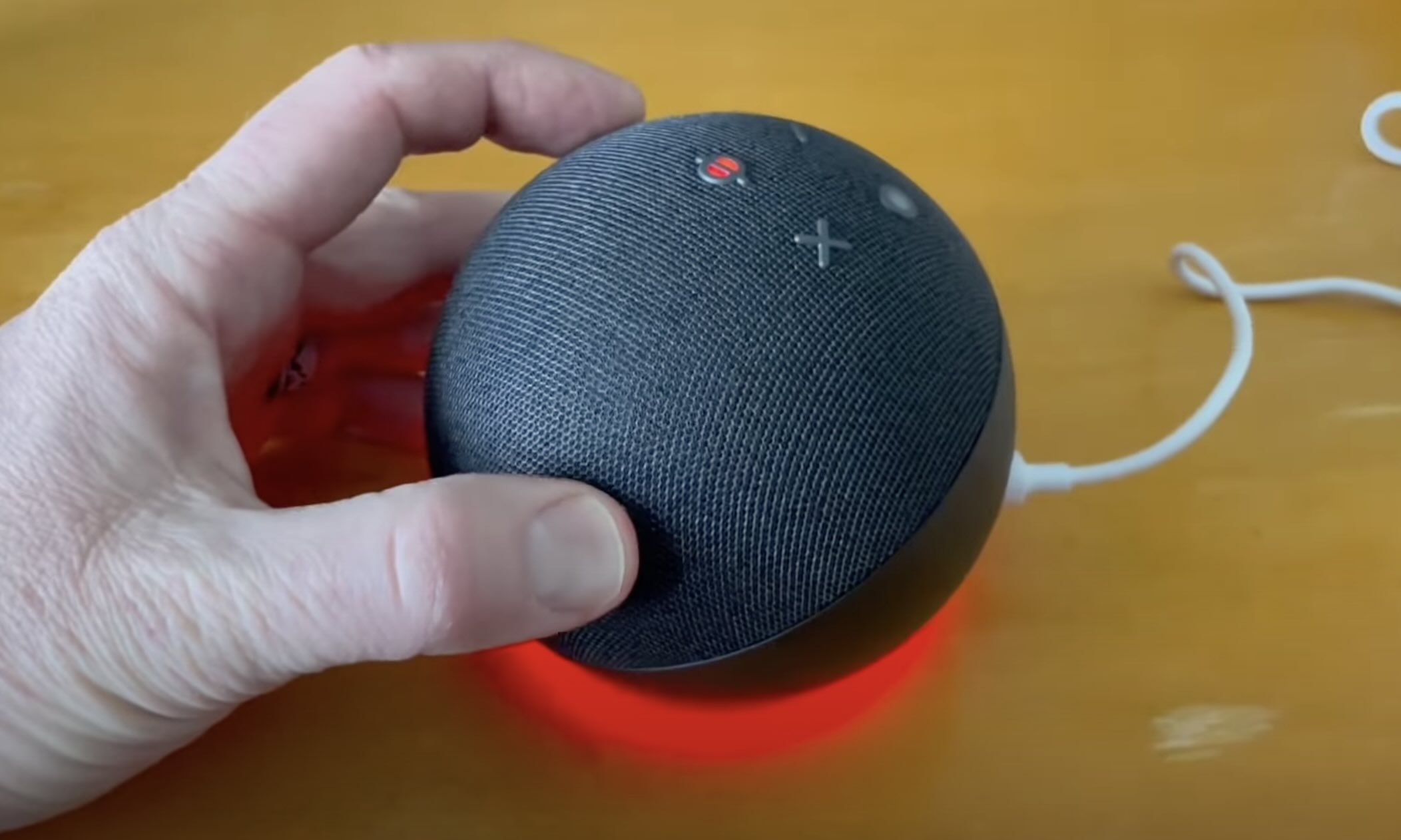
Every Echo device is equipped with a physical microphone off button (usually marked with a circle and a slash). Pressing this button does not just "mute" the software; it electronically disconnects the power to the microphone hardware. When the light ring is red, it is physically impossible for the device to pick up audio because the circuit is broken.
Camera Privacy on Echo Show
For devices with screens, such as the Echo Show 15 or Echo Show 10, privacy extends to video. These devices feature a built-in mechanical camera shutter. Sliding this shutter closed physically blocks the lens, ensuring that no video can be captured, regardless of software status.
Addressing "False Wakes": Why Alexa Sometimes Speaks Unprompted
One of the main reasons people believe Alexa is "listening all the time" is when the device responds without being called. These are known as "false wakes."
- Phonetic Similarity: The Wake Word Engine may misinterpret a word from a television show or a private conversation as "Alexa." Words like "election," "unlocked," or "ex-boyfriend" can occasionally trigger the device.
- Sensitivity Settings: In 2026, Alexa allows users to adjust "Wake Word Sensitivity." If your device triggers too often, you can lower the sensitivity in the app settings, requiring a clearer, more deliberate pronunciation of the wake word.
- Changing the Wake Word: If your name is "Alex" or "Alexis," you will likely experience frequent false wakes. Changing the trigger word to "Echo," "Computer," "Amazon," or "Ziggy" can solve this problem.
Comparing Privacy Features Across 2026 Echo Models
As of 2026, different Echo models offer varying levels of hardware-based privacy. The following table compares the primary privacy features available in the current lineup.
| Device Model | Physical Mic Disconnect | Camera Shutter | Local Voice Processing | Indicator Light Type |
|---|---|---|---|---|
| Echo (Gen 5) | Yes | N/A | High (AZ2 Neural Edge) | LED Ring (Base/Top) |
| Echo Pop | Yes | N/A | Moderate | Front-facing LED bar |
| Echo Show 15 | Yes | Yes (Mechanical) | High (AZ2 Neural Edge) | On-screen Overlay |
| Echo Studio | Yes | N/A | High | LED Ring (Top) |
| Echo Hub | Yes | N/A (No Camera) | High | On-screen Overlay |
Note: "Local Voice Processing" refers to the device's ability to process common commands (like turning off lights) without sending audio to the cloud.
Advancements in 2026: The Shift Toward On-Device Intelligence
The technological landscape of 2026 has seen a significant shift toward "Edge Computing." Amazon has introduced more powerful Neural Edge processors (like the evolved AZ2 chips) into standard Echo devices.
This advancement allows more "thinking" to happen on the device itself. For example, when you ask Alexa to "set a timer" or "turn on the kitchen light," the voice recognition and command execution can happen locally. Because the audio does not need to travel to the cloud for these basic tasks, privacy is enhanced, and latency is reduced. As this technology matures, the amount of data sent to Amazon's servers is expected to decrease, further mitigating the "always listening" concern.
Common Misconceptions About Alexa and Privacy
Despite numerous independent audits and technical breakdowns, several myths persist regarding how Amazon uses Alexa data.
Myth 1: Alexa Sells Voice Data to Advertisers
Amazon has repeatedly stated that they do not sell individual voice recordings to third parties. However, they may use the fact that you asked about a specific product to show you relevant ads on other Amazon-owned platforms, such as the Amazon store or IMDb. You can opt out of interest-based advertising in your account settings.
Myth 2: Amazon Employees Are Always Listening to Your Live Audio
There is no "live feed" of your home audio being monitored by humans. In the past, small snippets of recorded audio (after the wake word) were reviewed by human contractors to improve speech recognition accuracy. Today, this process is largely automated, and the small fraction of recordings that are still reviewed are stripped of identifying user information. Users can opt-out of this review process entirely in the Privacy Hub.
Myth 3: Alexa Can Listen Through Walls or From Great Distances
While Echo devices use beamforming technology and multiple microphones to hear requests over background noise, they are limited by the physics of sound. They are designed to operate within a standard room environment and cannot "spy" on distant or muffled conversations through heavy barriers.
Troubleshooting Alexa Privacy Issues
If you feel your privacy is being compromised, or the device is acting unexpectedly, follow these steps:
- Check the Light Ring: If the light is blue and you didn't say the wake word, someone or something else triggered it. Check the Voice History to see what the device thought it heard.
- Verify Connected Accounts: Ensure your Amazon account has Two-Factor Authentication (2FA) enabled. This prevents unauthorized users from accessing your voice history or controlling your devices remotely.
- Update Firmware: Alexa devices update automatically, but you can ensure you have the latest privacy patches by asking, "Alexa, is your software up to date?"
- Reset the Device: If the device is responding erratically, a factory reset can clear software glitches. This will require you to set the device up again from scratch in the Alexa app.
Frequently Asked Questions
Does Alexa record everything I say?
No. Alexa only records audio and sends it to the cloud after it detects the wake word. It uses a local, temporary buffer to listen for that specific word, but that audio is overwritten every few seconds unless the wake word is identified.
Can I turn off the microphone and still use the device?
You can turn off the microphone using the physical mute button, but Alexa will no longer respond to your voice commands. To use the device while it is muted, you would need to use the Alexa app on your smartphone to initiate commands or use the touchscreen on Echo Show devices.
How do I know if my Alexa has been hacked?
Signs of a compromised device include the light ring activating when no one is speaking, unauthorized purchases on your Amazon account, or the device performing actions (like playing music) that you didn't request. Secure your account by changing your password and enabling 2FA immediately if you suspect a breach.
Does Alexa listen even if the Wi-Fi is off?
If the Wi-Fi is off, the Echo device can still listen for the wake word locally, but it cannot process any requests or send data to the cloud. Most Alexa features will cease to function, and the device will typically notify you that it is having trouble connecting to the internet.
Is it possible to use Alexa without an Amazon account?
No. All Alexa devices require a valid Amazon account for setup, data processing, and access to the Alexa Voice Service. This account is where your settings, smart home configurations, and privacy preferences are stored.
What is "Sidewalk" and does it affect my privacy?
Amazon Sidewalk is a shared network that helps devices stay connected beyond the range of your home Wi-Fi. While it uses a small portion of your bandwidth, it is encrypted and does not allow Amazon or your neighbors to see the content of your data transmissions. You can disable Sidewalk in the Alexa app settings under Account Settings > Amazon Sidewalk.
Recommended Next Actions
To ensure your Echo device aligns with your personal privacy standards in 2026, take the following steps:
- Perform a Privacy Audit: Open the Alexa app and go to the Privacy Hub. Set your voice history to auto-delete every 3 months.
- Toggle Voice Training: Decide if you want your recordings to help "improve Amazon services." If privacy is your primary concern, toggle this setting to Off.
- Check Physical Buttons: Familiarize yourself with the location of the mute button on each of your devices so you can quickly disable the microphones during private meetings or sensitive conversations.
- Adjust Wake Word Sensitivity: If you experience frequent false wakes, lower the sensitivity of your device to ensure it only responds when you intended it to.
By understanding the technical boundary between passive monitoring and active recording, you can enjoy the convenience of a voice assistant without sacrificing your home's privacy.