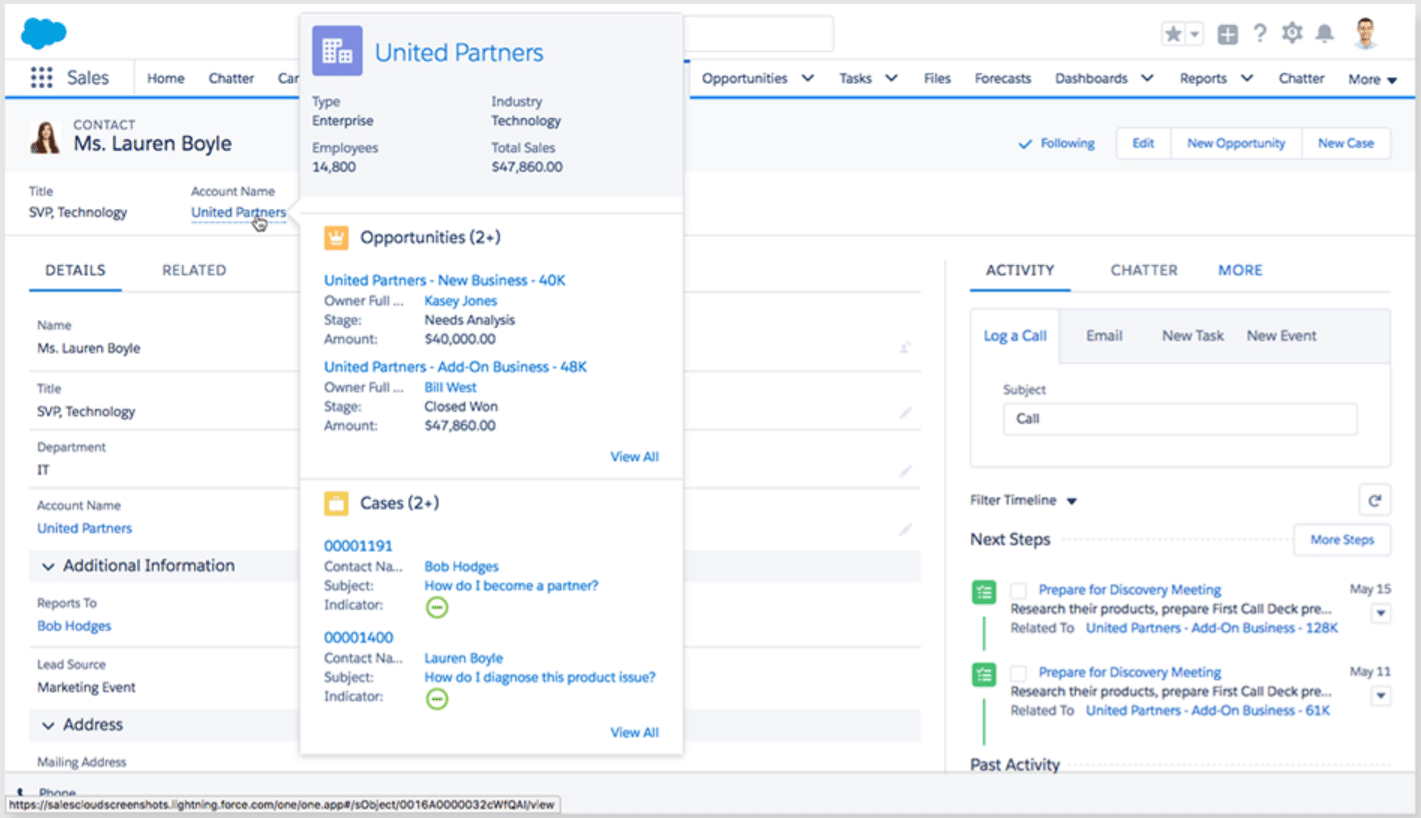
The amedes CRM (Customer Relationship Management) system is a specialized digital infrastructure designed to optimize patient management, clinical workflows, and administrative communication within medical facilities. It functions as a central repository for health data, facilitating seamless interaction between medical specialists, laboratories, and patients while ensuring strict adherence to healthcare data protection standards.
In the modern medical landscape, the integration of specialized CRM software has moved from a luxury to a operational necessity. For organizations operating under the amedes umbrella or utilizing its proprietary management frameworks, understanding the specific software features and the requirements for effective implementation is critical for maintaining high standards of patient care and operational efficiency.
Core Features of the Amedes CRM Environment
The amedes CRM environment is engineered to bridge the gap between complex diagnostic processes and patient-facing communication. Unlike general-purpose sales CRM tools, this software is domain-specific, focusing on the nuances of medical record management and diagnostic tracking.
Centralized Patient Data Management
At the heart of the system is the patient database. This feature serves as the "single source of truth" for clinical staff. It allows for the aggregation of patient demographics, history, and current status across various departments. By centralizing this data, the software minimizes the risk of fragmented information, which is a common point of failure in multi-disciplinary clinical settings. Users can track interactions, consultations, and follow-up requirements within a single, secure interface.
Automated Diagnostic Tracking and Notifications
The system excels in managing the lifecycle of diagnostic tests. From the moment a sample is processed to the final reporting phase, the CRM tracks the progress of the patient file. Key features include:
- Automated Status Updates: Notifications are triggered when results are ready or when further action is required.
- Communication Modules: Integrated tools allow for secure, HIPAA-compliant (or GDPR-compliant, depending on regional jurisdiction) messaging between clinical staff and patients.
- Alerting Systems: High-priority or abnormal findings can be flagged immediately, ensuring that medical staff can intervene without delay.
Administrative Workflow Integration
Efficiency in a clinical setting is often hindered by administrative overhead. The amedes software suite includes modules designed to automate appointment scheduling, billing queries, and documentation tasks. By shifting these manual processes into an automated workflow, clinics can reduce the time spent on repetitive tasks, allowing medical professionals to focus on diagnostic interpretation and patient consultation.
Strategic Implementation Overview
Implementing a CRM in a medical facility requires a methodology that prioritizes patient safety and data integrity over rapid deployment. The implementation lifecycle typically follows a phased approach, ensuring that each module is fully vetted before moving to full-scale adoption.
Phase 1: Needs Assessment and Gap Analysis
Before software installation, leadership must conduct a thorough gap analysis. This involves mapping current workflows to identify where bottlenecks exist. Organizations should ask:
- Are patient records currently siloed across physical and digital formats?
- What are the specific security protocols required for our facility's data?
- Which staff roles require access to which data segments?
Phase 2: Configuration and Customization
The "out-of-the-box" configuration of CRM software rarely meets the unique needs of a specialized medical clinic. Configuration involves setting up user permissions, defining roles, and tailoring the interface to display relevant diagnostic markers. During this phase, administrators must define the data fields that are essential for their specific medical focus, such as lab result formats or specific diagnostic codes.
Phase 3: Data Migration and Security Verification
Data migration is the most critical and highest-risk phase of the implementation. Moving patient data from legacy systems into the amedes CRM requires strict validation protocols. Every entry must be checked for accuracy to prevent "data contamination," where historical records are mislabeled or truncated during the transfer. Security verification is equally paramount; this involves penetration testing, role-based access control (RBAC) audits, and ensuring encrypted communication channels are active.
Phase 4: Training and Change Management
Even the most robust software fails if staff are not adequately trained. Implementation should include a mandatory training program that addresses not just the technical "how-to," but the "why"—explaining how the system improves patient outcomes. Change management is necessary to address the natural resistance to new workflows, emphasizing the reduction of administrative burden as a key benefit for clinicians.
Comparison of Operational CRM Capabilities
When evaluating the impact of the amedes CRM compared to general enterprise software, it is clear that medical-grade tools require specific functional guardrails.
| Feature Category | General CRM Systems | Amedes Specialized CRM |
|---|---|---|
| Data Privacy | Standard GDPR/CCPA | Specialized Healthcare Encryption |
| Workflow Focus | Sales and Lead Conversion | Diagnostic and Clinical Tracking |
| Regulatory Compliance | Minimal/External Modules | Native Compliance with Med-Tech Standards |
| Interoperability | Broad API integration | Specialized HL7/FHIR Health Standards |
| Primary User Goal | Revenue Generation | Patient Outcome/Safety |
Essential Technical Considerations
For IT departments managing the implementation, there are several non-negotiable technical requirements. The infrastructure supporting the CRM must be high-availability, meaning it should include redundant servers and automated cloud backups.
Furthermore, integration with Laboratory Information Systems (LIS) and Electronic Health Records (EHR) is mandatory. The amedes CRM must communicate via standardized healthcare protocols to ensure that data does not need to be manually re-entered, which is a major source of medical error. Implementing a middleware layer to translate between legacy EHR systems and the new CRM is a common, though technically demanding, strategy for ensuring interoperability.
Troubleshooting Common Implementation Challenges
Even with a perfect plan, challenges occur. Recognizing these early can prevent significant downtime.
- Latency in Data Synchronization: If the system is slow to update, check the network bandwidth at the local node. Clinical environments often have high traffic; prioritizing CRM traffic through Quality of Service (QoS) settings on the network router can resolve this.
- Low User Adoption: If staff are bypassing the CRM, it is usually because the interface is perceived as too complex. Streamlining the dashboard to show only the "Top 3 Tasks" for each role can increase engagement.
- Data Inconsistency: This often stems from improper initial field mapping. A mid-implementation audit of a sample set of 50 patient records can reveal if data is being mapped incorrectly.
Frequently Asked Questions
Is the amedes CRM compliant with regional health data protection laws?
Yes. The platform is designed with the assumption that it will handle sensitive medical data. It incorporates role-based access, audit trails for every access event, and advanced encryption at rest and in transit to meet strict healthcare regulations.
How does the CRM handle data migration from legacy paper records?
Migration usually involves a manual digitalization process followed by data validation. Many facilities choose to scan records into the system as attachments initially, creating a "digitized bridge" before fully migrating structured data.
Can the CRM be accessed by external medical partners?
Yes, the system supports secure, authenticated portals for external partners. Access is restricted based on specific project needs, and all activity is logged to ensure an audit trail is maintained for security purposes.
Does the system require a specialized IT team for maintenance?
While the system is user-friendly for clinicians, it does require a dedicated administrator—or an outsourced support partner—to manage updates, user permissions, and periodic security compliance audits.
How often should the CRM be updated?
In 2026, it is recommended to apply minor security patches as they are released by the vendor. Major feature updates should be scheduled during low-traffic periods, typically outside of core clinical hours, to minimize disruption to patient services.
Next Steps for Implementation
If your facility is initiating an implementation, the first practical step is to designate a "Clinical Champion." This person should be a medical professional who understands both the clinical requirements and the technical capabilities of the CRM. Their role is to bridge the gap between IT development and patient care.
Once the champion is appointed, proceed by auditing your existing diagnostic workflows. Do not attempt to digitize an inefficient process; instead, use this implementation as an opportunity to "clean up" your workflow, removing redundant administrative steps that the CRM can now handle automatically.