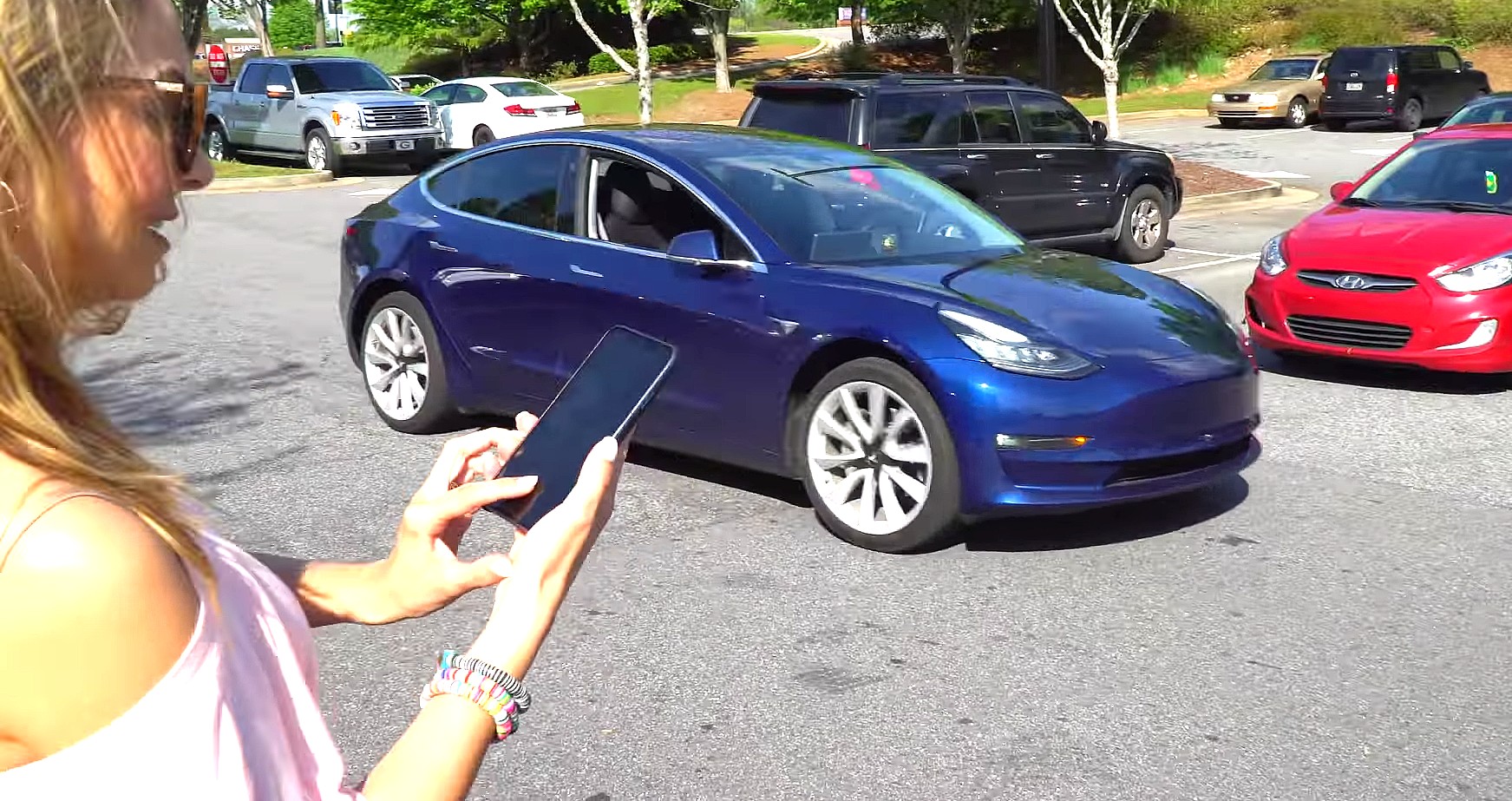
Tesla Advanced Summon allows drivers to maneuver their vehicles autonomously within parking lots and driveways, navigating around obstacles and pedestrians to reach their exact location. To use the feature safely, owners must meet specific software and hardware prerequisites, maintain line-of-sight supervision within a designated range, and understand the operational limits imposed by environmental conditions and regulatory frameworks.
Understanding Tesla Advanced Summon
Advanced Summon represents a significant evolution of Tesla’s automated vehicle control systems. Unlike the standard "Smart Summon" feature that generally guides a vehicle along a straight path toward a user, Advanced Summon enables the car to navigate complex parking environments autonomously. The vehicle reads lane markings, respects parking lot layouts, maneuvers around unexpected obstacles, and yields to pedestrians.
The feature relies heavily on Tesla’s Autopilot sensor suite, utilizing external cameras and ultrasonic sensors (on legacy hardware) or Tesla Vision (on newer camera-only vehicles) to map the immediate surroundings. When activated through the Tesla mobile application, the car processes spatial data in real time, calculating paths that avoid bollards, shopping carts, and moving traffic. However, it remains a Level 2 automation feature under SAE definitions. This means the human operator retains absolute legal and operational responsibility for the vehicle at all times, regardless of the software’s capability to pilot itself.
Software, Hardware, and Package Prerequisites
Before attempting to use Advanced Summon, a vehicle and its owner must satisfy strict technical and ecosystem requirements. Failing to meet even one prerequisite will prevent the feature from appearing or functioning within the mobile application.
Required Software and Packages
- Full Self-Driving (FSD) Capability: Advanced Summon is bundled exclusively within the Full Self-Driving (Supervised) package. Vehicles operating strictly on basic Autopilot or Enhanced Autopilot do not have access to this feature.
- Firmware Version: The vehicle must be running a compatible software build (typically version 2024.27.20 or later, depending on hardware revisions and regional updates).
- Tesla Mobile App: The smartphone running the Tesla application must be updated to the latest available version compatible with the vehicle's firmware.
Hardware Variations
Hardware compatibility varies depending on the vehicle's manufacturing date. Legacy vehicles equipped with Hardware 3 (HW3) use a combination of ultrasonic sensors and cameras, whereas newer vehicles built with Hardware 4 (HW4) rely entirely on high-resolution cameras (Tesla Vision). Both hardware suites support Advanced Summon once the appropriate FSD package is active, though response times and environmental sensitivity can vary based on sensor cleanliness and lighting conditions.
Step-by-Step Operating Procedure
Operating Advanced Summon requires strict adherence to safety protocols and continuous monitoring through the mobile device.
- Park and Exit: Ensure the vehicle is properly parked in a legal, safe parking spot with the transmission in Park and the doors closed.
- Open the Mobile App: Launch the Tesla app on your smartphone within a maximum operating radius (typically within 213 feet or 65 meters of the vehicle, though regulatory limits can restrict this distance).
- Select the Summon Tab: Navigate to the Summon section within the app interface. You will see options for both standard Summon (straight-line movement) and Advanced Summon.
- Define the Target Location: Tap the "Come to Me" function or drop a destination pin on the satellite map displayed on your phone screen.
- Initiate and Hold: Press and hold the continuous activation button on the app screen. The moment you lift your finger, the vehicle will immediately halt.
- Supervise Actively: Keep your eyes on the vehicle at all times. Be prepared to release the button immediately if an unexpected hazard enters the vehicle's path.
Comparative Overview: Summon, Smart Summon, and Advanced Summon
Tesla offers multiple iterations of remote-parking functionality. Understanding the functional boundaries of each prevents operational errors.
| Feature Name | Primary Use Case | Path Planning Complexity | Sensor Dependency | Maximum Range |
|---|---|---|---|---|
| Standard Summon | Straight-line garage parking or tight retrieval | Linear forward/reverse movement only | Ultrasonic sensors / Cameras | Approx. 39 feet (12 meters) |
| Smart Summon | General parking lot navigation to user | Basic turns, obstacle routing | Cameras and ultrasonic sensors | Line of sight (approx. 200 feet) |
| Advanced Summon | Complex multi-turn parking lot routing | Advanced routing, pedestrian yielding, lane keeping | FSD neural networks, cameras, sensors | Line of sight (approx. 213 feet) |
Operational Limitations and Environmental Challenges
While Advanced Summon handles complex parking geometry effectively, several physical and software constraints can disrupt performance. Drivers must account for these factors before deployment.
Environmental Constraints
- Inclement Weather: Heavy rain, snow, dense fog, or blinding direct sunlight can degrade camera visibility, leading to feature unavailability or unexpected disengagements.
- Surface Conditions: Icy roads, loose gravel, or unpaved lots reduce tire traction, impairing the vehicle's ability to brake or steer accurately.
- Lighting: Very low-light environments (unlit parking garages at night) challenge camera-based vision systems unless headlights provide sufficient illumination.
Regulatory and Geofencing Limits
Advanced Summon is geofenced to private property, such as shopping center parking lots, private driveways, and office complexes. The system generally prohibits operation on public thoroughfares, high-speed roads, or active traffic lanes. Furthermore, regional regulations in certain jurisdictions (such as specific European Union member states) impose stricter limits on remote vehicle operation, occasionally disabling or restricting functionality compared to North American releases.
Troubleshooting and Common User Mistakes
When Advanced Summon fails to activate or halts unexpectedly, users can diagnose the issue by evaluating common friction points.
Frequently Encountered Issues
- "Feature Unavailable" Prompt: This usually indicates that the vehicle lacks the necessary FSD package, the cellular connection is too weak to verify authorization, or the car is parked in a restricted geofenced zone.
- Abrupt Mid-Route Stopping: The vehicle detects a dynamic obstacle (such as a passing pedestrian or rolling cart) or loses communication with the controlling smartphone.
- App Unresponsiveness: Ensure Bluetooth and location services are enabled on your mobile device and that battery-saver modes are not throttling background data exchange.
Best Practices for Reliability
- Keep all exterior camera lenses clean and free of dirt, mud, or snow.
- Ensure your smartphone maintains a clear, unobstructed line of sight to the vehicle.
- Avoid using the feature in high-traffic driving lanes within parking structures where unpredictable cross-traffic creates high collision risks.
Frequently Asked Questions
Do I need to maintain visual contact with my Tesla during Advanced Summon?
Yes. Tesla requires the operator to maintain an uninterrupted line of sight with the vehicle at all times. If visual contact is broken, or if the vehicle moves behind a physical barrier where it cannot be observed, the user must immediately release the app button to stop the vehicle.
Can Advanced Summon be used on public roads?
No. Advanced Summon is strictly designed for use in private environments such as parking lots, driveways, and private lots. It is not programmed or legally certified to navigate public streets, highways, or active thoroughfares.
What happens if someone walks in front of the car while it is moving?
The vehicle is equipped with pedestrian-detection capabilities and will automatically stop and yield if a person or obstacle enters its path. However, the human supervisor must remain alert and intervene immediately if the vehicle's sensor suite fails to register a hazard in time.
Why is the Advanced Summon option grayed out in my Tesla app?
The option typically appears grayed out if the vehicle is not equipped with the Full Self-Driving (Supervised) package, if the car is currently in an unsupported geographic region, or if the vehicle's firmware requires an update. Check your software version and package status in the vehicle's touchscreen menu.
How much distance can Advanced Summon cover in a single session?
The feature generally operates within a maximum radius of approximately 213 feet (65 meters) from the controlling mobile device, provided that continuous line-of-sight and strong wireless connectivity are maintained throughout the maneuver.
Next Actions and Practical Recommendations
Before using Advanced Summon in a crowded public environment, practice operating the feature in an empty, open parking lot to understand its acceleration, turning radius, and stopping behavior. Always verify that your mobile device is fully charged and that your vehicle's cameras are pristine. Maintain strict vigilance, assume total liability for every movement the vehicle makes, and never rely solely on automation in unpredictable traffic settings.