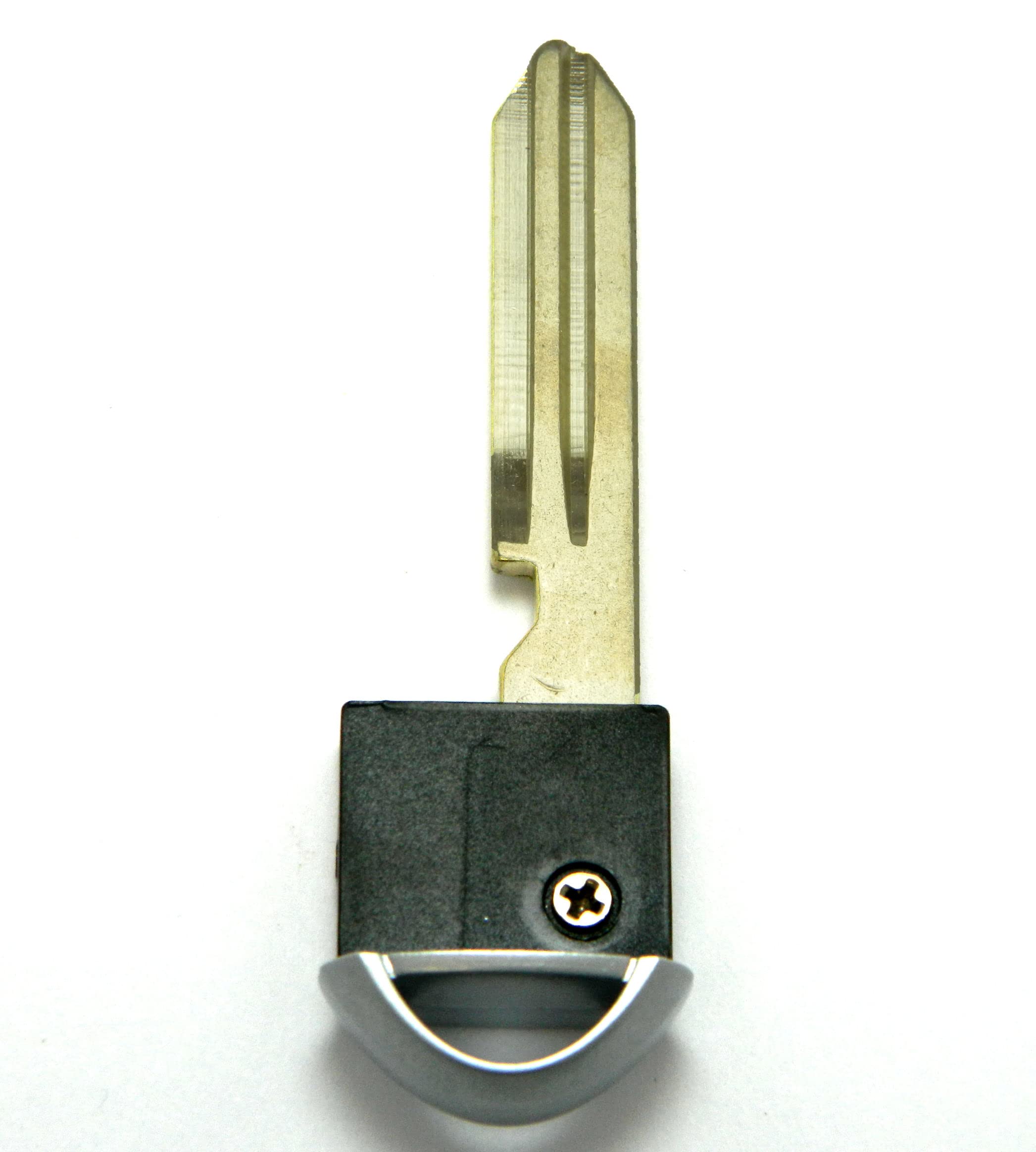
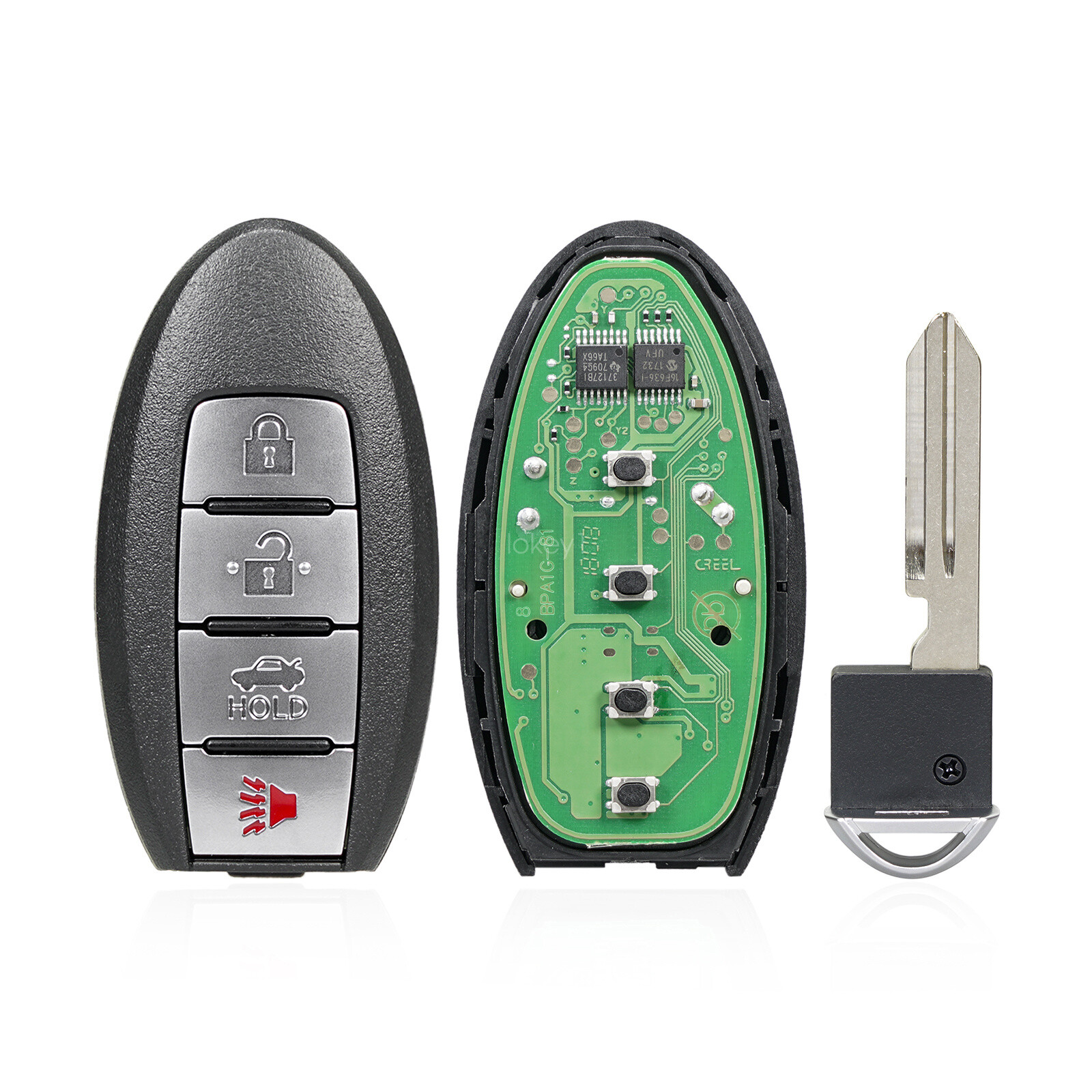
The 2019 Nissan Sentra key fob uses a standard CR2032 3-volt lithium coin cell battery. When the battery drains, the vehicle features a mechanical backup key and a passive RFID transponder chip allowing emergency starts even with a completely dead battery. Replacing the battery requires no specialized programming, and understanding these technical specifications prevents common maintenance errors.
Maintaining modern vehicle electronics involves understanding the small power sources that keep remote entry systems functioning seamlessly. For owners of the 2019 Nissan Sentra, the smart key fob or push-button ignition remote is an essential tool for daily driving. When the fob battery begins to degrade, it can cause frustration, intermittent remote responsiveness, or dashboard warning alerts. To ensure you are fully prepared to handle your vehicle's maintenance, examining the precise specifications, physical properties, and functional mechanics of the 2019 Nissan Sentra key fob battery provides a clear roadmap for long-term reliability.
1. The Exact Battery Type Is a CR2032 3-Volt Lithium Coin Cell
The most critical piece of information for any routine battery replacement is knowing the exact cell size required. The 2019 Nissan Sentra key fob utilizes a standard CR2032 3-volt lithium coin cell battery.
- Physical Dimensions: The CR2032 designation indicates a diameter of 20 millimeters and a thickness of 3.2 millimeters.
- Chemical Composition: Lithium manganese dioxide chemistry provides a stable, long-lasting discharge voltage profile over several years of standby use.
- Widespread Availability: Because this battery size is universally utilized in computers, calculators, medical devices, and other automotive remotes, it can be purchased at hardware stores, supermarkets, and electronics retailers.
When purchasing a replacement battery, look for reputable manufacturing brands that offer child-resistant packaging or bitter coatings designed to prevent accidental ingestion by young children. Avoid generic, unbranded discount cells, as their voltage stability and shelf life can vary widely, potentially leading to premature remote failure.
2. Low Battery Warning Signs and Dashboard Alerts
Modern Nissan vehicles are designed to warn drivers before a key fob battery fails completely. Recognizing these signs allows you to replace the cell proactively rather than getting stranded.
Common Warning Indicators
- Intermittent Range: If you have to press the lock or unlock buttons multiple times or stand exceptionally close to the driver's door for the vehicle to respond, the battery voltage is likely dropping.
- Intelligent Key System Warning: The 2019 Nissan Sentra instrument cluster may display a specific text or icon warning, such as "Key ID Incorrect" or "No Key Detected," particularly if the fob is inside the cabin and the push-button ignition fails to recognize it.
- Blinking Indicator Light: The small red or green LED light on the key fob itself may flash dimly, irregularly, or fail to light up altogether when a button is pressed.
When these symptoms appear, replacing the battery immediately avoids the inconvenience of an unresponsive remote control.
3. How to Open the Fob and Replace the Battery Safely
Replacing the battery in a 2019 Nissan Sentra key fob does not require a trip to the dealership or specialized tools. A small flathead screwdriver or a coin is all that is necessary to access the internal compartment.
Step-by-Step Replacement Procedure
- Remove the Mechanical Key: Locate the small release latch or slider on the back of the key fob housing. Slide it to release and pull out the built-in emergency mechanical key.
- Open the Outer Casing: Look inside the slot where the mechanical key was housed. You will see a small notch or seam. Insert the tip of the flathead screwdriver or the edge of a coin into this slot and gently twist to pop the two halves of the fob housing apart.
- Extract the Old Battery: Carefully lift the circuit board or gently pry the old CR2032 battery out of its retainer clip. Note the orientation of the battery before removal.
- Install the New Battery: Insert the new CR2032 battery with the positive (+) side facing upward (or according to the polarity markings stamped on the internal housing). Ensure the battery is seated flat and securely beneath the metal retention tabs.
- Reassemble the Fob: Align the two halves of the plastic casing and press them firmly together until all plastic clips snap into place. Reinsert the mechanical backup key into its slot until it clicks securely.
| Fob Component | Function and Maintenance Detail |
|---|---|
| CR2032 Battery | Provides 3V power; typical lifespan is 2 to 4 years depending on usage frequency. |
| Mechanical Key | Opens the driver's door manually if the vehicle battery or fob battery is completely dead. |
| Circuit Board | Transmits RF signals to the vehicle; must be kept free of moisture, dust, and oil. |
| Outer Casing | Protects internal electronics; snaps apart without requiring adhesive or screws. |
4. No Reprogramming Is Required After a Battery Change
A common concern among vehicle owners is whether changing a key fob battery will wipe the internal memory or de-synchronize the remote from the car's body control module.
For the 2019 Nissan Sentra, no reprogramming is necessary after swapping out the coin cell. The unique rolling-code security data and cryptographic keys are stored on a persistent EEPROM chip soldered directly onto the fob's internal circuit board. This memory does not rely on transient power from the battery to remain intact. Once a fresh battery is installed, the fob will communicate with the vehicle instantly.
If the fob still fails to function after a battery replacement, the issue is typically related to incorrect battery orientation (installed upside down), dirty contact terminals, or physical damage to the internal circuit board.
5. Emergency Start Capabilities with a Dead Fob Battery
If your 2019 Nissan Sentra key fob battery dies completely while you are away from home, you can still start the engine using the vehicle's passive near-field communication or backup inductive transponder system.
- Physical Door Entry: Slide the mechanical key out of the fob, insert it into the physical key cylinder hidden beneath a small cover on the driver's door handle, and unlock the door manually.
- Emergency Engine Start: Press the brake pedal firmly. Then, take the dead key fob and touch the Nissan emblem on the fob directly against the push-button ignition switch. The vehicle's built-in antenna ring will energize the unpowered RFID chip inside the fob via electromagnetic induction. While holding them together, press the push-button ignition to start the engine.
This fail-safe mechanism ensures that a depleted battery will never leave you permanently stranded.
Frequently Asked Questions
How long does a 2019 Nissan Sentra key fob battery last?
Under normal operating conditions, a CR2032 battery in a Nissan Sentra key fob lasts between two and four years. Factors that shorten lifespan include extreme ambient temperatures, physical button compression inside a pocket or purse, and frequent use of the remote engine start feature if equipped.
Can I use a CR2025 battery instead of a CR2032?
No. While a CR2025 battery shares the same 20-millimeter diameter as a CR2032, it is thinner (2.5 mm instead of 3.2 mm). This thickness difference can cause poor electrical contact within the spring-loaded battery terminals, leading to intermittent remote operation or complete failure.
What should I do if my fob still does not work after changing the battery?
First, verify that the new battery was installed with the positive (+) side facing the correct direction and that the metal contact clips are clean and making firm contact. If the battery is installed correctly and the fob still fails, inspect the interior for liquid damage, or consider that the physical buttons or internal micro-switches may have worn out.
Do I need to take my Nissan Sentra to a dealer to replace the key fob battery?
No dealer visit is required for a standard battery swap. You can perform the replacement yourself at home using a simple household tool like a coin or flathead screwdriver in less than five minutes, saving both time and service fees.
Will changing the battery erase my saved driver seat or radio memory?
No. Vehicle settings such as seat adjustments, mirror positions, and audio presets are stored in the car's central computer memory, not inside the key fob. Replacing the remote battery has no effect on your personal vehicle configurations.