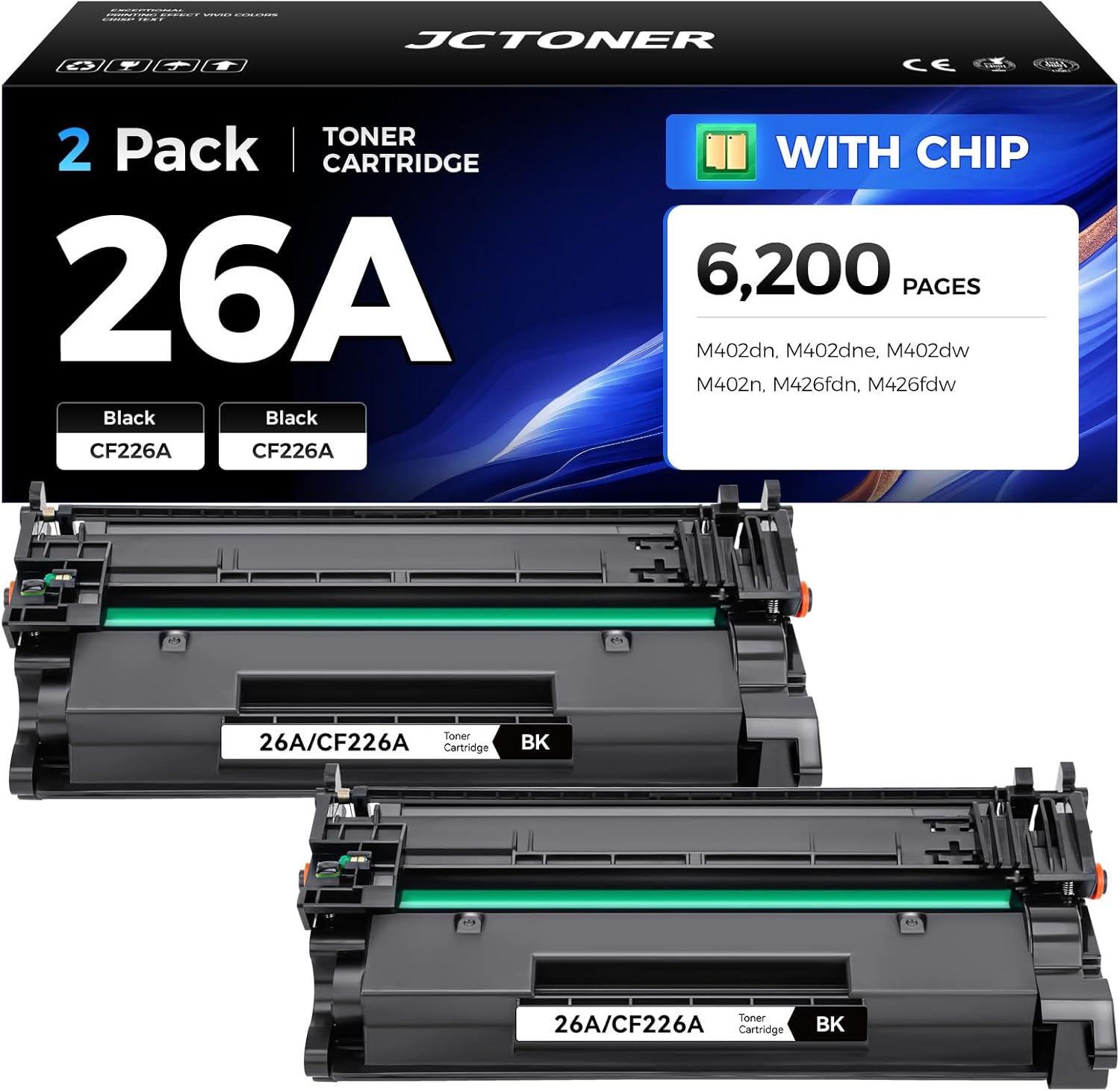
The HP 26A toner cartridge (CF226A) is a standard-yield black laser toner cartridge designed for use with specific HP LaserJet Pro printers. It features JetIntelligence technology to provide optimized print quality, page yield monitoring, and anti-fraud authentication. Designed for small-to-medium workgroups, it delivers approximately 3,100 pages based on ISO/IEC 19752 testing standards.
Understanding the HP 26A (CF226A) Identity
The HP 26A represents a specific engineering iteration within HP’s LaserJet toner lineup. The "A" designation signifies the standard-yield version of the cartridge, distinguishing it from the "X" (CF226X) high-yield variant. When discussing the 26A, users must recognize it as a "monochrome" cartridge, meaning it is exclusively for black-and-white printing requirements.
The core technology powering this cartridge is HP’s JetIntelligence. Introduced to increase the efficiency of the printing process, this technology allows the cartridge to be physically smaller and lighter while maintaining high-quality output. It achieves this by using reformulated toner that melts at a lower temperature, thereby reducing the energy consumption of the printer’s fuser unit.
Core Technical Specifications and Performance
To assess whether the HP 26A is suitable for your printing environment, it is necessary to examine its technical parameters. The cartridge is engineered to work in tandem with the printer’s internal sensors to provide accurate tracking of remaining toner levels.
- Model Number: CF226A
- Color: Black
- Print Technology: Laser
- Page Yield: Approximately 3,100 pages
- Operating Temperature Range: 10 to 32.5°C
- Storage Temperature Range: -20 to 40°C
- JetIntelligence Enabled: Yes
The page yield estimate of 3,100 pages is calculated based on the ISO/IEC 19752 standard, which assumes a 5% coverage of an A4 page. In real-world scenarios, the actual yield can vary significantly based on the content being printed—such as dense graphics, heavy text, or complex fonts—as well as the printer’s internal settings.
Compatibility: Ensuring Hardware Alignment
A common source of frustration for printer owners is the purchase of incompatible supplies. The HP 26A is not a universal cartridge. It is specifically designed for the HP LaserJet Pro M402 and M426 series. Attempting to force this cartridge into an incompatible printer can cause mechanical damage to the drum unit or the printer's internal gear train.
The following table summarizes the primary printer series compatible with the CF226A:
| Series | Specific Models |
|---|---|
| HP LaserJet Pro M402 | M402n, M402dn, M402dw, M402dne |
| HP LaserJet Pro M426 | M426dw, M426fdn, M426fdw |
Before finalizing your procurement, always cross-reference the model number found inside the printer’s front access door or on the printer’s rear identification plate.
The Role of JetIntelligence in Modern HP Printing
JetIntelligence is more than just a marketing term; it is a suite of hardware-software integrations. When you install an authentic HP 26A cartridge, the printer performs a handshake protocol with the cartridge’s internal chip. This chip serves several functions:
- Anti-Fraud Authentication: The printer verifies the cartridge's authenticity. If the printer determines the cartridge is unauthorized or "non-HP," it may display a warning message or, in some firmwares, restrict certain functionality.
- Toner Level Monitoring: The "Print Gauge" technology tracks the usage rate of the toner particles. It compares this against the history of your printing habits to provide a more accurate estimate of how many pages are left, rather than relying on a simple float sensor.
- Automatic Seal Removal: In older cartridge designs, users had to manually pull a plastic seal from the side of the unit. The 26A utilizes a simplified design that streamlines installation, reducing the risk of toner spills during the initial setup.
Installation Best Practices
Proper installation is critical to extending the life of both your cartridge and your printer’s imaging components. Follow these steps to ensure optimal performance:
- Preparation: Place the cartridge on a flat surface. Gently shake the cartridge from side to side 5 to 6 times to redistribute the toner powder inside. This is essential, as toner can settle during shipping.
- Safety: Keep the cartridge in its protective bag until the moment you are ready to install it. Exposure to ambient light for extended periods can degrade the photosensitive drum.
- Insertion: Open the printer’s toner access door. Remove the old cartridge by pulling it straight out. Align the new 26A cartridge with the tracks inside the printer. Slide it in firmly until you hear or feel a positive click, indicating that the cartridge is seated correctly.
- Verification: Close the door and allow the printer to initialize. The front control panel or the printer’s web interface (HP Embedded Web Server) should register the new cartridge as a "Genuine HP" supply.
Troubleshooting Common Issues
Despite the reliability of the 26A, users may occasionally encounter printing defects. Most issues are related to environmental factors rather than product defects.
- Faint or Streaky Prints: If your printouts appear light or have vertical lines, it usually indicates that the toner is running low or the drum has been exposed to light. Before assuming the cartridge is empty, perform a "Cleaning Mode" via your printer’s settings menu. This cycle runs a sheet through the printer to remove loose toner or dust from the rollers.
- Toner Smudging: If toner appears loose on the page, the fuser is likely not reaching the required temperature. Ensure your printer is plugged directly into a wall outlet rather than a power strip, which may not provide the consistent voltage required for the heating element.
- "Cartridge Policy" Errors: Some enterprise-grade HP printers have a "Cartridge Policy" enabled that prevents the use of non-HP supplies. If you receive an error regarding the cartridge being unauthorized, check your printer’s security settings in the web interface to see if this policy is active.
Environmental Responsibility and Recycling
HP operates an extensive recycling program known as "HP Planet Partners." Used 26A cartridges should not be disposed of in standard municipal trash, as they contain sophisticated plastics, specialized toner chemicals, and electronic components.
When you finish a cartridge, place it in the box provided with your replacement unit. You can print a prepaid shipping label from the official HP website to return the empty cartridge for refurbishment or material recovery. This process helps minimize the environmental footprint of your office printing operations.
Understanding Costs and Value
In 2026, the cost of the HP 26A varies depending on the retailer and whether you are purchasing a single unit or a multi-pack. When evaluating the cost per page, always divide the total purchase price by the 3,100-page yield. Be wary of "compatible" or "remanufactured" alternatives. While these may offer a lower upfront price, they lack the proprietary toner formulation of the original HP brand, which can lead to premature fuser wear or inconsistent print density.
For high-volume printing, it is mathematically more efficient to consider the 26X (high-yield) cartridge, which offers a higher page count and a lower cost-per-page. However, if your printing needs are intermittent, the 26A is the more cost-effective choice to avoid having toner sitting in a cartridge for years, which can eventually lead to clumping and print quality degradation.
Frequently Asked Questions
Can I use an HP 26A in a printer designed for the 26X? Yes. The 26A and 26X cartridges are physically identical in shape and size; they are compatible with the same printers. The difference lies in the amount of toner inside the housing. If your printer supports the 26A, it will also support the 26X without any software modifications.
What should I do if my printer does not recognize the new 26A cartridge? First, remove the cartridge and inspect the gold contact chip on the side. If there is visible debris or smudges, gently wipe it with a soft, lint-free cloth. Reinsert the cartridge and perform a hard reset by unplugging the printer for 60 seconds while it is powered on, then plugging it back in.
How do I tell if my 26A toner is a genuine HP product? Check the packaging for the HP security label. You can use the HP mobile app or the website to scan the QR code on the box. Additionally, the printer’s internal "Supply Status" page will explicitly state "Genuine HP" if the cartridge chip is verified by the HP server.
Does printing in "Draft" or "EconoMode" save more toner? Yes. Selecting the EconoMode or Draft setting in your print driver reduces the amount of toner applied to each character. While this can extend the life of your 26A cartridge beyond the rated 3,100 pages, it will result in lighter text and is not recommended for official documents or important correspondence.
What is the shelf life of an unopened HP 26A cartridge? An unopened, properly stored cartridge (kept in a cool, dry place away from direct sunlight) has a shelf life of approximately 2 to 3 years. After this period, the chemical properties of the toner may change, potentially leading to lower print quality or clumping.
Final Recommendation
The HP 26A toner cartridge is a reliable, high-performance solution for the supported LaserJet Pro M402 and M426 series. To maximize the value of your purchase, ensure you are buying genuine HP supplies to maintain the integrity of your printer's fuser and imaging hardware. If your print volume exceeds 3,000 pages per quarter, analyze your total cost of ownership; you may find that shifting to the 26X high-yield variant provides better long-term financial efficiency. Always store spare cartridges in their original, sealed packaging to prevent moisture or heat exposure, and utilize the HP Planet Partners program for responsible end-of-life disposal.