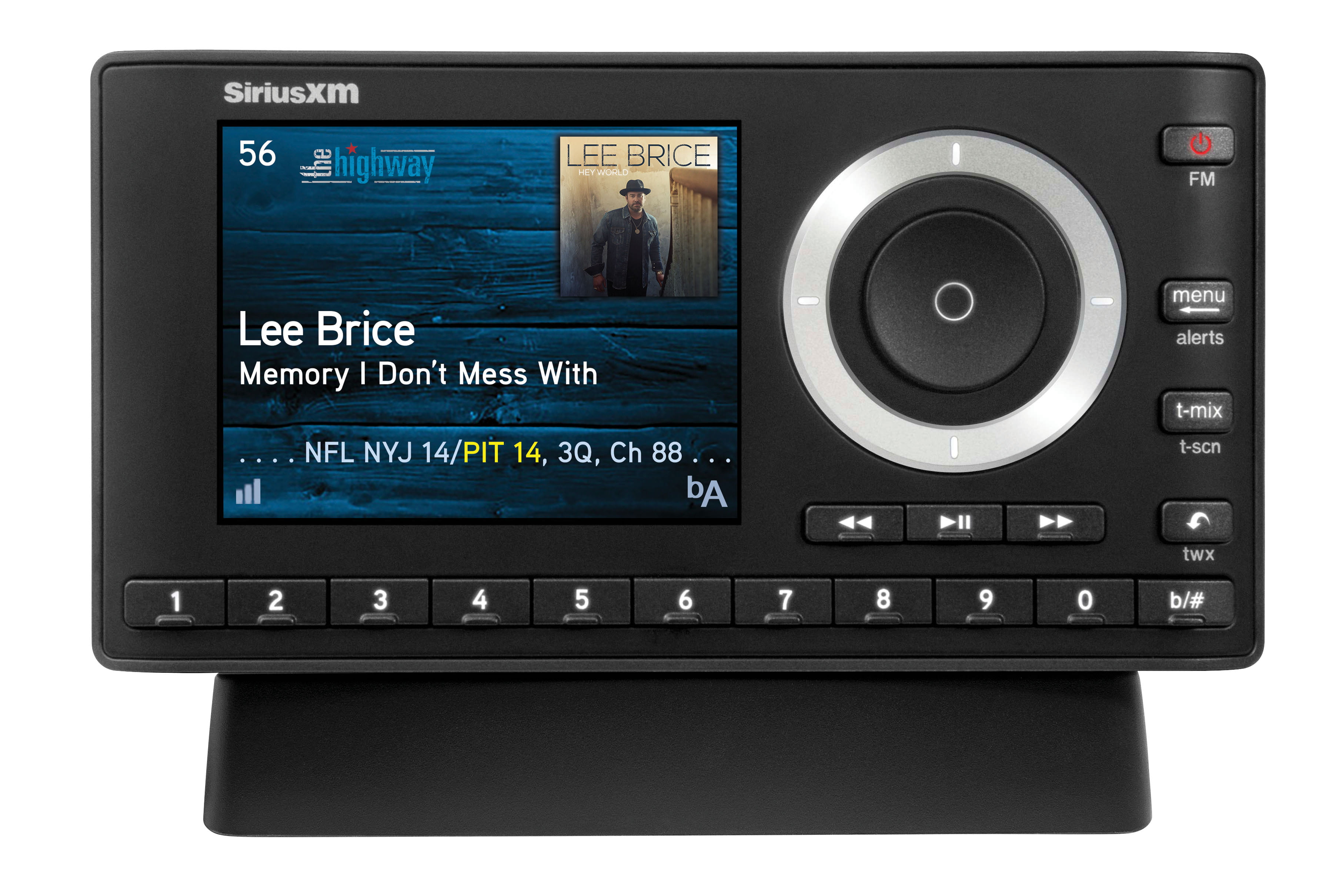
ESPN is primarily broadcast on SiriusXM channel 80. This channel serves as the national home for ESPN’s sports talk programming, including signature shows, live game coverage, and breaking sports news. Access to this channel is available across all standard SiriusXM satellite radio subscriptions that include sports programming, as well as via the SiriusXM mobile application and web player.
Understanding the SiriusXM and ESPN Partnership
The broadcast of ESPN content on SiriusXM is the result of a long-standing distribution agreement between the satellite radio provider and The Walt Disney Company, the parent company of ESPN. This partnership ensures that listeners receive a consistent stream of national sports commentary, expert analysis, and live play-by-play broadcasts that mirror the programming found on ESPN’s television and digital platforms.
For the listener, this means that channel 80 operates as the primary portal. It is important to distinguish this from local sports broadcasts or specific league channels (such as MLB Network Radio or NFL Radio), which are often housed on different channel numbers within the SiriusXM lineup. Channel 80 is the dedicated home for ESPN’s general sports talk, featuring popular programs like Get Up, The Pat McAfee Show, and various late-night talk shows that have become staples of the network.
Navigating the SiriusXM Channel Lineup
To access ESPN on your radio, you can manually tune to channel 80 using the dial or keypad on your dashboard. If your vehicle is equipped with steering wheel controls or a touchscreen interface, you can typically use the "Channel" or "Browse" menu to jump directly to the 80s range.
It is worth noting that channel lineups can sometimes vary slightly based on the type of radio receiver or the specific subscription package you hold. However, because ESPN is a cornerstone of the SiriusXM "Sports" tier, it is included in almost all modern car-kit subscriptions and premium digital-only plans. If you find that your radio does not tune to channel 80, the issue is rarely a technical malfunction of the antenna; instead, it is usually tied to your account’s current channel list or a need for a signal refresh.
Technical Access via SiriusXM App
In addition to the satellite feed in your vehicle, you can access ESPN via the SiriusXM mobile application or the web player. Digital access is often superior for those who move between vehicles or who want to access on-demand content. The app interface allows you to search for "ESPN" directly, which will lead you to channel 80 and often a selection of "On Demand" episodes of your favorite shows. This is particularly useful if you missed a live segment during your commute and wish to catch up later in the day.
Compatibility and Subscription Requirements
Not all SiriusXM plans are identical. While most plans include standard sports channels, some entry-level packages may restrict access to certain premium channels or talk programming.
Comparison of Access Methods
The following table outlines how different methods of listening to ESPN on SiriusXM impact the user experience.
| Access Method | Connectivity Source | On-Demand Availability | Best For |
|---|---|---|---|
| Satellite Radio | Geostationary Satellites | No | Driving and daily commutes |
| Mobile App | Cellular Data / Wi-Fi | Yes | Home, office, and mobile use |
| Web Player | High-Speed Internet | Yes | Desktop and laptop listening |
| Smart Speakers | Wi-Fi | Varies by Integration | Voice-controlled home listening |
When using the satellite feed, you are limited by line-of-sight connectivity; physical obstructions like tunnels, parking garages, or heavy tree cover can cause signal drops. Conversely, the mobile application uses your existing internet connection (cellular or Wi-Fi), which generally provides a more stable stream in areas where satellite signals struggle to penetrate.
Troubleshooting Signal Issues
If you have verified that your subscription is active but channel 80 is not playing, you should attempt a few standard troubleshooting steps before contacting customer support.
- Check Your Subscription Status: Log in to your SiriusXM account online to confirm that your account is "Active" and that the "Sports" package is included in your plan.
- Send a Refresh Signal: SiriusXM provides an online tool that allows you to send a refresh signal to your radio. This forces your hardware to re-scan its internal channel database, which can resolve issues where channels appear to be missing or "locked."
- Radio Firmware/Software Updates: If you are using a newer head unit or a modern vehicle infotainment system, ensure your system is updated. Occasionally, the channel metadata (the text that displays the show name on your screen) may lag behind, but a simple restart of the radio usually fixes this.
- Hardware Issues: If you receive a "Check Antenna" error, the problem is physical. Ensure that your antenna cable is securely connected to the back of the receiver or the shark-fin antenna on the roof is not obstructed.
Integrating ESPN into Your Listening Habits
Beyond simply finding the channel, many listeners prefer to use the "Favorites" feature on their radio. Once you tune to channel 80, most modern satellite radios allow you to save the channel as a preset. This enables one-touch access whenever you enter your vehicle.
Furthermore, if you are a fan of specific programs that air on ESPN, you can often use the "Alert" feature on your SiriusXM receiver. By setting an alert for a specific host or show, your radio will notify you or automatically switch to channel 80 whenever that content begins. This is an excellent way to ensure you never miss your preferred sports talk segments during the business day.
Frequently Asked Questions
Is ESPN on SiriusXM free if I have a car radio?
ESPN is included in most SiriusXM satellite radio subscriptions. However, it is not "free" in the sense that it requires a paid subscription to the service. You should verify your specific subscription plan through the SiriusXM customer portal to ensure you have the necessary tier to access sports and talk channels.
Do I get the same ESPN programming on the radio as I do on TV?
The programming on channel 80 is specifically curated for the radio format. While the channel broadcasts the audio portion of many popular ESPN television shows, it also features original, radio-exclusive content. You are getting the same commentary and personality-driven analysis, but the visual elements of the TV broadcast are replaced with radio-optimized production.
Can I listen to ESPN outside of the United States?
SiriusXM digital access via the mobile app is generally intended for use within the United States. While some users may find the app functions while traveling, licensing restrictions regarding sports broadcasting rights mean that live content may be blacked out or unavailable when accessing the service from outside the country.
Does channel 80 have commercials?
Yes, channel 80 contains advertising, similar to terrestrial radio. These advertisements support the cost of the service and the production of the programs. Commercial breaks usually coincide with the natural segments of the television broadcasts that are being simulcast.
What should I do if channel 80 is silent or skipping?
If the channel is silent but other channels are working, try switching to a different channel and then back to 80. If it continues to skip, you likely have a local obstruction blocking your satellite signal. If the silence persists across all channels, verify your account status; if you have a valid subscription, perform a "Refresh Signal" via the SiriusXM website.
Final Recommendation
To ensure the best experience, start by tuning to channel 80 on your satellite radio and saving it as a primary preset. For listeners who desire more flexibility, download the official SiriusXM app and sign in with your account credentials. This combination ensures that whether you are on the road or at your desk, you retain full access to ESPN’s national sports coverage without interruption. If you experience persistent technical difficulties, the most effective first step is always to log in to your subscriber portal and trigger a signal refresh to your specific radio ID.