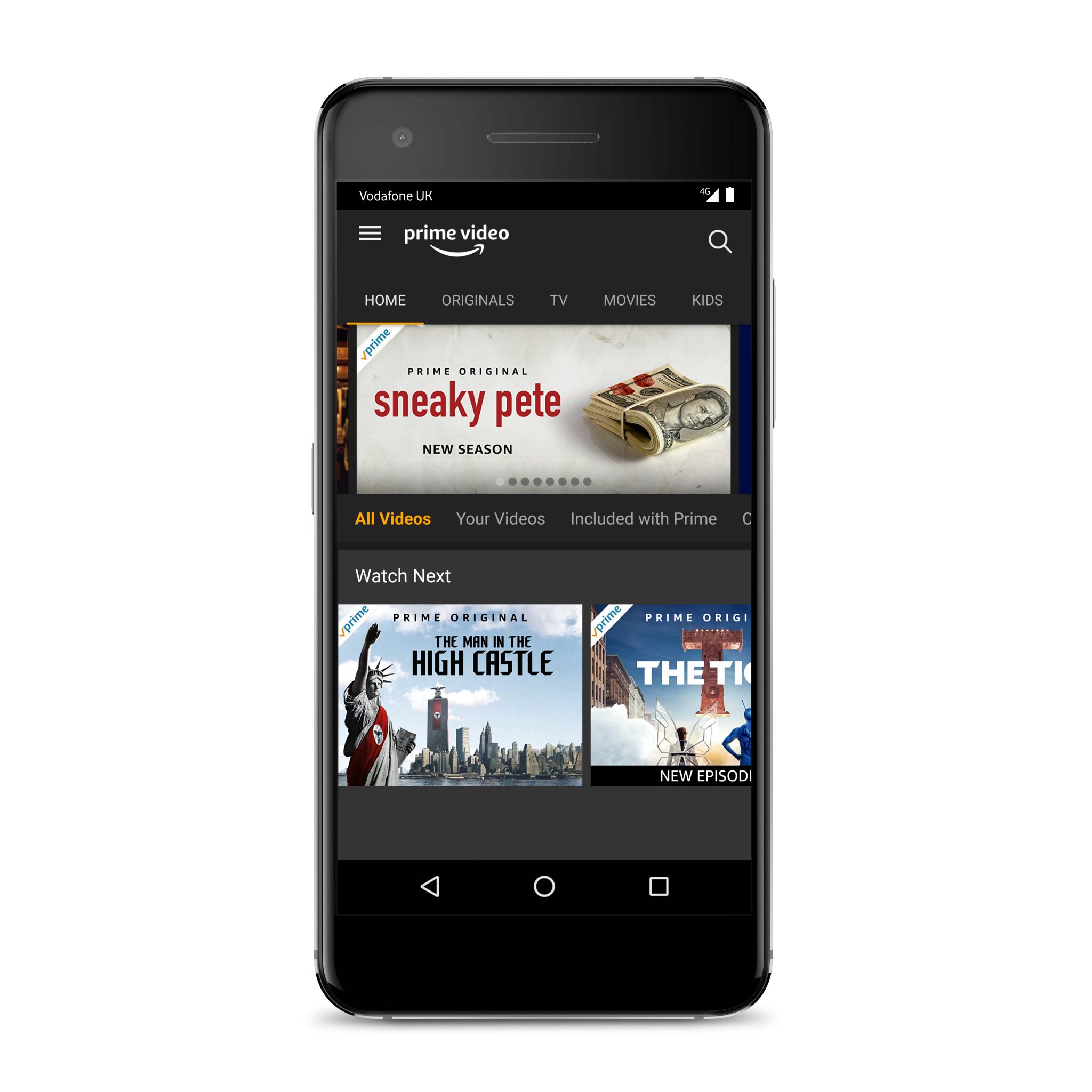
Amazon Prime on mobile streamlines entertainment by providing a unified, portable hub for high-definition streaming, music, and reading through dedicated applications for iOS and Android. By utilizing features like offline downloads, data-conscious streaming settings, and X-Ray insights, users can access the full Prime ecosystem anywhere with a stable internet connection or pre-cached content.
The landscape of digital consumption has shifted fundamentally toward portability. As of 2026, the mobile device is no longer just a secondary screen; for many, it is the primary gateway to the Amazon Prime ecosystem. Streamlining this experience involves more than just opening an app; it requires a deep understanding of how to configure settings for data efficiency, how to manage storage for offline viewing, and how to leverage the integrated features that distinguish Amazon’s service from its competitors. Whether you are commuting, traveling, or simply relaxing away from a television, the mobile implementation of Prime Video, Amazon Music, and Prime Reading offers a sophisticated suite of tools designed to minimize friction and maximize enjoyment.
Essential Prerequisites for Mobile Integration
To begin streamlining your entertainment, you must ensure your hardware and software meet the current 2026 standards for the Amazon Prime ecosystem. While the applications are designed to be backwards compatible with older hardware, the best experience—including 4K HDR playback and spatial audio—requires specific device capabilities.
Device Compatibility and Operating Systems
For iOS users, Amazon Prime Video and its sibling apps typically require the last two major iterations of iOS to function with all security patches and feature updates active. Android users should ideally be on a device running Android 12 or higher to ensure the hardware-level DRM (Digital Rights Management) supports high-definition playback. Without the proper Widevine L1 certification on Android devices, streaming may be capped at standard definition (480p), regardless of your subscription level or internet speed.
App Installation and Account Syncing
The streamlining process begins with the installation of the dedicated apps: Prime Video, Amazon Music, and the Kindle app (for Prime Reading). Unlike a desktop browser experience, these apps are optimized for touch interfaces and variable network conditions. Once installed, signing in with your primary Amazon account synchronizes your "Watchlist," "Continue Watching" progress, and personalized recommendations across all devices. In 2026, this synchronization is instantaneous, allowing you to pause a movie on a smart TV and pick up exactly where you left off on your smartphone during a train ride.
Optimizing Video Playback and Data Usage
One of the most significant challenges of mobile entertainment is managing data consumption while maintaining visual quality. Amazon Prime Video offers some of the most granular controls in the industry to address this.
Configuration of Streaming Quality
Within the "Stream & Download" settings, users can select between "Good," "Better," and "Best" quality levels. In 2026, these tiers are more efficient than ever due to advanced codecs like AV1, which provide higher clarity at lower bitrates.
- Best: Utilizes the highest resolution supported by the device, often 1080p or 4K on high-end tablets. This can consume upwards of 6GB per hour.
- Better: A balance between clarity and data, usually consuming around 2GB per hour.
- Good: Designed for low-bandwidth environments or limited data plans, reducing consumption to approximately 0.6GB per hour without significant pixelation on smaller screens.
Utilizing the "Data Saver" Feature
For users on restricted mobile plans, the "Data Saver" mode is an essential tool for streamlining. When activated, the app automatically adjusts the bitrate in real-time based on network congestion. Furthermore, you can toggle an option to "Stream on Wi-Fi only," which prevents the app from using cellular data entirely, ensuring you don't accidentally incur overage charges while binge-watching a series.
Mastering Offline Content Management
Streamlining entertainment often means preparing for environments where internet access is unreliable or non-existent, such as on airplanes or in remote areas. The download functionality of Amazon Prime on mobile is the cornerstone of this preparation.
How to Download for Offline Viewing
Most titles included with Prime, as well as many purchased or rented titles, are available for download. To streamline your library, navigate to a movie or TV episode and look for the "Download" icon (a downward arrow). You can choose the download quality independently of your streaming quality. If you are short on storage space, selecting "Good" quality for downloads allows you to store dozens of hours of content on a standard mobile device.
Auto-Downloads and Smart Management
As of 2026, the "Auto-Downloads" feature has become a fan favorite for streamlining TV series. When enabled, the Prime Video app will automatically download the next episode of a series you are watching and delete the episodes you have already finished. This ensures you always have fresh content ready without having to manually manage your storage or remember to hit the download button before leaving your home Wi-Fi.
| Feature | Mobile Benefit | Data Impact | Storage Impact |
|---|---|---|---|
| Highest Quality Streaming | Best visual experience on OLED screens | High (6GB+/hr) | None |
| Data Saver Mode | Prevents overages on mobile networks | Low (0.6GB/hr) | None |
| Standard Downloads | Reliable viewing without internet | None (after download) | Moderate |
| Auto-Downloads | Hands-free series management | Low (on Wi-Fi) | Dynamic |
| X-Ray Insights | Instant actor/music identification | Negligible | None |
Enhancing the Experience with X-Ray and Interactive Features
Amazon’s proprietary X-Ray feature, powered by IMDb, is a powerful tool for streamlining the way we consume information about the media we watch. On mobile, this feature is particularly intuitive.
Instant Context and Metadata
By simply tapping the screen or rotating the device during playback, X-Ray displays a list of actors currently on screen, the name of the background music playing, and trivia related to the scene. This eliminates the need to pause the video and search an external database to identify a "familiar face." In 2026, X-Ray has expanded to include "Character Bios" and "In-Scene Shopping," allowing users to identify products or apparel seen on screen and save them to an Amazon list for later review.
Integrated Audio and Subtitle Controls
Mobile users often move through varying acoustic environments. The Prime Video interface streamlines audio management by placing subtitle and audio language toggles within a single tap of the main playback screen. The "Dialogue Boost" feature is especially useful for mobile listeners using headphones, as it uses AI to enhance speech clarity over background noise and music, ensuring you don't miss critical plot points in noisy public spaces.
Beyond Video: Music and Reading on the Go
"Amazon Prime on mobile streamlining entertainment" is an umbrella concept that extends beyond video to include the vast libraries of Amazon Music and Prime Reading.
Amazon Music for Prime Members
The Amazon Music app provides Prime members with access to millions of songs and the largest catalog of top ad-free podcasts. To streamline your audio experience, the app features "All-Access Playlists" which are curated based on your listening habits and are available for offline download. Integration with Alexa on mobile allows for hands-free control, making it easier to change tracks or find a specific genre while driving or exercising.
Prime Reading and the Kindle Integration
The Kindle app allows Prime members to access a rotating selection of thousands of eBooks, magazines, and comics at no additional cost. The "Whispersync" technology is the ultimate streamlining tool here; it synchronizes your reading progress across your Kindle e-reader and your mobile phone. You can read a chapter on your lunch break on your phone and have your e-reader automatically open to the correct page that evening.
Troubleshooting Common Mobile Issues
Even with a streamlined setup, technical hurdles can occur. Understanding how to resolve these quickly is key to maintaining a seamless entertainment experience.
- Buffering and Connectivity: If video quality drops or pauses frequently, first check your "Streaming Quality" settings. Lowering the setting to "Good" can often resolve buffering on weak 4G or 5G signals. Clearing the app cache in your device settings can also resolve performance lag.
- Download Failures: Downloads usually fail due to insufficient storage space or a lost internet connection. Ensure your device has at least 500MB of free space above the size of the file you are downloading. Note that some titles have "Download Limits" set by the content providers, which may prevent you from having the same movie on more than two devices simultaneously.
- Location and VPN Issues: Amazon Prime content is geo-restricted. If you are traveling abroad, your available library may change. Using a VPN may cause the app to throw an "Error 4601," as Amazon actively blocks many VPN IP ranges to comply with licensing agreements. For the most streamlined experience while traveling, download your content before leaving your home country.
- App Crashes: Ensure you are using the official version of the app from the Apple App Store or Google Play Store. Beta versions or sideloaded APKs (on Android) often lack the stability required for consistent streaming and may fail to pass security checks required for HD playback.
Security and Privacy on Mobile
Streamlining your entertainment should not come at the cost of security. In 2026, Amazon has implemented robust biometric authentication for mobile apps. You can configure the Prime Video app to require FaceID or TouchID (or the Android equivalent) before allowing purchases or accessing specific profiles. This is particularly useful if you share your device with children.
Furthermore, managing "Watch History" and "Privacy" settings directly in the mobile app allows you to delete specific titles from your history, which in turn refines the "Recommended for You" algorithm. A cleaner history leads to better recommendations, further streamlining the time it takes to find something new to watch.
Summary of Next Steps for Users
To fully realize the benefits of Amazon Prime on mobile, users should take the following actions:
- Audit App Settings: Open the Prime Video and Amazon Music apps to set your preferred streaming and download qualities based on your current data plan.
- Enable Auto-Downloads: If you are currently watching a series, turn on Auto-Downloads to ensure the next episode is always ready for your commute.
- Explore X-Ray: During your next viewing session, use the X-Ray feature to explore the cast and music, familiarizing yourself with the depth of information available at a tap.
- Check Prime Reading: Download the Kindle app and browse the "Prime Reading" section to add a few books to your library for those moments when you prefer reading over watching.
By centralizing these various forms of media into a well-configured mobile device, you transform your smartphone from a simple communication tool into a comprehensive, streamlined entertainment powerhouse tailored to your specific preferences and lifestyle.
Frequently Asked Questions
Can I watch Amazon Prime on mobile without an internet connection? Yes, you can watch content offline by downloading it while you have an internet connection. Most titles included with Prime have a download option located on the detail page of the movie or episode. Once downloaded, you can access these titles in the "Downloads" section of the app, even in airplane mode.
Does streaming Prime Video on mobile use a lot of data? Streaming can use a significant amount of data, ranging from 0.6GB per hour on "Good" quality to over 6GB per hour on "Best" quality. To manage this, you can use the "Data Saver" mode in the app settings or set the app to "Stream on Wi-Fi only" to avoid using your cellular data allowance.
How many devices can stream Amazon Prime at the same time? As of 2026, Amazon generally allows you to stream up to three titles simultaneously using the same Amazon account. However, you can stream the same title to no more than two devices at a time. This allows multiple family members to enjoy different content on their mobile devices simultaneously.
Why are some movies not available for download on my phone? The ability to download content is determined by the licensing agreements Amazon has with the content owners. While the vast majority of Prime Originals and many licensed titles are available for download, some studios may restrict their content to streaming only.
How do I improve the video quality on my mobile device? First, ensure you are connected to a high-speed Wi-Fi network. Then, go to the Prime Video app settings under "Stream & Download" and select "Best" for streaming quality. Also, ensure your device's display settings are set to their highest resolution and that any "Power Saving" modes, which can throttle processor performance, are disabled.