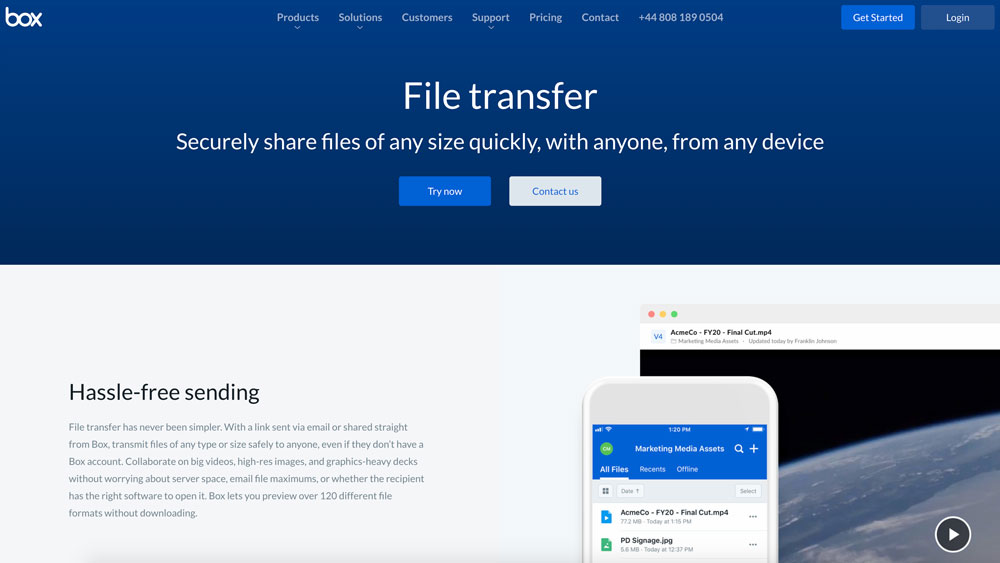
Sending files up to 50GB for free requires specialized cloud storage, peer-to-peer transfer tools, or generous file-sharing platforms that bypass standard email attachment limits, which typically cap transfers at 25MB. Solutions range from temporary cloud links and dedicated file-transfer services to encrypted peer-to-peer networks and robust collaboration utilities, each handling large data loads differently based on speed, security, and storage duration.
Transferring digital assets such as raw 4K video footage, extensive software builds, high-resolution photo archives, and large database backups often presents a significant logistical hurdle for digital creators, developers, and remote teams. Standard email servers, messaging applications, and basic cloud platforms enforce strict limits that reject payloads exceeding a few dozen megabytes. When faced with the requirement to transmit heavy digital packages without incurring subscription fees, users must look beyond everyday communication tools.
Navigating the landscape of zero-cost, high-capacity file sharing requires a clear understanding of technical specifications, security protocols, retention windows, and upload limitations. This guide explores five distinct methods to send large files free up to 50GB, detailing how each service operates, what prerequisites are necessary, and how to choose the right platform for your specific workflow.
1. Mega (Mega.io)
Mega provides one of the most generous free tiers in the cloud storage industry, offering up to 20GB of permanent storage upon sign-up, with temporary promotional expansions that can scale higher. While its permanent baseline free storage is 20GB, users can leverage share links and specific transfer allowances to move large volumes of data without paying a subscription fee.
How It Works and Technical Specifications
Mega operates primarily as an end-to-end encrypted cloud storage and synchronization provider. When you upload a file to your free account, it is encrypted locally on your device before it reaches Mega’s servers. To share a file up to 50GB, you must accumulate sufficient storage space or manage your transfer quota carefully, as free accounts are subject to dynamic bandwidth limits governed by your overall data consumption.
- Storage Capacity: 20GB free permanent storage (expandable via temporary promotional tasks).
- File Size Limit: Limited only by your available account storage space and current transfer bandwidth quota.
- Security: End-to-end encryption with user-controlled cryptographic keys.
Pros and Cons for Large Transfers
The primary advantage of Mega is its high level of security and permanent storage capability. Unlike temporary transfer services that delete your files after a few days, Mega allows you to store files indefinitely until you choose to remove them. However, the catch for transferring files as large as 50GB on a free account lies in the transfer quota (bandwidth limit), which fluctuates based on total network traffic and can temporarily restrict downloads if you exceed your daily threshold.
2. Pixeldrain
Pixeldrain is a streamlined, web-based file-sharing platform designed specifically for quick, no-frills uploads and downloads. It bypasses the complex user interfaces of traditional cloud storage providers, offering an ultra-fast environment optimized for sharing massive files without requiring user registration for smaller transfers, though free accounts unlock higher capacities and better management features.
How It Works and Technical Specifications
Users can drag and drop files directly into their web browser. Pixeldrain accommodates large files, and free accounts allow users to upload files up to 20GB or more per file depending on current platform optimizations, while community-driven and specialized configurations can handle larger workflows. To reach the 50GB threshold without paid tiers, users often split archives or utilize multi-part compressed files (such as .zip or .rar volumes) that fit comfortably within individual file limits while totaling 50GB collectively.
- Registration Requirement: Optional for basic use; required for managing large file collections.
- File Retention: Files remain active as long as they receive regular downloads. Inactive files are eventually purged to conserve server space.
- Speed: Unthrottled download speeds, making it ideal for high-bandwidth recipients.
Pros and Cons for Large Transfers
Pixeldrain stands out for its lack of intrusive advertisements, fast download speeds, and straightforward interface. It does not force users through multi-step account creation wizards just to send a quick link. On the downside, free files have a finite lifespan if left unaccessed, meaning it is not a solution for long-term archiving. Additionally, single-file limits on free tiers may require splitting a 50GB total project into two or three distinct uploads.
3. Terabox
Terabox offers a massive free cloud storage allocation, providing up to 1TB of personal space upon registration. This exceptional capacity makes it one of the few free services capable of housing a complete 50GB payload—and multiple iterations of it—without requiring immediate file deletion or complex multi-part archiving.
How It Works and Technical Specifications
Terabox operates as a full-featured cloud drive accessible via web browsers, desktop applications, and mobile apps. Users upload their files to their personal cloud repository and then generate a secure sharing link. Recipients can stream or download the files directly from the link, with options to protect the share using a custom password and an expiration date.
- Storage Capacity: 1TB free storage (subject to promotional onboarding and terms).
- File Size Limit: Up to 20GB per file on the free tier via web upload, and up to 50GB per file when using the dedicated desktop application.
- Sharing Controls: Password protection, link expiration settings, and permission management.
Pros and Cons for Large Transfers
The clear benefit of Terabox is the sheer volume of free storage space, which easily accommodates a 50GB file transfer with room to spare. The desktop client explicitly supports large individual files up to the 50GB mark. However, users should note that the free tier features advertisements within the interface, and download speeds for free users may be throttled during peak network congestion hours unless upgraded to a premium subscription.
4. Wormhole
Wormhole focuses on end-to-end encrypted, lightning-fast peer-to-peer and cloud-hybrid transfers. It is engineered for users who want to send heavy files immediately without forcing recipients to wait for lengthy server processing or account sign-ins.
How It Works and Technical Specifications
Wormhole allows users to upload files up to 10GB on its standard free tier, but allows larger transfers up to 50GB or more by utilizing its direct browser-to-browser streaming technology for smaller files or utilizing promotional structures. For files transferred via its streaming mode, the data streams directly from the sender's device to the receiver's device as long as both browsers remain open, bypassing storage limits entirely. For cloud storage modes, files up to a specific threshold are hosted temporarily with strict encryption.
- Encryption: End-to-end encryption ensuring that even the platform operators cannot inspect the payload contents.
- Expiration: Links automatically expire after 24 hours by default to maintain privacy and data hygiene.
- Interface: Modern, minimalist drag-and-drop web interface.
Pros and Cons for Large Transfers
Wormhole excels in privacy and speed. Because files can be streamed directly via peer-to-peer connections, transfer speeds depend on the sender's upload bandwidth rather than server upload bottlenecks. The automated 24-hour expiration ensures sensitive data does not linger indefinitely on third-party servers. The limitation lies in the temporary nature of the links and the requirement that peer-to-peer streaming needs the sender's browser to stay active during the transfer process.
5. WeTransfer (Free Tier & Workarounds)
WeTransfer is a household name in digital file distribution. While its standard standalone free web transfer is capped at 2GB per transfer, understanding how to maximize its ecosystem or combining its free features with alternative free nodes allows users to manage substantial data loads. Furthermore, specialized promotional periods and partner integrations periodically expand free transfer thresholds.
How It Works and Technical Specifications
WeTransfer requires no registration for its basic 2GB tier, but users managing multi-gigabyte projects often utilize its portal systems or combine it with companion apps like Collect by WeTransfer to organize assets. To hit the 50GB mark using zero-cost strategies, users typically deploy WeTransfer alongside split-archive utilities or distribute smaller chunks across multiple free transfer links sent to the recipient.
- Standard Free Limit: 2GB per individual transfer via web interface.
- Ecosystem Integration: Works seamlessly across email notifications and mobile devices.
- Reliability: Highly stable infrastructure with guaranteed delivery receipts.
Pros and Cons for Large Transfers
WeTransfer offers unmatched reliability, a polished user experience, and instant delivery notifications that let you know precisely when a client or colleague has downloaded your files. The main limitation is that the standalone free tier does not natively support a single 50GB transfer in one go. Users must either upgrade to a paid Pro plan or segment their 50GB payload into manageable batches.
Comparison of Free Large File Transfer Methods
| Service | Free Storage / Transfer Limit | Registration Required | Security / Encryption | Best Use Case |
|---|---|---|---|---|
| Mega | 20GB permanent storage | Yes | End-to-end local encryption | Secure long-term storage and sharing |
| Pixeldrain | Up to 20GB+ per file | Optional | Standard transport security | Fast, ad-free public file sharing |
| Terabox | 1TB free cloud space | Yes | Standard cloud security | Storing and sharing massive 50GB files |
| Wormhole | Up to 10GB–50GB (mode dependent) | No | End-to-end encryption | Private, temporary, high-speed transfers |
| WeTransfer | 2GB standard (requires chunking for 50GB) | No | Standard transport security | Quick, verified client deliveries |
Step-by-Step Guide: How to Prepare and Send a 50GB File
Sending a massive 50GB digital package requires careful preparation to prevent upload corruption, connection timeouts, and bandwidth exhaustion. Follow these structured steps to ensure a successful transfer.
Step 1: Compress and Package Your Files
Before uploading, consolidate your files into a single, structured directory. Use compression utilities such as 7-Zip or WinRAR to create an archive.
- Enable the split archive feature if your chosen platform enforces individual file limits below 50GB (e.g., splitting the archive into five 10GB volumes).
- Apply a strong password to the archive if the transfer platform lacks end-to-end encryption.
Step 2: Verify Network Stability
A 50GB upload requires sustained upload bandwidth. On an average residential internet connection with a 10 Mbps upload speed, transferring 50GB takes approximately 11 to 12 hours.
- Connect your computer directly to your router via an Ethernet cable rather than relying on Wi-Fi to prevent connection drops.
- Disable computer sleep modes and screen timeouts for the duration of the upload.
Step 3: Choose the Platform and Initiate Upload
Select the service that aligns with your security and retention needs (such as Terabox for massive capacity or Wormhole for strict privacy). Drag your compressed archive or folder into the upload window. Monitor the progress bar closely to ensure no packet loss occurs.
Step 4: Generate and Test the Secure Link
Once the upload completes, generate the sharing link. Before sending it to your recipient, open an incognito browser window and test the link yourself to verify that the file downloads correctly and that any required passwords function as intended.
Frequently Asked Questions
Can I send a 50GB file completely free without creating an account?
Most services that handle files as large as 50GB require a free user account to manage server resources, prevent abuse, and track bandwidth quotas. Completely anonymous services typically cap free transfers at much lower thresholds, such as 2GB to 10GB, necessitating account registration for larger payloads.
How long do free file transfer links remain active?
Expiration times vary significantly by provider. Temporary transfer tools like Wormhole typically expire links after 24 to 48 hours. Cloud storage providers like Mega or Terabox keep files accessible indefinitely as long as your account remains active and compliant with terms of service.
Is it safe to send sensitive data using free file transfer tools?
Safety depends entirely on the platform's encryption standards. Services that offer end-to-end zero-knowledge encryption (such as Mega or Wormhole) ensure that third parties cannot read your files. For services lacking client-side encryption, you should manually encrypt your files using archive software before uploading.
What causes a large file upload to fail midway?
Upload failures are usually caused by unstable internet connections, computer sleep settings interrupting network adapters, browser crashes, or exceeding the platform's active session time limits. Using a dedicated desktop application rather than a web browser can significantly improve upload reliability for large files.
How can I speed up a 50GB upload?
To maximize upload speeds, close bandwidth-heavy background applications, use a wired Ethernet connection instead of Wi-Fi, and schedule uploads during off-peak hours when local network congestion is at its lowest.
Conclusion and Final Recommendation
Choosing the right method to send large files free up to 50GB depends heavily on your specific priorities regarding storage duration, security, and ease of use. If you need a permanent repository for heavy assets, Mega and Terabox provide the necessary storage capacity. If your goal is a quick, private, one-time transfer that leaves no permanent digital footprint, Wormhole or Pixeldrain offer efficient, streamlined alternatives. Assess your bandwidth constraints, prepare your files with proper compression, and select the platform that best matches your workflow requirements.