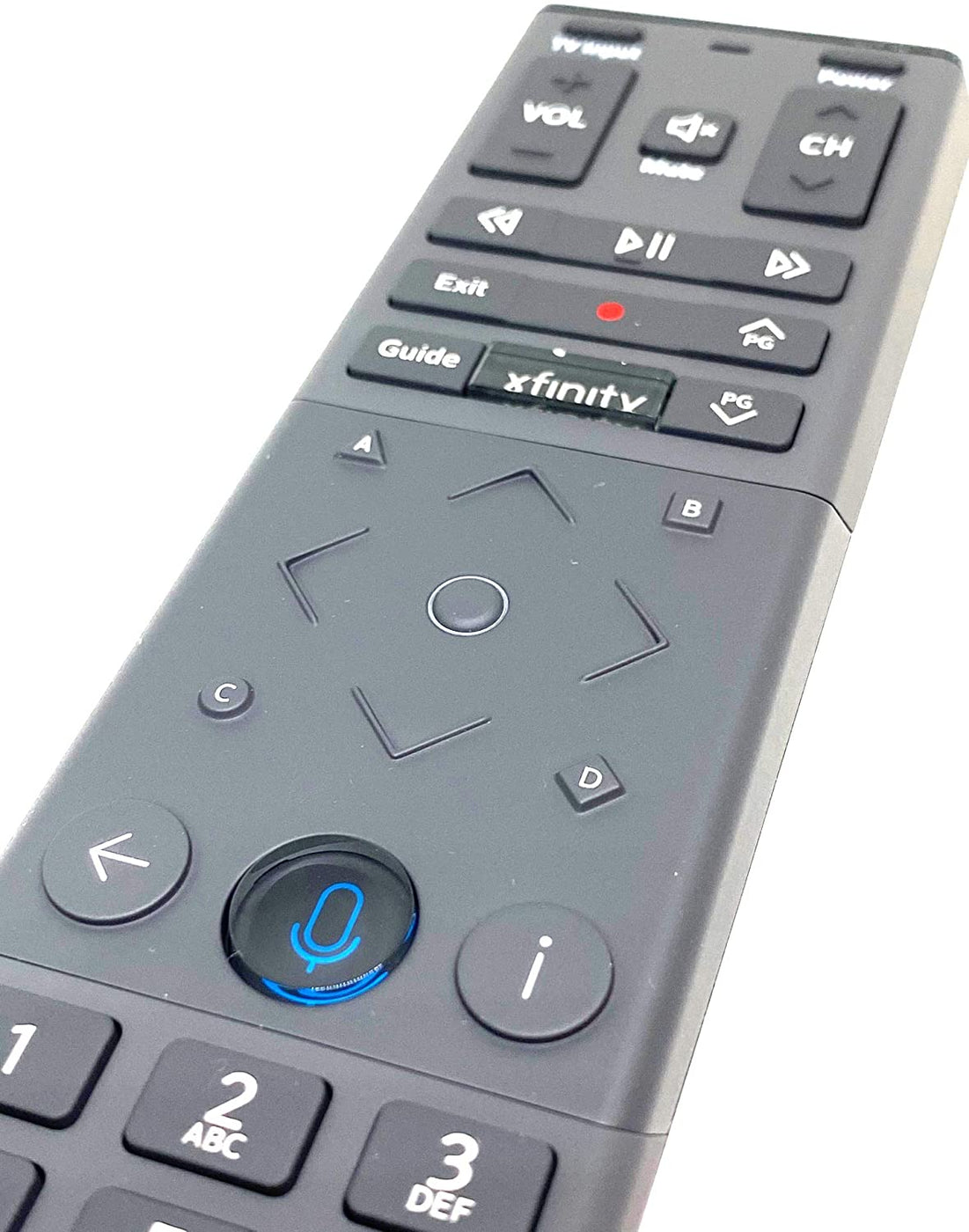
The Xfinity Xi5 is a compact, wireless streaming media device designed by Comcast to deliver live television, On Demand content, and cloud-based DVR playback over an existing home Wi-Fi network. Unlike traditional cable boxes that require a direct coaxial cable connection, the Xi5 functions as an IP client box, utilizing a customer's high-speed home internet and a compatible Xfinity gateway to stream entertainment directly to secondary television sets throughout a household.
Introduction to the Xfinity Xi5 Architecture
The evolution of home entertainment has shifted dramatically away from tethered, wall-outlet-bound coaxial setups toward flexible, cloud-managed IP ecosystems. Within Comcast’s Xfinity lineup, the Xi5 box represents a pivotal hardware category: the wireless client terminal. Understanding what the Xi5 is requires examining how it fits into the broader Xfinity X1 platform architecture. Rather than containing its own traditional cable tuner, the Xi5 relies entirely on a primary Xfinity TV box or gateway equipped with a built-in cable tuner to distribute live television and interface signals wirelessly across rooms.
For households looking to extend their cable subscription to a bedroom, kitchen, or basement television without running unsightly coaxial cables through walls, the Xi5 offers a streamlined alternative. It operates primarily over dual-band 5 GHz Wi-Fi connections, ensuring sufficient bandwidth for high-definition streaming. However, this reliance on wireless infrastructure means that optimal performance depends heavily on overall network health, signal strength, and proximity to the primary Xfinity gateway.
Core Technical Specifications and Hardware Design
At first glance, the physical design of the Xfinity Xi5 is remarkably minimalist. Manufactured primarily by Technicolor or Arris for Comcast, the device measures just a few inches across, featuring a slim profile that easily hides behind wall-mounted displays or sits unobtrusively on an entertainment center.
The rear and side panels of the Xi5 house a carefully curated selection of ports designed for modern digital home theaters:
- HDMI Output: The primary conduit for high-definition video and multi-channel audio transmission to the television.
- Digital Optical Audio Output (S/PDIF): Provided for integration with older audio receivers or soundbars that lack HDMI pass-through capabilities.
- Micro-USB Port: Typically reserved for service diagnostics or powering accessories (though not generally used for external storage or user-facing peripherals).
- Power Input: Connects to a dedicated external power supply adapter.
- Ethernet Port: While the Xi5 is famously marketed as a wireless client, select hardware revisions feature an RJ-45 Ethernet port for wired local network configurations where Wi-Fi congestion is an issue.
Internally, the hardware is optimized for decoding high-definition streams and running Comcast’s X1 Guide software interface. It supports 1080p video output and Dolby Digital audio formatting. Crucially, the Xi5 does not support native 4K Ultra HD resolution; households seeking 4K streaming capabilities within the Xfinity ecosystem must look toward newer hardware iterations, such as the Xfinity Xi6 or Xumo Stream Box.
Prerequisites and System Requirements
Deploying an Xfinity Xi5 box is not as simple as plugging it into a wall and activating a standalone subscription. Because it functions strictly as a client device, specific foundational hardware and service tiers must be present in the home before the Xi5 can operate.
| Requirement Category | Minimum Specification | Description |
|---|---|---|
| Primary Equipment | Xfinity X1 DVR or Gateway | Requires a main Xfinity DVR box (such as the XG1 or XG2) or a compatible XB-series gateway to act as the primary tuner source. |
| Internet Service | Xfinity High-Speed Internet | An active broadband connection managed through an Xfinity-approved wireless gateway (XB3, XB6, or newer). |
| Wi-Fi Network | Dedicated 5 GHz Band | While 2.4 GHz can be used in some diagnostic scenarios, stable operation strongly requires a strong 5 GHz Wi-Fi signal from the primary gateway. |
| Display Interface | HDMI-Compatible Television | A television equipped with an open HDMI port capable of supporting HDCP copy protection standards. |
Without an active primary X1 DVR box sharing its tuner pool with the household account, the Xi5 cannot authenticate or pull programming data. Furthermore, third-party routers (such as standalone Netgear or ASUS routers not managed by Comcast) may occasionally complicate the pairing process, making the use of an Xfinity-issued gateway the path of least resistance during initial setup.
The Pairing and Activation Process
Getting an Xfinity Xi5 up and running involves a structured sequence of steps designed to securely handshake the client box with the home’s primary X1 gateway and Comcast’s cloud servers.
- Preparation: Unpack the Xi5 box, connect the included HDMI cable from the box to an open HDMI port on your television, and plug the power adapter into a wall outlet.
- Power-On and Input Selection: Turn on your television and switch the video input source to match the HDMI port you selected. The screen should display the initial Xfinity boot animation.
- Remote Pairing: Follow the on-screen prompts to pair your Xfinity voice remote with the Xi5 box. This typically involves holding down specific buttons (such as
AandDorXfinityandInfo) until the remote's indicator light flashes green, then entering the on-screen code. - Network Handshake: Because the Xi5 is a wireless box, it must connect to your home Wi-Fi network. If you are using an Xfinity gateway with WPS (Wi-Fi Protected Setup) enabled, you can often press the WPS button on the gateway and the pairing button on the Xi5 for automated connection. Alternatively, select your network name and input your Wi-Fi password using the on-screen keyboard.
- Cloud Authentication: Once connected to the internet, the box will automatically download user profile data, channel guides, and system updates from Comcast's cloud servers. This process may take several minutes.
User Interface, Voice Control, and Features
Once activated, the Xi5 presents users with the identical X1 software environment found on Comcast’s primary wired set-top boxes. This interface is designed for rapid content discovery, blending linear cable channels with on-demand catalogs and integrated third-party streaming applications.
The X1 Guide and Cloud DVR
Even though the Xi5 does not contain a physical hard drive for local recording storage, it provides full access to Cloud DVR capabilities. When you schedule a recording via the Xi5, the command is sent to your primary X1 DVR or cloud storage pool. You can subsequently watch, pause, rewind, or fast-forward through recorded programs seamlessly on the secondary TV attached to the Xi5.
Voice Control Integration
The Xfinity Voice Remote paired with the Xi5 features a built-in microphone. Users can press and hold the microphone button to execute natural language commands. Common queries include searching for specific actors, tuning directly to a channel by name or number (e.g., "Tune to ESPN"), launching applications like Netflix or Prime Video, or controlling playback speed.
Advantages and Disadvantages of the Xi5
Evaluating whether the Xfinity Xi5 suits a particular room setup requires a balanced look at its operational strengths and inherent limitations.
Advantages
- Wireless Flexibility: Eliminates the need for messy coaxial cable drops to secondary rooms, allowing placement anywhere within solid 5 GHz Wi-Fi range.
- Compact Footprint: Small and lightweight enough to mount directly behind a flat-screen television using adhesive strips or mounting brackets.
- Uniform Experience: Delivers the exact same user interface, voice search capabilities, and cloud DVR access as primary X1 boxes.
- Cost-Effective Multi-Room Viewing: Typically incurs standard additional outlet fees without requiring expensive high-end DVR hardware in every single bedroom.
Disadvantages
- No 4K Support: Limited to 1080p high definition, making it less than ideal for modern 4K HDR displays where maximum visual fidelity is desired.
- Network Dependent: Prone to buffering, pixelation, or dropped connections if Wi-Fi signal strength drops or if household bandwidth is heavily congested.
- Tuner Reliance: Cannot function independently; if the primary X1 gateway or main DVR box loses power or internet connectivity, the Xi5 will fail to operate.
- Interference Susceptibility: 5 GHz Wi-Fi signals can be degraded by thick walls, metal appliances, and physical distance from the primary gateway.
Troubleshooting Common Xi5 Issues
When operating a wireless IP client box, users occasionally encounter connectivity or performance hurdles. Systematic troubleshooting can resolve most common glitches without requiring a technician visit.
- RDK-03036 or RDK-03033 Error Codes: These error messages typically indicate that the Xi5 has lost connection to the primary X1 gateway or the internet. To resolve this, restart your primary Xfinity gateway first, allow it to fully reconnect to the internet, and then unplug and replug the power cable on the Xi5 to force a fresh handshake.
- Wi-Fi Dropouts and Buffering: If the video stream freezes or drops to a low-resolution state, verify that the Xi5 is connected to the 5 GHz band rather than a congested 2.4 GHz band. Moving the primary gateway closer to the room containing the Xi5 or utilizing an Xfinity Wi-Fi Pod extender can significantly improve signal integrity.
- Remote Control Unresponsiveness: If the voice remote stops controlling the Xi5 box, re-pair the remote by holding the
XiandInfobuttons until the light turns solid green, then pressVoiceand follow the on-screen pairing instructions.
Conclusion and Recommendations
The Xfinity Xi5 box remains a capable, efficient solution for extending cable television and cloud DVR services to secondary rooms without the logistical headache of running coaxial cables. While its lack of 4K support positions it behind newer streaming hardware like the Xi6 or Xumo Stream Box, its tight integration with the X1 ecosystem, robust voice control, and flexible wireless architecture make it a reliable choice for standard high-definition televisions. Households planning their home entertainment layout should verify their primary gateway placement and Wi-Fi coverage to ensure the Xi5 performs reliably across all intended viewing locations.