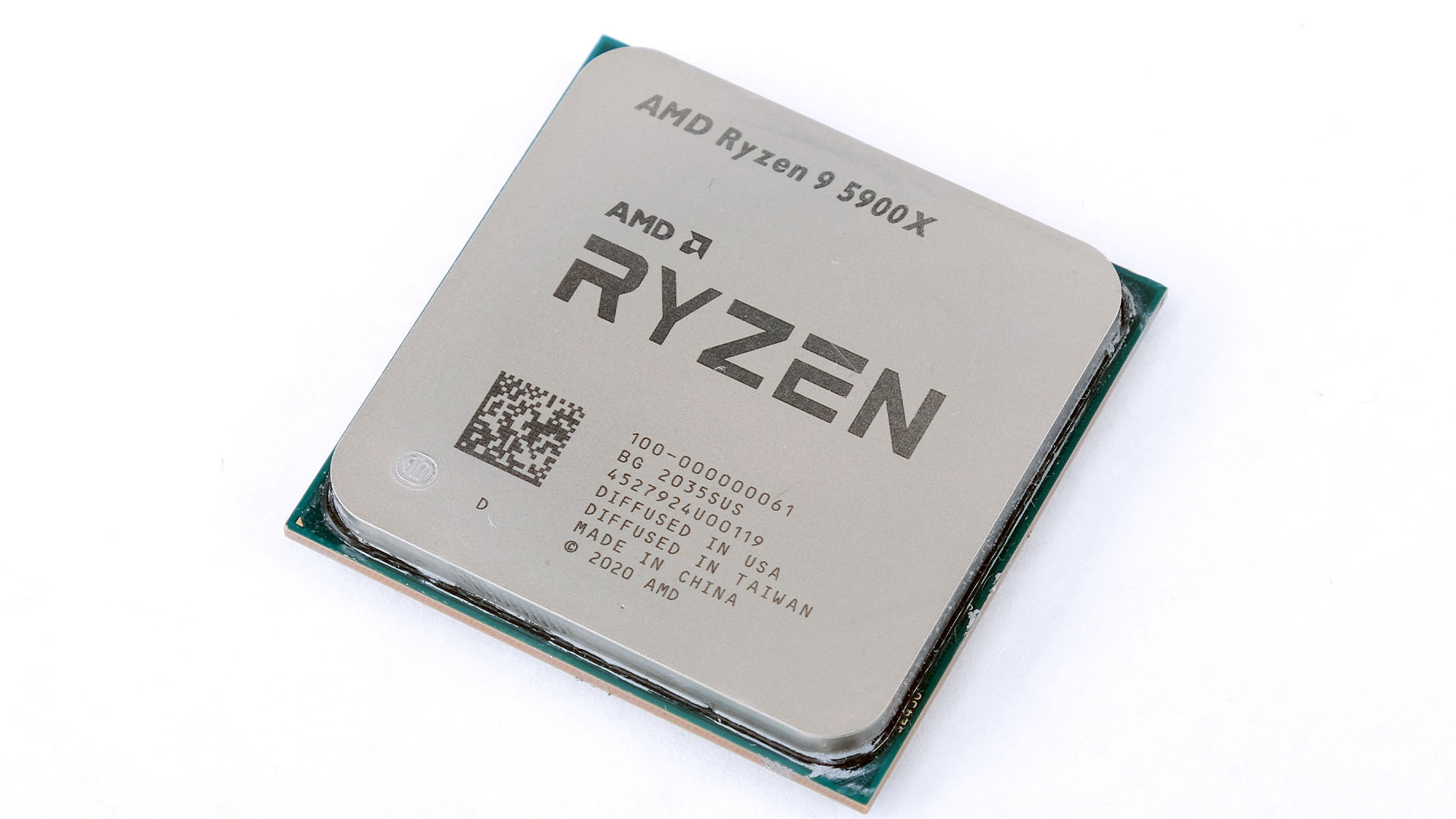
The AMD Ryzen 9 5900X remains a highly capable processor in 2026, offering 12 cores and 24 threads based on the Zen 3 architecture. It delivers strong multi-threaded performance for content creation and gaming, though it has since been surpassed by newer socket-based generations. Users prioritize this chip for its efficiency, platform maturity, and continued relevance in productivity-focused desktop computing.
Architecture and Technical Specifications
The Ryzen 9 5900X, released in late 2020, represents a pivotal moment in AMD’s history, moving to the "Vermeer" architecture. By transitioning from the split-chiplet layout of earlier iterations to a unified 8-core complex (CCX) design, AMD significantly reduced memory latency, which directly benefits gaming and cache-sensitive applications.
Key technical specifications for the Ryzen 9 5900X include:
- Core/Thread Count: 12 cores and 24 threads.
- Base/Boost Clock: 3.7 GHz base clock with a boost frequency up to 4.8 GHz.
- L3 Cache: 64 MB of "GameCache," which is essential for minimizing RAM access during high-frame-rate gaming.
- TDP: 105 Watts, which makes it relatively power-efficient compared to newer, high-wattage CPUs released in the mid-2020s.
- Socket: AM4, allowing for extensive compatibility with B450, B550, X470, and X570 motherboards.
Because it utilizes the AM4 platform, the 5900X remains a popular choice for budget-conscious upgraders who already own a compatible motherboard. Unlike newer platforms that mandate DDR5 memory, the 5900X operates on DDR4, which significantly lowers the total cost of ownership for users migrating from older Ryzen 1000 or 2000 series systems.
Understanding Benchmark Metrics
When evaluating a CPU, benchmarks provide a standardized method to quantify performance across different tasks. Synthetic benchmarks simulate specific workloads to create a reproducible score, while real-world application benchmarks test how the CPU interacts with software such as video editors or game engines.
Synthetic Testing (Cinebench and Geekbench)
Cinebench is the gold standard for testing raw multi-core and single-core rendering power. The Ryzen 9 5900X excels in multi-threaded rendering because of its 12 physical cores. In Cinebench R23, users can expect multi-core scores in the range of 21,000 to 22,000 points. This performance level is more than sufficient for 4K video rendering, complex 3D modeling, and parallel compiling tasks.
Geekbench provides a broader outlook by testing integer, floating-point, and memory performance. The 5900X remains competitive here, particularly in single-core metrics, which dictate how quickly applications launch and how responsive the desktop interface feels.
Gaming Performance
Gaming performance is dictated by both clock speed and cache. While newer architectures have increased instructions-per-clock (IPC), the 5900X handles modern titles with ease. At 1440p and 4K resolutions, the GPU becomes the primary bottleneck, meaning the 5900X rarely limits the user experience in graphically intensive scenarios. In CPU-bound competitive titles (such as shooters running at 1080p), the 5900X maintains high minimum frame rates, ensuring a fluid experience even during complex scenes with many physics objects.
Comparative Analysis: Ryzen 9 5900X vs. Alternatives
To determine if the 5900X is the right choice for your specific needs, it is necessary to compare it against its peers, including the X3D variants and the next generation of processors.
| Processor | Cores/Threads | Max Boost | Platform | L3 Cache |
|---|---|---|---|---|
| Ryzen 9 5900X | 12/24 | 4.8 GHz | AM4 | 64 MB |
| Ryzen 7 5800X3D | 8/16 | 4.5 GHz | AM4 | 96 MB |
| Ryzen 9 5950X | 16/32 | 4.9 GHz | AM4 | 64 MB |
| Ryzen 7 7700X | 8/16 | 5.4 GHz | AM5 | 32 MB |
For pure gaming performance within the AM4 ecosystem, the Ryzen 7 5800X3D is often considered superior due to its 3D V-Cache, which drastically improves frame times in specific game engines. However, for users whose primary workload is non-gaming (e.g., software development, rendering, data analysis), the 12-core design of the 5900X provides a significant advantage over the 8-core 5800X3D.
Practical Performance Considerations
Performance is not merely about raw scores; it is about system stability and thermal management. The 105W TDP of the 5900X is a nominal rating, and under heavy, all-core loads, the chip will boost until it hits its thermal limit (Precision Boost Overdrive).
Thermal Management
To get the most out of the 5900X, a high-quality cooling solution is recommended. While a mid-range air cooler can manage the chip at stock settings, those who engage in long-duration rendering tasks will benefit significantly from a 240mm or 280mm AIO (All-in-One) liquid cooler. Keeping the temperature below 80°C ensures that the CPU maintains its higher boost frequencies for longer intervals, preventing thermal throttling.
Memory Optimization
The Ryzen 5000 series is notoriously sensitive to memory speed and latency. Utilizing DDR4-3600 RAM with a low CAS latency (CL16) is the "sweet spot" for this processor. This configuration allows the Infinity Fabric—the internal communication bus of the CPU—to run in a 1:1 ratio with the memory clock, which is critical for reducing latency in high-performance computing tasks.
Troubleshooting and Optimization
Users often report issues related to system instability or lower-than-expected benchmark scores. These are rarely due to a faulty CPU and are usually related to BIOS settings or background processes.
- BIOS Updates: Always ensure your motherboard is running the latest BIOS version. Manufacturers frequently release updates that improve stability, memory compatibility, and PBO (Precision Boost Overdrive) behavior.
- Chipset Drivers: The AMD B550 and X570 chipset drivers are essential for Windows to manage the core scheduling of the 5900X properly. Download these directly from the official AMD support portal.
- Power Plans: Windows power plans can sometimes throttle the CPU unnecessarily. Using the "Balanced" power plan is generally recommended, as it allows the CPU to downclock during idle times to save energy and reduce heat, while still providing full performance during high-load scenarios.
- PBO and Curve Optimizer: Advanced users can utilize Curve Optimizer within the BIOS to undervolt the CPU. By lowering the voltage at a specific clock frequency, you generate less heat, which allows the chip to boost higher for longer durations. This requires careful testing to ensure system stability.
Frequently Asked Questions
Is the Ryzen 9 5900X still good for gaming in 2026? Yes. While it is not the newest processor on the market, it remains highly capable. It handles modern AAA titles effectively and is excellent for multi-tasking, such as streaming while gaming, due to its 12-core architecture.
Do I need a liquid cooler for the Ryzen 9 5900X? It is not strictly required, but it is recommended for optimal performance. A high-end air cooler can suffice for gaming, but heavy productivity workloads benefit from the thermal headroom provided by liquid cooling systems.
What is the best RAM speed for this processor? The optimal speed is DDR4-3600 MHz. This aligns with the Infinity Fabric clock, providing the lowest latency and the best performance for the Zen 3 architecture.
Will the 5900X work on a B450 motherboard? Yes, most B450 motherboards support the Ryzen 9 5900X provided that the BIOS has been updated to the relevant AGESA version. Check your specific motherboard manufacturer’s support page for compatibility confirmation.
How does the 5900X handle 4K video editing? It excels in this area. The 12 cores allow for efficient multi-threaded rendering and faster export times in software like Adobe Premiere Pro or DaVinci Resolve, provided your system has sufficient RAM and a capable GPU to assist with the workload.
Conclusion and Next Actions
The AMD Ryzen 9 5900X serves as a powerful cornerstone for a high-performance workstation or gaming rig. If you currently own an AM4 motherboard, upgrading to this processor is one of the most cost-effective ways to extend the life of your system.
If you are building from scratch, compare the cost of an AM4 platform versus a newer AM5 build. While the 5900X is powerful, the AM5 platform offers a future-proof upgrade path that the AM4 platform no longer provides. For most users, performing a BIOS update and verifying your RAM profile is the most important step after installation to ensure the CPU functions at its advertised performance levels.