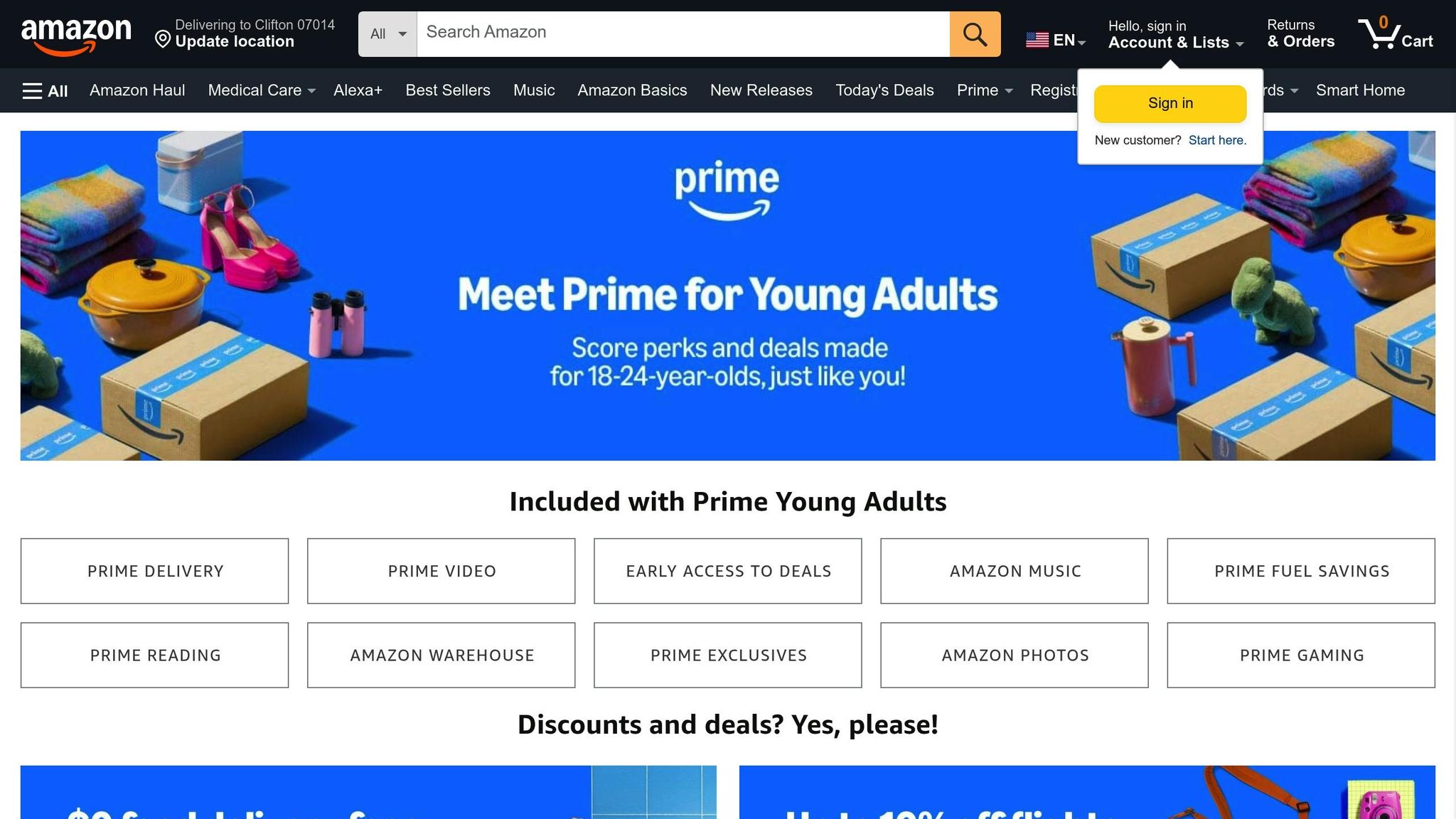
Eligible university and college students can access a discounted Amazon Prime membership, which provides the full suite of Prime benefits at a significantly reduced monthly or annual rate. To qualify, you must be actively enrolled in a higher education institution and possess a verifiable academic email address or provide alternative documentation to prove your current student status.
Understanding the Amazon Prime Student Tier
Amazon Prime Student is a specialized membership tier designed specifically for those pursuing post-secondary education. While the core benefits—such as fast, free delivery on millions of items, Prime Video streaming, Amazon Music, and exclusive early access to deals—remain identical to a standard Prime subscription, the Student program offers a substantial financial incentive.
The primary difference lies in the cost and the promotional trial period. As of 2026, eligible students can enjoy an extended free trial period, after which the membership renews at approximately half the cost of a standard Prime membership. This program is intended to help students manage their budgets while accessing essential services for their studies and daily living. It is important to distinguish this from the standard membership, as the verification process is the fundamental gatekeeper for the discount.
Eligibility Requirements
Before attempting to register, you must ensure you meet the specific criteria set by Amazon. Eligibility is not universal; it is restricted to those who can prove their status as a student.
- Academic Enrollment: You must be enrolled in at least one course at an accredited college or university. This includes community colleges, trade schools, and four-year universities.
- Verification Credentials: You need a valid ".edu" email address issued by your institution. If your school does not provide a student email, Amazon offers an alternative verification path, though it may take longer to process.
- Residency: The service is location-dependent. Ensure you are enrolling through the Amazon storefront specific to your country of residence (e.g., Amazon.com for the United States).
- Account Standing: You must have a functional Amazon account. If you are already paying for a standard Prime membership, you can still apply for the student discount, and Amazon will typically prorate and refund the difference for your remaining paid period once the student status is verified.
The Registration Process
The transition to a student membership is a straightforward, digital-first process. Follow these steps to apply:
- Navigate to the Student Portal: Go to the official Amazon Prime Student sign-up page. It is essential to use this dedicated link rather than the standard checkout flow to ensure the discount is applied correctly.
- Sign In: Log in to your existing Amazon account or create a new one. Using an account associated with your personal email is fine, as long as you can later verify your student status.
- Provide Institution Details: Input the name of your college or university.
- Verification: Enter your ".edu" email address. You will receive a verification link in your inbox. Click this link to confirm your ownership of the email.
- Documentation (If Necessary): If you do not have an academic email, you will be prompted to upload documentation, such as a photo of your current student ID, a transcript, or a tuition bill. Ensure the document clearly displays your full name and the current academic term or year.
Financial and Membership Comparison
The following table outlines the structural differences between standard Prime and Prime Student. Note that pricing is subject to change based on regional tax laws and Amazon’s internal policy adjustments.
| Feature | Standard Prime | Prime Student |
|---|---|---|
| Trial Period | Typically 30 Days | Extended (varies by promotion) |
| Membership Cost | Full Price | Approx. 50% of Full Price |
| Shipping Benefits | Included | Included |
| Streaming Access | Prime Video/Music | Prime Video/Music |
| Verification | None required | Annual/Term-based check |
| Duration | Unlimited | Until graduation or 4 years |
Managing Your Membership and Verification
One of the most common oversights regarding the Prime Student program is the expiration of eligibility. The discount does not last indefinitely. You are required to verify your student status periodically—usually once every year.
Amazon will send a notification to your registered email address as your verification deadline approaches. If you fail to verify your status by the deadline, your account will automatically transition to a standard Prime membership at the full retail price. To avoid unexpected charges, ensure your contact information in the "Login & Security" settings of your account is up to date.
If you graduate or cease being a student, you are required to cancel the Student tier. You may continue to use the benefits until the end of your current paid period, at which point your account will either lapse or renew as a standard full-price membership depending on your settings.
Troubleshooting Common Issues
Despite the automated nature of the verification system, errors can occur. Here are common hurdles and how to address them:
1. The ".edu" Email is Not Recognized Sometimes, even valid school emails are not in Amazon’s database. If you receive an error, check that you are typing the domain correctly. If the problem persists, use the alternative verification method to submit a student ID card or registration document manually.
2. I am Already a Prime Member If you are already paying for a standard subscription, the system should automatically identify your account and apply the prorated refund upon successful verification of your student status. If the refund is not processed within 3-5 business days after switching, contact Amazon Customer Service through the "Help" section of the website.
3. Verification Link Not Received Check your spam or junk folder. Some university email servers have aggressive security filters that block automated messages from large corporations. If you still do not see it, try requesting a resend of the link after 24 hours.
4. Documentation Rejected Ensure that the images you upload are high-resolution, clear, and unedited. The document must clearly show the date, the institution's name, and your name. If you use a physical ID card, ensure the expiration date is visible.
Limitations and Considerations
While the Prime Student discount is highly beneficial, it is important to understand the operational limitations. The discount applies to the membership fee only. It does not apply to other Amazon services that are not part of the Prime umbrella, such as Kindle Unlimited or Audible, unless there is a specific, separate bundle offer available at the time.
Additionally, Prime Student memberships are personal. You cannot share the primary account benefits with other individuals, even if they are also students, though you may share certain digital benefits (like Amazon Household) depending on current terms of service. Always review the specific Terms and Conditions provided during the registration process, as these can be updated to reflect changes in digital rights management and service availability in your region.
Frequently Asked Questions
How long does the Amazon Prime Student discount last? The discount is valid for up to four years, or until you graduate, whichever comes first. You must verify your enrollment status annually to maintain the discount. After the four-year window or upon graduation, your membership will revert to a standard Prime subscription at the then-current full price.
Can I switch from a paid Prime membership to the Student version? Yes. You can apply for the Student version at any time. Once Amazon verifies your student status, they will automatically calculate a refund for the unused portion of your existing prepaid Prime membership and convert your account to the discounted rate.
What happens if I forget to verify my student status? If you miss the verification deadline, Amazon will automatically transition your account to a standard Prime membership and charge your default payment method the full retail price. You can avoid this by keeping an eye on your emails for verification prompts and completing the process immediately upon request.
Are all Prime benefits included in the Student membership? Yes, Prime Student includes almost all the same benefits as a standard membership, including fast, free shipping, Prime Video, Amazon Music, and access to Prime-exclusive deals. The main difference is the lower cost and the student-focused eligibility requirements.
Is it possible to use the discount if I am an international student? Eligibility is tied to the specific Amazon site you are using. If you are studying in a country that has its own dedicated Amazon storefront, you must use that specific version of the site (e.g., Amazon.co.uk for the UK, Amazon.de for Germany). You cannot use a US Prime Student membership to access localized benefits in a different country.
Next Actions
If you are a currently enrolled student, the most effective next step is to prepare your documentation before visiting the Amazon Prime Student sign-up page. Ensure you have access to your academic email or a digital copy of your student ID. Once prepared, visit the official Amazon Prime Student site, complete the verification, and confirm your payment method to begin your trial. Should you encounter issues, the Amazon Customer Service portal is available 24/7 to assist with verification, account migration, or billing inquiries.