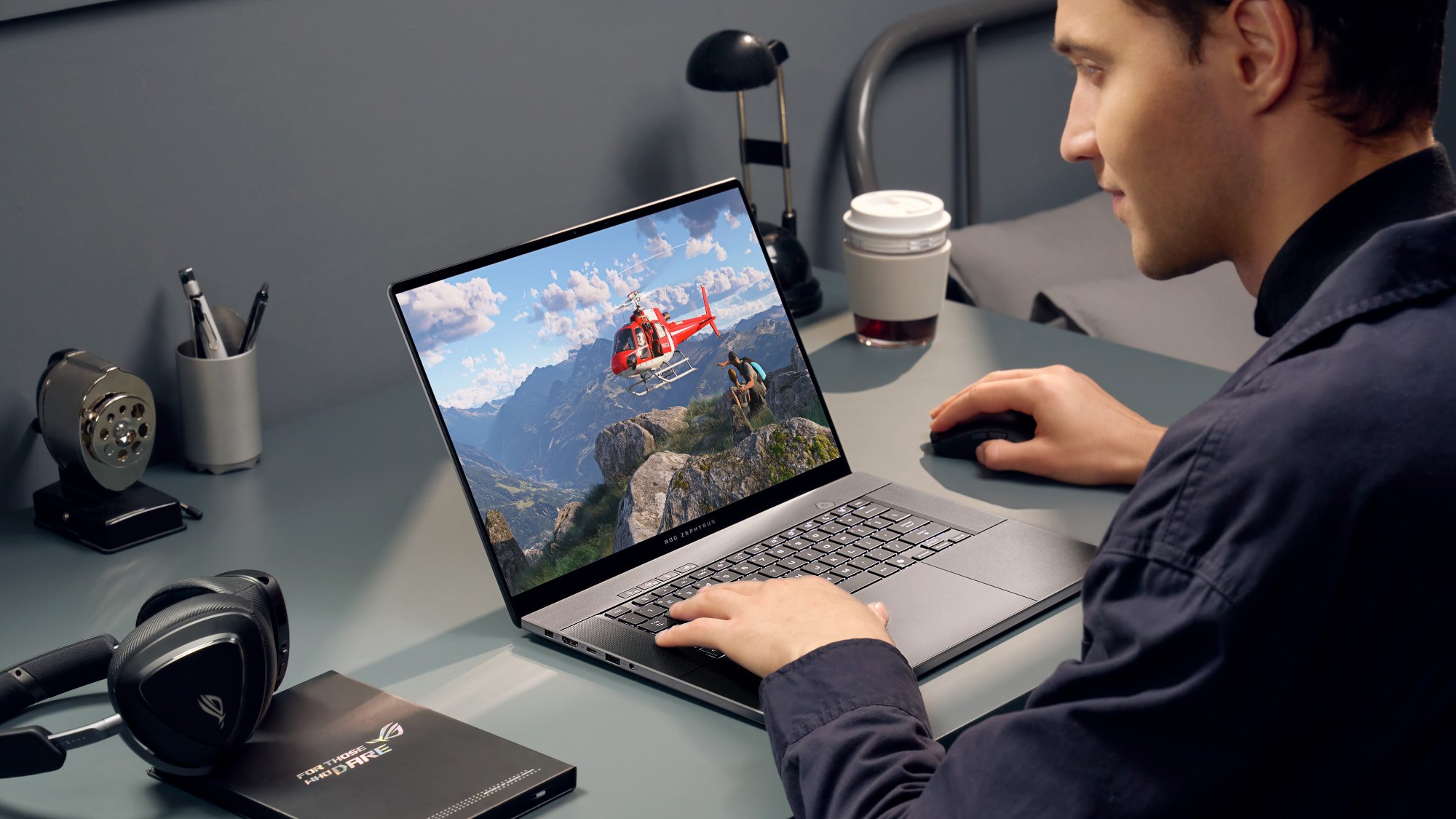
A gaming laptop can be a highly efficient workstation due to its superior processing power, dedicated graphics, and advanced cooling systems. These features allow for seamless multitasking and high-speed rendering in demanding professional applications, often outperforming standard business laptops while offering better value than specialized enterprise-grade workstations for creative and technical professionals.
The Hardware Advantage: Why Gaming Specs Excel in Professional Environments
The primary reason a gaming laptop serves as an efficient work machine lies in its internal architecture. By 2026, the gap between "consumer" gaming hardware and "professional" workstation hardware has narrowed significantly, particularly for roles that require heavy computational lifting. High-end gaming laptops are equipped with multi-core processors (CPUs) and powerful graphics processing units (GPUs) that are designed to handle sustained high-load tasks.
For professional tasks like 4K or 8K video editing, 3D architectural rendering, or large-scale data analysis, the raw clock speeds and core counts of a high-end gaming CPU (such as the Intel Core i9 or AMD Ryzen 9 series) provide a tangible reduction in processing time. Efficiency in a professional context is often measured by the time saved during "dead zones"—periods where a user is waiting for a computer to finish a task. A gaming laptop minimizes these waits by utilizing high-bandwidth RAM and rapid NVMe Gen 5 or Gen 6 storage.
Furthermore, the dedicated GPU is no longer just for rendering frames in a video game. Modern professional software suites, including Adobe Creative Cloud, DaVinci Resolve, and various CAD programs, utilize hardware acceleration. Technologies like NVIDIA's CUDA cores or AMD's Stream Processors allow the laptop to offload complex mathematical calculations from the CPU to the GPU, resulting in a much faster workflow. In 2026, the inclusion of dedicated AI Accelerators (NPUs) in these machines further enhances tasks like automated video masking, noise reduction in audio, and complex predictive modeling in Excel or specialized data tools.
Display Technology: Beyond High Refresh Rates
In previous years, gaming laptops were often criticized for having high refresh rates but poor color accuracy. In 2026, this is no longer the case. High-end gaming laptops now frequently feature OLED or Mini-LED panels that cover 100% of the DCI-P3 color gamut. This makes them exceptionally efficient for graphic designers and photographers who require "what you see is what you get" (WYSIWYG) fidelity.
The high refresh rate—standardized at 144Hz to 240Hz in most mid-to-high-range models—also contributes to professional efficiency by reducing eye strain. Smoother cursor movement and fluid scrolling through long documents or complex codebases make for a more comfortable user experience over an eight-hour workday. Additionally, many gaming laptops now offer QHD (2560x1440) or 4K resolutions, providing the screen real estate necessary for side-by-side multitasking without the immediate need for an external monitor.
Thermal Management as a Productivity Metric
A common failure point of thin-and-light business laptops is thermal throttling. When a processor gets too hot, it intentionally slows down to prevent damage. For a professional trying to meet a deadline, thermal throttling is the enemy of efficiency. Gaming laptops are designed with aggressive cooling solutions, including vapor chambers, liquid metal thermal interfaces, and high-CFM (cubic feet per minute) fans.
This robust thermal design allows the laptop to maintain its "Turbo" clock speeds for much longer periods than a standard office laptop. Whether you are compiling a massive software project or exporting a complex 3D animation, the cooling system ensures that the hardware performs at its theoretical maximum from the start of the task to the end. While the fans may be louder than those on a MacBook or a Dell XPS, the trade-off is a consistent performance profile that does not degrade as the workday progresses.
Specialized Use Cases: Who Benefits Most?
While almost any professional can benefit from a faster computer, certain fields find gaming laptops to be the most efficient choice available in 2026.
Software Development and Data Science
Developers often need to run multiple virtual machines (VMs), Docker containers, and integrated development environments (IDEs) simultaneously. The high RAM capacity (often expandable to 64GB or 128GB in gaming chassis) and multi-threaded CPU performance make gaming laptops ideal for these tasks. Data scientists, in particular, utilize the high VRAM (Video RAM) of modern GPUs to train machine learning models locally before deploying them to the cloud.
Architecture, Engineering, and Construction (AEC)
Professionals using Revit, AutoCAD, or SolidWorks require machines that can handle complex geometry and real-time lighting simulations. Gaming laptops provide the necessary GPU power to navigate large 3D models smoothly. Because these laptops are built to handle the demanding requirements of modern game engines like Unreal Engine 5, they are naturally suited for real-time architectural visualization.
Content Creation and Digital Marketing
For the modern "solopreneur" or content creator, speed is money. A gaming laptop equipped with an NVIDIA Studio Driver (which prioritizes stability in creative apps over day-one game patches) can cut video render times in half compared to a standard laptop. The inclusion of multiple ports (Thunderbolt 5, HDMI 2.1, and SD card readers) also makes it easier to connect peripherals like external SSDs and camera monitors without needing a clutter of dongles.
Overcoming the Limitations: Battery and Portability
To use a gaming laptop for work efficiently, one must address the traditional drawbacks: battery life and "gamer" aesthetics.
By 2026, "Advanced Optimus" and improved battery chemistry have helped, but a gaming laptop will still consume more power than an ultrabook. To maximize efficiency, users should utilize the laptop’s power management software to create a "Work Profile." This profile can disable the dedicated GPU and switch to integrated graphics when the laptop is unplugged, extending battery life for meetings or travel.
Regarding aesthetics, the market has shifted toward "stealth" designs. Brands like Razer, ASUS (with the Zephyrus line), and HP (with the Omen Transcend series) offer powerful hardware in understated, professional-looking chassis. For laptops with heavy RGB lighting, simply setting the keyboard to a static white light or turning off the external light strips makes the device perfectly acceptable for a corporate boardroom.
Comparison of Laptop Categories for Professional Use (2026 Standards)
The following table compares the typical specifications and professional utility of the three main laptop categories available in 2026.
| Feature | Standard Business Laptop | Gaming Laptop (High-End) | Mobile Workstation (ISV Certified) |
|---|---|---|---|
| Typical CPU | 15W-28W U-Series | 45W-55W H/HX-Series | 45W-55W H/HX-Series |
| GPU Type | Integrated / Low-end Discrete | High-Performance (RTX/RX) | Professional (RTX A-series) |
| Cooling Capacity | Moderate (Single Fan) | High (Dual Fan/Vapor Chamber) | High (Optimized for Stability) |
| Display Quality | Varied (Focus on Brightness) | High (Focus on Refresh/Color) | Exceptional (Focus on Accuracy) |
| Memory (RAM) | 8GB - 32GB | 16GB - 128GB | 32GB - 128GB (ECC option) |
| Price/Performance | Moderate | Very High | Low (Premium for Certification) |
| Portability | Excellent | Moderate to Low | Moderate to Low |
Optimizing Your Gaming Laptop for a Professional Workflow
To truly use a gaming laptop efficiently for work, you must go beyond just the hardware. The software environment needs to be tuned for productivity rather than play.
- Switch Drivers: If you are using an NVIDIA-based laptop, install the Studio Drivers instead of the Game Ready Drivers. The Studio Drivers are specifically tested against professional software like Maya, Premiere Pro, and Cinema 4D to ensure stability during long render sessions.
- Calibrate the Display: Even if the manufacturer claims high color accuracy, using a hardware calibrator can ensure your colors remain consistent. This is vital for any work intended for print or high-end digital distribution.
- Manage Startup Apps: Gaming laptops often come with "bloatware" or lighting controllers that consume background resources. Disable unnecessary startup items to ensure all your CPU cycles are dedicated to your work applications.
- Invest in Ergonomics: While the built-in keyboards on gaming laptops are often superior to business laptops (offering more travel and tactile feedback), using an external mechanical keyboard and a high-precision mouse can further increase your output speed.
- Utilize the MUX Switch: If your laptop has a MUX (Multiplexer) switch, keep it in "Hybrid" mode for general office work to save battery, but switch to "Discrete GPU" mode when performing heavy rendering tasks to bypass the integrated graphics bottleneck.
Frequently Asked Questions
Can I use a gaming laptop for basic office work like Excel and Word?
Yes, and it will be exceptionally fast. While a gaming laptop is "overkill" for simple document editing, the high-speed RAM and fast storage mean that even massive Excel spreadsheets with thousands of macros will open and calculate much faster than on a standard office machine. The high-refresh-rate screen also makes reading long documents easier on the eyes.
Is the battery life on a gaming laptop good enough for a full workday?
Generally, no. Most gaming laptops will last between 4 and 7 hours on a single charge when performing light office tasks. For a full 8-hour day, you will likely need to bring your power adapter. However, many 2026 models support USB-C Power Delivery (PD) at 100W or 140W, meaning you can often use a smaller, more portable charger for office work instead of the heavy "brick" used for gaming.
Are gaming laptops reliable for long-term professional use?
Gaming laptops are built to handle high heat and stress, which often makes them more durable than thin-and-light consumer laptops. However, because they have more moving parts (like high-speed fans), they require regular maintenance. Cleaning the dust out of the cooling vents every six months is essential to maintain professional-level efficiency and hardware longevity.
Why would I choose a gaming laptop over a MacBook Pro for work?
While the MacBook Pro is an excellent machine, a gaming laptop often provides better value in terms of raw hardware for the price. Additionally, gaming laptops offer better compatibility with specialized Windows-only software used in engineering, 3D modeling, and certain financial sectors. They also allow for hardware upgrades (like adding more RAM or a second SSD), which is not possible on modern MacBooks.
Do gaming laptops look too "unprofessional" for meetings?
This depends on the model. Many manufacturers now produce "minimalist" gaming laptops with no external branding and sleek aluminum chassis. If your laptop has RGB lighting, you can easily turn it off or set it to a professional white color in the system settings. Most clients and colleagues in 2026 recognize that a powerful laptop is a tool for a high-performance professional.
Summary and Next Steps
Using a gaming laptop for work is not just a viable alternative to traditional workstations; in 2026, it is often the more efficient choice. The combination of high-wattage components, superior cooling, and advanced display technology allows you to complete demanding tasks faster and with less frustration.
If you are considering this transition, your next steps should be:
- Identify the most demanding software you use and check its hardware acceleration requirements.
- Look for a laptop with a "stealth" design if you work in a conservative corporate environment.
- Ensure the model has a Thunderbolt 4 or 5 port for easy docking in your home or office.
- Plan for a power solution, such as a high-wattage USB-C charger, to maintain portability without sacrificing the laptop's high-performance capabilities.
By treating the gaming laptop as a "mobile powerhouse" rather than just a toy, you can significantly optimize your professional output and enjoy a more responsive, stable, and visually impressive computing experience.