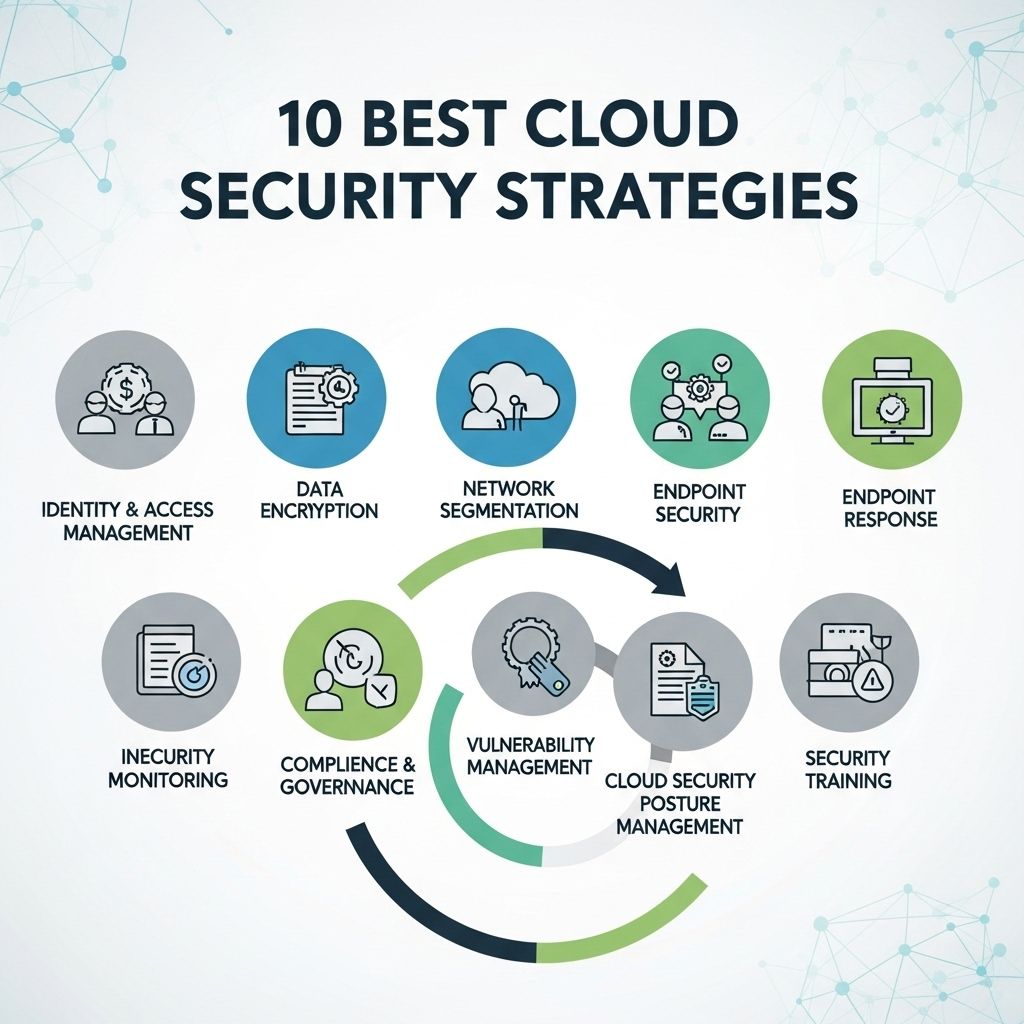
Cloud based data security protects digital assets stored, processed, and transmitted across hosted infrastructure by applying defense-in-depth controls. To safeguard cloud environments against unauthorized access, data breaches, and service disruptions, organizations must enforce identity management, encrypt sensitive data, monitor systems continuously, secure network interfaces, and maintain immutable backup routines under a shared responsibility model.
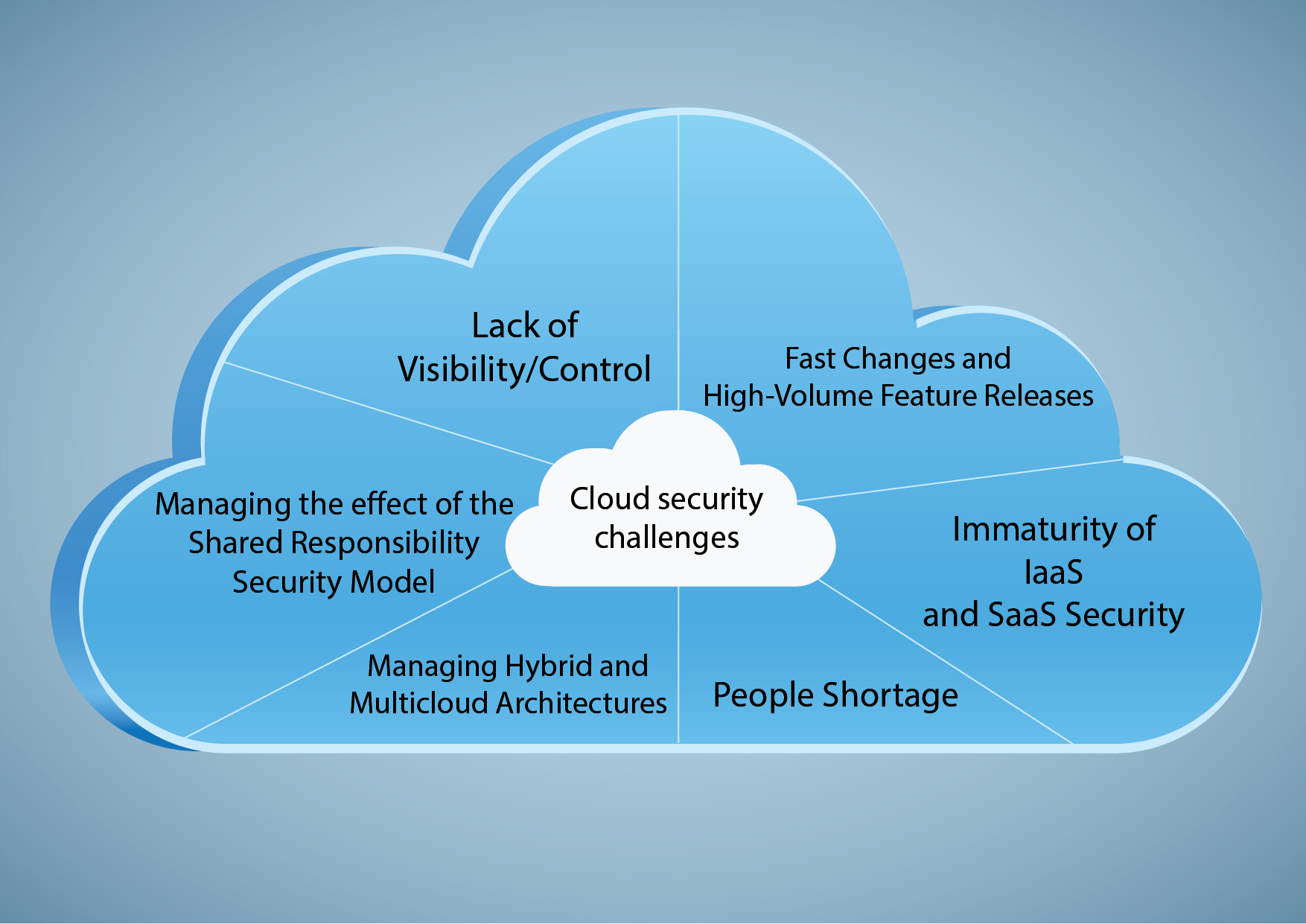
Navigating the Cloud Shared Responsibility Model
Securing data in cloud environments requires a clear understanding of the Shared Responsibility Model. Major cloud service providers (CSPs)—such as Amazon Web Services (AWS), Microsoft Azure, and Google Cloud Platform (GCP)—divide cybersecurity obligations between the provider and the customer. The CSP assumes responsibility for security of the cloud, which includes physical data center security, host hardware maintenance, abstraction layers, and foundational virtualization infrastructure.
Conversely, the customer remains responsible for security in the cloud. This domain encompasses asset classification, user identity and access management, operating system updates on virtual machines, API configurations, network traffic filtering, and data encryption. Misunderstanding where provider responsibility ends and customer accountability begins remains a primary cause of enterprise cloud security failures.
The Cloud Security Alliance (CSA) emphasizes that the customer retains ultimate ownership of data privacy and regulatory compliance regardless of the deployment model—whether Infrastructure as a Service (IaaS), Platform as a Service (PaaS), or Software as a Service (SaaS). Implementing foundational controls protects organizational assets while satisfying international security frameworks such as ISO/IEC 27001 and NIST SP 800-53.
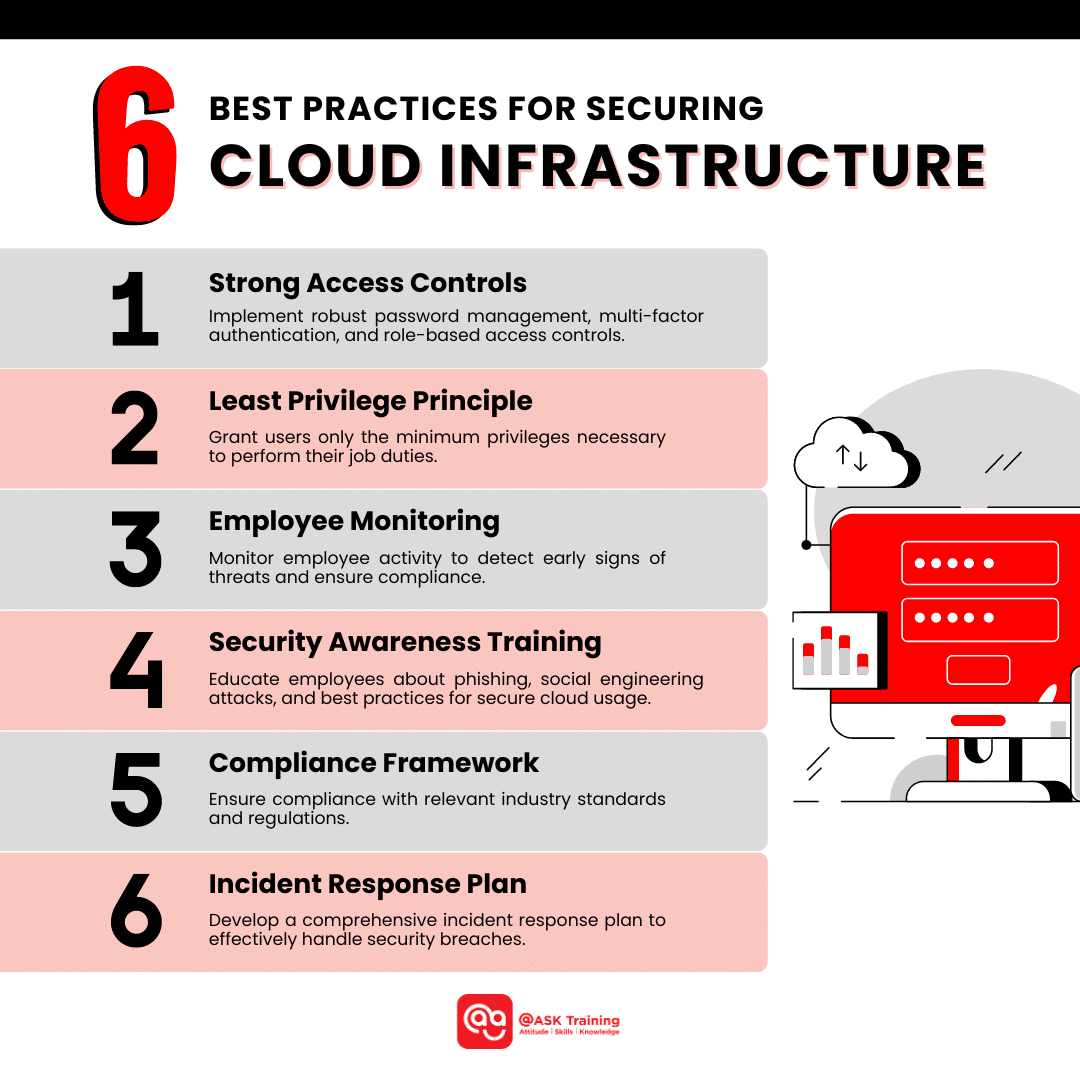
Step 1: Enforce Granular Identity and Access Management (IAM) and MFA
Identity serves as the primary security perimeter in cloud-native architecture. Traditional network perimeters are insufficient when workloads run across distributed regions and remote users connect from external networks. Establishing rigorous Identity and Access Management (IAM) prevents unauthorized entities from gaining administrative access or accessing sensitive data stores.
Apply the Principle of Least Privilege (PoLP)
Every user, service account, container, and automated script must operate with the minimum level of access necessary to complete designated duties. Implement Role-Based Access Control (RBAC) or Attribute-Based Access Control (ABAC) rather than assigning broad, persistent administrative rights.
- Define strict permissions using scoped policies. Avoid wildcard permissions (
"Action": "*") in policy documents. - Eliminate permanent administrative credentials by implementing Just-In-Time (JIT) access and temporary credential brokers, such as AWS STS or Azure Entra ID Privileged Identity Management.
- Periodically audit unused service accounts, dormant user profiles, and over-privileged roles.
Mandate Multi-Factor Authentication (MFA)
Password authentication alone represents a major vulnerability due to credential harvesting, phishing attacks, and credential stuffing. Mandating multi-factor authentication (MFA) across all cloud environments drastically reduces identity compromise risks.
- Enforce phishing-resistant MFA methods—such as FIDO2 WebAuthn hardware security keys or time-based one-time password (TOTP) authenticator apps—over legacy SMS or voice-call methods.
- Apply mandatory MFA policies to all access channels, including cloud management consoles, command-line interfaces (CLIs), and virtual private network (VPN) access points.
- Configure conditional access rules that evaluate contextual parameters such as user location, device compliance status, and risk level before granting access.
Step 2: Encrypt Data at Rest and in Transit
Encryption converts plaintext data into unreadable ciphertext, ensuring that even if unauthorized parties intercept traffic or access underlying storage volumes, the underlying information remains unreadable without valid cryptographic keys.
Cloud Encryption Framework
- Data in Transit
- TLS 1.3 Enforcement
- Dedicated VPN / Direct Connections
- Secure API Endpoints (HTTPS)
- Data at Rest
- AES-256 Storage Volumes
- Encrypted Object Buckets & DBs
- Client-Side Pre-Ingestion Keys
- Key Management Service (KMS)
- Hardware Security Modules (HSM)
- Envelope Encryption
- Automated Key Rotation
- Strict Key Access Policies
Secure Data in Transit
Data moving between client endpoints and cloud environments, or between internal microservices, must be protected against eavesdropping and man-in-the-middle (MitM) attacks.
- Enforce Transport Layer Security (TLS 1.3) across all external and internal communications. Deprecate legacy protocols including SSL v3, TLS 1.0, and TLS 1.1.
- Require HTTPS for web endpoints and APIs, enforcing HTTP Strict Transport Security (HSTS) headers to prevent protocol downgrade attacks.
- Implement encrypted tunnels, such as IPsec VPNs or private cloud interconnects (e.g., AWS Direct Connect or Azure ExpressRoute), for high-volume enterprise traffic between on-premises systems and cloud VPCs.
Protect Data at Rest
Data stored in block storage, object storage buckets, managed databases, and enterprise file shares must be encrypted using strong cryptographic primitives.
- Utilize Advanced Encryption Standard with 256-bit keys (AES-256) for standard storage encryption.
- Leverage centralized Key Management Services (KMS) backed by hardware security modules (HSMs) certified under FIPS 140-3.
- Implement Envelope Encryption, where data is encrypted using a unique Data Encryption Key (DEK), and the DEK is itself encrypted using a Key Encryption Key (KEK) stored in the KMS.
- Automate cryptographic key rotation schedules to minimize exposure if a key is compromised.
Step 3: Implement Continuous Monitoring, Logging, and Threat Detection
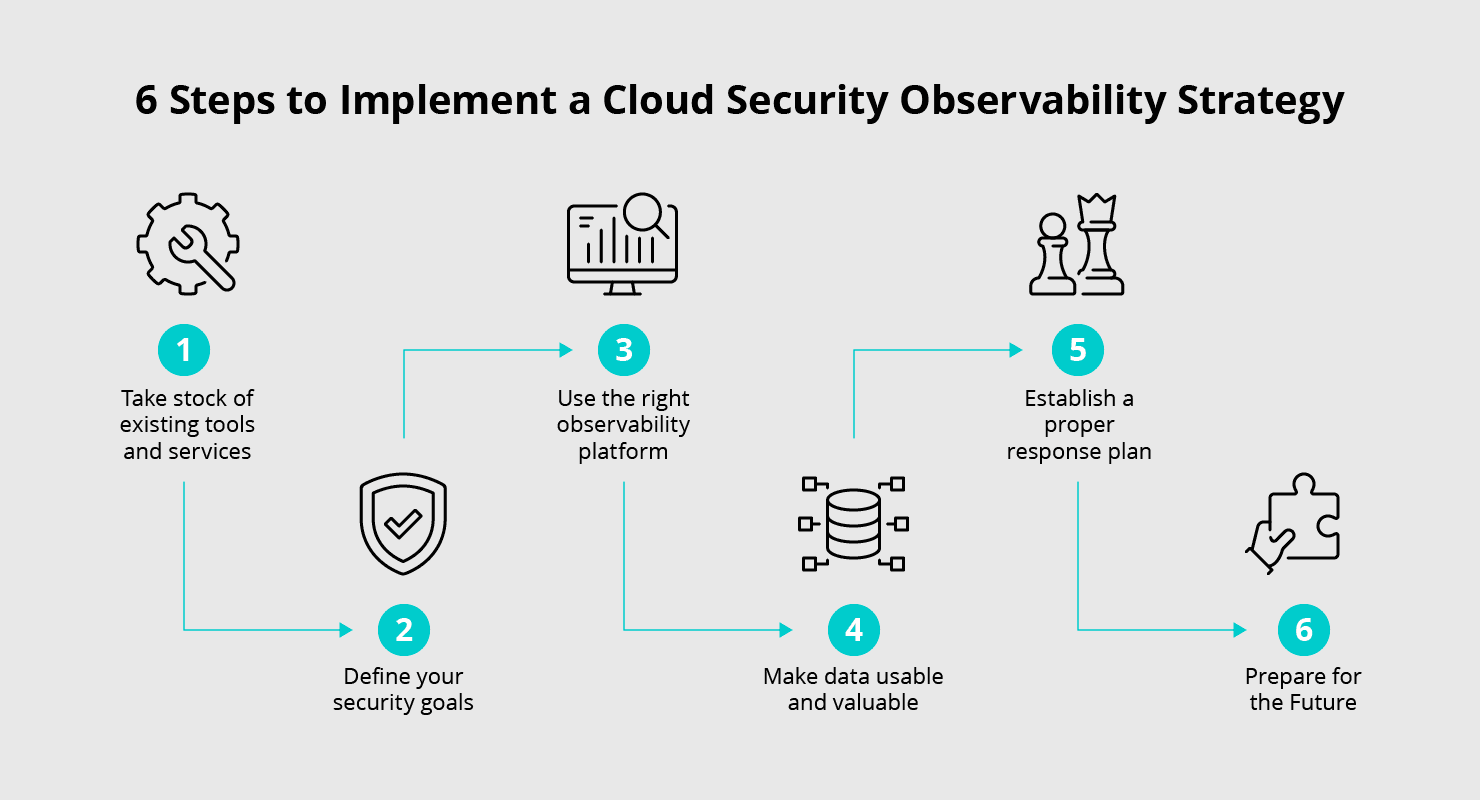
Visibility into active cloud workloads, network traffic, and administrative changes is critical for detecting incidents and complying with audit regulations. Cloud environments are dynamic; resources spin up and down automatically, making manual security tracking impractical.
Centralize Log Management
Cloud resources generate detailed access logs, system events, and API audit trails. Centralizing these logs allows security operations center (SOC) teams to establish operational baselines and detect anomalies.
- Enable continuous trail logging across all platform regions (e.g., AWS CloudTrail, Azure Activity Log, Google Cloud Audit Logs).
- Store audit logs in dedicated, isolated cloud accounts with restricted write-once-read-many (WORM) permissions to prevent tampering by attackers attempting to erase their tracks.
- Pipe cloud telemetry into a Security Information and Event Management (SIEM) platform for automated cross-resource event correlation.
Deploy Cloud Security Posture Management (CSPM)
Misconfigurations—such as publicly accessible S3 storage buckets or overly permissive security group rules—remain top contributors to cloud data breaches.
- Utilize Cloud Security Posture Management (CSPM) tools to scan cloud infrastructure against established benchmarks continuously, such as the Center for Internet Security (CIS) Benchmarks.
- Configure automated real-time alerts for policy violations, such as unencrypted storage volumes, open management ports (e.g., SSH port 22 or RDP port 3389), or modified IAM roles.
- Implement continuous monitoring guidance recommended by the Cybersecurity and Infrastructure Security Agency (CISA) to maintain visibility across multi-cloud deployments.
Step 4: Secure Network Infrastructure and API Interfaces
Cloud computing relies on Application Programming Interfaces (APIs) for system management, deployment automation, and service integration. Weak network boundary definitions and insecure APIs leave cloud workloads exposed to automated exploitation.
Adopt Zero Trust Architecture (ZTA)
In accordance with NIST SP 800-207, cloud architectures should adopt a Zero Trust operational stance: "never trust, always verify."
- Divide internal cloud networks into isolated subnets using virtual private clouds (VPCs), virtual networks (VNets), and microsegmentation policies.
- Restrict traffic between individual microservices using explicit East-West firewall rules and Mutual TLS (mTLS) authentication.
- Remove direct internet access from internal application servers and databases. Route outbound traffic through NAT gateways and inspecting proxies.
Harden Public and Internal APIs
APIs expose backend endpoints to internal services and public networks, requiring structured defense mechanisms against abuse.
- Authenticate and authorize every API call using OAuth 2.0, OpenID Connect, or secure API keys stored within dedicated secrets management systems (e.g., HashiCorp Vault or AWS Secrets Manager).
- Place public-facing endpoints behind a Web Application Firewall (WAF) and an API Gateway to perform rate-limiting, request validation, and protection against OWASP Top 10 web vulnerabilities.
- Implement strict input validation and sanitization to protect backend components against injection vulnerabilities and unauthorized data extraction.
Step 5: Establish Immutable Backups, Disaster Recovery, and Automated Patching
System resilience relies on the ability to restore data integrity quickly following ransomware incidents, technical failures, or software vulnerabilities.
3-2-1-1-0 Backup Architecture
- Production Cloud Data
- Primary Cloud Backup: Region A
- Secondary Cloud Backup: Region B (Air-Gapped)
- Immutable Storage Object (Object Lock Enabled)
- Verification & Testing
- 0 Uncorrected Errors (Automated Integrity Audits)
- Regular Simulated Recovery Drills (RTO / RPO Verification)
Enforce the 3-2-1-1-0 Backup Strategy
Modern enterprise resilience strategies adapt traditional backup models to resist advanced threats like targeted ransomware:
- 3 Copies of data (one primary production dataset and two backup sets).
- 2 Different media or storage tiers (e.g., standard cloud object storage and cold archive storage).
- 1 Copy stored offsite or in a geographically distinct cloud region.
- 1 Copy stored completely offline, air-gapped, or immutable (using Object Lock features with write-once-read-many controls).
- 0 Errors during regular automated backup recovery testing.
Implement Automated Patch and Vulnerability Management
Unpatched operating systems and container images present easy entry vectors for malicious actors.
- Scan container images within container registries (e.g., ECR, ACR, Artifact Registry) for known vulnerabilities before deployment into production environments.
- Automate operating system kernel and application dependencies updates using infrastructure-as-code (IaC) deployment pipelines, ensuring running workloads are systematically recreated from secure, updated base images.
- Perform regular disaster recovery drills to verify that Recovery Time Objectives (RTO) and Recovery Point Objectives (RPO) satisfy operational commitments.
Core Security Controls Comparison
The following table summarizes the five primary steps, comparing their operational goals, core security tools, and administrative impact:
| Security Step | Primary Risk Addressed | Core Technologies & Protocols | Operational Impact & Complexity |
|---|---|---|---|
| 1. Identity & Access Management | Unauthorized access, credential theft, privilege escalation | IAM, RBAC, FIDO2, MFA, Conditional Access, SAML 2.0 | High: Requires organization-wide identity alignment and governance policies. |
| 2. Cryptographic Data Protection | Data exposure, intercepted traffic, regulatory non-compliance | AES-256, TLS 1.3, KMS, Hardware Security Modules (HSM) | Medium: Easily implemented via CSP platform settings, requires proper key lifecycle management. |
| 3. Logging & Monitoring | Undetected intrusions, delayed incident response, configuration drift | CSPM, SIEM, CloudTrail, Azure Monitor, CIS Benchmarks | Medium: Requires ongoing tuning to prevent alert fatigue and optimize log storage costs. |
| 4. Network & API Security | Lateral movement, public endpoint exploitation, injection attacks | WAF, API Gateways, Zero Trust, mTLS, VPC Microsegmentation | High: Demands precise architectural design and service communication mapping. |
| 5. Backups & Disaster Recovery | Ransomware encryption, data loss, extended operational outages | Object Lock (WORM), Multi-region Replication, Automated Testing | Low-Medium: Managed through automated cloud backup policies and schedule validation routines. |
Common Cloud Data Security Pitfalls
Organizations transitioning workloads to cloud environments often encounter operational missteps that compromise data safety. Avoiding these common traps helps preserve security posture:
- Hardcoding Secrets in Source Code: Programmers sometimes embed API keys, database passwords, or cryptographic tokens directly within codebase repositories. If source code is pushed to public repositories (such as GitHub), automated bot networks can harvest those credentials within seconds. Always use secure secret stores and environment variable injection.
- Neglecting Default Storage Bucket Settings: Many cloud object storage services defaulted to private settings, but manual policy modifications can inadvertently grant public read permissions to unauthenticated users. Regular automated CSPM scans catch and reverse exposed bucket permissions.
- Relying Solely on Native CSP Defaults: Default security settings offered by cloud providers are designed for ease of use rather than strict enterprise security. Organizations must harden default virtual machine configurations, disable unused ports, and restrict outbound egress traffic manually.
- Treating Cloud Security as a One-Time Project: Cloud infrastructure continuously evolves through automated pipelines. Security controls must operate dynamically through Continuous Integration/Continuous Deployment (CI/CD) checks rather than static annual audits.
Frequently Asked Questions
What is the cloud shared responsibility model?
The shared responsibility model is a security framework that defines which operational tasks are handled by the cloud service provider (CSP) and which belong to the cloud customer. The CSP is responsible for securing physical infrastructure, hardware, and core platform software. The customer is responsible for managing data, access identities, network rules, operating systems, and configuration settings.
How does cloud data encryption differ at rest versus in transit?
Data at rest refers to inactive data stored on physical disks, object storage buckets, or databases. It is protected using symmetric encryption protocols such as AES-256. Data in transit refers to active information traveling across internal or public networks. It is protected using transport layer protocols, primarily TLS 1.3, to prevent interception or tampering during transmission.
Why is traditional network perimeter security insufficient for cloud environments?
Cloud resources reside outside traditional enterprise physical networks and are accessed over distributed internet connections by remote workers, APIs, and microservices. Because there is no single physical boundary to defend, organizations must rely on Identity and Access Management (IAM) and Zero Trust architectures to authenticate and authorize every user and connection request individually.
What role does Cloud Security Posture Management (CSPM) play in cloud data security?
CSPM tools automatically continuously monitor cloud infrastructure configurations against baseline security frameworks (such as CIS Benchmarks or NIST guidelines). They identify misconfigurations—such as open network ports, unencrypted storage volumes, or over-privileged roles—and notify security teams or automatically trigger remediation scripts.
Can immutable backups prevent cloud ransomware damage?
Yes. Immutable backups utilize Write-Once-Read-Many (WORM) controls, which prevent stored backup files from being deleted, overwritten, or modified by any user or compromised account for a preconfigured retention period. If ransomware encrypts active production data, immutable backups allow clean recovery without paying a ransom.
Next Steps for Improving Cloud Security
To enhance your cloud security posture, begin with a structural audit of your current assets:
- Conduct an IAM Audit: Inventory all active users, service accounts, and API keys. Enforce MFA across all administrative accounts immediately and remove obsolete permissions.
- Review Asset Exposure: Run automated CSPM tools or CSP-native configuration checkers (such as AWS Security Hub or Microsoft Defender for Cloud) to identify publicly exposed storage buckets and open database ports.
- Establish Cryptographic Standards: Verify that all databases and object stores enforce AES-256 encryption at rest, and audit web servers to mandate TLS 1.3 for incoming traffic.
- Formalize Backup Retention: Verify that critical databases run scheduled backups with Object Lock enabled, and conduct a live restoration test to confirm operational recovery readiness.