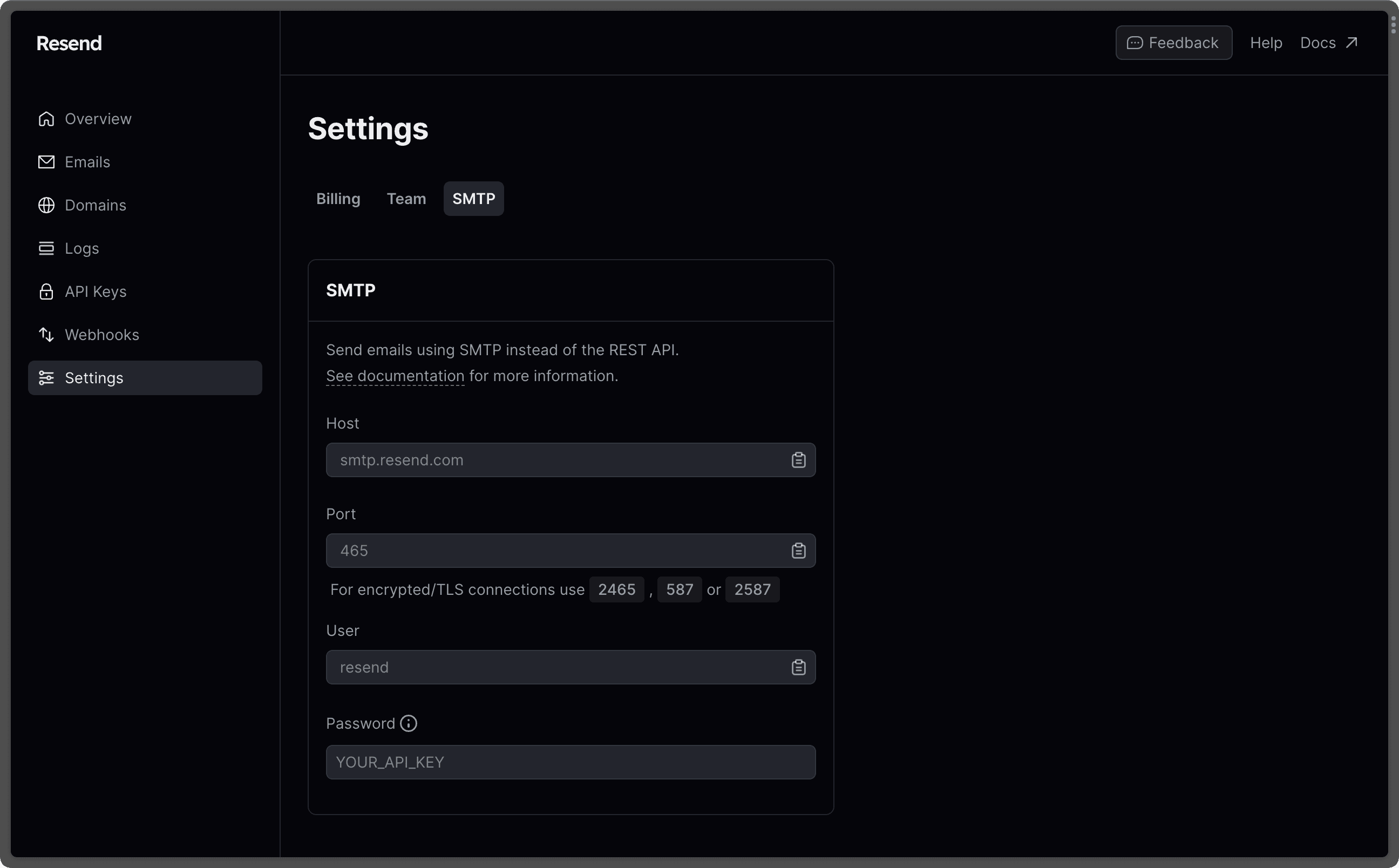
Microsoft 365 SMTP remains essential for modern organizations because it provides a secure, reliable, and authenticated channel for applications, devices, and legacy systems to send business-critical emails without requiring independent, hard-to-maintain mail infrastructure.
In the fast-evolving landscape of modern cloud collaboration, infrastructure platforms, and API-driven architectures, organizations frequently re-evaluate their communication pipelines. Modern developers often lean toward specialized transactional email services, cloud queues, and hyper-targeted webhooks. Yet, despite the proliferation of alternative APIs, the underlying Simple Mail Transfer Protocol (SMTP) service built into Microsoft 365 continues to play an indispensable role in enterprise IT architectures.
Understanding why Microsoft 365 SMTP remains critically relevant requires looking past simple mailbox provisioning and examining how deeply enterprise workflows, automated applications, multi-function printers, and legacy software depend on centralized mail routing. Far from being a legacy protocol destined for obsolescence, Microsoft 365 SMTP serves as a secure anchor for organizational communication, compliance tracking, and administrative governance.
1. Centralized Authentication and Identity Governance
One of the most compelling reasons Microsoft 365 SMTP retains its prominence is its seamless integration with enterprise identity management. When applications or network devices need to send email, they must authenticate against a trusted identity provider.
By leveraging Microsoft Entra ID (formerly Azure Active Directory), organizations can govern SMTP access using the exact same security policies that protect user accounts.
- Multi-Factor Authentication (MFA): While traditional SMTP AUTH historically relied on basic username and password pairs, modern Microsoft 365 implementations support robust authentication controls. Administrators can enforce conditional access policies, restricting SMTP submission to specific IP ranges or compliant devices.
- Role-Based Access Control (RBAC): Instead of scattering disparate SMTP credentials across various application servers, databases, and third-party tools, IT administrators can provision dedicated service accounts with strict permissions.
- Credential Rotation and Auditing: Centralized management simplifies the lifecycle of email credentials. When an application is decommissioned, disabling the corresponding service account instantly revokes its ability to relay mail through the organization's domain.
This unified approach eliminates shadow IT email relays—rogue mail servers set up by departments without IT oversight—thereby significantly reducing the attack surface and lowering the risk of credential compromise.
2. Uncompromising Security and Transport Encryption
Security requirements for business email have never been more stringent. Modern email security relies heavily on encryption in transit, strict sender validation, and advanced threat protection mechanisms.
Microsoft 365 SMTP enforces modern transport standards that protect outgoing messages from interception and tampering.
- TLS Enforcement: Connections made to the Microsoft 365 SMTP endpoint (
smtp.office365.com) require Transport Layer Security (TLS), typically enforcing TLS 1.2 or higher. This ensures that data moving from the client application to the Microsoft cloud is fully encrypted. - Advanced Threat Protection (ATP) Integration: Outbound mail routed through Microsoft 365 benefits from the platform's built-in security stack, including Exchange Online Protection (EOP). Messages sent via SMTP are scanned for malicious attachments, embedded phishing links, and anomalous sending patterns before they leave the network boundary.
- Spam and Reputation Defense: Sending mail directly from local application servers often triggers spam filters because residential or data center IP blocks lack established domain reputations. Routing application mail through Microsoft 365 utilizes Microsoft's globally trusted IP infrastructure, dramatically improving deliverability rates.
3. Seamless Compliance and E-Discovery Integration
Regulatory frameworks across industries—ranging from healthcare (HIPAA) to finance (FINRA, SEC)—mandate strict record-keeping and audit trails for all organizational communications. Email generated by automated systems, enterprise resource planning (ERP) software, and customer relationship management (CRM) platforms is legally classified as business correspondence.
When applications send mail directly through external third-party services, logs and archives can become fragmented, complicating compliance audits.
- Unified Message Tracking: Every message transmitted via Microsoft 365 SMTP generates detailed protocol logs accessible through the Exchange admin center. Administrators can trace message delivery paths, check recipient statuses, and diagnose delivery failures from a single pane of glass.
- Automatic Archiving: Messages sent through a user-associated Microsoft 365 SMTP endpoint can be subjected to Litigation Hold, In-Place Archiving, and retention policies. This ensures that automated notification emails, password reset logs, and system alerts are preserved alongside standard user correspondence.
- Data Loss Prevention (DLP): Routing application-generated emails through the centralized Microsoft 365 pipeline allows organizations to apply DLP policies to automated workflows, preventing sensitive data such as credit card numbers or social security digits from leaking out through unsecured application channels.
4. Native Domain Alignment and Authentication Support
Email authentication standards such as Sender Policy Framework (SPF), DomainKeys Identified Mail (DKIM), and Domain-based Message Authentication, Reporting, and Conformance (DMARC) are vital for preventing spoofing and ensuring inbox placement. Implementing these standards across multiple disparate application servers is notoriously difficult.
When applications utilize Microsoft 365 SMTP to relay messages, they naturally inherit the organization's established email authentication framework.
- SPF Alignment: Because the mail originates from Microsoft's authorized outbound IP addresses, the sending domain's SPF record correctly validates the transmission.
- DKIM Signing: Exchange Online automatically applies DKIM cryptographic signatures to messages routed through its SMTP endpoints, provided DKIM is configured for the custom domain.
- DMARC Compliance: By ensuring all business systems—both user-facing and automated—route through a unified platform, organizations maintain strict DMARC alignment, protecting their brand reputation and preventing threat actors from impersonating internal systems.
5. Ubiquitous Compatibility with Legacy Systems and Hardware
Despite the rapid shift toward modern REST APIs and cloud-native microservices, thousands of mission-critical enterprise systems, specialized software packages, network copiers, and multi-function printers understand only one language: SMTP.
Upgrading legacy enterprise resource planning (ERP) suites, warehouse management systems, or physical hardware to use modern OAuth2 or cloud-specific APIs is often technically impossible or financially prohibitive.
| Integration Type | Protocol / Method | Complexity | Security Posture |
|---|---|---|---|
| Legacy ERP / CRM | SMTP (Port 587 / TLS) | Low (Native support) | High (When authenticated) |
| Network Scanners / Printers | SMTP Client Submission | Low (Configuration only) | Moderate (Requires app password) |
| Custom Microservices | Graph API / REST | High (Requires code rewrite) | Very High (Token-based) |
| Third-Party SaaS Tools | SMTP Relay / Connector | Moderate (IP restriction) | Moderate (IP-dependent) |
Microsoft 365 SMTP bridges the gap between old and new. It provides a reliable bridge that allows older, unchanging hardware and software to communicate securely with a modern cloud infrastructure without requiring costly code rewrites or hardware replacements.
6. Flexible Configuration Options: SMTP AUTH vs. Direct Send vs. SMTP Relay
Microsoft 365 does not offer a one-size-fits-all approach to SMTP; rather, it provides distinct configuration models designed to accommodate various operational scenarios. This flexibility ensures that administrators can select the precise routing method that matches their technical requirements and security thresholds.
- Client SMTP Submission (Authenticated SMTP): Ideal for individual users and single-application configurations. Devices connect via
smtp.office365.comon port 587 using explicit credentials and TLS. - Direct Send: Allows devices or applications within an organization's network to send mail directly to Microsoft 365 without requiring a dedicated mailbox license. This is particularly useful for internal scanners and multi-function printers sending notifications to internal recipients.
- SMTP Relay (Connector-Based): Designed for high-volume application routing or internal server relays. By configuring an Exchange Online connector tied to a static public IP address or certificate, organizations can relay thousands of messages without consuming user mailbox licenses or hitting standard per-user throttling limits.
7. Cost Efficiency and Operational Simplicity
Managing independent email infrastructure—such as maintaining on-premises Exchange servers, running Postfix clusters, or subscribing to specialized transactional email gateways—introduces substantial overhead. Organizations must account for server licensing, hardware maintenance, patching cycles, certificate management, and continuous monitoring.
By utilizing Microsoft 365 SMTP, organizations capitalize on infrastructure that is already deployed, licensed, and managed as part of their standard productivity suite investment.
- Elimination of Third-Party Costs: Organizations avoid paying separate subscription fees for standalone transactional mail services when their existing Microsoft 365 tenant can absorb the workload.
- Reduced Administrative Overhead: IT teams do not need to maintain separate DNS records, manage SSL certificate renewals for mail relays, or troubleshoot disparate server blacklisting issues.
- Built-In Scalability: Microsoft's global cloud infrastructure automatically scales to handle spikes in notification traffic, ensuring that automated reporting systems, invoicing runs, and customer alerts are delivered without infrastructure bottlenecks.
Frequently Asked Questions
What is the difference between Microsoft 365 SMTP submission and an SMTP relay?
SMTP submission typically requires a valid Microsoft 365 mailbox license and credentials, routing mail through smtp.office365.com with TLS on port 587. An SMTP relay utilizes an Exchange Online connector configured via static IP address or certificate authentication, allowing internal applications and devices to send mail without requiring individual user mailbox licenses.
Does Microsoft 365 SMTP support Multi-Factor Authentication (MFA)?
Yes, Microsoft 365 strongly supports modern authentication methods, including MFA and OAuth2. However, for legacy devices and simple applications that cannot handle interactive MFA prompts, administrators can utilize Authenticated SMTP combined with specific conditional access policies or generate dedicated App Passwords where permitted by tenant security baselines.
Why are my application emails sent via Microsoft 365 SMTP sometimes flagged as spam?
If application emails are marked as spam, it is usually due to improper domain configuration. Ensure that your domain's SPF record includes Microsoft 365 (include:spf.protection.outlook.com), that DKIM is properly configured and enabled in the Exchange admin center, and that the content of the automated emails does not trigger aggressive spam heuristic rules.
What are the sending limits for Microsoft 365 SMTP?
Microsoft 365 enforces specific outbound recipient limits to prevent spam abuse and protect server reputation. Standard users are generally limited to 10,000 recipients per day. Organizations requiring higher volumes for transactional messaging should utilize an Azure Communication Services email resource or a dedicated connector configuration designed for high-capacity distribution.
Is it secure to use basic authentication for Microsoft 365 SMTP?
While Microsoft has progressively deprecated Basic Authentication across various protocols, SMTP AUTH can still be enabled if required by legacy devices. However, security best practices dictate that organizations should restrict SMTP AUTH only to specific accounts that require it, enforce IP-based conditional access restrictions, and migrate systems to modern authentication standards wherever technically feasible.
Conclusion
While modern cloud architectures continue to evolve toward API-first paradigms, the foundational requirement for reliable, secure, and compliant email transmission remains unchanged. Microsoft 365 SMTP bridges the gap between legacy infrastructure and modern cloud governance. By providing centralized identity control, robust transport encryption, native compliance tracking, and flexible configuration models, Microsoft 365 SMTP proves that traditional protocols still hold immense value in a modern enterprise IT strategy.