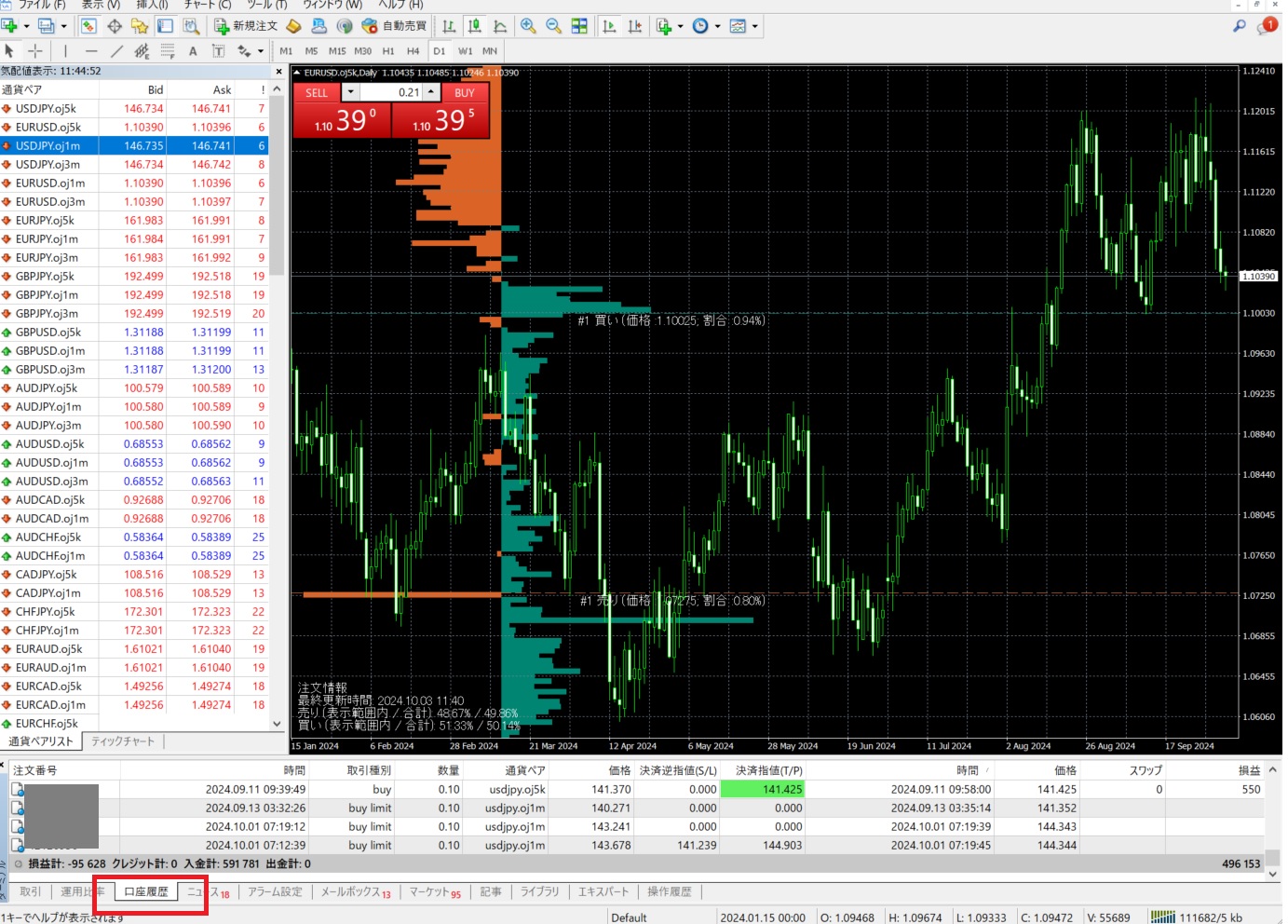
OANDA MetaTrader 4 (MT4) pairs MetaQuotes' industry-standard charting and automated trading software with OANDA’s institutional-grade pricing and execution infrastructure. Offering support for Expert Advisors, custom technical indicators, micro-lot sizing, and low-latency trade execution, OANDA MT4 delivers a flexible environment for technical and algorithmic forex traders operating across global financial markets.
Technical Overview: OANDA MT4 Platform Architecture
The combination of MetaTrader 4—developed by MetaQuotes—and OANDA’s trading engine provides a robust ecosystem for retail and institutional traders alike. While many brokers offer off-the-shelf implementations of MT4, OANDA integrates the platform directly into its proprietary pricing architecture, known as the v20 execution engine. This connection links MT4 client terminals directly to OANDA’s multi-tier liquidity pools located in key financial data centers, such as Equinix NY4 (New York) and LD4 (London).
Before committing capital to an MT4 trading environment with OANDA, traders must understand how this broker-platform bridge functions, the fee structures involved, and how regulatory jurisdictions impact platform features like leverage and hedging.
The table below outlines the core technical specifications and operational capabilities of the OANDA MT4 offering:
| Specification / Feature | OANDA MT4 Implementation Details |
|---|---|
| Execution Engine | OANDA v20 pricing architecture with sub-second automated routing |
| Minimum Lot Size | 0.01 Micro Lots (1,000 base currency units) on MT4 |
| Pricing Models | Spread-Only Accounts or Core Pricing (Raw Spreads + Fixed Commission) |
| Automated Trading | Full support for Expert Advisors (EAs) compiled in MQL4 |
| Server Locations | Equinix NY4 (New York) and LD4 (London) co-located servers |
| Regulatory Frameworks | CFTC/NFA (US), FCA (UK), ASIC (Australia), MAS (Singapore), CIRO (Canada) |
| Supported Asset Classes | Spot Forex, Stock Indices, Commodities, and Treasury Bonds (region dependent) |
| Platform Add-ons | OANDA Premium Trader Tools package (28+ indicators and Expert EAs) |
Fact 1: Institutional Engine Integration and Micro-Lot Sizing
A primary distinction of OANDA MT4 is the bridge connecting the front-end MetaTrader 4 application with OANDA's backend engine. Standard MT4 environments often rely on generic third-party bridge software to link client terminals to market markers. OANDA utilizes a custom bridge designed to route orders into its high-speed v20 execution engine, enabling high fill rates and rapid order routing.
Micro Lots vs. Custom Unit Sizing
On OANDA’s proprietary web and mobile applications, traders can execute orders in exact single units of currency (e.g., 1 unit of EUR/USD). However, because MT4 operates on standardized lot conventions:
- Minimum Position Size: OANDA MT4 requires trades to be placed in minimum increments of 0.01 micro-lots (representing 1,000 units of the base currency).
- Step Increment: Traders can scale positions upward in increments of 0.01 lots (e.g., 0.01, 0.02, 0.03, up to maximum lot limits per order).
- Flexibility for Risk Management: While MT4 does not support single-unit sizing, micro-lots allow retail traders to practice precise risk management, risking small dollar amounts per trade even on smaller account balances.
Fact 2: Access to OANDA Premium Trader Tools Powered by FX Blue
Standard MT4 installations come pre-loaded with basic technical indicators like moving averages, the Relative Strength Index (RSI), and MACD. To provide institutional-grade analytical capabilities, OANDA equips MT4 accounts with the OANDA Premium Trader Tools suite, powered by FX Blue.
This package transforms the standard MT4 terminal into an advanced trading station featuring over 28 tools, custom indicators, and automated utility EAs:
| Execution Tools | Analytics Suite |
|---|---|
| • Mini Terminal (1-Click Trading) | • Correlation Matrix |
| • Trade Terminal (Multi-Asset) | • Sentiment Trader |
| • Stealth Orders (Hidden Stops) | • Session Map & News Feed |
- Mini Terminal & Trade Terminal: Simplifies trade placement by offering smart order templates, automated stop-loss and take-profit calculations based on dollar risk or percentage of account equity, trailing stops, and complex bracket orders.
- Correlation Matrix: Allows traders to analyze correlation coefficients across multiple currency pairs and asset classes in real time, preventing accidental over-exposure to correlated assets (such as trading EUR/USD and GBP/USD in the same direction simultaneously).
- Sentiment Trader: Tracks real-time long/short positioning data across OANDA's worldwide client base, giving traders insight into retail market sentiment.
- Stealth Orders: Enables traders to hide pending orders, stop-losses, and take-profit targets from the broader market, executing orders only when specified price thresholds are touched.
Fact 3: Dual Pricing Structures—Spread-Only vs. Core Pricing
OANDA offers two distinct pricing structures on MT4, allowing traders to select the model that aligns with their trading frequency and technical strategy.
- OANDA Pricing Models
- Spread-Only Pricing
- Zero Commissions
- Variable Spreads
- Built into Bid/Ask price quote
- Core Pricing
- Raw Spreads (from 0.0 pips)
- Fixed Commission per lot/side
- Spread-Only Pricing
1. Spread-Only Pricing Account
Under the spread-only pricing model, OANDA charges no explicit commission per trade. Instead, all transaction costs are embedded directly into the variable bid/ask spread.
- EUR/USD Typical Spreads: Generally float between 1.0 and 1.4 pips depending on market volatility and session liquidity.
- Best Suited For: Swing traders, day traders holding positions across hours or days, and beginners who prefer simple cost tracking without calculating per-lot commissions.
2. Core Pricing Account
The Core Pricing model offers raw institutional spreads sourced directly from liquidity providers, combined with a transparent, fixed commission per trade.
- Raw Spreads: Spreads on major pairs like EUR/USD drop as low as 0.0 to 0.2 pips during peak liquid market hours (London/New York overlap).
- Commission Structure: A standardized commission per side (typically around $3.50 per standard 100,000 unit lot, equating to $7.00 per round turn) is assessed separately from the spread.
- Best Suited For: High-frequency traders, scalpers, and automated EA strategies where minimizing spread entry friction is critical for profitability.
Fact 4: Native Support for Expert Advisors (EAs) and VPS Hosting
MetaTrader 4 remains famous worldwide for its proprietary programming language, MQL4. OANDA MT4 fully supports automated trading scripts, algorithmic system execution, and custom technical indicators created within the MetaEditor environment.
Backtesting and Technical Strategy Testing
Traders can run historical backtests on automated EAs using MT4’s built-in Strategy Tester. OANDA supports historical tick data, allowing traders to evaluate strategy parameters under various market regimes. However, MT4 backtesting natively operates on single-thread processing; traders running multi-currency portfolio optimization often utilize external tick data managers or transition to MT5 for multi-threaded testing routines.
Virtual Private Server (VPS) Integration
To execute EAs continuously 24 hours a day, 5 days a week without relying on a home computer or personal internet connection, OANDA supports integration with Virtual Private Servers (VPS).
- Latency Optimization: By renting a VPS located in close proximity to OANDA’s execution infrastructure in NY4 or LD4 data centers, automated order latency can drop into single-digit milliseconds.
- Sponsorship Programs: Depending on monthly account trading volume, OANDA provides free or discounted VPS access through third-party partners like BeeksFX and LiquidityConnect.
Fact 5: Multi-Asset Access with Jurisdictional Trade Variations
While MT4 is historically recognized as a forex trading platform, OANDA MT4 supports multi-asset trading. Depending on where a trader resides and the corresponding regulatory subsidiary holding the account, available asset classes include:
Spot Forex: Over 60 major, minor, and exotic currency pairs (e.g., EUR/USD, GBP/JPY, USD/CAD, AUD/NZD).
Stock Index CFDs: Global benchmark indices such as the US Wall Street 30 (Dow Jones), US Tech 100 (Nasdaq), UK 100 (FTSE), and Germany 40 (DAX).
Commodity CFDs: Precious metals (Gold, Silver), Energy markets (WTI Crude, Brent Crude, Natural Gas), and Soft Agricultural commodities.
Treasury Bonds & Interest Rates: Sovereign debt benchmarks including US 10-Year T-Notes and UK Gilt CFDs.
Jurisdictional Regulatory Variations
- United States (NFA)
- Forex Spot Only
- FIFO Rule Enforced
- No Hedging Allowed
- Max Leverage 50:1
- UK / EU / AU / SG
- Forex & CFDs
- Hedging Allowed
- Leverage up to 30:1 (Retail ESMA/ASIC)
- United States (NFA)
Important Jurisdictional Differences
Global financial regulations dictate strict rules on what products and order management rules apply within MT4:
- United States (NFA / CFTC): US residents trading through OANDA Corporation are limited strictly to spot forex (no CFDs allowed due to US regulation). Furthermore, accounts must adhere to the First-In-First-Out (FIFO) rule under NFA Compliance Rule 2-43(b), which prohibits holding simultaneous offsetting long and short positions on the exact same currency pair (hedging). Maximum leverage on major forex pairs is capped at 50:1.
- United Kingdom & Europe (FCA / ESMA): UK and European traders have access to both Forex and CFDs. Hedging is allowed on MT4, and maximum retail leverage is capped at 30:1 for major pairs and 20:1 for non-major currencies and gold.
- Australia (ASIC) & Singapore (MAS): Traders under ASIC and MAS oversight receive CFD and forex access, leverage caps (30:1 retail for ASIC), segregated client funds, and strict client suitability standards.
Fact 6: Multi-Jurisdictional Regulatory Oversight and Security
Security of capital is a critical concern for active market participants. OANDA is one of the most heavily regulated forex brokers globally, operating legal entities supervised by top-tier financial regulatory authorities across every major financial hub:
- United States: CFTC (Commodity Futures Trading Commission) and NFA (National Futures Association - NFA ID: 0325821).
- United Kingdom: FCA (Financial Conduct Authority - FRN: 542574).
- Australia: ASIC (Australian Securities and Investments Commission - AFSL: 414198).
- Canada: CIRO (Canadian Investment Regulatory Organization).
- Singapore: MAS (Monetary Authority of Singapore).
- Japan: FSA (Financial Services Agency).
Client Fund Segregation and Risk Disclosures
All retail client deposits held with OANDA MT4 accounts are fully segregated from corporate operating funds in top-tier banking institutions. In jurisdictions regulated by the FCA, ESMA, and ASIC, retail client accounts automatically benefit from Negative Balance Protection, ensuring traders cannot lose more capital than their total account balances during extreme gap events or black swan market volatility.
Disclaimer: Spot forex and Contract for Difference (CFD) trading carry high risk and may not be suitable for all investors. Financial leverage can work against you as well as for you. Always evaluate your risk tolerance and financial condition before opening real-money trades.
Fact 7: Seamless Multi-Platform Coexistence with MT5 and OANDA Trade
Opening an OANDA MT4 account does not lock a trader exclusively into the legacy MT4 interface. OANDA provides an integrated account ecosystem where traders can use multiple trading platforms concurrently under a single master profile.
- OANDA Master Profile Infrastructure
- OANDA MT4
- Legacy MQL4
- 0.01 Lots
- Custom Addons
- OANDA MT5
- MQL5 Scripts
- Multi-Thread Backtesting
- OANDA Web/App
- Native Web
- TradingView Integration
- OANDA MT4
1. MetaTrader 5 (MT5) Coexistence
For traders seeking native depth-of-market (DOM) views, multi-threaded backtesting speed, integrated economic calendars, and 21 timeframes (compared to MT4’s 9 timeframes), OANDA also offers native MT5 accounts. MQL4 code built for MT4 does not run natively on MT5 without conversion, allowing users to choose the platform that matches their existing script library.
2. OANDA Web & Mobile (Powered by TradingView)
Traders who maintain an MT4 account can simultaneously sign in to the OANDA Web trading console. The OANDA Web platform features native integration with TradingView charting engines, allowing users to conduct advanced multi-chart technical analysis on a browser while letting EAs handle execution on the MT4 server in the background.
Practical Setup Guide: How to Get Started with OANDA MT4
Follow these steps to establish and configure an OANDA MT4 account correctly:
Step 1: Account Registration and MT4 Account Sub-Creation
- Register and verify your primary profile on the official OANDA website.
- Complete identity verification (KYC) by providing government photo identification and proof of address.
- In your OANDA Account Dashboard, click Create Account and select MT4 Account as the sub-account platform type.
- Choose between Spread-Only or Core Pricing structures.
Step 2: Download and Installation
- Download the custom OANDA MT4 Setup installer from the broker dashboard (using the specific installer ensures OANDA's server networks are pre-loaded in the platform list).
- Run the executable file and complete the installation wizard.
- Open the MT4 application, click File > Login to Trade Account, enter your MT4 account credentials, and select your assigned live server (e.g.,
OANDA-Live-1orOANDA-v20 Live).
Step 3: Installing Premium Trader Tools
- Download the OANDA Premium Trader Tools setup executable from the OANDA website download center.
- Ensure your MT4 client terminal is closed during installation.
- Run the installer; it automatically detects your installed MT4 directories and injects the dynamic link libraries (.dll) and compiled indicators into the
MQL4/IndicatorsandMQL4/Expertsfolders. - Relaunch MT4, open the Navigator Window (Ctrl + N), and drag custom tools like the Mini Terminal or Correlation Matrix directly onto your charts.
Troubleshooting Common OANDA MT4 Technical Issues
Even with high-performance broker architecture, traders occasionally encounter common MT4 technical glitches. Here is how to resolve them:
- Error "Invalid Account" or "No Connection": Verify that you are selecting the exact server name specified in your welcome dashboard. Standard accounts often use different server names than v20 or Demo accounts. Check that your password does not contain unsupported characters.
- Error "Trade Context is Busy": This occurs when MT4 tries to send two execution requests simultaneously. Restart the MT4 terminal or wait 10 seconds for the pending script queue to clear.
- Order Rejection (Error 130 - Invalid Stops): Occurs when stop-loss or take-profit orders are placed too close to the current bid/ask spread. Ensure your stop distance respects the minimum spread buffer required during news releases or volatile rollover hours (5:00 PM EST).
- Missing Chart Pairs in Market Watch: If specific currency pairs appear grayed out or unclickable, right-click inside the Market Watch window and select Show All. MT4 pricing symbols for raw core pricing accounts may feature a suffix (e.g.,
EURUSD.vorEURUSD.a). Ensure you open charts matching your specific account pricing tier.
Frequently Asked Questions (FAQs)
Is OANDA MT4 free to download and use?
Yes, the OANDA MetaTrader 4 software is completely free to download and use for both live and demo account holders. OANDA does not charge software licensing fees or monthly subscription costs for accessing MT4 or its Premium Trader Tools package. The only costs incurred are standard trading transaction fees, including variable spreads, commissions on Core Pricing accounts, and overnight rollover interest (swap rates).
Can I run Expert Advisors (EAs) on the OANDA MT4 mobile application?
No, the mobile versions of MetaTrader 4 (available on iOS and Android) do not support custom indicators, automated scripts, or Expert Advisors. Mobile apps only allow manual order placement and standard technical indicators. To run EAs continuously, your desktop MT4 client terminal must remain running on an active computer or hosted on a Virtual Private Server (VPS).
Does OANDA MT4 support single-unit trading like the OANDA Web platform?
No, OANDA MT4 does not support single-unit position sizing. Because MT4 operates on standardized lot protocols, the absolute minimum order size on OANDA MT4 is 0.01 micro-lots (1,000 units of currency). If you require single-unit order flexibility (e.g., placing an order for exactly 157 units of EUR/USD), you must execute trades through the OANDA Web, OANDA Mobile, or v20 REST API applications.
How does OANDA handle FIFO regulations on MT4 for US accounts?
For accounts established under OANDA Corporation in the United States, MT4 automatically enforces National Futures Association (NFA) First-In-First-Out (FIFO) rules. If you open multiple positions of the same trade size in the same currency pair, MT4 requires the oldest position to be closed first. Additionally, opening an opposing long and short trade on the exact same currency pair simultaneously is prohibited and will be rejected by the execution server.
Where are OANDA's primary MT4 execution servers located?
OANDA’s primary trading engines and MT4 server infrastructure are located in Equinix NY4 data centers in Financial District, New Jersey / New York, USA, and LD4 data centers in Slough / London, UK. Traders who utilize a Virtual Private Server (VPS) hosted in these specific facilities can achieve latency figures under 5 milliseconds for ultra-fast algorithmic execution.
Final Guidance and Next Actions
OANDA MT4 combines MetaQuotes' flexible automated interface with OANDA's institutional execution engine and multi-jurisdictional financial backing. It remains an effective platform for technical scalpers, day traders, and EA algorithmic developers seeking execution reliability and deep historical data integration.
Recommended Action Plan:
- Open a Risk-Free Demo Account: Test OANDA's MT4 server connections and execution speeds in a simulated environment before deploying real capital.
- Evaluate Pricing Structures: Compare your average monthly trading volume against the Spread-Only vs. Core Pricing models to determine which structure minimizes your operational transaction costs.
- Install the Premium Trader Tools: Enhance your analytical workstation by downloading and configuring the custom FX Blue indicator package from the OANDA dashboard.
- Deploy a VPS for Automated EAs: If your strategy relies heavily on custom MQL4 scripts or Expert Advisors, set up a low-latency VPS co-located in NY4 or LD4 to ensure uninterrupted 24/5 server connection.