Phishing is a form of social engineering where attackers deceive individuals into revealing sensitive information, such as passwords, credit card numbers, or personal identification, by masquerading as a trustworthy entity in electronic communications. These deceptive attempts often arrive via email, text message, or social media platforms, designed to manipulate the recipient into clicking a malicious link or downloading harmful software.
The Mechanism of a Phishing Attack
At its core, phishing relies on psychological manipulation rather than traditional technical hacking. An attacker does not necessarily need to bypass a firewall or crack encryption; instead, they exploit the most vulnerable link in any security chain: the human user.
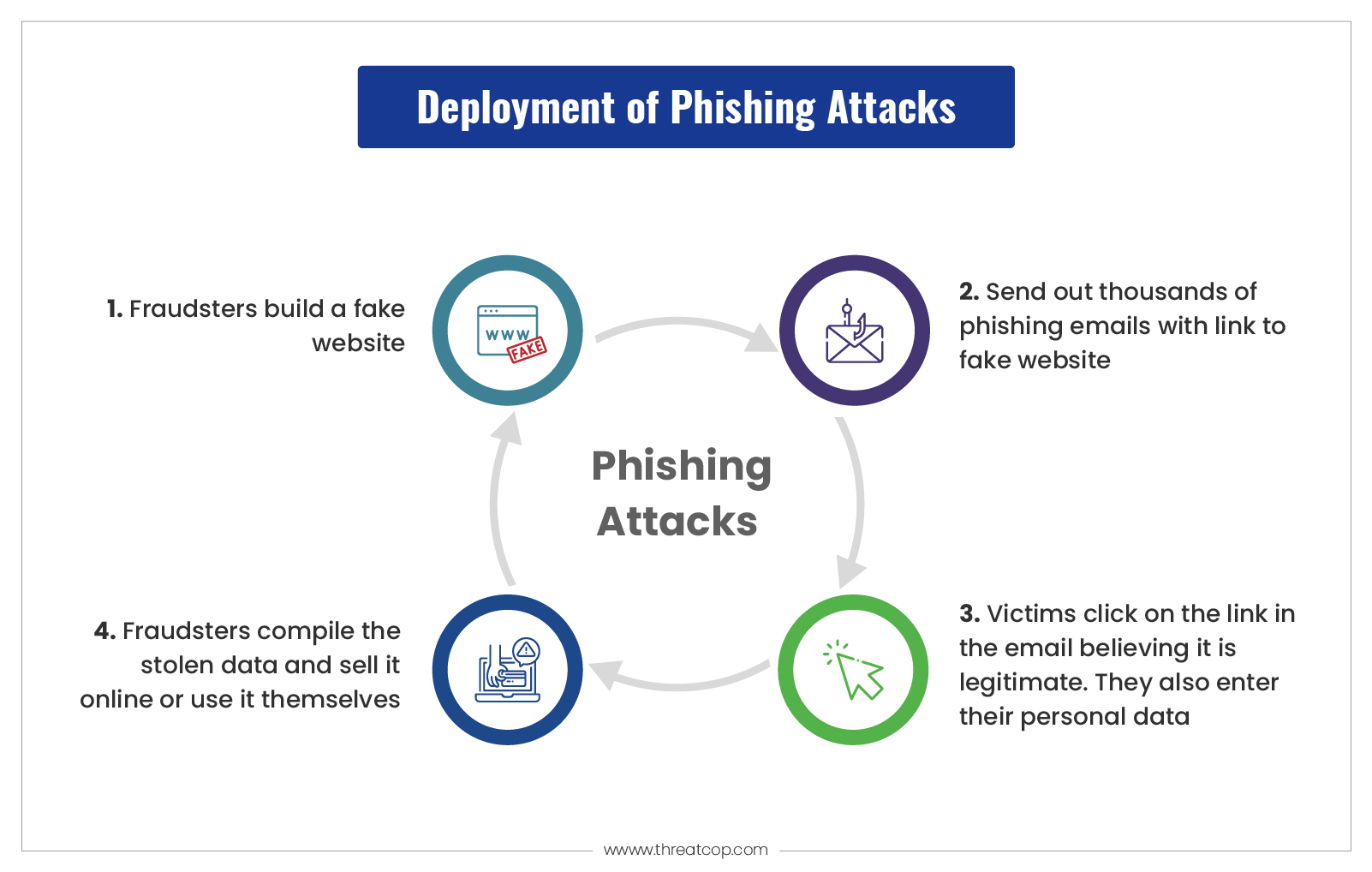
The process typically begins with the attacker identifying a target—either a specific high-value individual or a broad, indiscriminate list of potential victims. They then craft a message that creates a sense of urgency, curiosity, or fear. By mimicking the branding, tone, and communication style of a legitimate organization—such as a bank, a government agency, or a popular subscription service—the attacker lowers the victim’s natural skepticism.
When a user engages with the message, they are directed to a spoofed website that looks identical to the authentic site. Once the victim inputs their login credentials or financial details, the attacker captures this data instantly. Unlike automated malware that infects a system without user awareness, phishing requires the user to consciously (though mistakenly) provide the key to their digital life.
Common Tactics Used in Phishing
Understanding the common variations of phishing helps in identifying red flags before a breach occurs. Attackers continuously refine their methods to bypass spam filters and human suspicion.
- Email Phishing: This is the most prevalent form. Attackers send mass emails appearing to be from reputable companies. Common lures include "account suspension," "unauthorized login attempts," or "payment invoice discrepancies."
- Spear Phishing: Unlike broad phishing campaigns, spear phishing is highly targeted. The attacker researches the specific victim, using personal details gathered from social media or professional networking sites to make the communication appear highly personalized and credible.
- Smishing (SMS Phishing): As mobile device usage grows, attackers leverage text messages. These often contain short, cryptic links promising a package delivery update or a bank verification code.
- Vishing (Voice Phishing): Attackers use automated voice recordings or live calls to impersonate support staff. By creating a stressful situation, such as an alleged security breach on a bank account, they pressure the victim into divulging sensitive data over the phone.
- Whaling: This is a specialized form of spear phishing directed at high-profile targets, such as C-suite executives. The stakes are higher, and the messages are often disguised as legal subpoenas, executive summaries, or sensitive internal communications.
Key Characteristics of Deceptive Communications
While technology evolves, the telltale signs of a phishing attempt have remained remarkably consistent. Awareness of these markers is the primary defense against falling victim to a scam.
- Sense of Urgency or Threats: Attackers want you to act before you think. Phrases like "Immediate action required," "Your account will be terminated," or "Suspicious activity detected" are designed to trigger a fight-or-flight response.
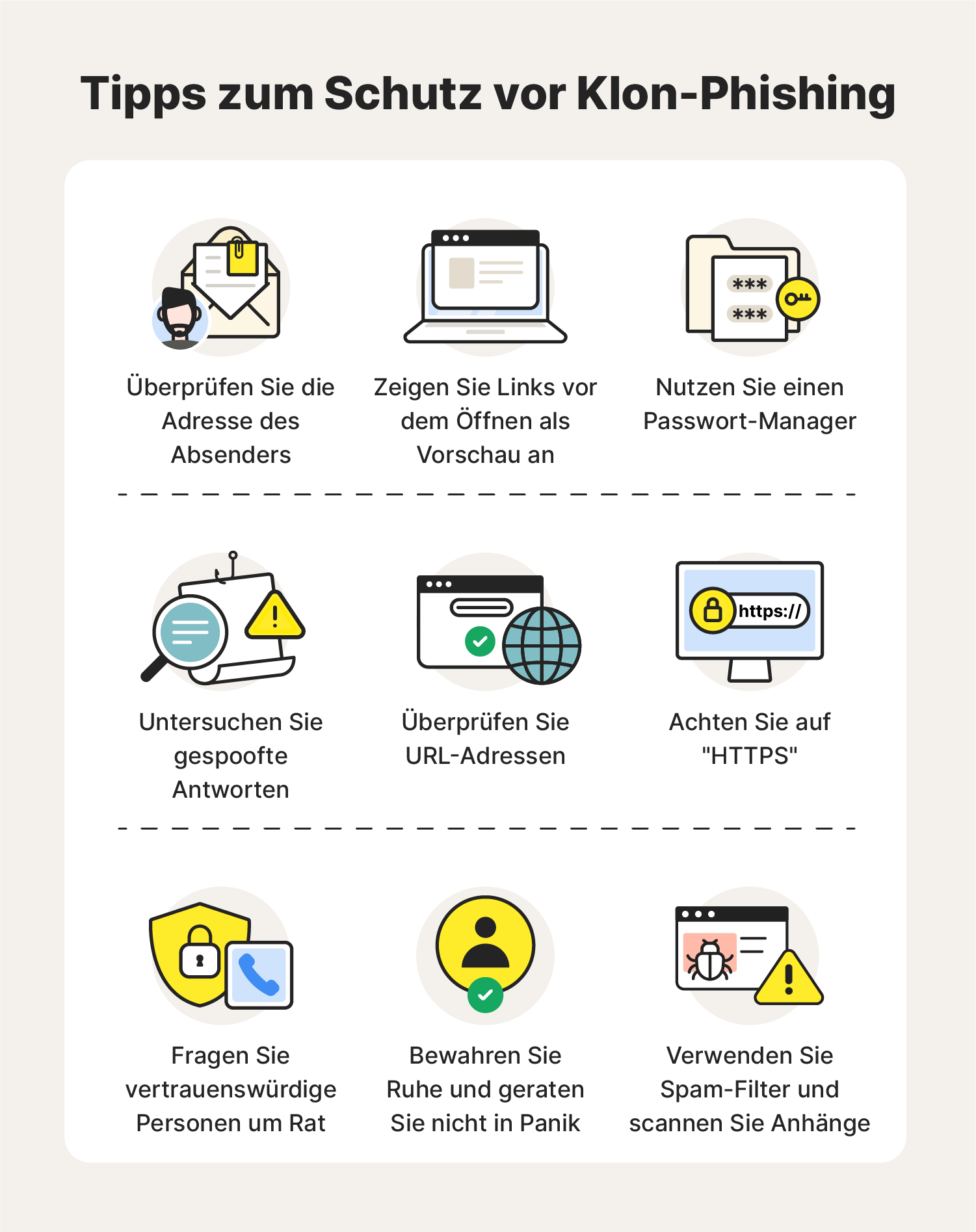
- Mismatched URLs: Even if a link text says "www.bank.com," the actual destination URL might be slightly altered (e.g., "www.bank-security-update.com"). Hovering over a link without clicking reveals the true destination.
- Generic Greetings: While some spear phishing is personal, most mass phishing campaigns use generic salutations such as "Dear Valued Customer" or "Account Holder."
- Suspicious Sender Address: The display name may show a legitimate company name, but the underlying email address often reveals a mismatch, such as a string of random characters or a public domain (e.g., gmail.com) being used by an official entity.
- Unusual Requests: Legitimate organizations rarely request passwords, social security numbers, or full financial data via an email or text message link.
Comparison of Communication Vulnerabilities
| Method | Primary Vector | Typical Objective | Difficulty to Spot |
|---|---|---|---|
| Email Phishing | Mass Email | Credential Harvesting | Moderate |
| Spear Phishing | Targeted Email | Corporate Espionage | High |
| Smishing | Text Message | Account Hijacking | Moderate |
| Vishing | Phone Call | Immediate Wire Transfer | Low |
| Whaling | Executive Outreach | High-Value Fraud | Very High |
The Impact of a Successful Phish
The consequences of a successful phishing attack can be severe and long-lasting. For individuals, the most immediate impact is financial loss, as attackers move quickly to drain bank accounts or make unauthorized purchases. Beyond direct theft, the theft of credentials often leads to identity theft, where the attacker uses the victim's personal information to open new lines of credit or file fraudulent tax returns.
In an organizational context, phishing is frequently the "entry point" for much larger cyberattacks. Once a single employee’s credentials are compromised, an attacker can gain access to internal networks. This can lead to the deployment of ransomware, which encrypts vital company files, or the exfiltration of proprietary data and trade secrets. The reputational damage to an organization, coupled with potential regulatory fines for data breaches, often outweighs the direct financial loss.
Prevention and Mitigation Strategies
Defending against phishing requires a layered approach that combines technical tools with user vigilance. While no system is 100% effective, the following practices significantly reduce risk.
- Implement Multi-Factor Authentication (MFA): This is the most effective technical defense. Even if an attacker successfully steals a password, they cannot access the account without the second factor (such as a hardware key or a time-based authentication app).
- Verify the Source: Never use contact information provided within a suspicious message. If you receive an alert from your bank, navigate to the official website by typing the URL directly into your browser or use the official mobile application to check your account status.
- Utilize Email Filtering: Modern email providers employ advanced algorithms to detect and quarantine phishing attempts before they reach the inbox. Organizations should ensure these security features are enabled and correctly configured.
- Employee Training: For businesses, regular phishing simulations serve as an excellent training tool. By testing employees with controlled, non-malicious phishing emails, organizations can identify gaps in awareness and provide targeted coaching.
- Browser Security: Modern web browsers provide warnings when a site is known for deceptive behavior. Keep software updated to ensure these protections are current.
Frequently Asked Questions
What should I do if I think I clicked a phishing link? First, disconnect the device from the internet to prevent potential malware from communicating with the attacker's server. Change your passwords immediately from a secure, clean device. If you entered financial information, contact your bank or credit card issuer to freeze your accounts and report the fraudulent activity.
Is phishing only directed at bank accounts? No. Phishing targets any service that requires credentials or holds personal data. This includes social media accounts, cloud storage, email accounts, corporate network logins, and even subscription streaming services, which can be harvested and sold on the dark web.
Can an iPhone or Android phone get phished? Yes. Mobile devices are frequent targets. Phishing often occurs via SMS (smishing) or through malicious apps installed from non-official sources. The small screen size of mobile devices also makes it harder to inspect URLs carefully, which attackers often exploit.
Does anti-virus software stop phishing? Anti-virus software can block access to known malicious websites and detect malware downloaded through phishing links. However, it cannot prevent a user from manually typing their credentials into a fake, yet "legitimate-looking," website. Human awareness remains the primary defense.
Why is it called "phishing"? The term is a play on "fishing." The attacker uses a "lure" (a deceptive email or message) to see if a "fish" (the victim) will take the bait. The "ph" spelling is attributed to early hackers in the 1990s who used "phreaking" (phone hacking) as a related term, leading to the adoption of "phishing."
Taking Action: Next Steps for Security
The most proactive step you can take today is to review your current security posture. Enable MFA on every account that supports it—prioritizing your primary email, banking portals, and social media. If you manage a team or a business, advocate for regular security awareness training. Security is not a one-time setup, but an ongoing process of verification and caution. Whenever you receive a message that demands urgent action, take a moment to pause. The time you spend verifying the source is the time you save by preventing a digital compromise.