Renewing your Alabama driver’s license online provides a streamlined alternative to visiting a traditional Alabama Law Enforcement Agency driver license office in person. Eligible residents can complete the renewal process, update their credentials, and pay applicable fees through the official digital portal managed by the state, saving considerable time while maintaining full legal driving privileges.
Understanding the Alabama Online Driver’s License Renewal Portal
The Alabama Law Enforcement Agency (ALEA) offers an online renewal system designed to handle standard driver's license and non-driver identification card renewals without requiring a physical trip to a state examination office. This digital pathway serves millions of licensed drivers across the state, provided they meet specific criteria regarding their license status, residency, and identification requirements.
Navigating this system requires an understanding of how ALEA verifies identity and processes credentials electronically. The online platform acts as a secure conduit between the driver and the state database. When you submit a renewal request, the system cross-references your current driving record, digital photograph on file, and medical clearance data to ensure you continue to meet the legal standards required to operate a motor vehicle on public roads.
Beyond simple convenience, utilizing the online renewal portal helps reduce wait times at local county probate offices and ALEA driver license examining offices, allowing staff to focus on first-time applicants, CDL holders, and individuals requiring specialized testing.
Eligibility Requirements: Who Can Renew Online?
Before attempting to use the digital renewal system, you must verify that you meet ALEA’s strict eligibility guidelines. The state restricts online renewals to ensure that drivers who require updated vision screenings, physical examinations, or new photographs are processed through in-person channels.
To qualify for an online renewal in Alabama, you must satisfy several foundational criteria:
- Current License Status: Your existing Alabama driver’s license or non-driver ID must be valid or expired for less than a specific timeframe established by ALEA guidelines (typically within 60 days of expiration, though rules can vary for active-duty military). You cannot renew online if your license has been revoked, suspended, or canceled.
- Citizenship and Residency: You must be a U.S. citizen and a resident of the State of Alabama. Individuals with temporary visitor visas or certain non-immigrant statuses generally must verify documents in person.
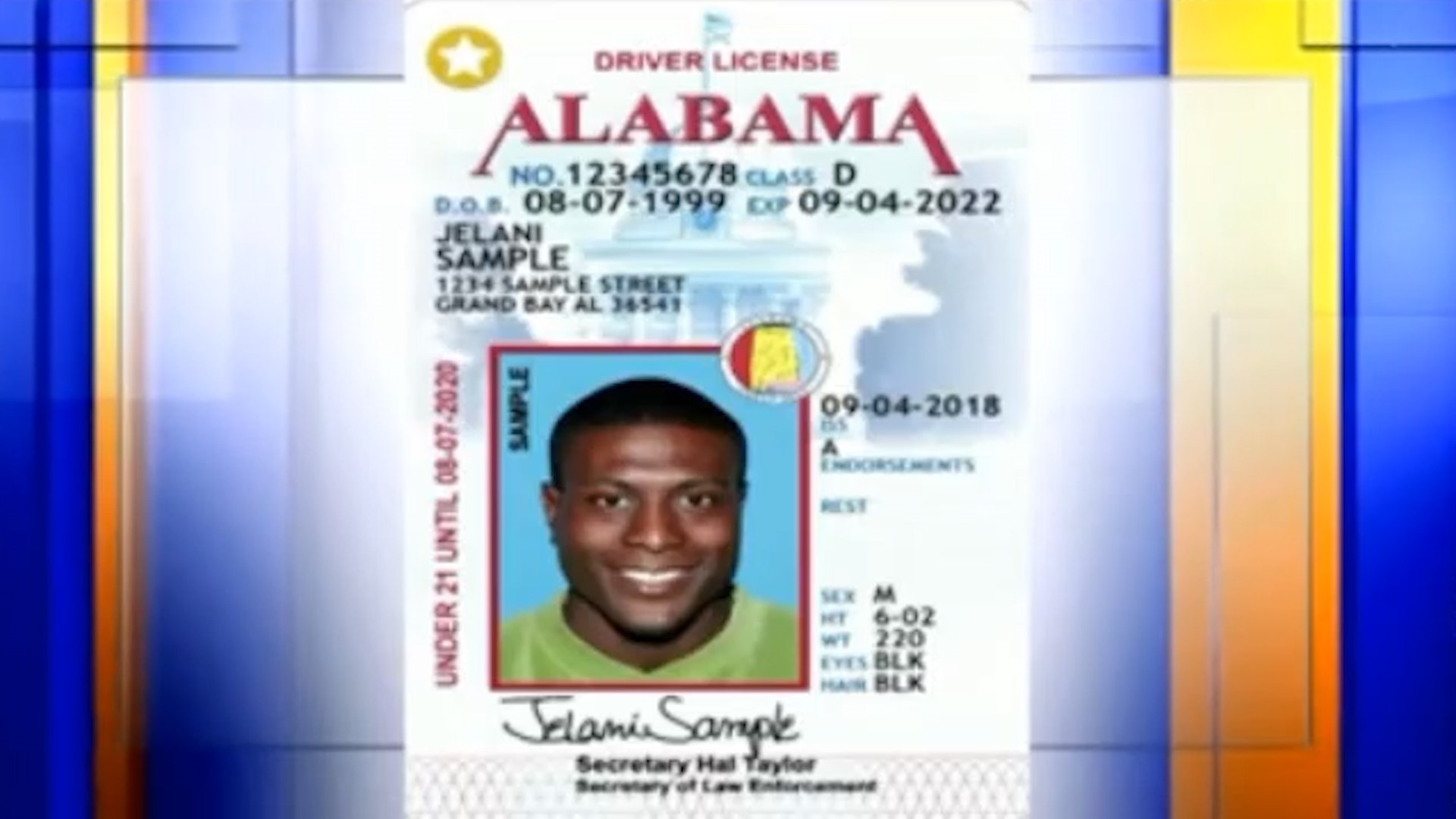
- Photograph and Signature on File: ALEA must already have a digital photograph and signature on file that meets federal REAL ID standards, or you must be transitioning an existing compliant card. If the state cannot reuse your existing photo, the system will prompt you to visit an office in person.
- No Name or Address Changes Requiring Documentation: While minor address updates within the state can sometimes be handled, significant legal name changes require presenting original documentation (such as a marriage certificate or court order) to an examiner.
- Medical and Vision Status: You must not have developed a medical condition that impairs your ability to drive safely, nor can you be subject to mandatory periodic medical re-evaluations that require physician sign-offs submitted physically.
Step-by-Step Procedure for Completing Your Online Renewal
Executing the renewal process smoothly requires gathering your necessary documentation before logging into the official portal. Taking a methodical approach prevents session timeouts and ensures payment processing succeeds on the first attempt.
Step 1: Gather Required Information and Documentation
Before visiting the ALEA online portal, ensure you have the following items readily available:
- Your current Alabama driver’s license or ID card.
- The last four digits of your Social Security Number (SSN).
- A valid debit or credit card (Visa, MasterCard, Discover, or American Express) to cover the state renewal fee and any applicable online processing charges.
- A printer if you wish to print your temporary paper interim license immediately upon completion.
Step 2: Access the Official ALEA Portal
Navigate exclusively to the official Alabama Law Enforcement Agency Driver License Division website. Avoid third-party intermediary websites that charge unauthorized convenience fees or attempt to harvest personal data. Look for the secure portal link designated for online driver license renewals.
Step 3: Enter Verification Data
The system will prompt you to enter identifying information to locate your record securely. This typically includes:
- Your full legal name as it appears on your current license.
- Your date of birth.
- Your driver’s license number.
- The last four digits of your SSN.
Step 4: Review Record and Update Information
Once the system authenticates your identity, review your demographic information displayed on the screen. Verify that your mailing address is accurate, as ALEA will mail your physical card to the address listed in the system. If you have moved recently, ensure your new Alabama residential and mailing addresses comply with state forwarding rules.
Step 5: Submit Payment
Proceed to the secure payment gateway. Review the total cost, which includes the standard renewal fee plus any mandated electronic transaction fees. Enter your credit or debit card details and authorize the transaction. Do not close or refresh your browser while the payment is processing to avoid duplicate charges or transaction errors.
Step 6: Save and Print Your Interim Receipt
Upon successful payment, the system will generate a confirmation page and a temporary driving receipt. Print this interim document immediately. In Alabama, this temporary paper receipt, when carried alongside your expired physical license, serves as legal proof of driving privileges until your permanent plastic card arrives in the mail.
Fee Structure, Payment Methods, and Processing Times
Understanding the financial obligations and delivery timelines associated with your renewal helps manage expectations regarding when your new card will arrive.
| Renewal Type | Standard Fee Range | Processing Medium | Estimated Delivery Time |
|---|---|---|---|
| Standard Driver’s License (Class D) | Varies by class (typically around $36.25 plus fees) | Online Portal / Mail | 7 to 15 business days |
| Non-Driver Identification Card | Varies by age and card type | Online Portal / Mail | 7 to 15 business days |
| Commercial Driver’s License (CDL) | Ineligible (Requires in-person processing) | In-Person Office | Issued at appointment |
Note: Total costs may include additional online administrative fees charged by the payment processing vendor. Always verify the exact itemized total on the secure checkout screen before submitting payment.
Physical cards are printed centrally and mailed via the U.S. Postal Service to the address provided during the digital transaction. If your card does not arrive within 15 business days, contact the ALEA Driver License Division support channels to verify shipment status or report a lost card.
Common Mistakes and Troubleshooting the Online System
While the digital renewal platform is designed for efficiency, users occasionally encounter technical hurdles or validation errors. Knowing how to resolve these issues prevents unnecessary frustration.
Browser Compatibility and Security Settings
Many login or payment failures stem from outdated web browsers, strict ad-blockers, or corporate VPNs that mask your geographic location. To minimize errors:
- Use an up-to-date version of modern browsers like Google Chrome, Mozilla Firefox, Microsoft Edge, or Apple Safari.
- Ensure cookies and JavaScript are enabled.
- Disable aggressive popup blockers that might prevent the secure payment window or interim receipt from opening.
Authentication Failures
If the system rejects your credentials, double-check that you are entering the exact information matching your current physical license. A transposed digit in your license number or an incorrect SSN entry will trigger a security lock. If you experience repeated lockouts, wait the designated cooling-off period or contact ALEA directly for assistance.
Address Mismatches
The online system cross-references state databases and postal directories. If your address is flagged as invalid by the postal verification system, you may be required to update your address through alternative state channels or visit an examiner in person to ensure your credentials match REAL ID federal guidelines.
Alternative Renewal Options: When Online Fails
If you discover you are ineligible for an online renewal, or if the system rejects your application due to technical constraints, Alabama provides alternative methods to secure your renewed license:
- In-Person Renewal: Visit any ALEA Driver License Examining Office or participating county probate office or license commissioner. Bring your current license, two forms of identification (if required for REAL ID compliance), and payment for fees.
- Mail-In Renewal (Special Circumstances): Certain individuals, such as active-duty military personnel stationed outside of Alabama or temporary out-of-state residents, may qualify for mail-in renewal packets. These require submitting specific vision screening affidavits and paper application forms directly to the ALEA headquarters in Montgomery.
Conclusion and Next Actions
Utilizing the Alabama online driver’s license renewal system is the most efficient method for eligible residents to maintain lawful driving privileges without disrupting their schedules. By verifying your eligibility, gathering your identification data ahead of time, and following the secure portal prompts carefully, you can complete the transaction in minutes.
To take immediate action, check the expiration date on your current license card, ensure you meet all state prerequisites, and visit the official ALEA digital portal to initiate your renewal today.