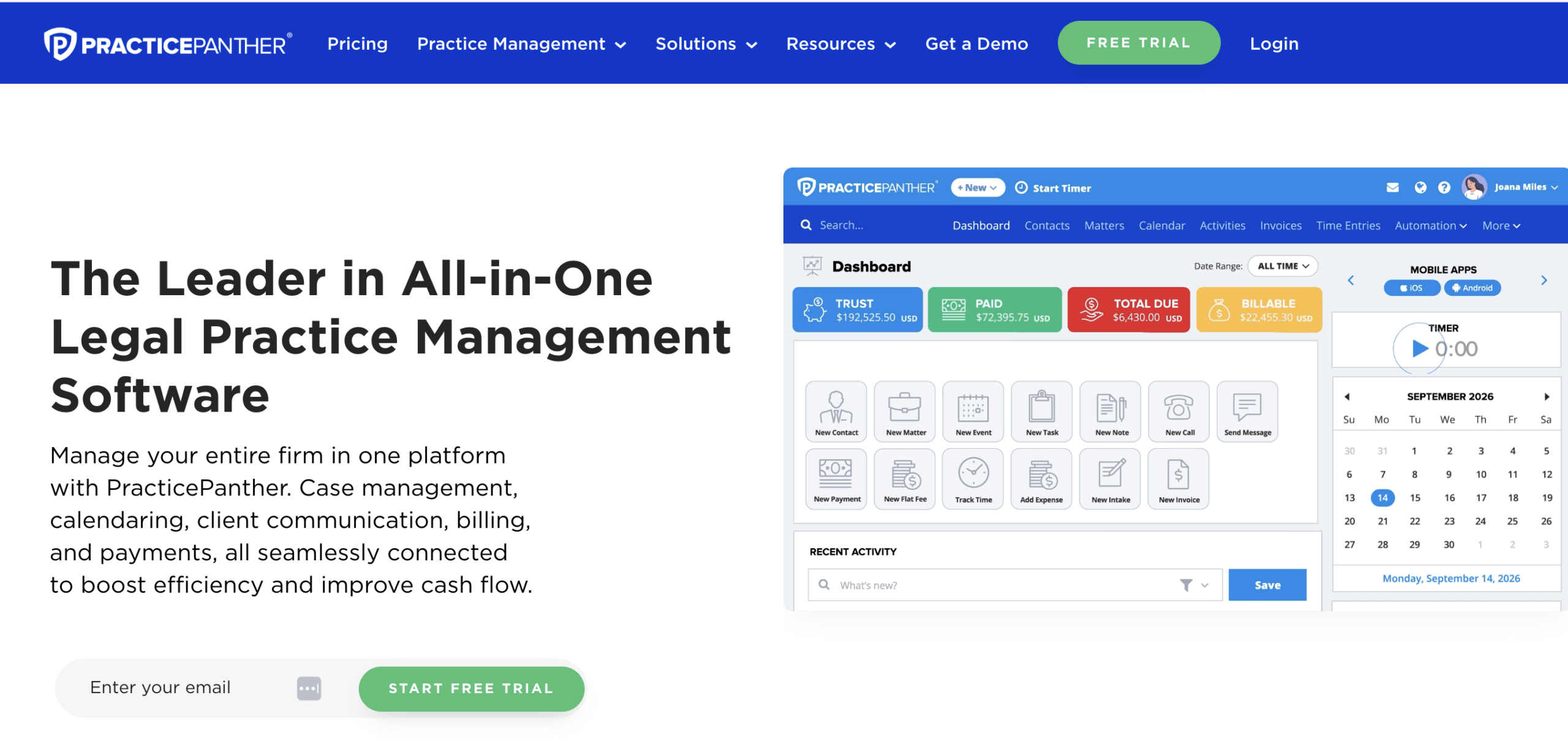
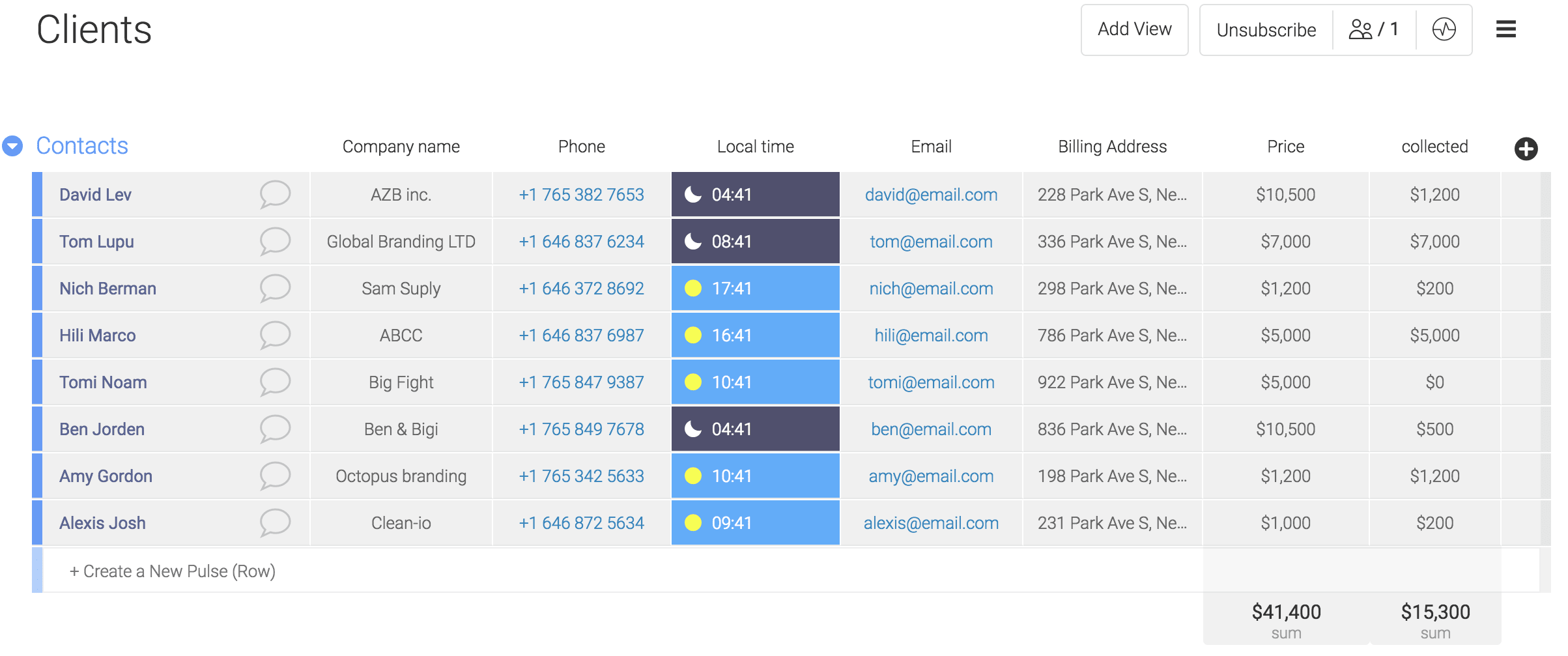
An attorney CRM for law firms is a specialized software solution designed to manage prospective clients, track communication histories, automate intake workflows, and nurture referral networks while maintaining strict adherence to legal data privacy and security standards.
Choosing the right attorney Customer Relationship Management (CRM) software is a pivotal operational decision for law firms of all sizes, ranging from solo practitioners to large multi-office enterprises. Unlike generic business CRMs designed for retail or software-as-a-service (SaaS) companies, legal CRMs must address unique challenges such as conflict of interest checks, statutory limitation tracking, ethical client data segregation, and integration with specialized legal billing and practice management systems. This guide examines the essential features, core requirements, evaluation criteria, and implementation strategies necessary to select and deploy an attorney CRM successfully in 2026.
Understanding the Role of an Attorney CRM in Modern Practice
The primary function of a law firm CRM is to bridge the gap between initial client acquisition and active case management. In a competitive legal market, potential clients expect rapid responses, transparent communication, and structured intake processes. A legal CRM automates these touchpoints, ensuring that inquiries do not fall through the cracks while capturing vital prospect data before an official engagement agreement is signed.
Traditional law practice management software (LPMS) excels at managing active matters, billing, and document assembly once a retainer is paid. However, these platforms often lack robust marketing automation, lead scoring, pipeline visualization, and advanced referral tracking. Conversely, a dedicated attorney CRM focuses on the pre-retaining phase—managing marketing campaigns, tracking consultations, handling intake questionnaires, and analyzing conversion rates across various practice areas such as personal injury, family law, corporate litigation, or estate planning.
Furthermore, integrating an attorney CRM with existing tech stacks enables firms to centralize client data. When configured correctly, the software provides a comprehensive 360-degree view of every client interaction, from their first click on a Google advertisement to their final invoice review years later.
Core Features to Look for in Legal CRM Software
When evaluating attorney CRM solutions, firms must look beyond generic sales pipeline features and focus on capabilities tailored to the legal profession.
Automated Lead Intake and Routing
Speed-to-lead is a critical metric in legal marketing. Studies consistently show that prospective clients frequently hire the first law firm that responds to their inquiry. Legal CRMs utilize automated intake forms embedded on firm websites, click-to-call widgets, and live chat integrations to capture leads 24/7. Once captured, the system can automatically route inquiries to specific attorneys based on practice area, geographic location, or round-robin availability.
Integrated Conflict of Interest Checks
Ethical obligations require law firms to screen every prospective client for potential conflicts of interest before collecting confidential information or issuing a fee agreement. A robust legal CRM includes built-in conflict-checking capabilities that instantly cross-reference new prospect names, opposing parties, and corporate entities against the firm's historical database of clients and matters.
Pipeline Management and Visual Dashboards
Managing a steady influx of prospective clients requires clear visibility into the sales pipeline. Legal CRMs provide customizable Kanban boards or list views that categorize leads by stage—such as New Inquiry, Consultation Scheduled, Retainer Sent, Hired, or Declined. This allows managing partners and intake specialists to forecast revenue, identify bottlenecks in the conversion process, and allocate marketing budgets more effectively.
Document and Signature Automation
Moving a lead from a consultation to a retained client requires gathering signatures on fee agreements and engagement letters. Advanced legal CRMs feature native electronic signature integrations or seamless connections with tools like DocuSign and Adobe Sign. Automated document generation populates client intake data directly into standard retainer templates, minimizing manual data entry errors.
Communication Logging and Multi-Channel Tracking
Modern clients communicate across multiple channels, including email, SMS, phone calls, and social media messaging apps. An attorney CRM centralizes these interactions into a single chronological timeline associated with the contact record. This ensures that any attorney or staff member can review past conversations instantly, maintaining a consistent and professional client experience.
Comparing Legal CRM vs. Practice Management Software
A common point of confusion for law firm administrators is whether they need a standalone legal CRM, a dedicated practice management platform, or a unified suite that combines both.
| Feature Category | Standalone Attorney CRM | Legal Practice Management Software (LPMS) | Unified Legal Suites |
|---|---|---|---|
| Primary Focus | Lead generation, intake automation, marketing, pipeline tracking. | Active case management, document storage, time tracking, billing. | End-to-end management from initial lead to final invoice. |
| Ideal User | Firms with heavy marketing spend, high lead volume, or complex intake workflows. | Established practices prioritizing billing accuracy and document organization. | Small to mid-sized firms seeking an all-in-one ecosystem to reduce software bloat. |
| Key Strengths | Advanced campaign analytics, automated drip campaigns, lead scoring. | Trust accounting (IOLTA), court calendaring, task management, invoicing. | Seamless data flow between marketing and active matter accounting. |
| Potential Drawdowns | Requires data synchronization and API integrations with billing tools. | Intake and marketing features are often rudimentary or lack depth. | May lack the specialized depth of best-of-breed standalone CRMs. |
Evaluating Security, Compliance, and Data Privacy
Law firms are bound by strict ethical duties of confidentiality and data security, governed by state bar rules and regulations such as the American Bar Association (ABA) Model Rule 1.6. When selecting an attorney CRM, evaluating vendor security protocols is non-negotiable.
Encryption Standards
Data must be encrypted both in transit (using protocols such as TLS 1.3) and at rest (using AES-256 encryption or equivalent standards). Firms should verify whether the CRM vendor holds third-party security certifications such as SOC 2 Type II compliance, ISO/IEC 27001, or HIPAA compliance if handling sensitive medical-legal records in personal injury or healthcare law practices.
Data Ownership and Exportability
A law firm retains ownership of its client data at all times. The chosen CRM vendor must provide clear contractual terms guaranteeing that the firm can easily export its entire database in a standard, machine-readable format (such as CSV or JSON) upon contract termination without hidden fees or administrative roadblocks.
Role-Based Access Controls
Not all members of a law firm require access to every record within the CRM. Granular role-based access controls (RBAC) allow managing partners to restrict visibility based on sensitivity. For example, marketing staff may need access to lead contact details and campaign analytics, while sensitive client notes regarding domestic relations or criminal defense matters should be restricted to assigned case handlers.
Cost Considerations and Return on Investment
Implementing an attorney CRM involves software subscription fees, configuration time, staff training, and ongoing maintenance. Understanding the pricing models helps firms budget accurately.
Pricing Models
Most legal CRM vendors operate on a Software-as-a-Service (SaaS) subscription model, billed monthly or annually per user. Prices typically range from $40 to $150+ per user, per month, depending on the tier of service, automation complexity, and volume of contacts. Some enterprise-tier solutions also charge onboarding or implementation fees to configure custom intake pipelines, migrate legacy databases, and build custom API integrations.
Calculating ROI
To justify the investment in an attorney CRM, firms should measure return on investment (ROI) through three primary vectors:
- Conversion Rate Improvements: Tracking the percentage of leads that convert into paying clients before and after CRM implementation.
- Time Saved on Administrative Tasks: Calculating the hours saved by automating intake forms, reminder emails, and document generation.
- Attribution Accuracy: Identifying which marketing channels (SEO, pay-per-click, legal directories, referral partners) yield the highest-value cases, allowing for smarter advertising spend allocation.
Implementation Steps for Law Firms
Deploying a new attorney CRM successfully requires a structured, multi-phase approach to minimize disruption to daily operations and secure team-wide adoption.
- Audit Current Intake Processes: Document every step a lead takes from initial contact to signed retainer. Identify bottlenecks, manual data entry points, and communication gaps.
- Define Requirements and Workflows: Map out specific automation rules, user roles, pipeline stages, and mandatory fields required for conflict checks.
- Data Hygiene and Migration: Clean existing contact lists, remove duplicate records, and standardize data formats before migrating information into the new CRM.
- Integration Setup: Connect the CRM with existing email clients (Microsoft 365, Google Workspace), website intake forms, phone systems, and practice management software via native integrations or tools like Zapier.
- Staff Training and Pilot Testing: Run a pilot test with a small group of intake specialists or attorneys. Gather feedback, refine workflows, and conduct firm-wide training sessions before full deployment.
Common Pitfalls to Avoid
Law firms frequently encounter avoidable obstacles during CRM adoption. Recognizing these pitfalls ensures a smoother rollout.
- Over-Customization: Attempting to build overly complex pipelines and dozens of custom fields on day one often overwhelms staff and leads to low adoption rates. Start with a streamlined, essential workflow and expand customization gradually.
- Neglecting Data Hygiene: Inputting incomplete contact information or bypassing mandatory fields defeats the purpose of centralized reporting. Enforce clear data-entry standards across the firm.
- Ignoring Mobile Usability: Attorneys frequently travel to court, depositions, or client meetings. Selecting a CRM with a responsive mobile interface or dedicated native mobile app is essential for on-the-go communication logging.
- Failing to Secure User Buy-In: If attorneys view the CRM merely as a burdensome administrative chore rather than a tool that helps them secure more clients, adoption will plummet. Emphasize how the software reduces repetitive tasks and simplifies client communication.
Frequently Asked Questions
Can an attorney CRM replace my law practice management software?
Generally, no. While some unified platforms attempt to bridge both functions, specialized attorney CRMs focus primarily on pre-retained lead acquisition and marketing, whereas practice management software handles post-retained billing, trust accounting, and court calendaring. Most firms benefit from integrating both systems or using an all-in-one suite designed specifically for legal workflows.
How do legal CRMs handle conflict of interest checks?
Legal CRMs maintain a searchable database of all contacts, opposing parties, and related entities entered into the system. When a new inquiry is processed, the CRM cross-references the provided names against this database and flags potential name matches, allowing attorneys to review and clear conflicts before proceeding.
Are cloud-based legal CRMs secure enough for sensitive client data?
Yes, reputable cloud-based legal CRMs utilize advanced encryption protocols, secure multi-tenant cloud infrastructure, and strict compliance certifications (such as SOC 2 Type II) that often exceed the internal IT security capabilities of individual small-to-mid-sized law firms.
How long does it take to implement a legal CRM?
Implementation timelines vary based on firm size and data complexity. A solo practitioner can often set up an out-of-the-box CRM in a few hours, whereas a mid-sized firm with legacy data migration needs and custom API integrations typically requires four to twelve weeks for a complete rollout.
Do legal CRMs integrate with marketing platforms?
Yes, most legal CRMs integrate directly with digital marketing tools, including Google Ads, Facebook lead generation forms, email marketing platforms (such as Mailchimp or HubSpot), and website analytics, allowing firms to track the exact ROI of their marketing campaigns down to the individual case level.
Conclusion and Next Action
Selecting and implementing an attorney CRM is a strategic investment in a law firm's growth and operational efficiency. Begin by conducting an internal audit of your current intake workflow and identifying the specific bottlenecks losing potential clients. Request live demonstrations and sandbox trials from shortlisted vendors that specialize in legal technology, and prioritize solutions that offer robust security, intuitive mobile access, and seamless integration with your existing practice management and billing systems.