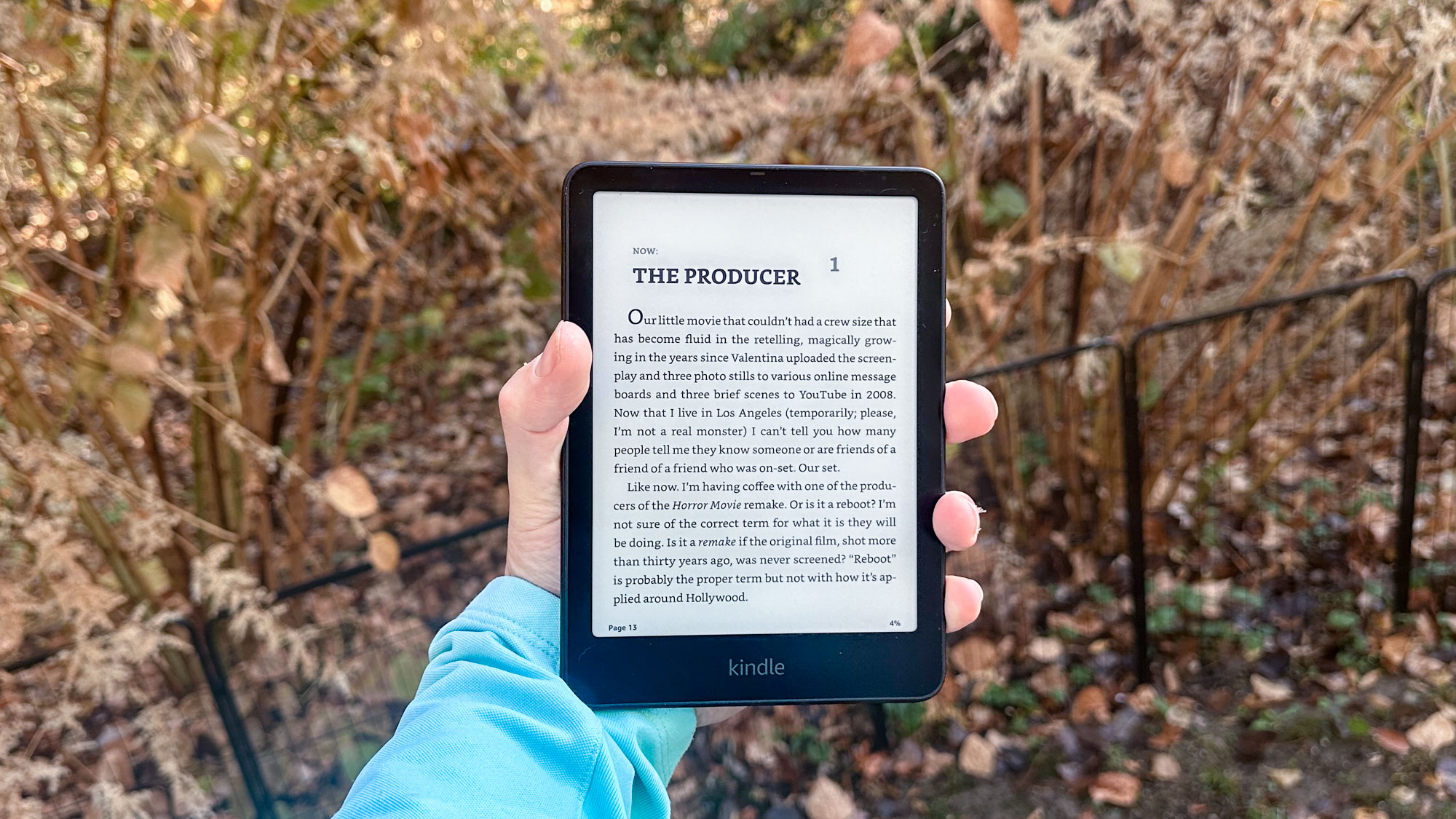
The Kindle Paperwhite remains the optimal choice for most readers because it balances high-end features—such as a 6.8-inch glare-free display, adjustable warm light, and IPX8 waterproofing—with a price point significantly lower than premium models. It offers the best price-to-performance ratio in the e-reader market as of 2026.
1. The Perfect Display Size and Visual Quality
For over a decade, the standard e-reader screen size hovered around 6 inches. While the entry-level Kindle retains this smaller footprint, the Kindle Paperwhite (11th Generation and subsequent iterations) moved to a 6.8-inch display. This 0.8-inch increase might sound marginal on paper, but in practice, it represents a substantial increase in screen real estate that fundamentally changes the reading experience.
A larger screen allows for more words per page, which translates to fewer page turns. Frequent page turning, even with modern high-speed e-ink, consumes battery and can subtly disrupt the flow of deep immersion in a narrative. The 6.8-inch panel strikes the "Goldilocks" balance: it is large enough to mimic the dimensions of a standard trade paperback, yet compact enough to be held comfortably in one hand for hours.
300 PPI and E-Ink Carta 1200 Technology
The Paperwhite utilizes a 300 ppi (pixels per inch) high-resolution display. This is the gold standard for e-ink, often referred to as "retina-grade" for text. At 300 ppi, the "screen door effect" and jagged edges on fonts vanish, making the text look identical to laser-printed ink on high-quality paper.
Furthermore, the implementation of E-Ink Carta 1200 technology provides a 20% increase in response time compared to older models. This reduces the "ghosting" effect (where faint traces of previous pages remain visible) and makes the page-turn animation feel instantaneous. The contrast ratio is also significantly improved, with deeper blacks and whiter backgrounds, which is essential for reading in high-ambient light environments, such as direct sunlight at the beach.
The Flush-Front Design
Unlike the entry-level Kindle, which has a recessed screen and a raised bezel, the Paperwhite features a flush-front design. This means the screen is level with the surrounding frame. Beyond the aesthetic appeal, this design prevents dust, hair, and crumbs from getting trapped in the corners of the display. It also facilitates smoother swiping gestures for page turns and menu navigation, as your finger doesn't hit a physical lip at the edge of the screen.
2. Advanced Lighting for Any Environment
Perhaps the most significant upgrade the Paperwhite offers over basic e-readers is its sophisticated lighting system. While the entry-level Kindle now includes a front light, the Paperwhite’s system is vastly more capable and customizable.
Adjustable Warm Light
The inclusion of adjustable warm light is a game-changer for night-time readers. Standard LED front lights emit a "cool" or blue-toned light. Scientific research has long suggested that exposure to blue light in the evening can suppress melatonin production, potentially disrupting sleep cycles.
The Kindle Paperwhite allows users to shift the screen color from a stark white to a soft, candle-like amber. This "warmth" setting can be manually adjusted on a scale of 0 to 24 or scheduled to activate automatically at sunset. For readers who enjoy a few chapters before bed, this feature significantly reduces eye strain and helps maintain better sleep hygiene.
Increased LED Count and Uniformity
The Paperwhite uses 17 LEDs to illuminate the screen, compared to the 4 LEDs found in the entry-level model. This higher density of light sources ensures that the illumination is perfectly uniform across the entire 6.8-inch surface. There are no "hot spots" or shadows at the edges of the screen, which can be a common distraction on cheaper devices. Whether you are reading in total darkness or using the light to boost contrast in a dim room, the Paperwhite provides a consistent, paper-like appearance.
3. Durability and IPX8 Waterproofing
For most people, reading is an activity that happens in various locations, some of which are not "tech-friendly." The Kindle Paperwhite’s IPX8 rating is a major differentiator that elevates it from a fragile piece of electronics to a rugged companion.
Understanding the IPX8 Standard
The IPX8 rating means the device is tested to withstand immersion in up to two meters of fresh water for up to 60 minutes, and 0.25 meters of seawater for up to 3 minutes. While Amazon does not recommend intentionally swimming with your Kindle, this protection provides peace of mind in several common scenarios:
- The Bathtub: For many, the bath is the ultimate reading spot. With a Paperwhite, an accidental slip into the water is a non-issue.
- The Pool or Beach: Splashes or even a drop into the shallow end of a pool won't ruin your device.
- Rain: If you are reading at a bus stop or on a park bench and a sudden downpour starts, the device is protected while you pack it away.
Long-Term Build Quality
The Paperwhite is constructed with a soft-touch, matte-finish back that provides a secure grip, even when your hands are slightly damp. This focus on durability ensures that the device can survive years of travel and daily use. When you consider the environmental impact of electronics, choosing a device that lasts 5-7 years instead of needing a replacement after a minor liquid accident is both economically and ecologically sound.
4. Superior Battery Life and USB-C Connectivity
In 2026, the convenience of a "single cable" lifestyle cannot be overstated. The Kindle Paperwhite’s transition to USB-C was a pivotal moment for the product line, aligning it with modern smartphones, tablets, and laptops.
Charging Convenience
Gone are the days of hunting for an obsolete micro-USB cable. Because the Paperwhite uses USB-C, you can charge it using the same cable you use for your Android phone, iPad, or MacBook. This is particularly beneficial for travelers who want to minimize the number of accessories they carry.
Up to 10 Weeks of Power
E-ink technology is inherently efficient because it only consumes power when the state of the pixels changes (i.e., when you turn a page). The Paperwhite maximizes this efficiency with a battery that can last up to 10 weeks on a single charge. This estimate is based on 30 minutes of reading per day with wireless off and the light setting at 13. Even for heavy readers who consume several hours of content daily, the device typically only needs to be plugged in once every few weeks.
This longevity removes "battery anxiety" from the reading experience. You can take the Paperwhite on a two-week vacation and leave the charger at home, something that is impossible with multi-purpose tablets like the iPad.
5. Optimal Value Compared to Other Models
When evaluating the Kindle lineup in 2026, it is clear that the Paperwhite sits in the strategic "sweet spot." To understand why it is the best for most readers, one must compare it to the alternatives.
Comparison Table: 2026 Kindle Lineup
| Feature | Kindle (Basic) | Kindle Paperwhite | Kindle Scribe |
|---|---|---|---|
| Display Size | 6.0" | 6.8" | 10.2" |
| Pixel Density | 300 ppi | 300 ppi | 300 ppi |
| Waterproofing | No | Yes (IPX8) | No |
| Warm Light | No | Yes | Yes |
| Battery Life | Up to 6 weeks | Up to 10 weeks | Up to 12 weeks |
| Note-Taking | No | No | Yes (includes Stylus) |
| Charging | USB-C | USB-C | USB-C |
Why Not the Basic?
The entry-level Kindle is an excellent device for its price, but it lacks the warm light and waterproofing. For a relatively small price increase, the Paperwhite adds features that significantly improve eye comfort and physical durability. For a device you will likely keep for half a decade, the "per-year" cost of the upgrade is negligible.
Why Not the Scribe?
The Kindle Scribe is a specialized tool. Its 10.2-inch screen is fantastic for PDFs and note-taking, but it is too large and heavy for comfortable one-handed reading in bed or on a commute. Furthermore, it lacks the IPX8 waterproofing found in the Paperwhite. Unless you specifically need a digital notebook, the Scribe is overkill for most "readers."
Why Not the Oasis?
As of 2026, the Oasis has largely been superseded by the Paperwhite. While the Oasis offered physical page-turn buttons and an ergonomic grip, its aging micro-USB port (on older versions) and smaller battery life make it a less practical choice than the modern Paperwhite, which now matches the Oasis's 6.8-inch screen size and features.
The Ecosystem Advantage
Beyond the hardware, the Paperwhite is the best gateway into the Amazon Kindle Store, which remains the most comprehensive digital bookstore in the world.
Seamless Integration
The device supports Whispersync, which synchronizes your furthest page read, bookmarks, and highlights across all your devices. If you forget your Paperwhite at home, you can open the Kindle app on your phone and pick up exactly where you left off. When you return to your Paperwhite, it will automatically prompt you to skip ahead to your latest position.
Library Access via Libby
For readers in the United States, the Paperwhite’s integration with the Libby app by OverDrive is a massive value add. You can borrow e-books from your local public library for free and have them delivered wirelessly to your Kindle. This feature allows the device to pay for itself over time by reducing the need to purchase every book you read.
Audible Support
The Paperwhite includes Bluetooth connectivity, allowing you to pair wireless headphones or a speaker to listen to Audible audiobooks. The "Immersion Reading" feature allows you to switch seamlessly between reading the text and listening to the narration, which is perfect for transitioning from a morning commute to stationary reading.
Frequently Asked Questions
Is the Paperwhite worth the extra cost over the Kindle Basic?
Yes, for most readers. The addition of the adjustable warm light is essential for night reading, and the IPX8 waterproofing makes the device much more durable in real-world conditions. The slightly larger 6.8-inch screen also provides a more immersive experience.
Can I read in the dark with the Kindle Paperwhite?
Absolutely. The Paperwhite uses a front-lit display, which shines light across the surface of the e-ink rather than directly into your eyes like a phone or tablet. This makes it possible to read in total darkness without an external lamp and with significantly less eye strain.
Does the Kindle Paperwhite support EPUB files?
Yes. While Kindles traditionally used the proprietary AZW or MOBI formats, Amazon's "Send to Kindle" service now supports EPUB files. It automatically converts them to a compatible format for your device, making it easier than ever to read non-Amazon books.
What is the difference between the standard Paperwhite and the Signature Edition?
The Signature Edition typically offers three main upgrades: wireless charging, an auto-adjusting light sensor (which changes brightness based on your environment), and 32GB of storage compared to the standard 8GB or 16GB. For most prose readers, the standard version is sufficient, as 16GB can already hold thousands of books.
Final Recommendation
If you are looking for an e-reader in 2026, the Kindle Paperwhite is the definitive choice. It successfully bridges the gap between budget-friendly simplicity and premium functionality. By offering a high-resolution, warm-light display and a waterproof chassis in a portable form factor, it meets the needs of 90% of the reading public.
To get started, consider your storage needs: if you primarily read text-based novels, the base storage model is more than enough. However, if you plan to store a massive library of audiobooks or graphic novels, you might consider the 32GB Signature Edition. Regardless of the version you choose, the Paperwhite remains the most resilient and comfortable way to carry an entire library in your pocket.