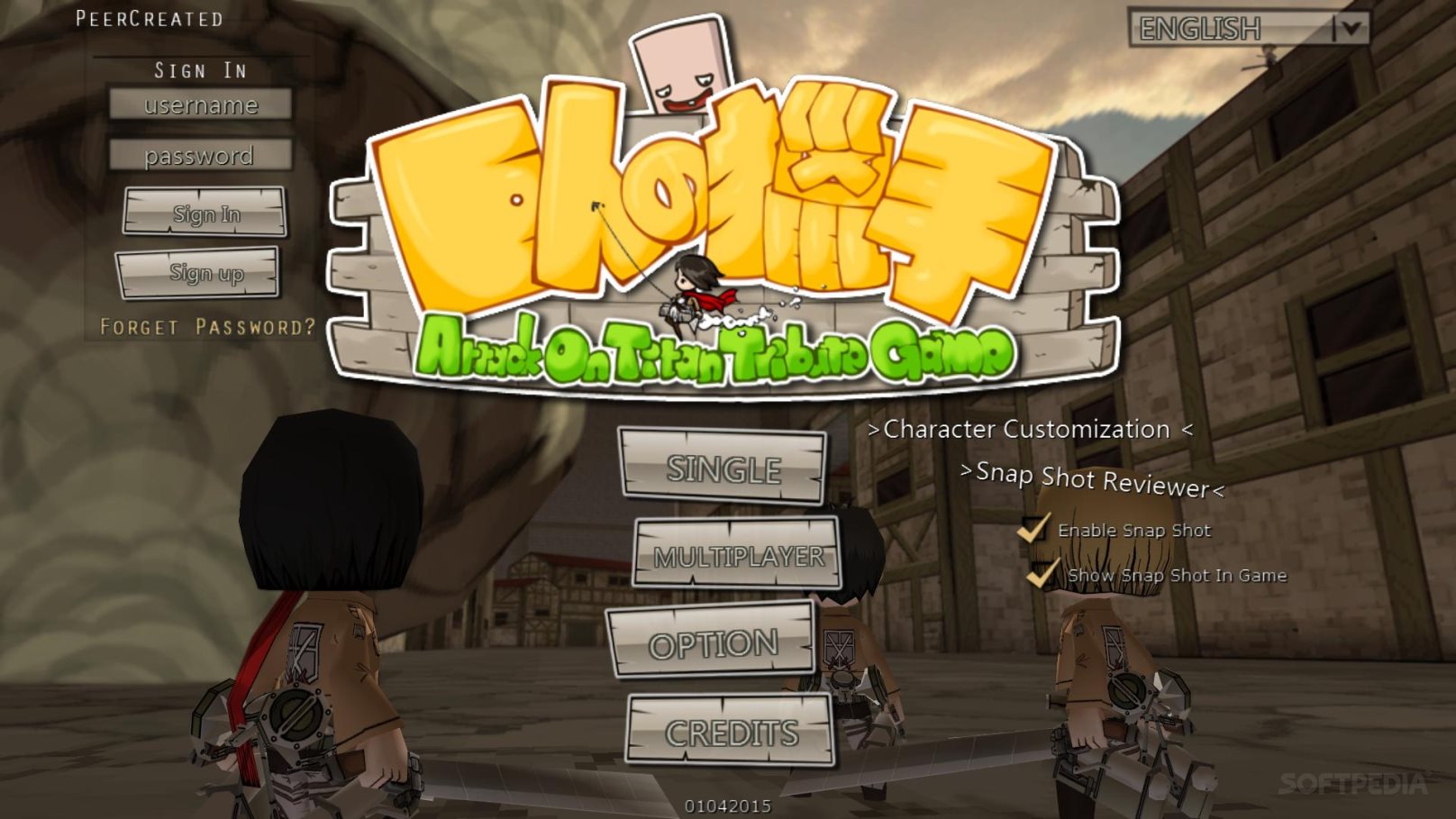
The Attack on Titan browser game typically refers to Feng Lee’s iconic, fan-made 3D Maneuver Gear simulator, a lightweight yet surprisingly deep Unity web game that lets players grapple across massive cities and slash Titans directly within web browsers without heavy downloads.
Introduction to the Attack on Titan Browser Game Phenomenon
The Attack on Titan anime and manga franchise has inspired numerous video game adaptations across consoles, mobile devices, and PC platforms. However, among the vast ecosystem of officially licensed releases, one particular project holds a legendary status among fans: the web-based 3D Maneuver Gear simulator originally developed by independent creator Feng Lee. Often searched simply as the "Attack on Titan browser game," this title captivated millions of players worldwide during the height of the anime's early seasons.
Unlike polished commercial releases, this browser-based project emerged from the passion of a dedicated developer who sought to capture the kinetic, high-speed mobility of the series' core mechanic: the Omni-Directional Mobility (ODM) gear. Over the years, the game has evolved through multiple iterations, spawning numerous clone versions, private servers, and community-updated forks. Understanding how to access these titles, mastering their complex physics engines, and knowing what to expect technically are essential for anyone looking to dive into this unique corner of web-based gaming.
This guide provides a comprehensive overview of the browser game, examining its technical prerequisites, gameplay mechanics, multi-player dynamics, alternative versions, and practical troubleshooting steps to ensure a smooth gaming experience.
Understanding the Technical Landscape and Accessibility
Playing a 3D physics-based action game directly inside a web browser requires navigating a shifting technical landscape. Because the original game relied heavily on the Unity Web Player plugin—a technology that modern mainstream browsers have largely deprecated for security and performance reasons—accessing these titles today requires specific configurations or updated HTML5 ports.
The Evolution from Unity Web Player to WebGL
When the Feng Lee Attack on Titan game launched, most browsers supported the Unity Web Player plugin, allowing seamless in-browser execution of complex 3D environments. As web standards shifted toward native HTML5 and WebGL rendering, older implementations became unplayable on standard installations of Google Chrome, Mozilla Firefox, or Microsoft Edge without specialized legacy browsers or community-led conversions.
Today, players looking to experience the game typically access HTML5/WebGL ports hosted on retro gaming preservation sites, fan-maintained archives, or dedicated community portals. These modern ports translate the original ActionScript or Unity code into web-standard formats, ensuring compatibility with contemporary hardware without requiring users to install vulnerable browser plugins.
System Requirements and Performance Optimization
While the game features relatively low-poly graphics by modern standards, its real-time physics calculations for grappling hooks, wire tension, momentum conservation, and Titan ragdoll collisions can be surprisingly demanding on a CPU.
- Processor (CPU): A multi-core processor (Intel Core i3 or AMD equivalent or better) is recommended to handle real-time physics calculations smoothly without frame stuttering.
- Memory (RAM): 4GB of RAM is sufficient for the game itself, though closing background browser tabs helps prevent garbage collection spikes.
- Graphics (GPU): Integrated graphics are generally adequate for WebGL ports, provided hardware acceleration is enabled in the browser settings.
- Input Devices: While a mouse and keyboard are standard, mastering the intricate directional controls requires high polling-rate mice and a stable surface.
| Feature / Aspect | Original Unity Web Player Version | Modern HTML5 / WebGL Ports |
|---|---|---|
| Browser Compatibility | Deprecated (Requires legacy browsers) | Broad (Chrome, Firefox, Edge, Safari) |
| Installation Requirement | Unity Web Player browser plugin required | Zero installation (Runs natively in-browser) |
| Multiplayer Support | Historically supported via Photon/SmartFox servers | Varies by host; often community-run rooms |
| Physics Fidelity | Original custom-tuned momentum engine | Faithfully replicated or slightly optimized |
Core Gameplay Mechanics: Mastering the ODM Gear
The defining characteristic of any Attack on Titan game is the Omni-Directional Mobility (ODM) gear, and the browser game is celebrated for nailing the high-skill ceiling of this mechanic. Rather than simply pressing a button to move forward, players must actively manage hooks, gas reserves, blade durability, and spatial momentum.
The Hook and Winch Physics Engine
Movement relies entirely on firing two independent grappling hooks into building walls, giant trees, or even the bodies of Titans themselves.
- Left and Right Hooks: Players use separate keys (typically Q and E, or the mouse buttons depending on custom keybindings) to anchor the left and right wires.
- Winch Mechanics: Once anchored, holding down the winch keys pulls the player toward the anchor point. Releasing the hooks at the peak of a swing converts downward gravitational pull into forward velocity, allowing players to sling-shot across the map at high speeds.
- Gas Management: Speed comes at a cost. Propellant gas depletes continuously while boosting or reeling in rapidly. Running out of gas leaves players vulnerable and grounded, forcing them to resupply at designated supply stations on the map.
Combat and Titan Anatomy
Titans in the browser game wander or chase players across various maps, ranging from the structured streets of the Trost District to the wide-open forests of giant trees.
- The Nape Weak Point: Following the lore of the franchise, physical attacks to a Titan's limbs or torso cause temporary stagger or damage, but only a deep, well-timed slash to the nape of the neck results in a fatal defeat.
- Blade Durability: Steel blades wear down with every impact against hard surfaces or Titan flesh. Players must monitor their blade health and swap to fresh blades at supply stations before their weapons shatter entirely.
- Speed-Based Damage: Damage output is directly tied to momentum. Hitting a Titan's nape while traveling at high speeds inflicts massive damage, whereas stationary attacks often fail to pierce the skin.
Game Modes, Maps, and Multiplayer Features
Beyond solo practice, the enduring popularity of the browser game stems from its robust suite of game modes and cooperative multiplayer servers.
Available Game Modes
Players can choose from several distinct ways to test their skills:
- Single Player / Training: An offline mode ideal for practicing hook trajectories, learning map layouts, and mastering gas conservation without pressure.
- Multiplayer Rooms: Connects players to global servers where they can team up to take down waves of abnormal, crawling, and colossal Titans.
- Custom / PvP Modes: Certain community forks introduce player-versus-player modes where human players take on the role of specialized Titans or compete for the highest score.
Iconic Maps and Environmental Design
The maps directly reflect key locations from the series. The urban environment demands precise angular swings around tight street corners and rooftops, while the forest map tests verticality and continuous tree-to-tree grappling without flat surfaces to lean on. Mastering these environments requires adapting swing lengths and anticipation timing to the local geometry.
Troubleshooting Common Browser Game Issues
Even with modern HTML5 conversions, web-based games can encounter performance hurdles. Addressing these proactively saves time and frustration.
- Low Frame Rates (Lag): Ensure that hardware acceleration is enabled in your browser settings. Reduce the graphics quality settings in the game's internal menu (lowering texture resolution or shadow details) if the physics engine begins to stutter.
- Connection Timeouts in Multiplayer: If unable to connect to multiplayer rooms, check whether local firewall settings or browser extensions (such as aggressive ad-blockers) are blocking WebSockets or server handshakes.
- Control Responsiveness Issues: Bluetooth mice and keyboards can introduce input lag. Using wired input devices ensures the split-second precision required for high-speed ODM maneuvering.
Frequently Asked Questions
Is the Attack on Titan browser game official?
No, the classic browser game is an independent, fan-made tribute created by developer Feng Lee. It is not affiliated with Kodansha, Wit Studio, MAPPA, or any official game publisher, though it remains one of the most beloved fan projects in anime history.
Do I need to download anything to play?
Most modern versions run entirely within the browser via HTML5 and WebGL, meaning no downloads or plugin installations are required. Simply navigate to a trusted retro gaming portal or community archive hosting the port and start playing.
Can I play the browser game with a controller?
While the game was originally designed for keyboard and mouse setups—which offer superior camera control for aiming grappling hooks—some HTML5 ports and browser extensions support gamepad mapping. However, configuring analog sticks to match the precision of mouse-aimed hooks can require third-party remapping software.
Why did the original game stop working on Chrome and Firefox?
Major web browsers phased out support for the Unity Web Player plugin due to security vulnerabilities and a transition toward open web standards. This rendered the original plugin-based version inaccessible until developers engineered HTML5 and WebGL conversions.
Are there microtransactions or costs associated with the game?
No, the game is entirely free to play. It was created as a passion project by a fan, and legitimate web ports do not charge fees, require subscriptions, or feature aggressive monetization models.
Conclusion and Next Actions
The Attack on Titan browser game remains a remarkable achievement in fan-made game development, successfully translating the frantic, three-dimensional movement of ODM gear into an accessible web format. To get started, verify that your browser has hardware acceleration enabled, locate a stable HTML5/WebGL-compatible port, and spend time in the single-player training mode mastering your hook trajectories and gas management before jumping into crowded multiplayer servers.