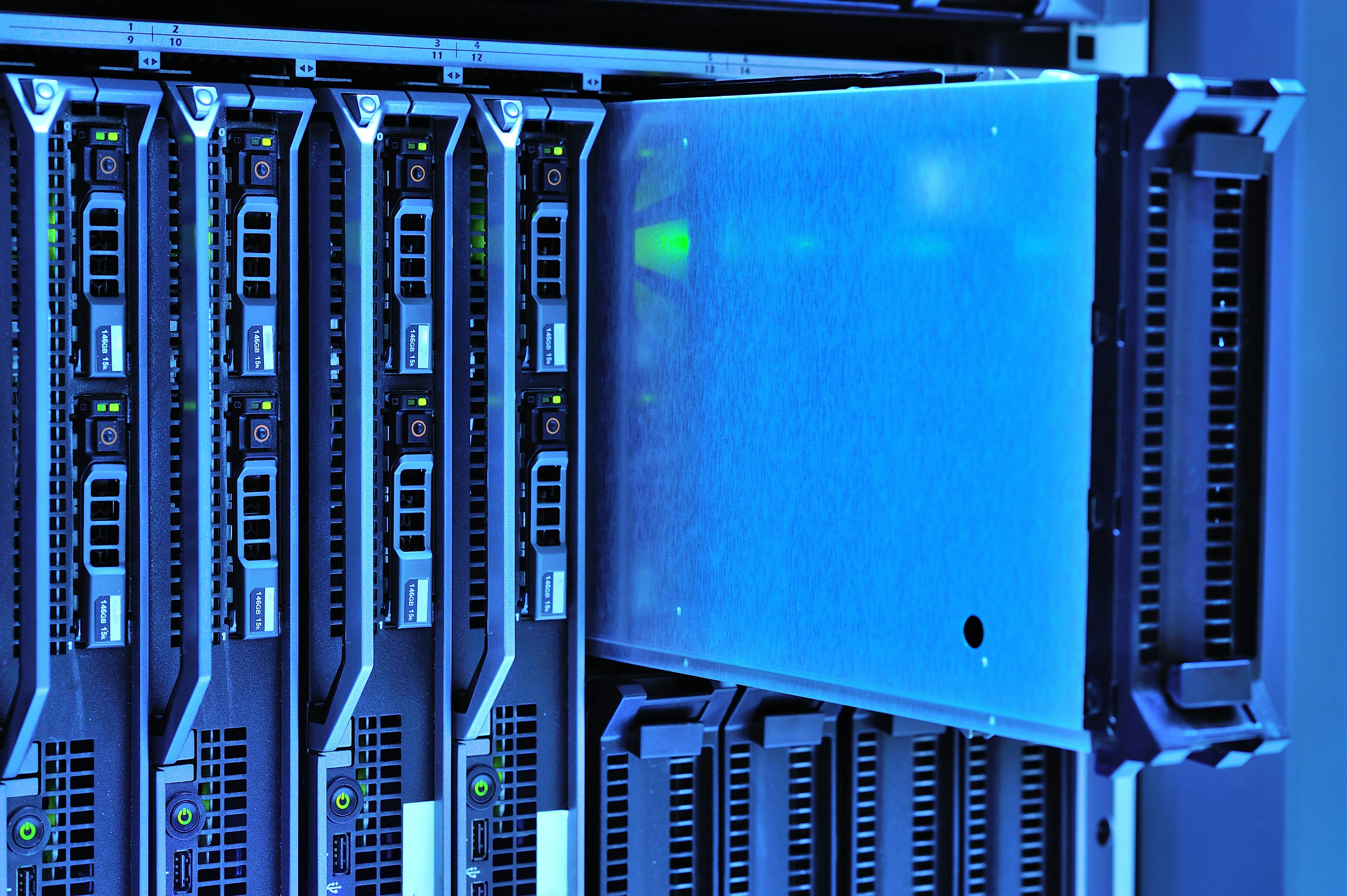
When a provider states your data is kept in a secure cloud server, it means your information is stored on remote hardware protected by multi-layered defenses. This includes end-to-end encryption, strict identity verification, physical data center safeguards, and continuous monitoring to prevent unauthorized access, theft, or accidental loss.
The phrase "secure cloud server" is often used as a reassuring marketing term, but in 2026, it represents a complex ecosystem of hardware, software, and administrative protocols. Understanding what happens behind the scenes is essential for both individual users and business administrators who must comply with modern privacy regulations. Security is not a static state; it is a continuous process of encryption, authentication, and redundancy designed to ensure that data remains confidential, integral, and available.
The Three Pillars of Cloud Server Security
To understand how your data is protected, it is helpful to categorize security measures into three primary domains: physical security, technical (logical) security, and administrative security. A truly secure cloud server requires the seamless integration of all three.
Physical Security: Protecting the Hardware
While the "cloud" sounds ethereal, it resides on physical servers located in massive data centers. In 2026, leading cloud providers utilize Tier III and Tier IV data centers, which are designed for maximum uptime and physical resilience.
- Access Control: High-security data centers use multi-factor authentication (MFA) for personnel, often requiring biometric scans (fingerprint or iris) and hardware tokens to enter server rooms.
- Surveillance and Perimeter Defense: These facilities are monitored 24/7 by security teams and AI-enhanced video surveillance that can detect unauthorized movement or tampering.
- Environmental Redundancy: Servers are protected from physical threats like fire, flooding, and power outages. This involves advanced fire suppression systems (which do not use water to avoid damaging electronics), redundant power grids, and massive backup generators.
Technical Security: The Digital Fortress
Technical security involves the software-based protocols that guard the data sitting on those physical disks. This is where encryption and network defense come into play.
- Encryption at Rest and in Transit: This is the most critical technical safeguard. Encryption "at rest" means that even if a hacker physically stole a hard drive, they could not read the data without the unique cryptographic key. Encryption "in transit" protects data as it travels between your device and the server, typically using TLS (Transport Layer Security) 1.3 or higher.
- Network Firewalls and DDoS Protection: Cloud servers are shielded by sophisticated firewalls that filter incoming traffic. Distributed Denial of Service (DDoS) protection ensures that malicious actors cannot crash the server by overwhelming it with fake traffic.
- Micro-segmentation: Modern cloud environments use micro-segmentation to isolate data. If one part of the network is compromised, the breach is "walled off" to prevent lateral movement, protecting your data from being accessed via a vulnerability in another user's account.
Administrative Security: Rules and Audits
The human element is often the weakest link in security. Administrative security involves the policies that govern how employees of the cloud provider interact with the systems.
- Principle of Least Privilege (PoLP): This rule ensures that employees only have access to the specific data and systems required for their job. In most "secure" cloud configurations, the provider's staff cannot actually see your files; they only manage the infrastructure holding them.
- Regular Auditing and Compliance: Reputable providers undergo third-party audits to verify their security claims. These audits result in certifications such as ISO/IEC 27001 or SOC 2 Type II reports, which serve as objective proof that the provider follows industry best practices.
Advanced Encryption Standards in 2026
By 2026, the standard for data protection has evolved to meet the challenges of increased computing power and sophisticated cyber-attacks. We no longer rely solely on basic password protection; security is now defined by the depth and type of encryption used.
Zero-Knowledge Architecture
One of the most significant developments for user privacy is Zero-Knowledge Architecture. In a standard cloud setup, the provider manages the encryption keys. In a zero-knowledge setup, the user holds the only key. The provider stores the encrypted data but has no way to decrypt it. This means that even if the provider is served a legal subpoena or suffers an internal data breach, your data remains unreadable to everyone but you.
Post-Quantum Cryptography (PQC)
With the advancement of quantum computing, traditional encryption methods like RSA are becoming vulnerable. In 2026, top-tier secure cloud servers have begun implementing quantum-resistant algorithms. These are mathematical problems that are thought to be unsolvable even by quantum computers, ensuring that data stored today will remain secure for decades to come.
Hardware Security Modules (HSMs)
For enterprise-grade security, data is often protected using Hardware Security Modules. These are dedicated physical chips or appliances that manage and store digital keys. By keeping keys in a specialized piece of hardware rather than in standard software memory, providers add an extra layer of protection against sophisticated memory-injection attacks.
Comparison of Cloud Security Levels
Not all "secure" cloud servers offer the same level of protection. The table below outlines the differences between standard consumer storage and high-security enterprise solutions.
| Security Feature | Standard Consumer Cloud | Enterprise Secure Cloud | High-Security / Private Cloud |
|---|---|---|---|
| Encryption Type | AES-256 (Provider-managed) | AES-256 + Zero-Knowledge options | Custom Quantum-Resistant |
| Authentication | Basic 2FA (SMS/Email) | Multi-Factor (Hardware keys/Biometrics) | Continuous Adaptive Authentication |
| Compliance | General GDPR / CCPA | SOC 2, HIPAA, ISO 27001 | FedRAMP High / Custom Regulatory |
| Data Residency | Global / Unspecified | Region-specific selection | Dedicated Private Hardware |
| Threat Detection | Reactive (after breach) | AI-Driven Proactive Monitoring | Real-time Behavioral Analytics |
The Shared Responsibility Model
A common misconception is that the cloud provider is responsible for all security. In reality, security is a "shared responsibility." If you use a secure cloud server but choose a weak password or fail to enable multi-factor authentication, your data is still at risk.
- The Provider's Responsibility: The provider is responsible for the "Security of the Cloud." This includes the physical facilities, the underlying hardware, the virtualization layer, and the core networking infrastructure.
- The User's Responsibility: The user is responsible for "Security in the Cloud." This includes managing your passwords, configuring access permissions for your files, ensuring your local device is free of malware, and keeping your recovery keys safe.
In 2026, many providers have introduced "Security Posture Management" tools. These tools scan your account settings and alert you if you have accidentally left a folder public or if your password does not meet modern strength requirements. Utilizing these tools is a critical step in fulfilling your part of the shared responsibility model.
How to Verify if a Server is Truly Secure
When a service tells you "all of your data will be kept in a secure cloud server," you should look for specific evidence to back up that claim. Do not rely on marketing language alone.
Check for Third-Party Certifications
Look for the following certifications on the provider's website, usually found in the "Trust Center" or "Security" section:
- ISO/IEC 27001: The gold standard for information security management systems.
- SOC 2 Type II: An audit report that examines a service provider's controls over a period of time (usually 6–12 months) regarding security, availability, and privacy.
- HIPAA/HITECH: Essential if you are storing medical or health-related data.
- GDPR Compliance: Ensures the provider follows strict European Union rules regarding data portability and the "right to be forgotten."
Review the Privacy Policy
A secure server is useless if the provider's policy allows them to sell your data to third parties. Look for explicit statements regarding data ownership. A secure provider should state that you own the data and that they do not scan your files for advertising purposes.
Evaluate Technical Transparency
Reputable providers are transparent about their security stack. They should be able to tell you exactly which encryption algorithms they use (e.g., AES-256-GCM) and how they handle data backups. If a provider is vague about their technical specifications, it may be a red flag.
Common Threats to Cloud Data in 2026
Despite the robust security of cloud servers, certain threats remain prevalent. Understanding these can help you better protect your information.
- Credential Stuffing: This occurs when hackers use passwords leaked from other websites to try and gain access to your cloud account. This is why using unique passwords for every service is mandatory for security.
- Misconfigured Buckets: One of the leading causes of data leaks is not a "hack," but a mistake by the user. If a user sets a storage folder to "Public" instead of "Private," anyone with the URL can access the data, bypassing the server's security entirely.
- Social Engineering: Sophisticated phishing attacks in 2026 often involve AI-generated voices or videos (deepfakes) designed to trick users into revealing their MFA codes or passwords.
- Insider Threats: While rare at major providers, the risk of a disgruntled employee accessing data remains. This is why "Zero-Knowledge" encryption is the preferred choice for sensitive data, as it removes the provider's employees from the equation entirely.
FAQ
What is the difference between cloud storage and a secure cloud server?
Cloud storage refers to the service of saving files on the internet, while a secure cloud server refers to the specific infrastructure and protocols used to protect those files. Not all cloud storage is "secure" by default; some basic services may lack encryption at rest or robust access controls.
Can the cloud provider see my files?
It depends on the encryption model. In a standard setup, the provider has the keys and could technically access your files, though they are usually prohibited from doing so by policy and technical controls. In a "Zero-Knowledge" or "End-to-End Encrypted" setup, the provider cannot see your files under any circumstances because they do not have your decryption key.
Is data in the cloud safer than data on my local computer?
For most people, yes. Professional data centers have 24/7 security, redundant backups, and enterprise-grade firewalls that far exceed what an individual can maintain at home. A local computer is vulnerable to physical theft, hardware failure, and simple malware that can wipe out your data instantly.
What happens if the cloud provider goes out of business?
Reputable secure cloud providers have "data escrow" or business continuity plans. Furthermore, compliance standards like GDPR require providers to give you a way to export your data. It is always recommended to follow the 3-2-1 backup rule: three copies of your data, on two different media types, with at least one copy off-site (the cloud).
Does "secure cloud" mean my data is 100% unhackable?
In the world of cybersecurity, nothing is 100% unhackable. However, a secure cloud server makes the cost and effort required to steal your data so high that it is virtually impossible for most attackers. Security is about reducing risk to the lowest possible level through layered defenses.
Next Steps for Ensuring Your Data Security
To maximize the benefits of a secure cloud server, you should take immediate action to secure your end of the connection. Start by performing a security audit of your cloud accounts. Enable Time-based One-Time Password (TOTP) or hardware-key-based multi-factor authentication, as SMS-based 2FA is increasingly vulnerable to SIM-swapping attacks.
If you are a business owner, ensure that your employees are trained in recognizing sophisticated 2026-era phishing attempts and that your internal "Principle of Least Privilege" policies are strictly enforced. Finally, always verify that your cloud provider’s certifications (like SOC 2) are current. By combining the provider’s high-tech infrastructure with your own diligent security habits, you can ensure that your data remains truly protected in the cloud environment.