Agile CRM help desk software is an integrated customer service solution that combines ticketing, smart automation, and self-service tools into a single unified platform. It allows businesses to resolve customer queries efficiently by centralizing communications across email, phone, and web chat, ensuring support teams have a 360-degree view of every customer interaction within the broader CRM ecosystem.
In 2026, the demand for "all-in-one" platforms has never been higher. Small to medium-sized enterprises (SMEs) often struggle with data silos where the sales team uses one tool, marketing another, and support a third. Agile CRM addresses this by embedding a robust help desk module directly into its sales and marketing automation suite. This integration ensures that when a support agent opens a ticket, they can see the customer's entire purchase history, previous marketing engagements, and lead score, enabling a more personalized and informed service experience.
Understanding the Core Value of Agile CRM Help Desk
The primary goal of Agile CRM's help desk is to streamline the lifecycle of a customer inquiry. From the moment a customer sends an email or fills out a contact form, the software converts that interaction into a "ticket." These tickets are then routed, prioritized, and tracked until resolution. Because this functionality is native to the CRM, it eliminates the need for expensive third-party integrations and complex API configurations that often plague fragmented tech stacks.
For businesses operating in 2026, customer retention is as vital as acquisition. Agile CRM help desk software facilitates this by providing tools that reduce friction. When support teams can access sales data instantly, they avoid asking the customer redundant questions, such as "What product did you buy?" or "When was your last renewal?" This efficiency not only boosts agent productivity but also significantly improves Customer Satisfaction (CSAT) scores.
Essential Features of the Agile CRM Help Desk Module
To compete with standalone help desk giants, Agile CRM offers a suite of features designed to handle high ticket volumes without sacrificing the quality of interaction. These features are built on a foundation of automation and data visibility.
Advanced Ticket Management and Automation
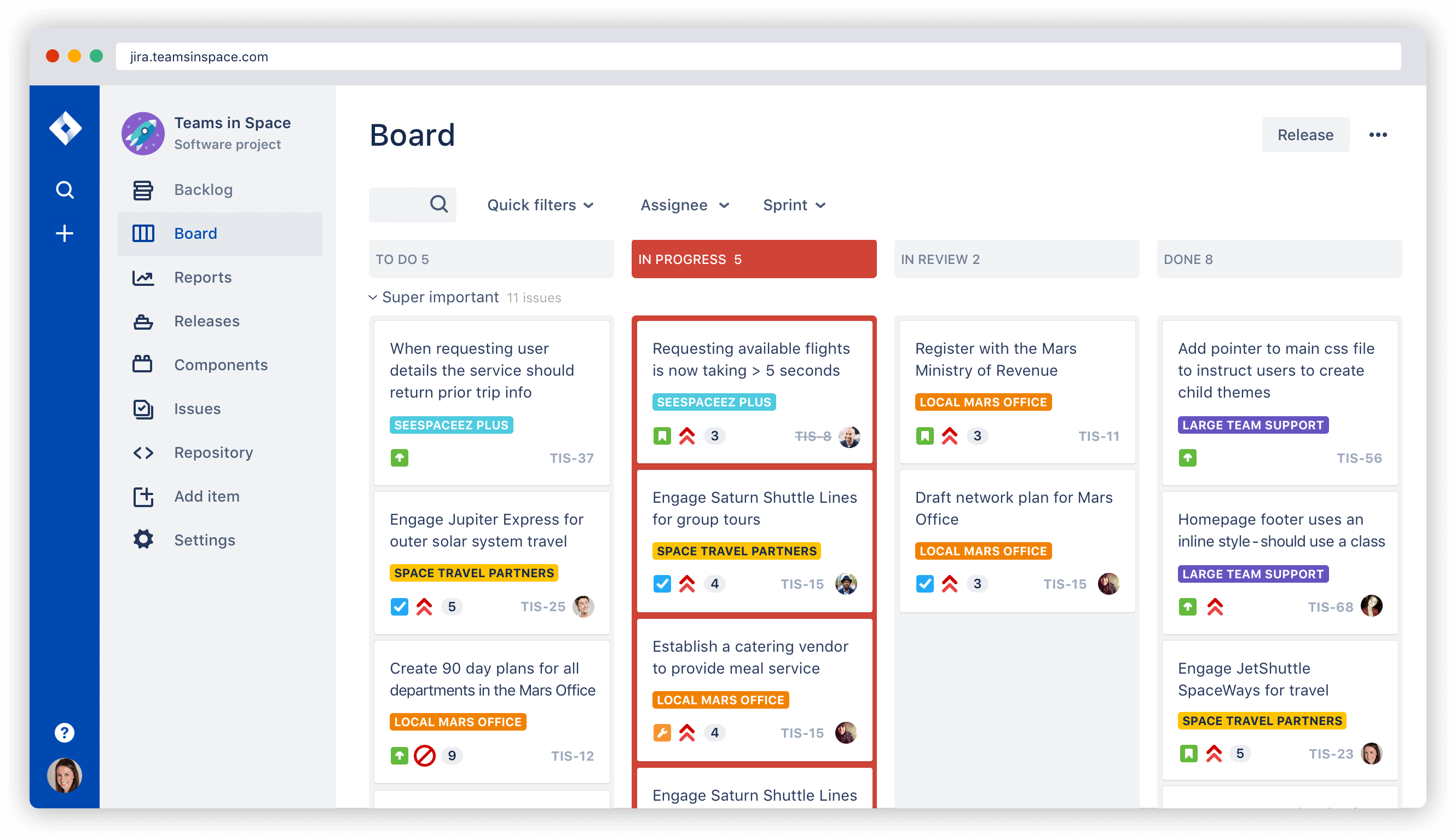
At the heart of the system is the ticketing dashboard. Tickets are categorized by status (New, Open, Pending, Solved), priority (Low, Medium, High, Urgent), and type (Question, Incident, Problem, Task).
Automation Rules are the engine behind the ticketing system. In Agile CRM, you can set up "If-This-Then-That" (IFTTT) logic to handle repetitive tasks. For example:
- Auto-Assignment: If a ticket contains the keyword "billing," it can be automatically routed to the finance-specialized support group.
- Priority Escalation: If a ticket from a "VIP" tagged customer remains unanswered for more than two hours, the system can automatically escalate the priority to "Urgent" and notify a manager.
- Closure Rules: Automatically close tickets that have been in "Pending" status for more than five days without customer feedback.
Service Level Agreements (SLAs)
Managing customer expectations is critical for maintaining professional relationships. Agile CRM allows administrators to define specific Service Level Agreements (SLAs) based on ticket priority or customer tier. These SLAs act as internal timers. For instance, a "High" priority ticket might require a first response within 4 hours and a full resolution within 24 hours. The software tracks these metrics in real-time, providing visual countdowns for agents and generating "breach" reports for supervisors when targets are missed.
Canned Responses and Email Templates
Support agents often encounter the same questions repeatedly. Agile CRM minimizes manual typing through Canned Responses. These are pre-written snippets of text or full email templates that agents can insert into a ticket with a few clicks. In 2026, these templates are highly dynamic, allowing the system to pull in specific data fields such as the customer's name, ticket ID, or the specific product mentioned in the CRM record, ensuring that even automated responses feel personalized.
Building a Self-Service Knowledge Base
Modern consumers often prefer to find answers themselves rather than waiting for an agent. Agile CRM includes a Knowledge Base (KB) builder that allows companies to create an external-facing repository of articles, tutorials, and FAQs.
The KB is fully integrated with the ticketing system. When a customer begins to type a query into the support portal, the system uses keyword matching to suggest relevant KB articles. This "deflection" technique is a cornerstone of support strategy in 2026, as it reduces the volume of simple, repetitive tickets, allowing human agents to focus on complex troubleshooting that requires critical thinking.
The KB editor supports rich media, including embedded videos and images, which is essential for technical documentation. Furthermore, businesses can track which articles are most viewed and which ones successfully "deflect" tickets, providing insights into where their product documentation may need improvement.
Integrating Support with Sales and Marketing
The standout advantage of using Agile CRM for help desk operations is the cross-functional visibility. Most standalone help desks operate in a vacuum. In contrast, Agile CRM ensures that the support desk is a vital part of the customer journey.
- Sales Context: When a sales representative is about to call a lead for a renewal, they can see if that lead has an open high-priority support ticket. If the customer is currently frustrated with a technical issue, the salesperson might choose to delay the renewal pitch or address the issue first, preventing a "tone-deaf" sales approach.
- Marketing Triggers: Support interactions can trigger marketing workflows. If a customer gives a "5-star" rating on a support ticket, the CRM can automatically add them to a "Brand Advocates" email list or trigger an automated request for a public review. Conversely, a negative feedback score can trigger an automated internal task for an account manager to reach out for damage control.
Step-by-Step Configuration: Setting Up Your Support Desk
Setting up Agile CRM's help desk requires a systematic approach to ensure that the automation logic aligns with business goals.
- Email Integration: The first step is connecting your support email addresses (e.g., support@yourcompany.com) to the Agile CRM system. This is typically done via IMAP/SMTP or by forwarding emails to a unique Agile-generated address.
- Defining Groups and Roles: Organize your agents into groups based on expertise (e.g., Technical Support, Billing, Tier 2). Assign roles to determine who has permission to delete tickets, export data, or modify SLA settings.
- Creating Views: Customize the dashboard by creating "Views." These are filtered lists of tickets (e.g., "My Open Tickets," "Unassigned Billing Tickets"). Views help agents stay focused on their specific workload.
- Configuring Automation Rules: Build the workflows that will handle incoming tickets. Start with a standard "Auto-Reply" that confirms receipt of the ticket and provides a tracking number.
- Setting Up the Knowledge Base: Populate the KB with at least 10–15 articles covering the most common issues. Customize the look and feel of the KB portal to match your company’s branding.
Performance Tracking and Support Analytics
You cannot improve what you do not measure. Agile CRM provides a comprehensive reporting suite dedicated to help desk performance. In 2026, data-driven management is the standard for support teams. Key metrics available for analysis include:
- Ticket Volume Trends: Analyzing when ticket spikes occur (by day, week, or month) to optimize staffing schedules.
- Average Resolution Time: Measuring the total time from ticket creation to "Solved" status.
- First Contact Resolution (FCR): The percentage of tickets resolved within the first interaction, a high-value metric for customer satisfaction.
- Agent Productivity: Comparing the number of tickets handled by individual agents to identify high performers or those who may need additional training.
- Net Promoter Score (NPS) and CSAT: Automated surveys sent after ticket closure to gauge the customer’s perception of the service received.
Comparative Analysis: Agile CRM vs. Major Competitors
When choosing help desk software, it is essential to see how Agile CRM stacks up against other industry leaders such as Zendesk and Zoho Desk.
| Feature | Agile CRM Help Desk | Zendesk (Support) | Zoho Desk |
|---|---|---|---|
| Primary Focus | Integrated Sales/Marketing/Service | Dedicated Support Experience | Contextual Support within Zoho Ecosystem |
| All-in-One Integration | Native; no extra cost for CRM sync | Requires paid integration for full CRM | Native within Zoho One |
| Automation Complexity | Moderate (Logic-based) | High (Highly customizable) | High (Blueprint automation) |
| Knowledge Base | Included in Regular/Enterprise | Tier-dependent | Tier-dependent |
| Telephony Integration | Built-in 2-way calling | Zendesk Talk (separate cost) | Zoho PhoneBridge |
| Target Audience | SMEs seeking consolidated tools | Enterprise & Support-heavy orgs | Multichannel support teams |
While Zendesk might offer more "granular" ticketing features for massive global enterprises, Agile CRM's value proposition in 2026 lies in its affordability and cohesion. For an SME, paying for three separate licenses for CRM, Marketing, and Help Desk is often more expensive and less efficient than using Agile's unified platform.
Pricing and Subscription Models in 2026
Pricing for Agile CRM remains competitive in 2026, following a tiered structure that allows businesses to scale as they grow. While a free version is typically available for very small teams, the Help Desk features are most robust in the paid tiers.
- Free Tier: Often limited to 10 users and basic CRM features. Help desk functionality is usually restricted or absent.
- Starter Tier (Approx. $15/user/month): Includes basic ticketing but may lack advanced SLAs and full Knowledge Base customization.
- Regular Tier (Approx. $50/user/month): The "sweet spot" for most businesses. Includes full Help Desk capabilities, service automation, and KB hosting.
- Enterprise Tier (Approx. $80/user/month): Adds advanced reporting, priority support from Agile CRM, and higher limits for automation rules and plugins.
Note: Prices are estimates based on 2026 market trends and should be verified on the official Agile CRM pricing page.
Advantages and Limitations of Using Agile CRM for Help Desk
Every software solution has its trade-offs. Understanding these is vital before committing to a long-term contract.
Advantages
- Unified Customer View: The biggest strength is seeing support tickets alongside sales deals and marketing tags.
- Cost Efficiency: One subscription covers multiple departments, reducing total software spend.
- Reduced Training Time: Staff only need to learn one interface for most of their daily tasks.
- Native Telephony: The ability to make and receive calls directly from the ticket screen, with automatic call logging.
Limitations
- Feature Depth: Compared to a specialized tool like Zendesk, some "deep" help desk features (like advanced multi-brand support or complex ticket merging) may be less developed.
- Interface Complexity: Because it does so much (Sales, Marketing, Service), the interface can feel cluttered for a user who only performs support tasks.
- Learning Curve: Setting up the initial automation rules for a complex support organization can take significant time and technical oversight.
FAQs about Agile CRM Help Desk Software
Can I migrate my existing tickets from another help desk to Agile CRM?
Yes, Agile CRM supports data import via CSV files or through its API. Many businesses use third-party migration services to move historical ticket data, including comments and attachments, from platforms like Freshdesk or Salesforce Service Cloud to ensure continuity of service.
Does the help desk support social media tickets?
Agile CRM offers social media integration, allowing you to monitor brand mentions and direct messages on platforms like X (formerly Twitter) and Facebook. These interactions can be converted into support tickets, ensuring that customer inquiries on social media are not overlooked by the support team.
Is the Knowledge Base SEO-friendly?
Yes, the articles created within the Agile CRM Knowledge Base are designed to be indexed by search engines. This means that if a customer searches for a problem related to your product on Google, your KB article may appear in the results, further increasing self-service rates and reducing the load on your agents.
Can I use the help desk on a mobile device?
Agile CRM provides a mobile application available for iOS and Android. Support agents can view, respond to, and close tickets directly from their smartphones, which is essential for teams providing 24/7 support or those working in field services.
Does it support multi-language support?
Agile CRM allows for the creation of localized content. While the primary administrative interface is usually in English, you can customize email templates and Knowledge Base articles in multiple languages to serve a global customer base.
Practical Recommendation
For small to medium-sized businesses that are already looking for a way to bridge the gap between their sales and support teams, Agile CRM help desk software is a premier choice in 2026. If your primary goal is to gain a holistic view of the customer without managing five different software subscriptions, start by implementing the "Regular" plan. Focus first on migrating your support email and setting up a basic Knowledge Base. Once your team is comfortable with the ticketing interface, begin layering in automation rules to handle ticket routing and SLA management. This incremental approach ensures a smooth transition and immediate improvements in response times.