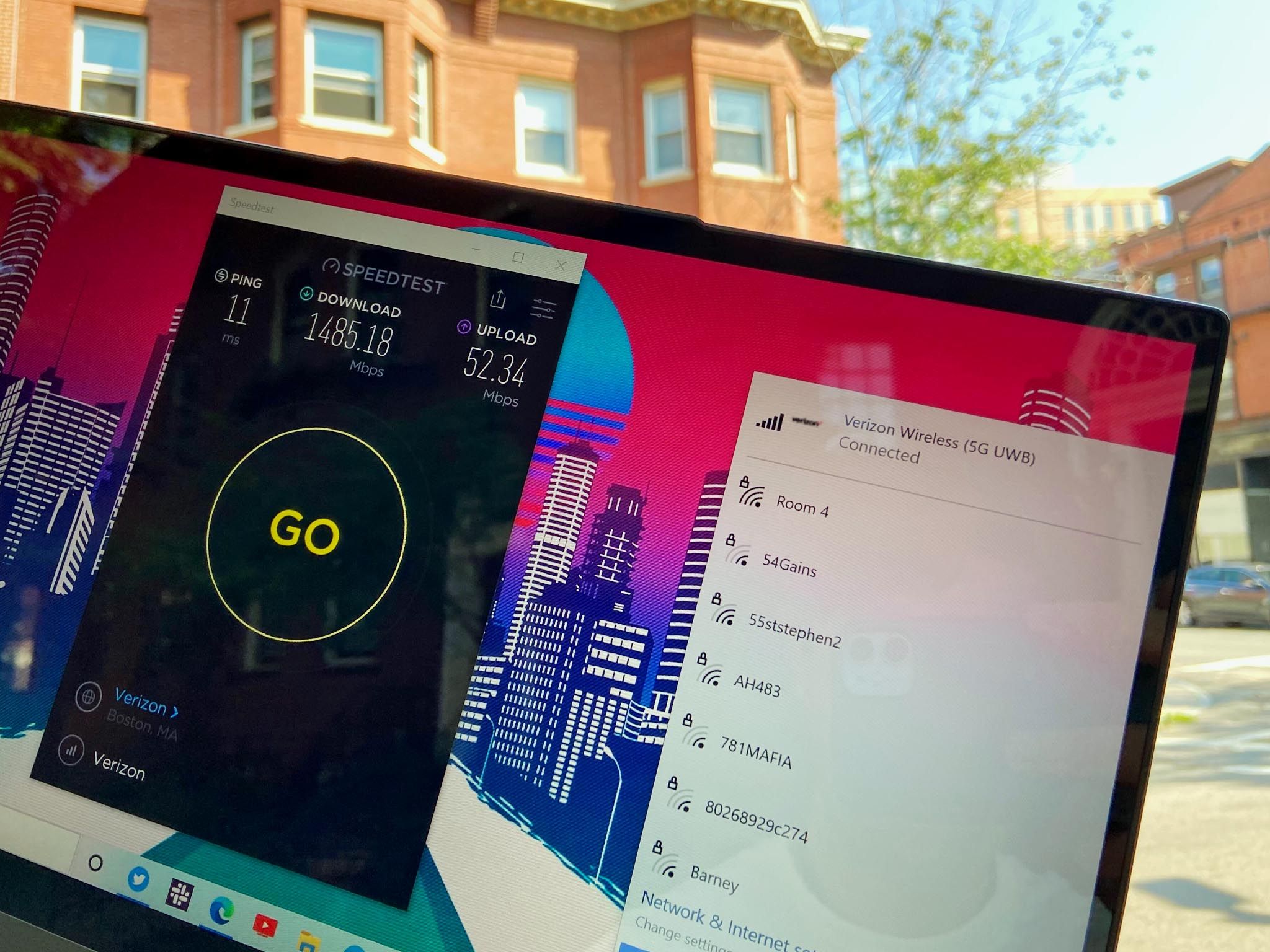
To use 5G on Windows 10 in 2026, you must have a device equipped with a 5G-compatible modem, an active 5G data plan, and a supported SIM or eSIM. While Windows 10 is currently in its Extended Security Update (ESU) phase, it maintains full cellular stack functionality for high-speed mobile broadband connectivity.
Understanding 5G Support on Windows 10 in 2026
As of 2026, Windows 10 has transitioned into a specialized lifecycle phase. While Microsoft encourages the transition to Windows 11 or Windows 12, millions of enterprise and professional users continue to utilize Windows 10 through the Extended Security Update (ESU) program. For these users, 5G connectivity remains a critical feature for remote work and field operations.
Windows 10 supports 5G through its "Mobile Broadband" (MBIM) driver architecture. Unlike older 4G LTE standards, 5G on Windows 10 requires specific hardware-to-software handshakes to manage the increased power demands and frequency switching (between Sub-6GHz and mmWave). Even in 2026, the underlying networking stack in Windows 10 Version 22H2 is robust enough to handle high-bandwidth 5G applications, provided the hardware manufacturers continue to provide updated drivers.
The primary challenge in 2026 is not the operating system itself, but ensuring that the OEM (Original Equipment Manufacturer) drivers for your 5G modem remain compatible with the latest security patches issued under the ESU program. Most business-grade laptops from 2021 onwards were built with 5G-ready modems like the Qualcomm Snapdragon X55 or X60, which are fully supported in the current Windows 10 environment.
Essential Hardware Requirements for 5G
Before attempting to configure 5G settings, you must verify that your hardware can actually communicate with 5G towers. Many users mistake a "5G" Wi-Fi signal (which refers to the 5GHz frequency band) for 5G cellular data.
1. The 5G Modem (WWAN Card)
Your Windows 10 device must have an internal Wireless Wide Area Network (WWAN) card that supports 5G. Common models found in 2026 include the Qualcomm Snapdragon X-series and certain Fibocom or Sierra Wireless modules. If your laptop only has a 4G LTE modem, you cannot "software update" your way to 5G; the physical radio hardware is different.
2. SIM and eSIM Compatibility
Most modern 5G Windows 10 devices utilize a dual-SIM approach:
- Physical Nano-SIM: A standard card provided by your carrier. In 2026, ensure your SIM is "5G-ready." Older SIM cards from the 4G era may lack the necessary security protocols to authenticate on 5G Standalone (SA) networks.
- eSIM (Electronic SIM): An embedded chip that allows you to download a cellular profile. Windows 10 has a dedicated "Settings > Network & Internet > Cellular > Manage eSIM profiles" section for this purpose.
3. Processor and Antenna Architecture
5G requires a sophisticated antenna array to handle Beamforming and Massive MIMO (Multiple Input, Multiple Output). Laptops designed for 5G on Windows 10 often have antennas integrated into the display lid to minimize interference from the metal chassis.
Step-by-Step Guide to Setting Up 5G on Windows 10
Setting up 5G is relatively straightforward if the hardware is present. Follow these steps to ensure a stable connection.
Step 1: Insert the SIM or Activate eSIM
If using a physical SIM, power down your device and insert the card into the designated slot (usually located on the side or behind a battery panel). For eSIM:
- Open Settings.
- Navigate to Network & Internet > Cellular.
- Select Manage eSIM profiles.
- Click Add a new profile and follow the prompts provided by your carrier (often involving a QR code).
Step 2: Configure Cellular Settings
Once the SIM is detected, you must tell Windows how to handle the connection:
- Go to Settings > Network & Internet > Cellular.
- Under Use this SIM for cellular data, select your active 5G SIM.
- For Data connection options, choose Let Windows keep me connected. This ensures the 5G radio remains active when Wi-Fi drops out.
- Set Data roaming options based on your plan to avoid unexpected charges.
Step 3: Verify the APN (Access Point Name)
The APN is the "address" your laptop uses to connect to the carrier’s gateway. While most 5G carriers in 2026 push these settings automatically, you may need to enter them manually for private 5G networks or specific enterprise plans.
- Click Advanced options under your cellular connection.
- Check if there is an active "Default" APN.
- If "No Service" persists, click Add an APN and enter the credentials provided by your IT department or carrier.
Comparing 5G Technologies on Windows 10
Not all 5G is created equal. Depending on your location and hardware, your Windows 10 device will connect to different types of 5G networks.
| 5G Type | Frequency Range | Average Speed (2026) | Best For | Windows 10 Compatibility |
|---|---|---|---|---|
| Sub-6GHz | Below 6 GHz | 100 – 400 Mbps | General mobile use, rural areas | Universal support on all 5G modems |
| mmWave (High-Band) | 24 GHz – 40 GHz | 1 – 3 Gbps | Dense urban areas, stadiums | Requires specific high-band antennas |
| 5G Standalone (SA) | N/A (Core Network) | Lower Latency | Cloud gaming, remote desktop | Supported on 22H2 with latest drivers |
| 5G Non-Standalone | Uses 4G Core | Moderate boost | Transitionary coverage | High compatibility with older 5G cards |
Optimizing 5G Performance and Battery Life
5G is significantly more power-hungry than Wi-Fi or 4G LTE. In 2026, as laptop batteries age, managing 5G power consumption is vital for Windows 10 users.
Manage Background Data
Windows 10 includes a "Metered Connection" feature. When enabled, Windows will stop downloading non-essential updates and limit background app data usage. This is highly recommended for 5G users to preserve both data caps and battery life. Navigate to Settings > Network & Internet > Cellular > Advanced Options and toggle Set as metered connection to "On."
Graphics and Video Optimization
Many streaming services detect high-speed 5G and automatically switch to 4K or 8K resolution. This can lead to rapid data depletion. Within Windows 10, you can go to Settings > Apps > Video Playback and select Optimize for battery life or Don't stream HDR video when on battery to curb the bandwidth used by the 5G modem.
Driver Maintenance in the ESU Era
In 2026, Windows Update may not always provide the most cutting-edge 5G drivers for Windows 10. You should periodically visit the support website of your laptop manufacturer (e.g., Dell, Lenovo, HP). Search for your specific model and look for "WWAN" or "Cellular" drivers. Updated firmware for the modem can often resolve issues with "5G signal dropping" or "failure to wake from sleep."
Troubleshooting Common 5G Issues on Windows 10
Even with the correct hardware, 5G connections can be temperamental. Here are the most common solutions for connectivity failures.
"Cellular" Option is Missing from Settings
If you do not see the "Cellular" tab in Network settings, Windows does not recognize your modem.
- Right-click the Start button and select Device Manager.
- Expand Network adapters.
- Look for a device labeled "Generic Mobile Broadband" or a specific brand name like "Qualcomm Snapdragon X55."
- If there is a yellow exclamation mark, right-click and select Uninstall device, then restart your computer. Windows will attempt to reinstall the driver upon reboot.
Connected but "No Internet"
This usually indicates an authentication or APN issue.
- Ensure your data plan hasn't reached its limit.
- Check if you are in an area with 5G coverage using your carrier's coverage map. In 2026, while 5G is widespread, some indoor environments still block high-frequency signals.
- Toggle Airplane Mode on and off to force the modem to re-initialize its search for a tower.
Slow Speeds on 5G
If your 5G speeds feel like 4G, your device might be connected to a "congested" Sub-6GHz band.
- Move closer to a window or an open area.
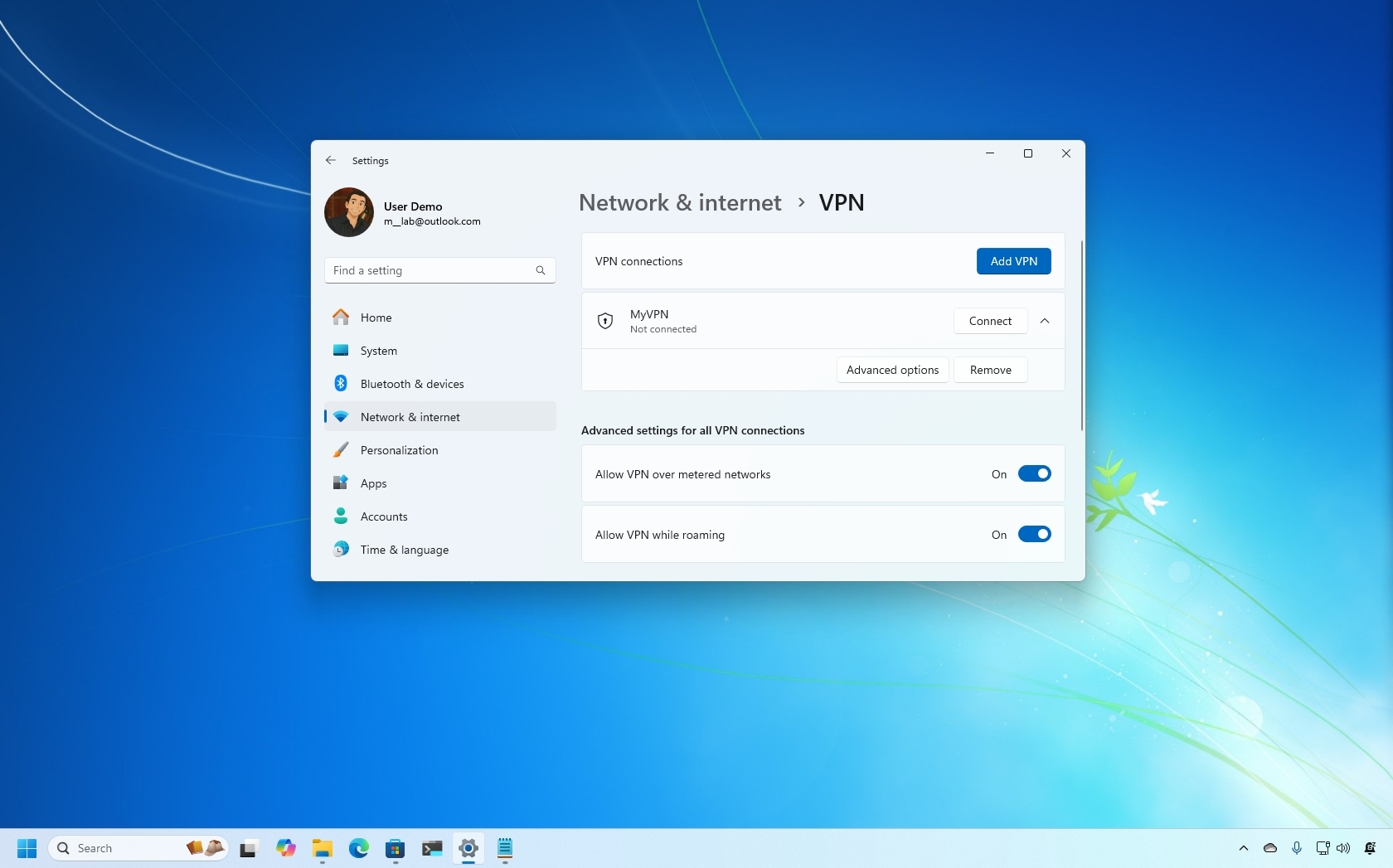
- Disable any VPNs temporarily to see if the VPN overhead is throttling the connection.
- Check Windows Update to ensure there isn't a background download consuming your bandwidth.
Security Considerations for 5G Users
Using 5G on Windows 10 is generally more secure than using public Wi-Fi at airports or coffee shops. 5G traffic is encrypted at the hardware level between your laptop and the carrier's cell tower.
However, in 2026, "Stingray" devices (IMSI catchers) and 5G small-cell spoofing have become more sophisticated. To maintain security:
- Ensure your Windows Defender (Microsoft Defender Antivirus) is fully updated through the ESU channel.
- Use a trusted VPN if you are accessing sensitive corporate intranets, as 5G encrypts the "air gap" but not necessarily the entire path to the server.
- Disable "Connect to suggested open hotspots" in your Wi-Fi settings to ensure your laptop doesn't jump from a secure 5G connection to an insecure Wi-Fi network automatically.
Frequently Asked Questions
Does Windows 10 support 5G Standalone (SA) networks?
Yes, Windows 10 supports 5G Standalone (SA) networks, but this functionality depends heavily on the modem firmware and the carrier. As of 2026, most 5G modems used in professional laptops have received the necessary firmware updates to handle SA networks, which offer lower latency compared to the older Non-Standalone (NSA) networks that rely on a 4G core.
Can I upgrade my 4G Windows 10 laptop to 5G?
In most cases, no. 5G requires specific antennas and a compatible M.2 slot for the WWAN card. Most 4G laptops lack the additional antennas required for 5G frequencies. While USB 5G dongles exist, they are often bulky and require specific Windows 10 drivers that may be difficult to find in 2026 as manufacturers prioritize Windows 11 and 12.
Why is my 5G connection slower than my phone's 5G?
Smartphones often have more advanced modem aggregation (the ability to combine multiple 5G bands) than laptop WWAN cards. Additionally, laptops have different power management profiles that might throttle the modem to prevent overheating or to save battery, whereas phones are optimized for "bursty" cellular data.
Will 5G stop working when Windows 10 reaches the end of ESU?
The cellular hardware will continue to function, but the lack of security updates after the ESU period (ending roughly in 2028 for most) will make using any internet-connected feature risky. From a technical standpoint, the 5G modem will still connect to towers as long as the drivers are compatible with the last stable build of Windows 10.
Is there an extra cost to use 5G on Windows 10?
Microsoft does not charge for the 5G feature, but your cellular carrier will. You must have a data plan that specifically includes 5G access. Some older "Unlimited 4G" plans may restrict 5G speeds or require a plan "provisioning" update to work with 5G modems.
Practical Recommendation for 2026
If you are currently relying on 5G on Windows 10, your primary focus should be driver stability and security. Since Windows 10 is in its twilight years, ensure you have downloaded and backed up the latest available 5G drivers from your laptop manufacturer's website. If you experience frequent disconnects, consider a "Network Reset" (found in Settings > Network & Internet > Status), which wipes all network adapters and reinstalls them to their factory defaults. This often resolves deep-seated configuration errors that accumulate over years of OS use.
For those requiring the highest possible 5G speeds (mmWave) for data-heavy tasks like video production or large-scale data analysis, verify your hardware specifications. Most 2026-era 5G networks have moved toward Standalone (SA) configurations, so checking for a firmware update for your Qualcomm or Fibocom modem is the most effective way to ensure compatibility with modern infrastructure.