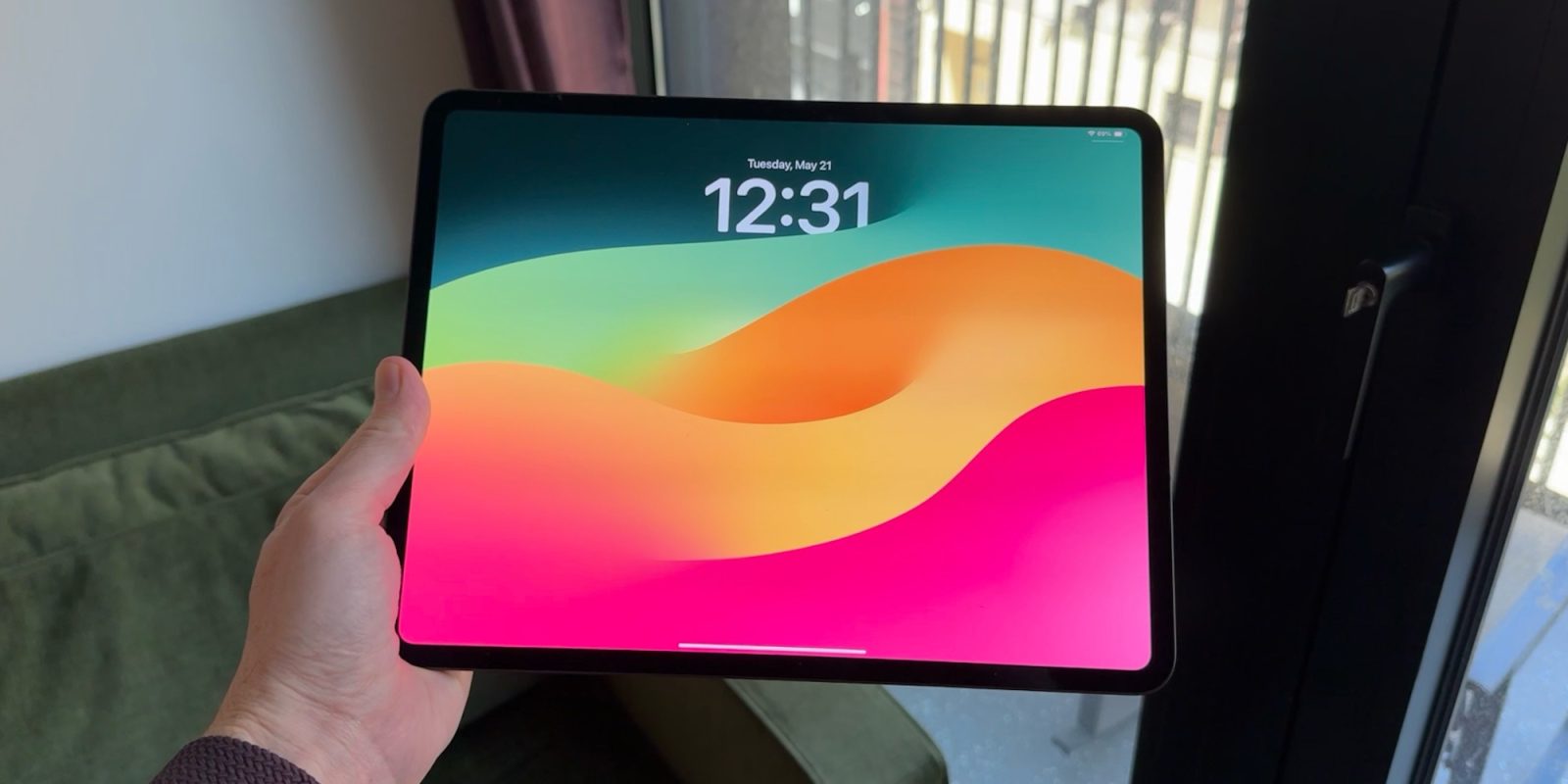
The 11-inch iPad is the ideal size for everyday use because it strikes a perfect balance between portable ergonomics and high-performance display area. Unlike smaller tablets that limit productivity or larger models that become cumbersome to hold, the 11-inch form factor remains manageable with one hand while providing enough screen real estate for professional multitasking and immersive media.
The Ergonomic Advantage: Portability Meets Usability
When discussing "everyday use," the most critical factor is often how easily a device fits into a routine. The 11-inch iPad, spanning both the Pro and Air lineups in 2026, offers a footprint that is roughly the size of a standard physical notebook. This specific dimension allows the device to slide into almost any bag—from a dedicated laptop sleeve to a small crossbody bag—without the weight penalty associated with the 13-inch models.
Weight is a significant differentiator. The 11-inch iPad Pro (M4 model) weighs less than a pound (approximately 444 grams), making it comfortable to hold for extended reading sessions or during a commute. In contrast, the 13-inch model, while impressive, often requires two hands or a surface to rest on to avoid wrist fatigue. For users who read digital magazines, browse news feeds at breakfast, or use their tablet on public transit, the 11-inch size provides an effortless physical experience that larger tablets simply cannot match.
Furthermore, the "lapability" of the 11-inch model with its dedicated Magic Keyboard is superior for tight spaces. Whether you are working from a tray table on an airplane or sitting in a crowded coffee shop, the smaller footprint of the 11-inch accessory ecosystem ensures you aren't infringing on your neighbor’s space while still maintaining a full typing experience.
Display Technology and Visual Real Estate
One might assume that a smaller screen inherently means a compromised experience, but the 11-inch iPad display is engineered to maximize every millimeter. In the 2026 landscape, the 11-inch iPad Pro features Ultra Retina XDR technology with Tandem OLED. This provides incredible brightness and deep blacks that make it a premier device for media consumption.
The 11-inch screen offers a pixel density that keeps text sharp and images vibrant. For everyday tasks like email, web browsing, and document editing, the aspect ratio is optimized to show a significant amount of vertical content in portrait mode, which is how many people naturally hold a tablet. When flipped to landscape, Stage Manager—Apple's windowing system—functions effectively on the 11-inch canvas. While you cannot fit four large windows side-by-side as comfortably as on a 13-inch screen, the 11-inch model encourages a more focused workflow, allowing for two apps to be used in Split View with a third floating window via Slide Over.
For creative users, the 11-inch size provides a canvas large enough for detailed sketching with the Apple Pencil Pro but small enough to feel like a traditional sketchbook. The proximity of the UI elements to the user’s thumbs when holding the device also makes for faster navigation in creative apps like Procreate or LumaFusion.
Performance and Thermal Efficiency in a Compact Chassis
Under the hood, the 11-inch iPads of 2026 are powered by high-efficiency M-series silicon. Because the 11-inch iPad Pro and Air utilize the same chips as their larger counterparts, there is no "performance tax" for choosing the smaller size. Users get the same lightning-fast app launches, 4K video rendering capabilities, and AAA gaming performance.
A common concern with smaller high-performance devices is thermal management. However, Apple has optimized the internal structure of the 11-inch iPad to dissipate heat effectively through the aluminum housing and the graphite sheets within the display assembly. This means that even during intensive everyday tasks—such as jumping between a Zoom call, a shared spreadsheet, and a high-resolution video—the device maintains its peak performance without significant throttling.
The battery life also remains consistent across the lineup. Both the 11-inch and 13-inch models are rated for "all-day" battery life (approximately 10 hours of web surfing or video playback). Because the 11-inch display has fewer pixels to illuminate than the 13-inch version, it can often achieve these battery targets more consistently in real-world scenarios involving high-brightness usage.
Comparing the 11-inch iPad to Other Sizes
Choosing the right iPad requires understanding where the 11-inch model sits in the hierarchy of Apple’s tablet offerings. Each size serves a specific niche, but the 11-inch remains the generalist’s choice.
| Feature | iPad Mini (8.3") | iPad (11" Pro/Air) | iPad (13" Pro/Air) |
|---|---|---|---|
| Primary Use Case | Ultra-portable reading/notes | Everyday versatile work/play | Professional desk-bound work |
| Weight (Approx.) | 293 grams | 444 - 460 grams | 580 - 615 grams |
| Keyboard Support | Bluetooth only | Magic Keyboard (Integrated) | Magic Keyboard (Integrated) |
| Multitasking | Limited (Small screen) | Excellent (Balanced) | Superior (Large canvas) |
| One-Handed Use | Excellent | Good | Difficult |
The iPad Mini is fantastic for those who want a digital notebook that fits in a pocket, but its screen is often too small for serious document editing or multi-window workflows. Conversely, the 13-inch iPad is a "laptop replacement" contender, but it loses the "tablet-first" feel. It feels more like a screen you carry rather than a device you hold. The 11-inch iPad occupies the middle ground, offering the power of the 13-inch model with a mobility factor that approaches the Mini.
Practical Everyday Scenarios
To truly understand why the 11-inch size is superior for daily life, we should look at common use cases:
The Professional Commute
On a train or bus, space is at a premium. The 11-inch iPad allows you to catch up on emails or watch a movie without occupying the entire space in front of you. If you need to stand, it is light enough to hold in one hand while you navigate with the other.
Education and Note-Taking
For students, the 11-inch iPad is the size of a standard textbook. It fits perfectly on those small classroom desk arms alongside a physical notebook or a coffee. When using the Apple Pencil for handwritten notes, the 11-inch screen mimics the feel of a standard A5 or B5 notebook, which is a comfortable scale for most handwriting styles.
Home Entertainment
When lounging on a sofa, the 11-inch iPad is the perfect companion. It is light enough to hold above your head while lying down without the fear of it being too heavy to manage. The speakers on the 11-inch Pro models are also specifically tuned to provide a wide stereo field that feels immersive at arm’s length.
Smart Home and Kitchen Use
Many users keep an iPad in the kitchen for following recipes. The 11-inch model takes up minimal counter space and can be easily propped up using a Folio cover. Its size makes it easy to wipe down and move around as cooking tasks change.
The Accessory Ecosystem: A Tailored Experience
The 11-inch iPad benefits from a mature accessory ecosystem that enhances its everyday utility. The Magic Keyboard for the 11-inch model features a cantilever design that protects the iPad when closed and provides a precision trackpad for navigating iPadOS. While the keyboard is slightly more cramped than a standard 13-inch laptop keyboard, most users adapt to the layout within hours.
For those who prioritize the Apple Pencil, the 11-inch size is often preferred by digital artists who travel. It acts as a portable digital canvas that doesn't require a dedicated drawing desk. The 2026 Apple Pencil Pro features haptic feedback and barrel roll capabilities that feel exceptionally natural on the 11-inch display's 120Hz ProMotion refresh rate (on Pro models).
Furthermore, the USB-C port on the 11-inch iPad allows for easy connection to external displays, cameras, and storage drives. If you find yourself needing more screen space at a home office, you can simply plug the 11-inch iPad into a 27-inch monitor and use Stage Manager to transform it into a desktop workstation, giving you the best of both worlds.
Cost-to-Value Ratio
In 2026, the 11-inch iPad Air and iPad Pro offer significant value compared to the 13-inch variants. Generally, there is a $200 to $300 price gap between the 11-inch and 13-inch models of the same storage capacity. For the vast majority of "everyday" users, that extra money is better spent on accessories like the Apple Pencil or additional iCloud storage rather than on a larger screen that may actually make the device less portable.
The 11-inch iPad Air, in particular, represents the value "sweet spot." It provides the same sleek design and 11-inch form factor as the Pro model but at a more accessible price point by utilizing a high-quality Liquid Retina display instead of the Tandem OLED found in the Pro. For everyday browsing, streaming, and social media, the Air is more than sufficient.
FAQ
Is the 11-inch iPad screen too small for multitasking?
No, the 11-inch screen is not too small, though it does require a more focused approach. Using Split View allows you to run two apps side-by-side (such as Safari and Notes) comfortably. While you won't be able to view two full-sized desktop web pages simultaneously without some horizontal scrolling, iPadOS scales apps intelligently to ensure readability on the 11-inch canvas.
What is the main difference between the 11-inch Air and the 11-inch Pro for everyday use?
The main differences are the display technology and the refresh rate. The Pro features an OLED screen with 120Hz ProMotion, which makes scrolling and Pencil usage feel much smoother. The Pro also has a more powerful camera system and Face ID, whereas the Air uses Touch ID in the power button. For basic everyday tasks, the Air is excellent, but the Pro offers a more "premium" visual experience.
Can the 11-inch iPad replace my laptop?
For many users, yes. If your daily tasks involve web-based applications, email, document editing, and media consumption, the 11-inch iPad paired with a Magic Keyboard is a highly capable laptop replacement. However, if your work requires specialized desktop software (like advanced coding environments or heavy 3D modeling), the iPad may still be a secondary device.
Is it comfortable to watch movies on the 11-inch iPad?
Yes, it is highly comfortable. While the 13-inch model provides a more "cinematic" feel due to the larger size, the 11-inch model is easier to hold for long durations and still offers a high-resolution, high-brightness experience. The 11-inch Pro’s OLED screen is particularly good for movies due to its infinite contrast ratio.
Does the 11-inch iPad fit in a standard airplane seat pocket?
Yes, this is one of the "hidden" benefits of the 11-inch size. It fits easily into the seatback pockets of most commercial aircraft, even with a case or keyboard attached. The 13-inch model is often a tight squeeze or sticks out significantly, making the 11-inch model the superior travel companion.
Final Recommendation
If you are looking for a tablet that can handle everything from professional work to casual late-night reading, the 11-inch iPad is the definitive choice. It avoids the specialized limitations of the smaller Mini and the larger Pro/Air models, landing squarely in the "Goldilocks" zone of technology. For most users in 2026, the 11-inch iPad Pro provides the ultimate high-end experience, while the 11-inch iPad Air offers the best balance of features and price. Before purchasing, consider your primary location of use; if you find yourself on the move more often than sitting at a desk, the 11-inch model will serve you far better than any other size.