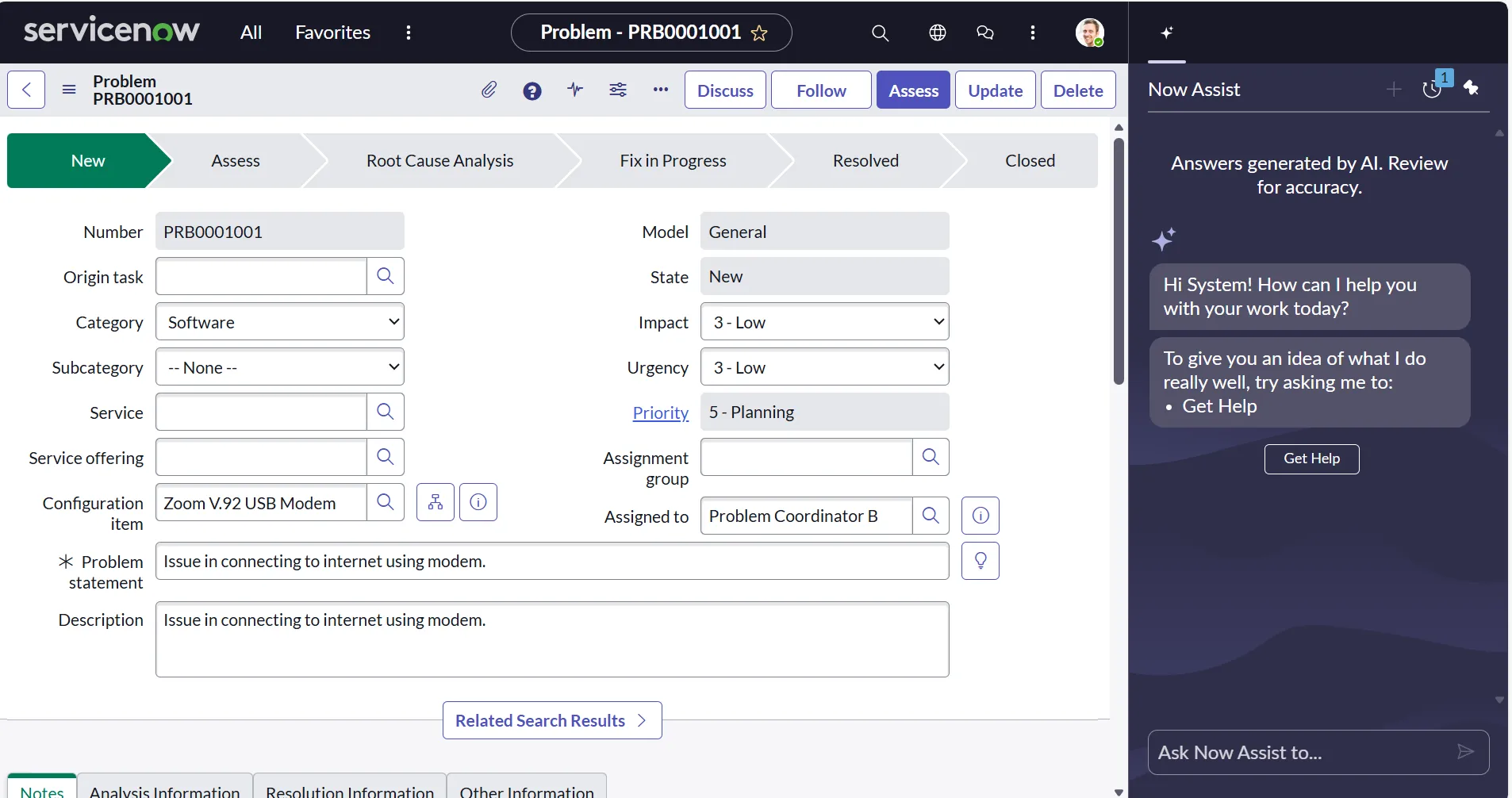
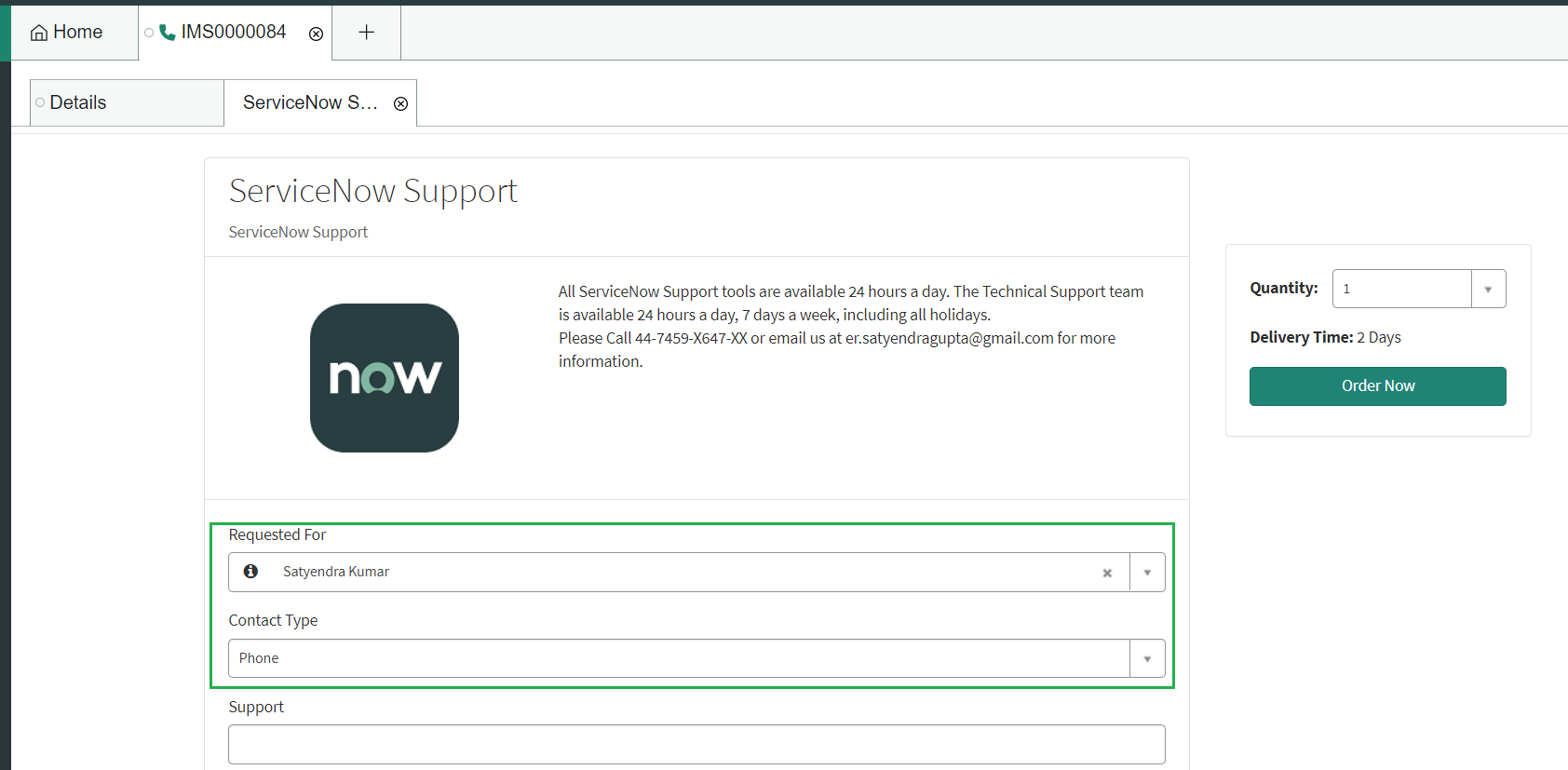
ServiceNow Agent Workspace is a suite of tools that provides a single-pane-of-glass command center for service agents to manage multiple records, interact with customers, and resolve issues efficiently. By utilizing a tabbed interface and integrated AI-driven insights, it eliminates the need for agents to toggle between multiple browser windows, significantly reducing resolution times and improving the overall employee experience.
Understanding ServiceNow Agent Workspace in 2026
As of 2026, the landscape of service management has shifted from reactive ticket-taking to proactive, AI-augmented problem-solving. ServiceNow Agent Workspace has evolved from a simple alternative UI into the primary interface for ITSM (IT Service Management), CSM (Customer Service Management), and HRSD (HR Service Delivery). The modern workspace is built upon the "Configurable Workspace" framework, which utilizes the Seismic UI component library to offer a highly responsive and personalized environment.
The fundamental goal of Agent Workspace is to decrease "click fatigue." In the traditional "Classic" ServiceNow interface, agents often found themselves opening dozens of browser tabs to track related incidents, user profiles, and knowledge base articles. The Workspace consolidates these elements into a unified, tabbed experience. This allows an agent to maintain the context of a primary issue while simultaneously looking up a user’s hardware inventory or checking a service health dashboard.
The Architecture of a Modern Workspace
The architecture of Agent Workspace is designed for speed and contextual awareness. It is not merely a "skin" over the existing platform but a specialized environment optimized for high-volume work.
The Multi-Tabbed Interface
The most visible feature is the tabbed navigation. Unlike standard browser tabs, these are internal to the ServiceNow application. Agents can open multiple "root" tabs (e.g., an Incident, a Change Request, and a Problem) and within those, open "sub-tabs" for related records. This hierarchical organization ensures that the agent never loses their place in a complex investigation.
Agent Assist and Now Assist Integration
By 2026, the integration of Now Assist—ServiceNow’s generative AI engine—has become the backbone of the workspace. Agent Assist sits in the sidebar, automatically scanning the short description and variables of a record to suggest relevant Knowledge Base (KB) articles, similar resolved incidents, or catalog items. In the 2026 iterations, Now Assist goes further by providing real-time sentiment analysis of chat transcripts and generating one-click summaries for handovers between shifts.
The Activity Stream
The Activity Stream provides a real-time feed of all communications and internal notes. In Agent Workspace, this stream is optimized for readability, allowing agents to filter for specific types of updates, such as "Customer Visible" vs. "Internal Work Notes." This transparency is crucial for teams where multiple agents might collaborate on a single high-priority case over several days.
Key Benefits for Modern Service Desks
The adoption of Agent Workspace is driven by the need for measurable improvements in Key Performance Indicators (KPIs). Organizations that have fully transitioned to Configurable Workspaces generally report significant gains in three specific areas.
1. Reduced Mean Time to Resolution (MTTR)
By having all necessary data—user history, related assets, and AI-suggested solutions—in one view, agents spend less time searching and more time solving. The "Contextual Side Panel" allows agents to view data without navigating away from the current record, which research shows can save several minutes per complex ticket.
2. Enhanced Agent Onboarding and Retention
The interface is more intuitive than the data-heavy lists and forms of the legacy platform. For new hires in 2026, the learning curve is significantly flattened because the Workspace guides them through processes using "Playbooks." Playbooks act as a visual workflow, showing the agent exactly which step they are on and what data needs to be collected next, reducing the anxiety of handling unfamiliar request types.
3. Real-Time Collaboration
Features like "Sidebar" allow agents to start instant discussions with subject matter experts (SMEs) without leaving the record. These conversations are linked directly to the ticket, ensuring that the rationale behind a decision is preserved for future audits or knowledge creation.
Technical Implementation and Prerequisites
Implementing or upgrading to the latest Agent Workspace requires a strategic approach to configuration. It is no longer enough to simply "turn on" a plugin; administrators must curate the experience to fit specific personas.
Licensing and Plugins
Access to Agent Workspace is generally included with standard ITSM, CSM, or HRSD Pro and Enterprise licenses. Key plugins include:
- ServiceNow Agent Workspace (com.snc.agent_workspace): The foundational plugin.
- Configurable Workspace (Various): Specific workspaces for ITSM (it-service-mgmt-workspace) or CSM (customer-service-mgmt-workspace).
- UI Builder (com.sys_ux_builder): The essential tool for modifying the 2026 workspace experience.
Role-Based Access Control (RBAC)
To access the workspace, users typically need the workspace_user role in addition to their functional roles (like itil or sn_customerservice_agent). Administrators can further restrict specific landing pages or lists based on groups or departments to ensure that agents are not overwhelmed by irrelevant data.
The Role of UI Builder
In 2026, the "Configurable Workspace" is the standard, and it is customized through UI Builder. Unlike the legacy workspace, which relied heavily on complex JSON configurations, UI Builder provides a drag-and-drop interface for:
- Landing Pages: Creating dashboards that show an agent their daily priorities.
- Record Pages: Adjusting which fields appear in the "header" or "ribbon."
- Component Configuration: Adding custom data visualizations or third-party integrations into the side panel.
Comparing Legacy vs. Configurable Workspaces
It is important to distinguish between the older versions of Agent Workspace and the modern Configurable Workspace available in 2026.
| Feature | Legacy Agent Workspace | Configurable Workspace (2026) |
|---|---|---|
| Customization Tool | Workspace Experience (Forms/JSON) | UI Builder (Visual Editor) |
| Framework | AngularJS / Jelly (Partial) | Seismic (Web Components) |
| AI Integration | Basic Agent Assist | Advanced Now Assist (GenAI) |
| Page Layouts | Fixed / Limited | Fully Flexible / Modular |
| Event Handling | Client Scripts (Standard) | Declarative Actions / UX Events |
| Support Status | Maintenance Only | Primary Standard |
Advanced Features: Playbooks and Generative AI
The 2026 iteration of Agent Workspace thrives on automation. Two features stand out as transformative for the agent experience: Playbooks and Now Assist.
Visual Task Boards and Playbooks
Playbooks transform a standard workflow into a visual journey. When an agent opens a "Major Incident," the Playbook automatically launches, showing a progress bar with stages like "Investigation," "Communication," and "Resolution." Each stage contains specific tasks, such as "Notify Stakeholders" or "Attach Logs," which can be completed directly within the Playbook view. This ensures compliance with organizational SOPs (Standard Operating Procedures) without requiring the agent to memorize them.
Generative AI (Now Assist)
In the 2026 environment, Now Assist provides three critical functions within the Workspace:
- Case Summarization: When an agent takes over a ticket with 50 previous comments, the AI generates a concise three-paragraph summary of what has been attempted so far.
- Resolution Generation: Based on the steps taken in the Activity Stream, the AI can draft the final resolution text, ensuring professional and clear communication to the end-user.
- Chat-to-Ticket Conversion: For agents handling live chats, Now Assist can automatically categorize the issue and populate fields in the resulting incident record based on the conversation history.
Best Practices for Deployment
Successful implementation of ServiceNow Agent Workspace requires more than technical configuration; it requires change management.
- Define Personas First: Do not build one workspace for everyone. An Service Desk Tier 1 agent needs different tools (Knowledge, Password Reset) than a Tier 3 Network Engineer (Dependency Maps, Monitoring Alerts).
- Optimize the "Ribbon": The ribbon is the area at the top of a record. Use it to display "High-Value" data like User VIP status, Time to SLA Breach, and recent outages. If it's not actionable, remove it.
- Phased Rollout: Start with a pilot group of "Power Users." Their feedback on the UI Builder layouts will be invaluable for catching usability issues before a global rollout.
- Address Client Script Compatibility: Traditional Client Scripts and UI Policies may behave differently in the Workspace. Always test your logic specifically within the Workspace environment to ensure that "onChange" or "onLoad" events trigger correctly in the Seismic framework.
Common Troubleshooting and Limitations
While powerful, the Agent Workspace has specific constraints that administrators should keep in mind.
UI Policy and Scripting Issues
The Workspace runs in a "scoped" environment. If you have legacy Global scripts that rely on window or document objects, they will fail. You must migrate these to the g_form API or use Workspace-specific Client Scripts.
Performance and Browser Memory
Because the Workspace is a single-page application that holds many records in memory via tabs, it is more resource-intensive than the classic UI. Organizations should ensure that agent workstations have at least 16GB of RAM and use modern, updated browsers (Chrome, Edge, or Firefox) to prevent lag during high-volume shifts.
Learning Curve
The most common "failure" in Workspace adoption is not technical—it is user resistance. Agents who have used the classic UI for a decade may find the tabbed interface disorienting. Providing specific training sessions focused on the "Sidebar" and "Agent Assist" features is essential for buy-in.
The Future of the Agent Experience
Looking beyond 2026, we expect the ServiceNow Agent Workspace to become even more "headless" and "predictive." The boundaries between chat, email, and record management will continue to blur, with AI handling the initial triage and only involving human agents for complex, empathetic decision-making. The Configurable Workspace framework ensures that organizations are ready for these shifts, providing the flexibility to add new AI components as they are developed.
For organizations still relying on the classic "Lists and Forms" view, the transition to Agent Workspace is no longer optional; it is a prerequisite for leveraging the full power of the ServiceNow platform's intelligence and automation capabilities.
Frequently Asked Questions
Can I still use the classic ServiceNow UI alongside Agent Workspace? Yes. In 2026, the classic UI remains available for administrators and developers who need access to system-level tables and backend configurations. However, for fulfiller roles (agents), ServiceNow strongly recommends the Workspace to leverage Now Assist and Playbook features.
What is the difference between Agent Workspace and Service Operations Workspace? Agent Workspace was the original "generic" version. Service Operations Workspace (SOW) is the specific, modern evolution tailored for ITSM and ITOM. SOW includes specific views for site reliability engineers and service desk agents that are not found in the basic Agent Workspace.
Does Agent Workspace work on mobile devices? While there is a ServiceNow Agent mobile app, the full Agent Workspace (with multi-tabs and UI Builder layouts) is designed for desktop screen real estate. The mobile app provides a simplified, task-based experience, whereas the Workspace provides the "deep dive" environment required for complex troubleshooting.
How do I enable Now Assist in my Workspace? Now Assist requires a separate "Pro" or "Enterprise" Plus license. Once licensed, you must install the Now Assist for ITSM/CSM plugins and configure the "Generative AI Controller." You can then use UI Builder to add the Now Assist components to your Workspace sidebar.
Are custom components supported in Agent Workspace? Yes. Using the ServiceNow CLI and the Seismic framework, developers can build custom web components and deploy them into the Workspace via UI Builder. This allows for deep integration with proprietary internal systems or third-party tools.
Final Recommendation
To maximize the value of your ServiceNow investment in 2026, begin by migrating all fulfiller workflows to Configurable Workspaces. Focus heavily on the Landing Page design—this is the first thing your agents see, and it should prioritize their most urgent tasks using real-time data visualization. Finally, ensure that your internal developers are trained in UI Builder and the Seismic framework, as these are the tools that will allow you to keep the workspace aligned with your evolving business processes.