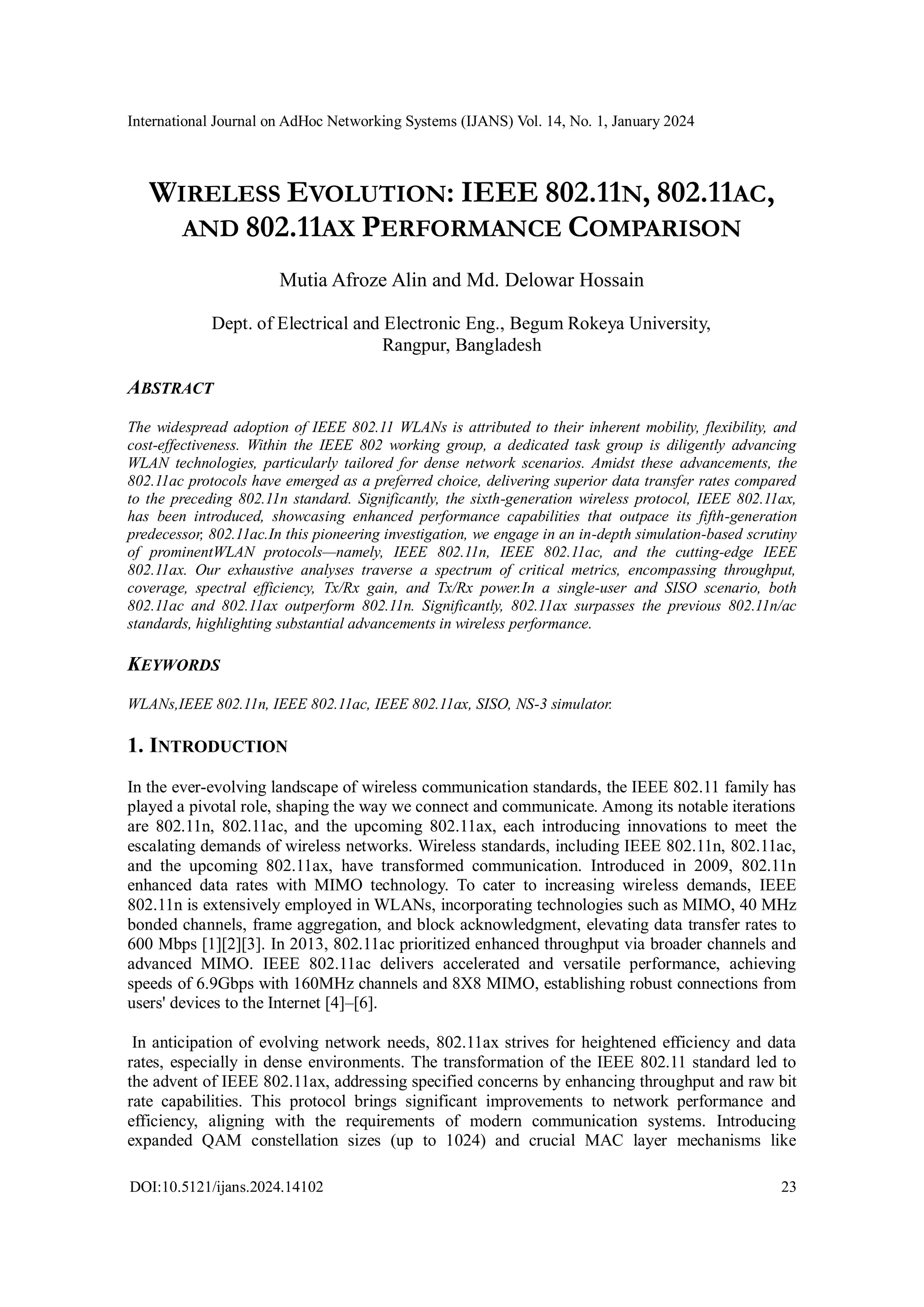
802.11ac, commercially known as Wi-Fi 5, is a wireless networking standard that operates exclusively on the 5 GHz frequency band to provide high-throughput data transfers. In 2026, it remains a common legacy standard, offering theoretical speeds up to 6.9 Gbps through advanced features like MU-MIMO, 256-QAM modulation, and 160 MHz channel bonding.
The Technical Evolution: Defining 802.11ac Architecture
The IEEE 802.11ac standard was developed to address the growing demand for high-definition video streaming, cloud computing, and the proliferation of wireless devices that overwhelmed the older 802.11n (Wi-Fi 4) standard. By moving exclusively to the 5 GHz spectrum for its high-speed operations, 802.11ac avoided the significant congestion found in the 2.4 GHz band, which is shared by microwave ovens, Bluetooth devices, and older cordless phones.
The core of 802.11ac’s capability lies in Very High Throughput (VHT). This was achieved by increasing the physical layer (PHY) rate through three main avenues: wider radio frequency bandwidth, more spatial streams, and higher-order modulation. While 802.11n topped out at 40 MHz channels, 802.11ac introduced 80 MHz and 160 MHz channels. This "wider pipe" allows more data to flow simultaneously, effectively doubling or quadrupling the potential speed compared to its predecessor.
Furthermore, the standard introduced a more efficient way to pack data into radio signals. By utilizing 256-QAM (Quadrature Amplitude Modulation), 802.11ac can carry 8 bits of data per symbol, a 33% improvement over the 64-QAM (6 bits per symbol) used in 802.11n. This increase in "density" is what allows modern Wi-Fi 5 devices to achieve gigabit-class speeds over short distances.
Key Capabilities of 802.11ac Devices
When evaluating 802.11ac devices in 2026, it is essential to recognize the specific features that defined this generation of networking. These capabilities were revolutionary at launch and still serve as the foundation for many stable, medium-demand home and office environments.
Multi-User MIMO (MU-MIMO)
One of the most significant advancements in 802.11ac (specifically Wave 2) was the introduction of Multi-User Multiple Input Multiple Output (MU-MIMO). In older standards, a Wi-Fi router acted like a hub that could only talk to one device at a time, switching between them so fast it appeared simultaneous. MU-MIMO changed this by allowing the Access Point (AP) to transmit data to multiple clients—up to four—at the exact same time. This significantly reduces the "wait time" for devices on the network, improving overall capacity and reducing latency in multi-device households.
Explicit Beamforming
While beamforming existed in a proprietary form in 802.11n, 802.11ac standardized it. Beamforming is a traffic-shaping technology that directs the Wi-Fi signal toward a specific receiving device rather than broadcasting it in every direction. By using "sounding frames," the router identifies the location of the client and adjusts the phase of the signal from multiple antennas to create constructive interference at the client's location. This results in a stronger signal, better range, and higher data rates at the edge of the coverage area.
Increased Spatial Streams
802.11ac supports up to eight spatial streams. While most consumer devices like smartphones and laptops typically use two or three streams (2x2 or 3x3), high-end enterprise access points utilize more streams to handle massive densities of users. Each spatial stream adds an additional "lane" of data, multiplying the total throughput of the connection without requiring additional frequency bandwidth.
802.11ac Wave 1 vs. Wave 2: Understanding the Split
The rollout of 802.11ac occurred in two distinct phases, known as Wave 1 and Wave 2. Understanding the difference is vital for troubleshooting or purchasing refurbished or legacy equipment in 2026.
Wave 1 devices were the first on the market, typically offering speeds up to 1.3 Gbps. They were limited to 80 MHz channels and lacked MU-MIMO. Most Wave 1 hardware was built on first-generation silicon that prioritized the move to 5 GHz and 256-QAM but didn't yet implement the more complex multi-user features.
Wave 2 arrived approximately two years later, bringing the full promise of the 802.11ac standard. This included the addition of 160 MHz channels, which effectively doubled the maximum speed of compatible devices, and the introduction of MU-MIMO. Wave 2 also added a fourth spatial stream for many routers and increased the overall efficiency of the 5 GHz band. In 2026, if you are utilizing 802.11ac hardware, Wave 2 devices are the preferred choice for any environment with more than five active clients.
Theoretical vs. Real-World Limits
Despite the impressive technical specifications, 802.11ac devices face several practical and physical limitations. In networking, there is always a gap between the theoretical maximum (the "box speed") and what the user actually experiences.
The 5 GHz Range Constraint
Because 802.11ac operates solely on the 5 GHz band, it is inherently limited by physics. Higher frequency signals do not penetrate solid objects like brick, concrete, or thick wood as well as 2.4 GHz signals do. Consequently, while 802.11ac provides incredible speed when you are in the same room as the router, that speed drops off dramatically as you move behind walls or to a different floor. In 2026, this is why many Wi-Fi 5 setups still rely on a 2.4 GHz fallback (using the 802.11n standard) for long-range connectivity.
Half-Duplex Nature
Like all Wi-Fi standards before Wi-Fi 6, 802.11ac is a half-duplex medium. This means that a radio cannot send and receive data at the same time on the same frequency. Furthermore, only one device can "speak" on a channel at any given microsecond (excluding the downlink MU-MIMO feature of Wave 2). This creates significant overhead; in a typical environment, the actual usable data throughput is often only 50% to 60% of the PHY rate displayed in the device's connection status.
Modulation Sensitivity (SNR Requirements)
To achieve the peak 256-QAM speeds, the device requires an exceptionally clean signal with a high Signal-to-Noise Ratio (SNR). If there is even moderate interference or if the distance from the router increases slightly, the system will automatically "rate-shift" down to 64-QAM or lower to maintain a stable connection. This means that the "Gigabit Wi-Fi" experience is often localized to a very small radius around the access point.
Comparison of Wi-Fi Standards (4, 5, and 6)
The following table compares 802.11ac with its immediate predecessor and successor to illustrate its place in the technology timeline.
| Feature | 802.11n (Wi-Fi 4) | 802.11ac (Wi-Fi 5) | 802.11ax (Wi-Fi 6/6E) |
|---|---|---|---|
| Release Year | 2009 | 2013 (Wave 1) / 2015 (Wave 2) | 2019 / 2021 |
| Frequency Bands | 2.4 GHz & 5 GHz | 5 GHz only | 2.4, 5, and 6 GHz |
| Max Channel Width | 40 MHz | 160 MHz | 160 MHz |
| Max Modulation | 64-QAM | 256-QAM | 1024-QAM |
| MIMO Support | SU-MIMO | MU-MIMO (Downlink only) | MU-MIMO (Up/Downlink) |
| Max Theoretical Speed | 600 Mbps | 6.9 Gbps | 9.6 Gbps |
| Congestion Tech | None | Beamforming | OFDMA |
Operational Limitations in High-Density Environments
One of the primary limits of 802.11ac is how it handles congestion. It uses a mechanism called CSMA/CA (Carrier Sense Multiple Access with Collision Avoidance). Before any device transmits, it must "listen" to the air to ensure no other device is talking. In a crowded apartment complex or a busy office with dozens of 802.11ac routers, the "airtime" becomes highly contested.
Unlike the newer Wi-Fi 6 (802.11ax) standard, which uses OFDMA (Orthogonal Frequency Division Multiple Access) to split channels into smaller sub-channels for different users, 802.11ac must give the entire channel to one user at a time (even if they are only sending a tiny tiny packet of data). This leads to "bufferbloat" and high latency when many people are trying to use the network simultaneously.
Security Considerations: WPA2 vs. WPA3
The 802.11ac standard was primarily built around WPA2 (Wi-Fi Protected Access 2) security. While WPA2 was the gold standard for over a decade, it is vulnerable to certain types of attacks, such as the KRACK (Key Reinstallation Attack).
By 2026, most 802.11ac devices have received firmware updates to support WPA3, the newer and more secure encryption protocol. However, many older or cheaper Wi-Fi 5 devices—especially IoT "smart home" gadgets—may still be stuck on WPA2. If you are using 802.11ac hardware in a high-security environment, verifying WPA3 compatibility is a critical step, as WPA2's aging handshake protocol is increasingly susceptible to modern brute-force techniques.
Practical Use Cases for 802.11ac in 2026
Despite being two generations behind the current Wi-Fi 7 standard, 802.11ac remains highly capable for specific tasks:
- Legacy Device Support: Many older laptops, tablets, and gaming consoles (like the PlayStation 4 or original Nintendo Switch) do not support newer standards. An 802.11ac router provides the native environment these devices were designed for.
- Budget Home Networking: For internet connections under 500 Mbps, an 802.11ac Wave 2 router is often more than sufficient and can be acquired at a fraction of the cost of Wi-Fi 6E or Wi-Fi 7 hardware.
- Dedicated Secondary Access Points: Using an old 802.11ac router as a dedicated access point for a home office or a guest network is an excellent way to repurpose hardware while maintaining high-speed 5 GHz coverage.
- Streaming and Gaming: Because 802.11ac supports speeds far exceeding what is required for 4K video streaming (which usually needs only 25-50 Mbps), it remains a "good enough" solution for most entertainment setups.
Troubleshooting Common 802.11ac Issues
When 802.11ac devices underperform, the issue is rarely the standard itself and more often the environment.
- Channel Interference: Because 802.11ac uses wide 80 MHz or 160 MHz channels, it is more likely to overlap with neighbors. Using a Wi-Fi analyzer tool to find a "clean" channel can often double the observed speed.
- DFS Channels: To provide more 5 GHz space, 802.11ac uses DFS (Dynamic Frequency Selection) channels. These are shared with weather radar and military systems. If your router detects a radar pulse, it will immediately drop the connection and move to a different channel, causing a brief outage. If you experience frequent disconnections, try avoiding DFS channels (typically channels 52-144).
- Bottlenecks at the Switch: Many consumer 802.11ac routers have Gigabit Ethernet ports. If you are using 160 MHz channels and a 4x4 MIMO client, the wireless speed might actually exceed the 1 Gbps wired backhaul, creating a bottleneck at the physical port.
Frequently Asked Questions
Can 802.11ac devices connect to a Wi-Fi 6 or Wi-Fi 7 router?
Yes. Wireless standards are designed with backward compatibility. An 802.11ac device will connect to a newer Wi-Fi 6 (802.11ax) or Wi-Fi 7 (802.11be) router without issues. However, the device will be limited to the maximum capabilities of the 802.11ac standard and will not benefit from the newer features of the router, such as OFDMA or the 6 GHz band.
Is 802.11ac fast enough for 8K streaming?
In theory, yes. 8K streaming typically requires between 80 and 150 Mbps. A well-configured 802.11ac connection (especially Wave 2) can easily deliver 300-600 Mbps in real-world conditions. However, consistency is key; the signal must be strong and free from interference to prevent the buffering that high-bitrate 8K video is prone to.
Does 802.11ac support the 2.4 GHz band?
Technically, the 802.11ac standard is defined only for the 5 GHz band. However, almost all "802.11ac routers" are dual-band. They use 802.11ac for the 5 GHz radio and fall back to 802.11n for the 2.4 GHz radio. This allows the router to support both high-speed close-range devices and long-range legacy devices simultaneously.
Why does my 802.11ac device only show a speed of 433 Mbps?
The speed of 433 Mbps is the theoretical maximum for a single 802.11ac spatial stream using an 80 MHz channel. If your device (like many budget smartphones) has only one internal antenna (1x1 MIMO), this is the highest link speed it can achieve. To get higher speeds, both the router and the client device must support multiple spatial streams (e.g., 2x2 for 866 Mbps or 3x3 for 1.3 Gbps).
Is 802.11ac still secure in 2026?
It is relatively secure if the device supports WPA3. If the device is limited to WPA2, it is susceptible to specific modern exploits, though it is still much safer than the obsolete WEP or WPA standards. For maximum security in 2026, it is recommended to use hardware that supports the WPA3-SAE (Simultaneous Authentication of Equals) handshake.
Summary and Recommendations
802.11ac (Wi-Fi 5) remains a robust and reliable standard for a wide variety of networking needs in 2026. While it has been surpassed by Wi-Fi 6, 6E, and Wi-Fi 7 in terms of raw efficiency and congestion management, its capabilities—standardized beamforming, MU-MIMO, and 256-QAM—are more than sufficient for the average household’s daily activities.
If you are setting up a network today, prioritize 802.11ac Wave 2 devices to ensure you have MU-MIMO and 160 MHz channel support. However, for environments with high device density, such as smart homes with 50+ IoT sensors or offices with constant video conferencing, upgrading to a standard that includes OFDMA and 6 GHz support (Wi-Fi 6E or 7) is advisable to overcome the inherent "listen-before-talk" limitations of the 802.11ac architecture.