If your Ford F-150 remote start feature is not working, the system has likely disabled itself as a safety precaution due to a triggered condition or a fault. To restore functionality, verify that the check engine light is off, all doors and the hood are fully latched, the battery is adequately charged, and the system is enabled within the vehicle’s infotainment settings.
The Ford F-150 remote start system—often referred to as "Auto Start" or "Remote Start"—is a sophisticated convenience feature that relies on a specific sequence of electronic checks before the engine can safely crank. When the system fails to engage, it is rarely due to a single "broken" part. Instead, the vehicle's Powertrain Control Module (PCM) and Body Control Module (BCM) perform a pre-start self-diagnostic. If any parameter falls outside of a strictly defined safety envelope, the system enters a locked state to prevent damage or safety hazards.
Understanding why your F-150’s remote start is unresponsive requires a methodical approach, moving from the most common user-error scenarios to more complex electrical or sensor-based issues.
Common Prerequisites for Remote Start Operation
For the remote start sequence to initiate, the F-150 must receive a "Go" signal from several sensors across the vehicle. If you press the button on your key fob and nothing happens—or the lights flash but the engine does not turn over—you should first verify the following baseline requirements:
The "Check Engine" Light Constraint
This is the most frequent cause of an inactive remote start system. If your dashboard displays a Check Engine Light (CEL), the remote start is programmed to remain disabled. This is a design choice by Ford to protect the vehicle; if there is an active fault code related to the emissions, fuel, or ignition system, the vehicle will not allow remote operation to avoid potentially exacerbating a mechanical problem. If you have an active CEL, you must use an On-Board Diagnostic (OBD-II) scanner to retrieve the specific trouble code and address the underlying repair before the remote start will function again.
Hood and Door Status
The Remote Start system monitors the hood latch switch. If the sensor detects that the hood is even slightly ajar, it disables remote starting. This is a vital safety feature to prevent the engine from starting while a technician or owner is working in the engine bay. Similarly, the doors, trunk (if applicable), and tailgate must be closed and locked. If the security system detects an open perimeter, it will interpret the remote start command as an unauthorized attempt or a safety risk.
Battery Voltage and State of Charge
Modern F-150s are sensitive to battery voltage. If your battery is aged or has a low state of charge, the vehicle's energy management system may disable "non-essential" features—including remote start—to ensure there is enough current to start the engine manually or to preserve the integrity of the onboard computer systems. If your truck has been sitting for an extended period or if you have been running accessories while the engine is off, a low battery is a high-probability culprit.
Settings and Software Configuration
Occasionally, the remote start feature is not actually broken, but simply disabled within the vehicle's internal software. This often happens after a battery replacement, a software update, or an accidental change in the instrument cluster menu.
Navigating the Vehicle Settings
Use the steering wheel controls to navigate through the information display on your instrument cluster:
- Access the Settings menu.
- Select Vehicle Settings.
- Look for the Remote Start submenu.
- Ensure the checkbox for System is toggled to ON.
If the system was already set to ON, try toggling it to OFF, cycling the ignition, and then toggling it back to ON. This process forces the BCM to re-initialize the feature, which can resolve minor communication glitches.
Key Fob Battery Issues
While less common as a complete failure, a weak key fob battery can cause intermittent issues where the vehicle fails to receive the command. If the remote start works only when you are standing right next to the truck, replace the coin-cell battery inside the fob. For most F-150 models, this is a CR2032 or similar lithium battery. A failing battery in the fob may send a signal that is too weak to reach the antenna modules located inside the truck’s dashboard.
Technical Troubleshooting and Diagnostic Steps
If you have verified that the prerequisites are met and the settings are correct, you must look into potential mechanical or electrical failures.
The Hood Latch Sensor
The hood latch switch is a common point of failure. Over time, the switch can become corroded or physically damaged by debris. If the switch is "stuck" in the open position, the vehicle will believe the hood is open regardless of its physical state. You can perform a quick visual inspection of the latch area. Look for a small switch/plug assembly near the latch mechanism. Ensure the harness is plugged in securely and that the latch moves freely.
Fuel Level Considerations
Some versions of the F-150 logic prohibit remote starting if the "Low Fuel" warning is illuminated on the instrument cluster. The system is designed to prevent the engine from running if there is a risk of stalling or if the fuel pump might be exposed to air due to low fluid levels. Ensure your fuel tank is at least a quarter full.
Remote Start Limit Cycles
Ford limits the number of consecutive remote starts. Generally, you can initiate two remote start sequences (each lasting up to 15 minutes) before the vehicle requires a manual ignition cycle with the key or push-button start. If you have been testing the system repeatedly while troubleshooting, the truck may be in a "Remote Start Lockout" mode. Start the vehicle manually and drive it for a short distance to reset the internal cycle counter.
Summary of Troubleshooting Factors
| Component | Status to Check | Effect on Remote Start |
|---|---|---|
| Check Engine Light | Active Fault Code | Disables System |
| Hood Latch | Closed / Latched | Required for Operation |
| Battery Charge | Healthy / Full | Required for Operation |
| Fuel Level | Above "Low" light | Required for Operation |
| Software Settings | Enabled in Menu | Required for Operation |
| Key Fob Battery | Fresh Voltage | Required for Signal |
Advanced Electrical Concerns
If your F-150 still refuses to start, the issue may reside within the Remote Access module or the wiring harnesses connecting the body modules.
- Wiring Corrosion: In areas with heavy road salt or high humidity, electrical connectors in the front bumper or wheel wells can suffer from corrosion. Since the remote start system relies on signals from multiple perimeter sensors, a single corroded wire in a trunk or hood circuit can trigger a false "open" signal.
- Aftermarket Modifications: If your truck has an aftermarket alarm, GPS tracker, or lighting system installed, these devices often tap into the vehicle’s CAN-bus wiring. If a splice has come loose or a ground wire is frayed, it can introduce enough electrical noise to cause the BCM to shut down the remote start system for safety.
- Module Resets: In some cases, a hard reset of the vehicle's modules is necessary. This involves disconnecting the negative battery terminal for approximately 10 to 15 minutes. This drains the capacitors in the various control modules, effectively forcing a "reboot." Note that this may reset your radio presets and clock settings.
When to Seek Professional Assistance
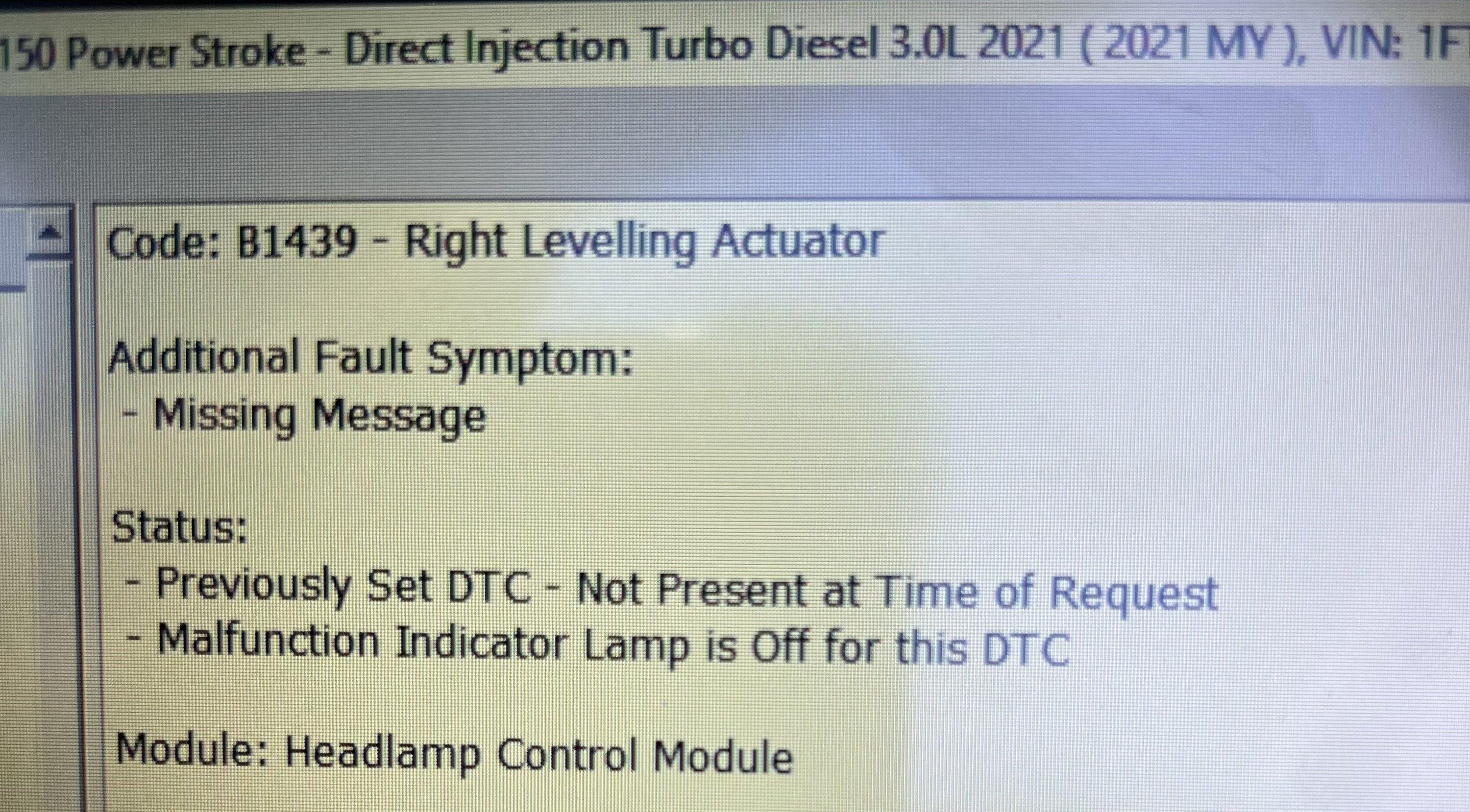
If you have performed the above troubleshooting steps and the system remains non-functional, it is advisable to visit a dealership or a certified electrical specialist. An advanced diagnostic scan tool is required to read the "B-codes" (Body Control Module codes) that standard code readers cannot access. A technician can view the "PID" (Parameter ID) data for the remote start system in real-time, allowing them to see exactly which sensor is reporting a "Not Ready" signal—for example, seeing a specific door sensor reporting an "Open" status even when the door is shut.
Do not attempt to bypass safety switches or hotwire the starter circuit. The F-150’s electrical system is highly integrated; tampering with the starter relay or the ignition circuit can trigger the anti-theft immobilizer system, which will prevent the truck from starting even with the physical key.
Frequently Asked Questions
Why does my Ford F-150 flash its lights but not start? This usually indicates the truck has received the signal from the fob but has aborted the start sequence. This happens if the hood is unlatched, there is an active Check Engine light, or the fuel level is critically low.
How many times can I remote start my F-150? The system typically allows for two remote starts per key-on cycle. After the second run, you must physically enter the vehicle and start the engine with the ignition switch to "reset" the remote start limit.
Does my remote start need to be programmed at the dealership? If the remote start feature was factory-installed, it should not require programming. However, if you recently added an aftermarket remote start kit or replaced a key fob, the vehicle’s BCM will likely require a software "relearn" process via a diagnostic tool at the dealer.
Can a bad battery cause remote start failure even if the truck starts fine? Yes. While the truck might have enough power to start the engine when you turn the key, the remote start module requires a specific voltage threshold to initialize its internal communication. If the battery voltage dips slightly below this threshold during the initial signal, the system will self-abort.
Is there a fuse for the remote start? Remote start is a function managed by the PCM and BCM; there is rarely a single "remote start fuse." However, fuses related to the ignition, body control module, or keyless entry system could be blown. Consult your owner's manual for your specific model year's fuse box layout.
Final Recommendation
Begin your diagnostic process by scanning for any active Diagnostic Trouble Codes (DTCs). Most "auto start not working" issues on the Ford F-150 are triggered by a legitimate fault code protecting the vehicle. Once the CEL is addressed, verify the hood latch and the software settings in the instrument cluster. If the issue persists, a visit to a qualified technician to review the real-time sensor data is the most efficient path to resolution.