Adding a New York Life whole life insurance policy to Mint, the personal finance management service, is not supported through a direct, automated synchronization process. Because Mint (now part of the Credit Karma ecosystem as of 2024) focuses on liquid accounts like checking, savings, credit cards, and investment portfolios, life insurance policies with cash values are generally treated as "manual assets" rather than synced banking connections.
Understanding the Integration Landscape in 2026
When attempting to integrate a whole life insurance policy into a financial dashboard, users often encounter a mismatch between the capabilities of personal finance apps and the data structure of legacy insurance carriers. New York Life, as a mutual life insurance company, manages its policies through its internal secure portal, New York Life Online.
The primary hurdle is that these portals often employ multi-factor authentication (MFA) and specific security protocols that are not compatible with the aggregation services (such as Plaid or MX) that power platforms like Mint. Furthermore, because a whole life insurance policy is a long-term contract with a cash surrender value, the "balance" is not a liquid asset that fluctuates daily like a brokerage account. Consequently, financial tracking software does not prioritize the automatic syncing of these specific policy types.
To maintain an accurate net worth calculation within your financial dashboard, you must treat your New York Life policy as an offline asset. This requires a periodic manual update to reflect the growth of the policy’s cash value, ensuring your overall financial picture remains current.
Prerequisites for Manual Tracking
Before you begin the process of adding your policy, you must gather specific information from your New York Life documentation. You should have the following items ready to ensure the manual entry is accurate:
- Current Cash Surrender Value: This is not the death benefit of the policy, but rather the amount you would receive if you surrendered the policy today. This is the figure that contributes to your actual net worth.
- Policy Anniversary Date: Whole life insurance policies accumulate value based on a schedule. Knowing your anniversary date helps you determine when to expect the next increase in cash value or dividend allocation.
- Recent Annual Statement: New York Life provides an annual statement that details the policy’s performance. Use the most recent version of this document to pull your baseline numbers.
- Premium Payment Information: Knowing your annual or monthly premium helps you understand the "cost basis" of your policy, which is useful if you are calculating the return on investment of the cash value growth over time.
Step-by-Step: Adding Your Policy as a Manual Asset
Because automated linking is not available for New York Life policies, follow these steps to add the policy to your dashboard manually:
- Log into your financial dashboard: Access your account on the interface.
- Navigate to the "Add Account" or "Add Asset" section: Look for a plus (+) sign or a menu option labeled "Add Account."
- Select "Manual" or "Add Property/Asset": Since the service cannot search for a New York Life "bank" connection that will return your specific policy, you must select the manual entry option.
- Choose "Insurance" or "Other Assets": Most platforms allow you to categorize manual entries. Select "Insurance" if available, or "Other Assets" if you prefer to categorize it based on your personal organization preferences.
- Enter the Account Name: Use a clear identifier, such as "NYL Whole Life Insurance."
- Input the Current Value: Enter the current cash surrender value found on your most recent statement.
- Set the Update Frequency: Create a calendar reminder for yourself to update this value. Since life insurance cash values typically grow incrementally, a quarterly or bi-annual update is usually sufficient to maintain a reasonably accurate net worth calculation.
Comparing Automated vs. Manual Tracking
Managing your financial data involves balancing the convenience of automation with the necessity of accuracy for non-liquid assets.
| Feature | Automated Sync (Bank/Brokerage) | Manual Entry (Life Insurance) |
|---|---|---|
| Frequency | Real-time or daily updates | User-defined (Manual) |
| Effort | Low (Set and forget) | Moderate (Requires periodic maintenance) |
| Accuracy | High (Direct feed) | Depends on user input frequency |
| Security | Managed by third-party aggregators | Managed by user |
| Best For | Liquid assets, credit cards, loans | Non-liquid assets, cash value insurance |
The Role of Cash Value in Financial Planning
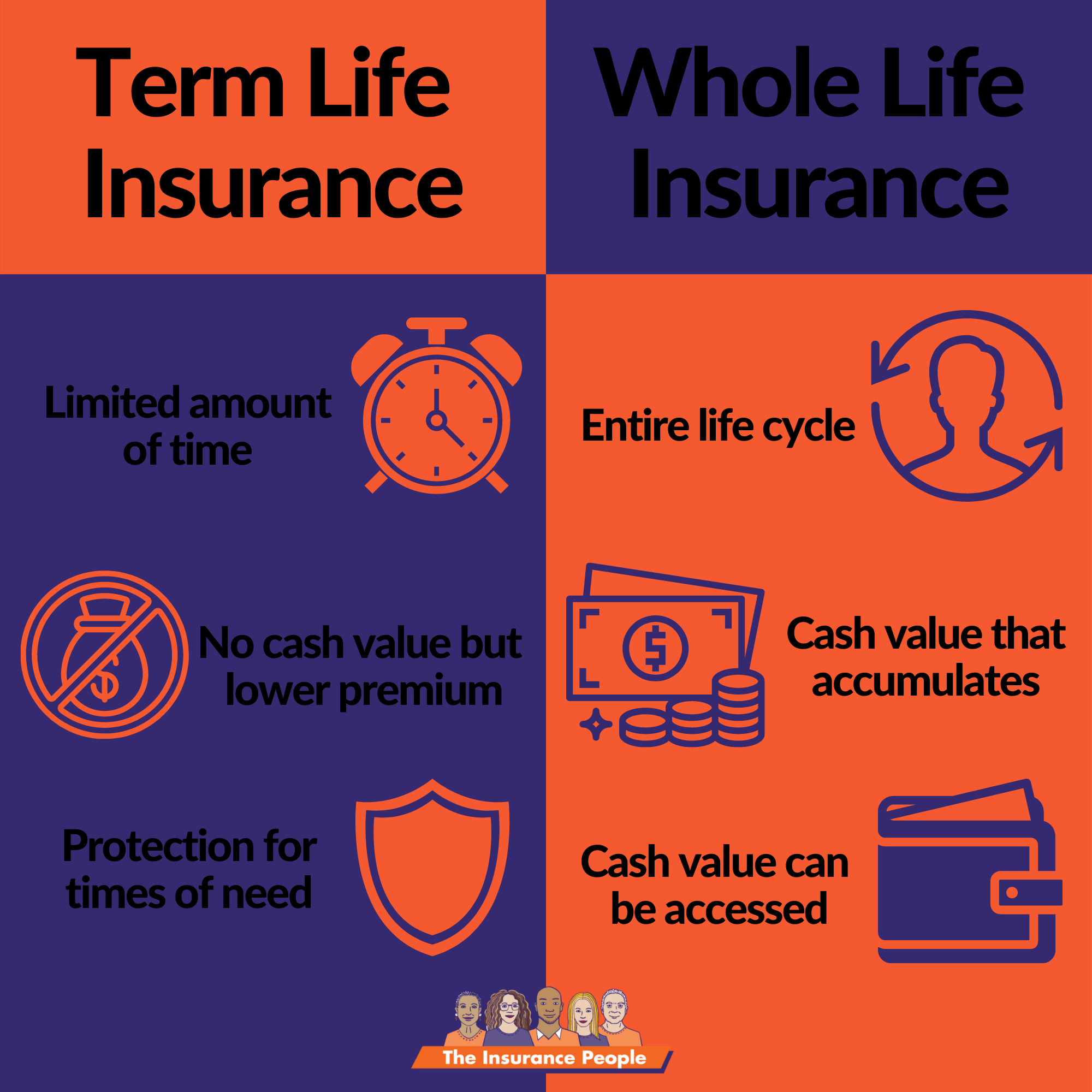
Whole life insurance is often misunderstood in the context of personal finance dashboards. It is important to distinguish between the Death Benefit (the amount paid to beneficiaries) and the Cash Surrender Value (the asset available to the policyholder).
When tracking net worth, you should only include the cash surrender value. Including the death benefit would result in a heavily inflated and inaccurate net worth figure. The cash surrender value represents the amount of money you have essentially "saved" within the policy. As you pay your premiums, a portion covers the cost of insurance and administrative fees, while another portion is allocated to the policy's cash value, which grows over time based on interest and, if applicable, dividends.
By tracking this value manually in your dashboard, you can see how this asset class contributes to your overall liquidity and retirement readiness. Over several years, the consistent manual entry of this data will provide a clear trend line showing how your policy's cash value is accumulating.
Troubleshooting Common Challenges
If you encounter issues while setting up your manual entry, consider the following troubleshooting steps:
- Value Fluctuation: If the cash value shown on your statement does not match what you recorded, ensure you are looking at the "Cash Surrender Value" rather than the "Total Cash Value." The surrender value accounts for any surrender charges that might apply if you were to terminate the policy early.
- Asset Miscalculation: If your dashboard shows a negative value for the policy, verify that you entered it as an "Asset" rather than a "Liability" (Debt). A policy with a cash value is an asset; a loan taken out against the policy would be a liability.
- Duplicate Entries: If you previously attempted to link an account and it remains in "error" status, navigate to your account settings to remove the broken connection before creating the manual entry to avoid confusing your reporting.
Frequently Asked Questions
Can I use a third-party aggregator to force a connection to New York Life? No. Even if an aggregator claims to support New York Life, it is designed for banking and investment portals. Attempting to force an automated connection often results in security lockouts on your New York Life Online account due to repeated failed login attempts from unrecognized locations.
How often should I update the manual cash value? Updating the value once per quarter or once per year (following your policy anniversary) is generally sufficient. Because whole life insurance cash value growth is slow and stable, daily or monthly updates are unnecessary and do not provide meaningful data for long-term planning.
Does tracking my insurance policy in a financial app affect my coverage? No. Tracking your policy in a financial dashboard is strictly for informational and record-keeping purposes. The data you enter in your dashboard has no bearing on the legal contract between you and New York Life, nor does it impact your premium payments or coverage status.
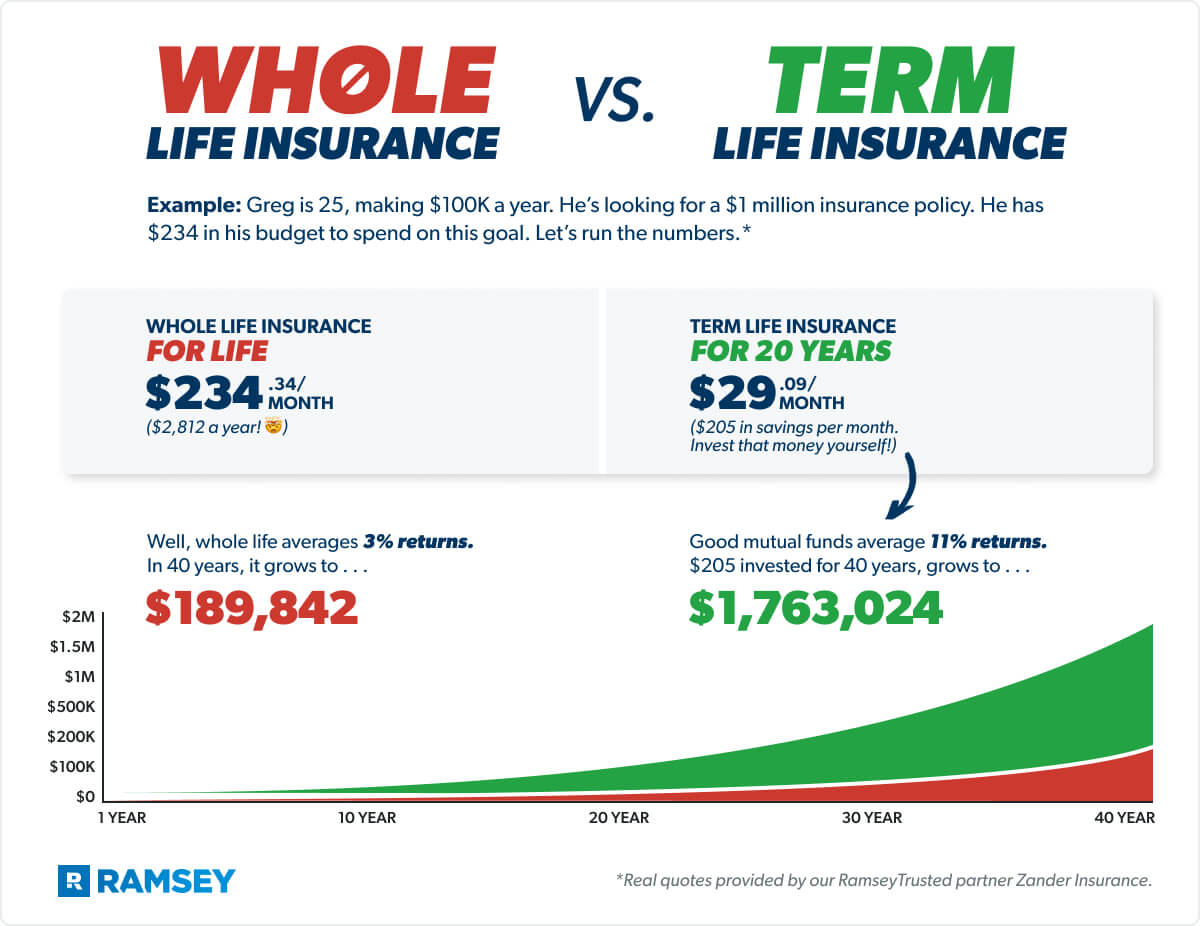
Why is my cash value different from what I have paid in premiums? In the early years of a whole life insurance policy, a significant portion of your premium goes toward the cost of insurance (the risk coverage) and the company’s operating expenses. Therefore, the cash value in the early stages of a policy is typically lower than the total premiums paid. This is a standard characteristic of permanent life insurance.
Next Steps for Policy Management
To ensure your financial dashboard remains a reliable source of truth, integrate your policy management into your routine. Every year, when you receive your annual statement from New York Life, take ten minutes to log into your dashboard and update the cash surrender value. This simple habit keeps your asset allocation accurate and provides a long-term view of your wealth accumulation without the frustration of attempting to automate an incompatible system. If you have questions regarding your policy's specific performance or wish to request an illustration of future cash values, always refer directly to your New York Life agent or the official company online portal.