Securing your Amazon Web Services (AWS) environment requires a deep understanding of the shared responsibility model, identity management, network isolation, and continuous monitoring. While many administrators seek a downloadable "11 cloud security basics in aws pdf" for offline reference, the core principles remain constant: implement least-privilege access, encrypt data at rest and in transit, and maintain rigorous audit logs to ensure compliance and infrastructure integrity.
Understanding the AWS Shared Responsibility Model
The foundation of all AWS security begins with the Shared Responsibility Model. Security "of" the cloud is the responsibility of AWS, which includes the global infrastructure, hardware, software, networking, and facilities that run AWS services. Security "in" the cloud is the responsibility of the customer.
This distinction is critical. As an AWS customer, you are responsible for managing your data, classifying your assets, and using AWS tools to apply the appropriate security controls. Whether you are running an Amazon Elastic Compute Cloud (EC2) instance or a serverless function via AWS Lambda, the configuration of the operating system, firewall rules, and identity policies sits squarely on your shoulders. Failure to acknowledge this boundary is the most common cause of cloud data breaches.
1. Identity and Access Management (IAM)
Identity is the new perimeter in cloud computing. IAM allows you to securely control access to AWS resources. You should never use the root account for daily operations; instead, create administrative users and groups.
Implement the principle of least privilege, ensuring that every user, application, or service has only the minimum permissions necessary to perform its intended function. Utilize IAM policies (JSON documents) to define these permissions and enforce Multi-Factor Authentication (MFA) for all users, especially those with privileged access.
2. Encryption at Rest and in Transit
Data security is paramount. You must ensure that your data is encrypted both when stored (at rest) and while moving between endpoints (in transit).
For data at rest, AWS Key Management Service (KMS) integrates with most storage services like Amazon S3, Amazon RDS, and Amazon EBS. Use KMS to manage your encryption keys, enabling you to rotate and revoke access as needed. For data in transit, always use Transport Layer Security (TLS) or Secure Sockets Layer (SSL) protocols for all network traffic, ensuring that your endpoints—including load balancers—are configured to reject insecure connections.
3. Network Isolation and Security Groups
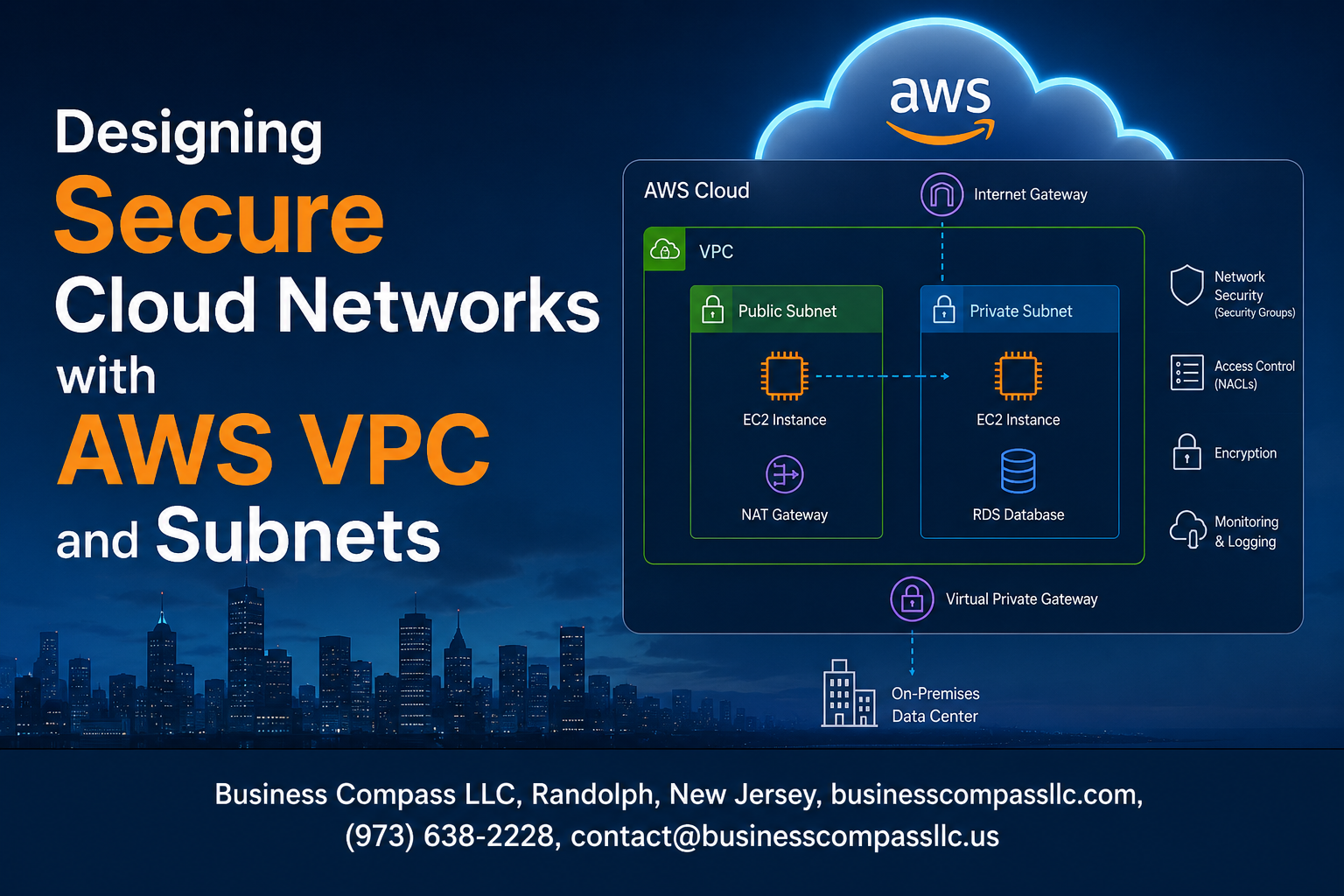
Protecting your network architecture is essential to preventing unauthorized access to your instances. Use Amazon Virtual Private Cloud (VPC) to create isolated network segments.
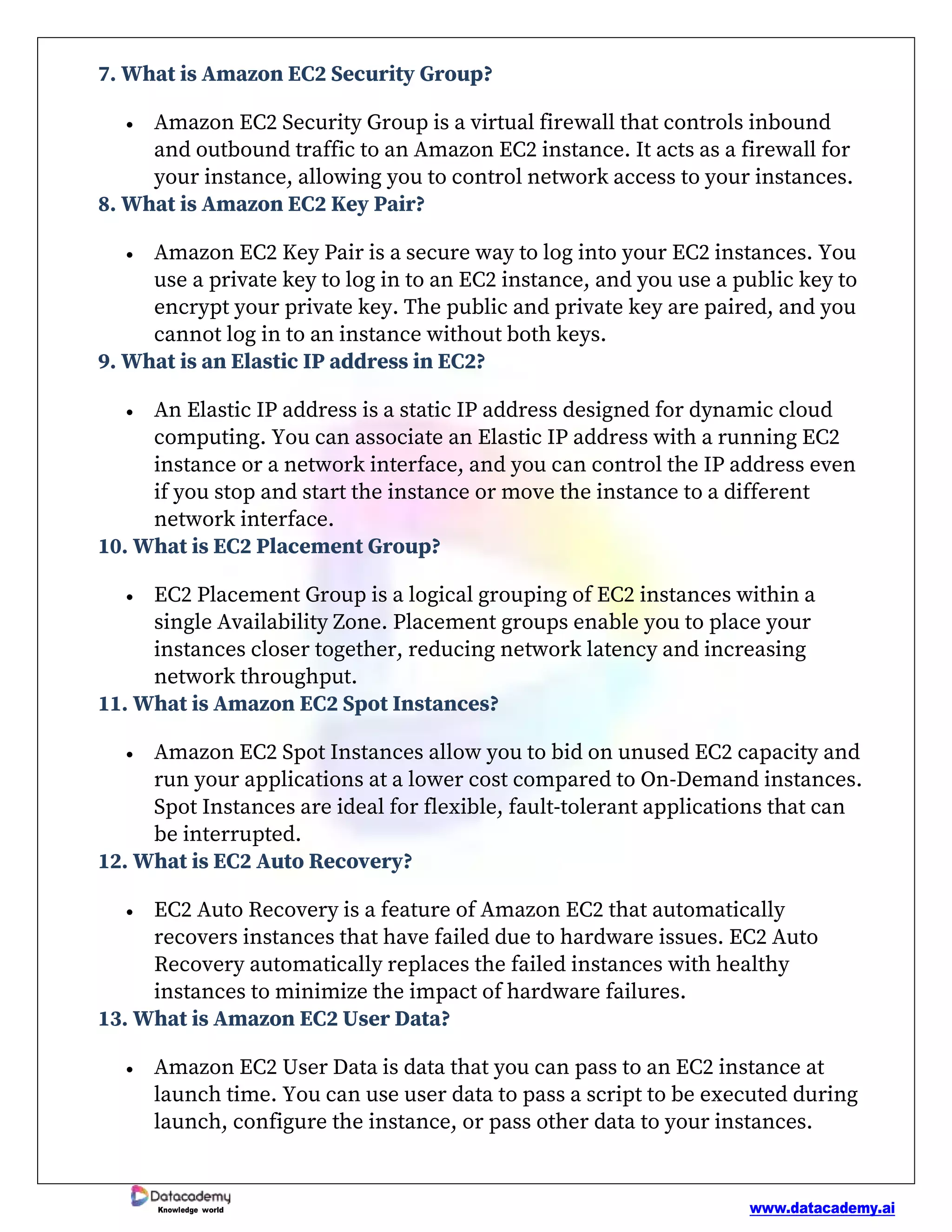
Within your VPC, use Security Groups as virtual firewalls to control inbound and outbound traffic at the instance level. Adhere to a "deny-all" approach by default, only opening specific ports and protocols for known, required traffic. For a higher level of granularity, implement Network Access Control Lists (NACLs) to act as a stateless layer of defense at the subnet boundary.
4. Continuous Monitoring with AWS CloudTrail
Visibility is the backbone of incident response. AWS CloudTrail logs every API call made within your account, providing a detailed audit trail of actions taken by users, roles, or services.
Enable CloudTrail in every AWS region you use and deliver the logs to an S3 bucket that is heavily restricted. Review these logs regularly to identify anomalies or unauthorized attempts to modify your configuration. Without a robust logging strategy, you lack the forensic evidence required to determine the root cause of a security incident.
5. Security Hub and Threat Detection
Manually tracking security posture across hundreds of resources is impractical. AWS Security Hub provides a centralized view of your security alerts and compliance status across your AWS environment.
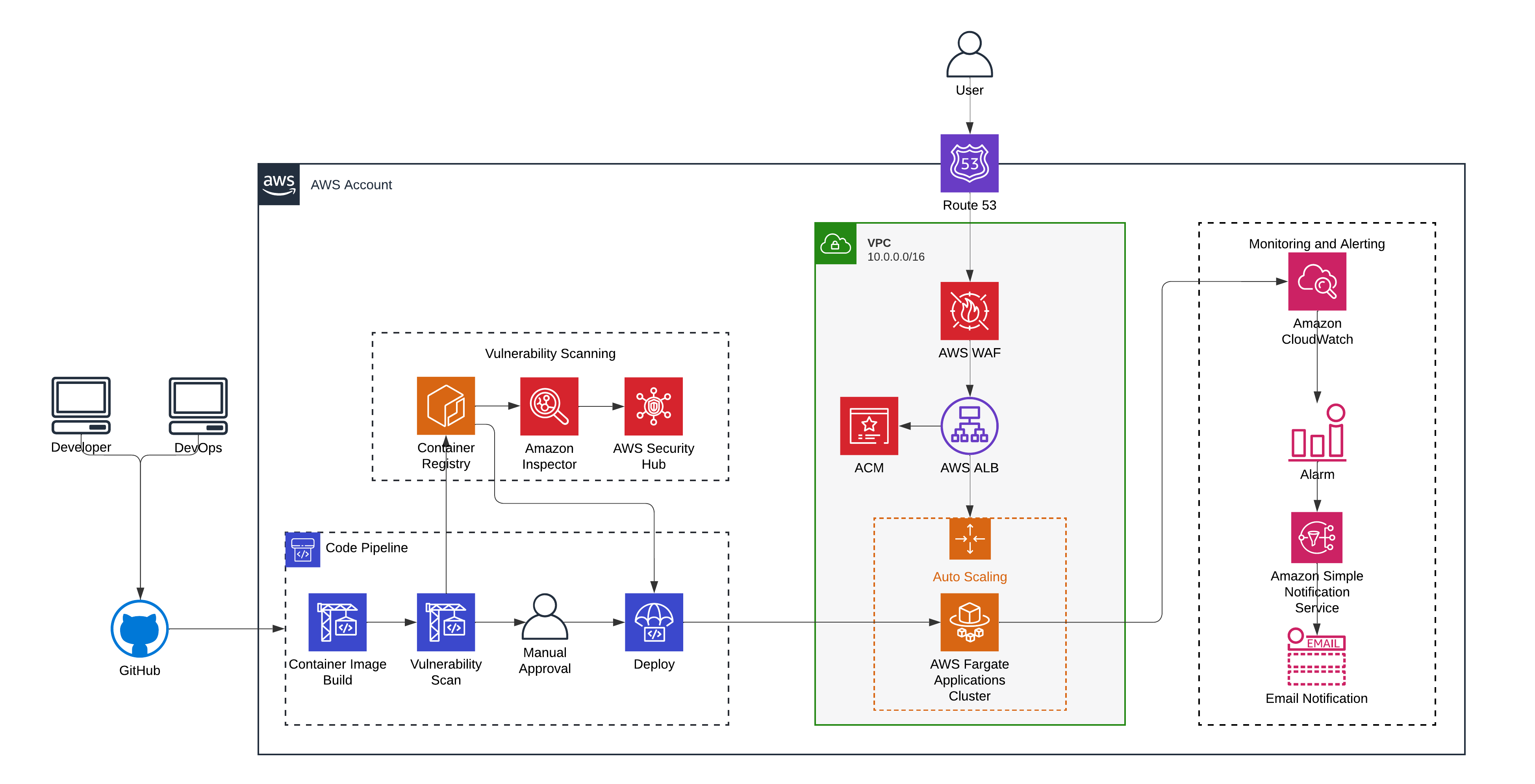
It aggregates data from various services, including Amazon GuardDuty (which uses machine learning to detect malicious activity) and AWS Inspector (which checks for software vulnerabilities). By centralizing these insights, your security team can prioritize and remediate the most critical threats, reducing the overall attack surface of your infrastructure.
Comparison of Key AWS Security Services
| Service | Primary Function | Best Use Case |
|---|---|---|
| AWS IAM | Identity and Access | Managing user/service permissions |
| AWS KMS | Key Management | Encrypting sensitive data volumes |
| Amazon VPC | Network Isolation | Defining private network boundaries |
| AWS CloudTrail | Audit Logging | Tracking API activity for compliance |
| Amazon GuardDuty | Threat Detection | Monitoring for account compromise |
| AWS WAF | Web Protection | Blocking SQL injection/cross-site scripting |
6. Managing Vulnerabilities and Patching
Cloud security is dynamic. Your infrastructure is not "secure" once configured; it must be continuously updated. AWS Systems Manager provides the tools necessary to automate the patching process for your EC2 instances and on-premises servers.
Neglecting patch management leaves your systems exposed to known vulnerabilities. Establish a regular cycle of vulnerability assessment and automated patching. Leverage Amazon Inspector to scan your workloads for software vulnerabilities and unintended network exposure, providing a clear report of actions needed to remediate identified risks.
7. Web Application Firewall (WAF)
If you host web-facing applications, you are at risk of common exploits such as SQL injection and cross-site scripting (XSS). AWS WAF allows you to monitor and filter incoming web requests to your applications running on Amazon CloudFront, Application Load Balancer, or Amazon API Gateway.
Create custom rules based on IP addresses, HTTP headers, or request body content. By placing WAF in front of your applications, you can effectively block malicious traffic before it ever interacts with your application code or database, providing an essential layer of protection for customer-facing services.
8. Data Backup and Disaster Recovery
A core component of security is availability. If your data is deleted or corrupted by a security breach, you need a reliable recovery strategy. AWS Backup provides a centralized service to automate and manage backups across various AWS services.
Ensure your backups are stored in a separate, immutable location. Test your recovery process regularly to ensure that you can restore data within your defined Recovery Time Objective (RTO) and Recovery Point Objective (RPO). A security plan that ignores backup is incomplete, as ransom-driven data encryption is a persistent threat.
9. Infrastructure as Code (IaC) Security
Modern AWS environments are managed through code using tools like AWS CloudFormation or Terraform. While IaC improves efficiency, it also risks "scaling" misconfigurations if not properly secured.
Scan your infrastructure code for security flaws before deployment using static analysis tools. Implement policies—such as Service Control Policies (SCPs)—that prevent developers from deploying insecure resources, such as publicly accessible S3 buckets or unencrypted databases, regardless of what the infrastructure code specifies.
10. Incident Response Readiness
Preparation is the difference between a minor incident and a catastrophic failure. Develop a comprehensive Incident Response (IR) plan that outlines the steps to take when a security event is detected.
Your plan should include roles and responsibilities, communication channels, and automated playbooks for isolation and containment. Perform regular "game days" or tabletop exercises to test your team's reaction to simulated attacks. Knowing how to use services like AWS Systems Manager to isolate a compromised instance quickly is far more valuable than having a static, untested manual.
11. Security Training and Governance
Human error remains the most significant risk factor in cloud environments. No technical control can fully mitigate the risk of misconfigured policies if the personnel managing them do not understand the underlying security principles.
Foster a culture of security by providing regular training for your engineering teams. Use AWS Organizations to enforce governance across multiple accounts, ensuring that security best practices—like centralized logging and restricted access—are applied consistently by default. Governance ensures that "security basics" are not skipped for the sake of speed or convenience.
Frequently Asked Questions
Why shouldn't I just use a static PDF for AWS security?
AWS releases new features and services frequently. A static PDF document may quickly become outdated, failing to account for new security controls or threat vectors discovered after the document's publication.
What is the most important security practice for AWS beginners?
The most important practice is enabling Multi-Factor Authentication (MFA) on the root account and every user account. This prevents unauthorized access even if credentials are compromised.
How do I check if my current AWS setup is secure?
Use the AWS Trusted Advisor service. It provides automated checks against AWS best practices in the categories of cost optimization, performance, security, and fault tolerance.
Does AWS provide security documentation?
Yes, AWS provides extensive official documentation, whitepapers, and the "AWS Security Documentation" portal. These sources are updated in real-time, unlike static PDF files found in third-party repositories.
What is the difference between Security Groups and NACLs?
Security Groups are stateful firewalls for instances, while NACLs are stateless firewalls for subnets. You need both to build a defense-in-depth strategy.
Recommendation for Next Steps
To begin securing your infrastructure effectively, stop relying on static documentation and start using native AWS tools to enforce your security posture. Start by running an AWS Trusted Advisor security audit to identify immediate vulnerabilities. Once you have a list of recommendations, prioritize them by impact—start with MFA enforcement, then move to network isolation, and finally implement automated logging via CloudTrail. For continuous improvement, dedicate time each quarter to review your compliance against the AWS Well-Architected Framework, which provides the most current and authoritative guidance for secure cloud operations.