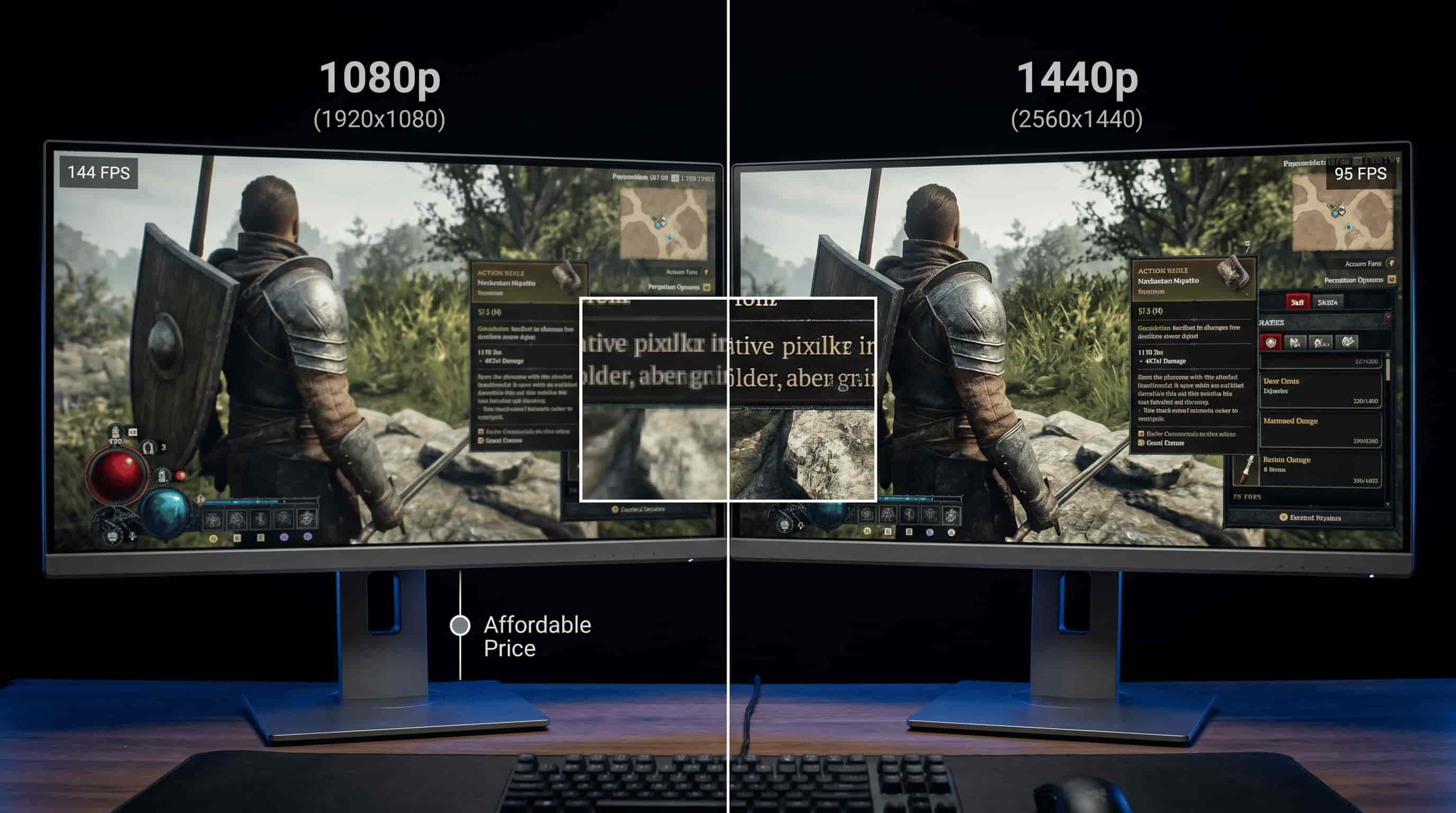
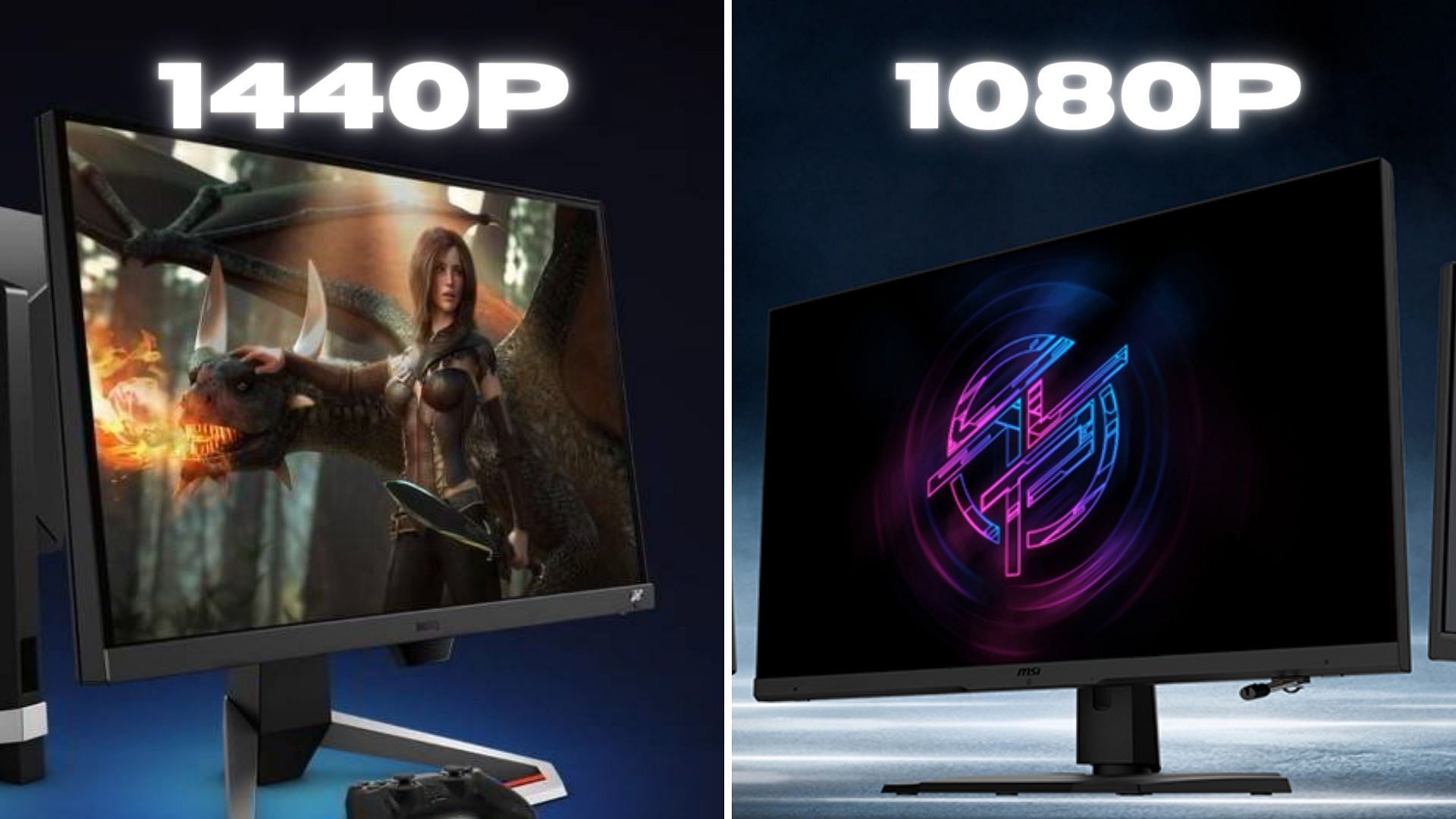
Choosing between 1440p and 1080p depends on your hardware capabilities, budget, and intended use. While 1440p (QHD) offers 78% more screen real estate and significantly sharper image quality, making it the 2026 standard for immersive gaming and productivity, 1080p (FHD) remains the superior choice for budget-conscious users and professional esports competitors prioritizing maximum frame rates.
The landscape of display technology has shifted significantly over the last several years. As we move through 2026, the debate between 1080p (Full HD) and 1440p (Quad HD) has reached a point where the price gap is narrower than ever, yet the performance requirements remain a critical barrier for many. To make an informed decision, one must look beyond simple pixel counts and understand how these resolutions interact with panel size, pixel density, and the processing power of modern graphics cards.
Understanding the Technical Foundations: Resolution and Pixel Density
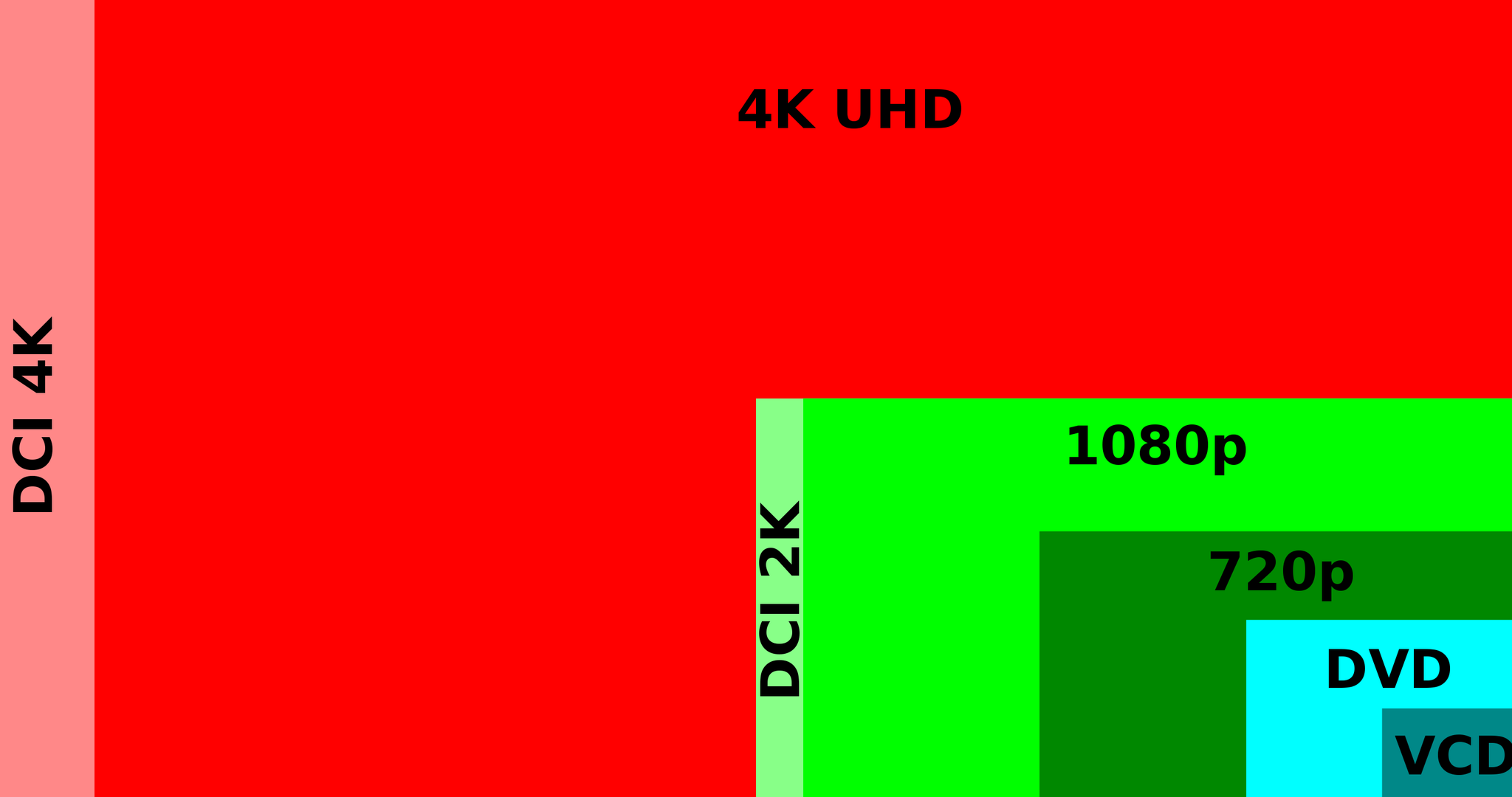
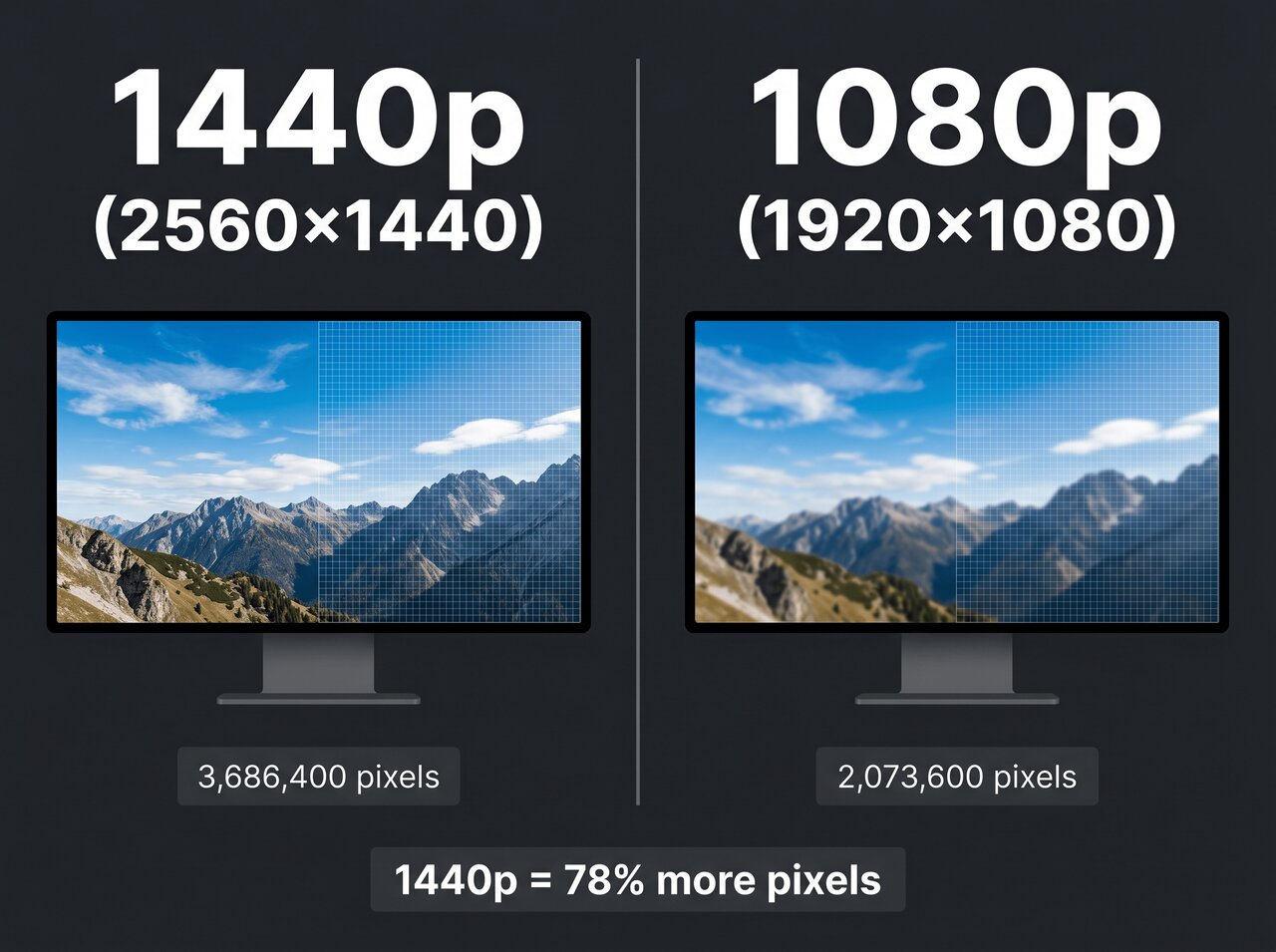
At its core, the difference between these two standards is defined by the number of individual pixels used to create an image. A 1080p monitor features a resolution of 1920 x 1080, totaling approximately 2.07 million pixels. In contrast, a 1440p monitor features 2560 x 1440 pixels, which totals roughly 3.69 million pixels. This mathematical jump is not just a minor increase; it represents a nearly 80% increase in the amount of data your computer must process and display every second.
However, resolution in a vacuum is less important than Pixel Density, commonly measured in Pixels Per Inch (PPI). PPI determines how sharp the image appears at a specific viewing distance. A 24-inch 1080p monitor has a pixel density of about 92 PPI. This is widely considered the "baseline" for a clear image. If you stretch that same 1080p resolution to a 27-inch monitor, the PPI drops to roughly 81, which often results in visible pixelation, jagged edges on text, and a generally "fuzzy" appearance during close-up office work.
1440p solves this density problem for larger screens. On a 27-inch display—the most popular size for 1440p—the density jumps to 109 PPI. This creates a much sharper image where individual pixels are nearly invisible to the naked eye at standard desk distances. In 2026, the 27-inch 1440p monitor has effectively replaced the 24-inch 1080p as the "sweet spot" for the average user, providing a balance between clarity and the physical size of the display.
Gaming Performance and Hardware Requirements
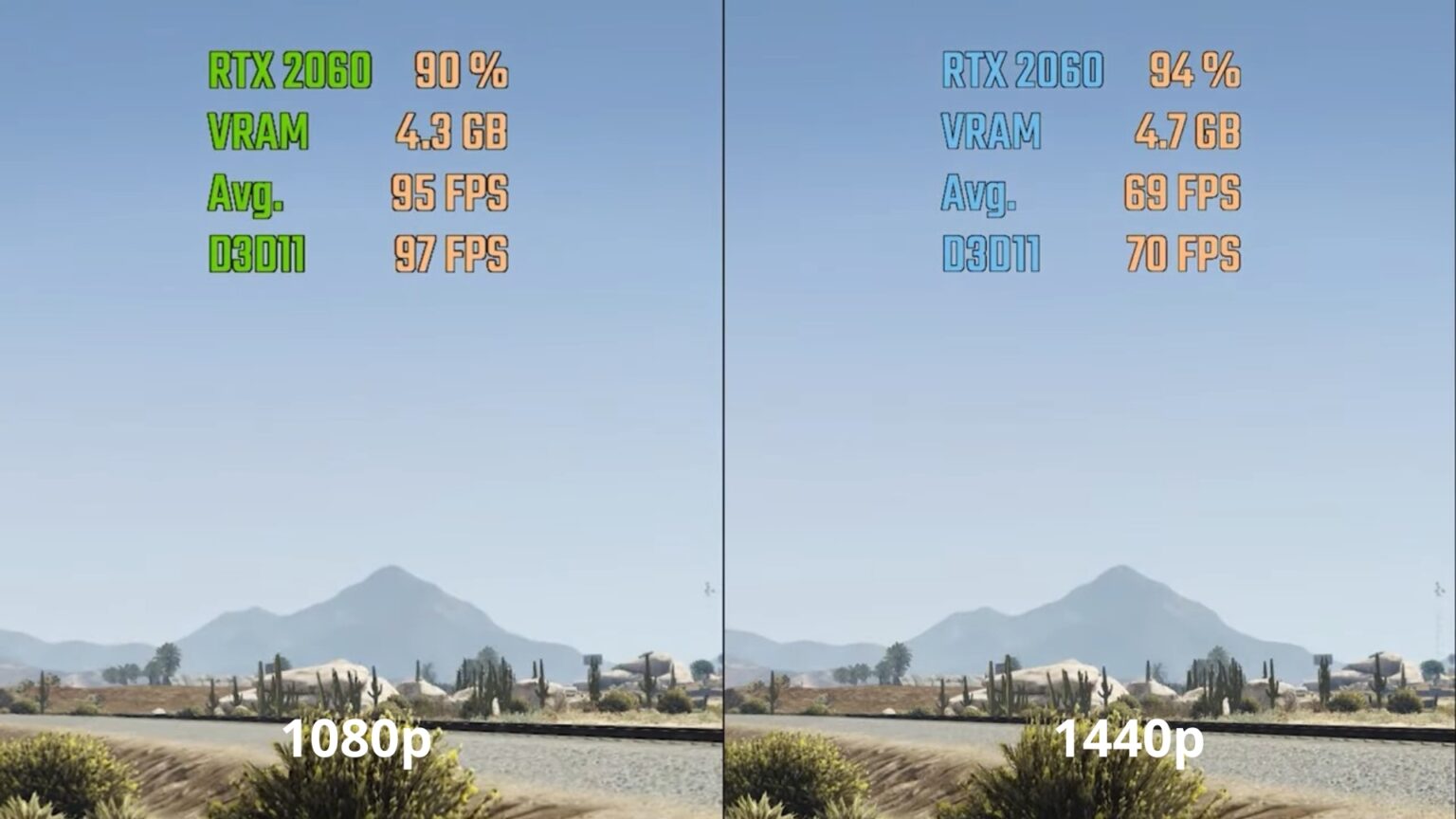
For gamers, the choice between 1080p and 1440p is primarily a question of balancing visual fidelity against fluid motion. Because a 1440p screen has 78% more pixels, your Graphics Processing Unit (GPU) must work significantly harder to render games at the same frame rate as it would at 1080p.
The 1080p Competitive Edge
In the realm of professional esports—titles like Counter-Strike 2, Valorant, and Apex Legends—1080p remains the dominant standard. The reason is simple: frame rate is king. Even with the powerful GPUs available in 2026, pushing 360Hz or 500Hz refresh rates is far more achievable at 1080p. Competitive players often prefer 24-inch 1080p monitors because the smaller screen size allows them to keep the entire field of play within their peripheral vision without moving their eyes excessively.
Furthermore, 1080p is the most "forgiving" resolution for older or entry-level hardware. If you are running a mid-range card from a few generations ago, such as an RTX 3060 or an RX 6600, 1080p ensures you can maintain high settings with stable frame rates in modern AAA titles.
The 1440p Immersive Experience
If your gaming habits lean toward cinematic, single-player experiences like Cyberpunk 2077, Starfield, or the latest open-world RPGs, 1440p is a transformative upgrade. The added resolution brings out fine textures, reduces the need for heavy anti-aliasing (which can blur images), and provides a much greater sense of depth.
To drive a 1440p monitor effectively in 2026, a mid-to-high-end GPU is recommended. Cards in the class of the RTX 4070 or RX 7800 XT are generally considered the baseline for a premium 1440p experience, allowing for high refresh rates (144Hz+) at "Ultra" settings. While technologies like DLSS (Deep Learning Super Sampling) and FSR (FidelityFX Super Resolution) have made 1440p gaming more accessible by upscaling lower-resolution images, the native clarity of a 1440p panel still offers a level of crispness that 1080p cannot match.
Productivity and Screen Real Estate
While gaming often dominates the conversation, the benefits of 1440p for office work, content creation, and general browsing are arguably more significant. Resolution isn't just about how "sharp" something looks; it is also about how much "stuff" you can fit on your screen.
In a 1080p environment, opening two windows side-by-side often feels cramped. Toolbars in software like Adobe Premiere, Photoshop, or even complex Excel spreadsheets can consume a large percentage of the available pixels, leaving little room for the actual workspace.
Upgrading to 1440p provides a massive increase in usable desktop area. You can comfortably fit two full-sized web browser windows side-by-side or view a timeline in a video editor with significantly less scrolling. For programmers, the extra vertical and horizontal pixels mean more lines of code are visible at once. In 2026, where remote work and multi-tasking are the norms, the productivity gains of 1440p often justify the cost of the monitor and the hardware required to run it.
The Cost Factor: Beyond the Monitor Price
When comparing 1080p and 1440p, it is vital to calculate the total cost of ownership. A 1440p monitor itself has become very affordable, often priced within $50 to $100 of a high-quality 1080p equivalent. However, the hidden costs lie inside your PC case.
- GPU Costs: A PC built for 1080p gaming can use a budget-tier GPU, saving hundreds of dollars. A PC built for 1440p requires a more robust power supply and a more expensive graphics card to ensure the monitor's refresh rate is actually utilized.
- Electricity Consumption: Higher-end GPUs required for 1440p draw more power, leading to slightly higher utility bills and increased heat output in your room.
- Longevity: A 1080p system will likely stay "relevant" longer in terms of gaming performance. As games become more demanding over the next several years, a card that struggles at 1440p might still perform admirably at 1080p.
| Feature | 1080p (Full HD) | 1440p (Quad HD) |
|---|---|---|
| Resolution | 1920 x 1080 | 2560 x 1440 |
| Total Pixels | ~2.07 Million | ~3.69 Million |
| Ideal Monitor Size | 24-inch | 27-inch |
| Pixel Density (at 27") | ~81 PPI (Low) | ~109 PPI (High) |
| GPU Demand | Low to Moderate | Moderate to High |
| Best For | Competitive Esports / Budget Builds | General Use / AAA Gaming / Productivity |
| Screen Real Estate | Standard | High (+78% over 1080p) |
| Common Refresh Rates | 60Hz - 500Hz | 60Hz - 360Hz |
Visual Fidelity and Panel Technology in 2026
As of 2026, the type of panel (IPS, VA, or OLED) often matters as much as the resolution itself. In previous years, 1440p was the gatekeeper to better panel technology, but that has changed.
- IPS (In-Plane Switching): Most mid-range 1080p and 1440p monitors use IPS for its excellent color accuracy and wide viewing angles. At 1440p, IPS panels are the standard for creative professionals who need color precision alongside high resolution.
- OLED (Organic Light Emitting Diode): In 2026, OLED has become more common in the 1440p segment. 1440p OLED monitors offer "infinite" contrast and near-instant response times. If you are choosing between a 1080p IPS and a 1440p OLED, the 1440p OLED is a generational leap in every possible metric.
- HDR (High Dynamic Range): 1440p monitors are more likely to feature "true" HDR capabilities (HDR 600 or higher). While many 1080p monitors claim HDR support, they often lack the brightness and local dimming zones required to make it meaningful.
Common Pitfalls: Scaling and Size
A frequent mistake users make is buying a 32-inch 1080p monitor. At that size, the pixels are so large that the image looks noticeably pixelated, and text can become difficult to read, leading to eye strain. Conversely, some users find that 1440p on a 24-inch monitor makes text too small. While Windows and macOS offer "Scaling" options (e.g., setting the interface to 125%), this can sometimes cause blurriness in older applications.
The industry consensus in 2026 remains firm:
- 1080p is best suited for 24-inch displays.
- 1440p is best suited for 27-inch to 32-inch displays.
If you desire a screen larger than 27 inches, 1440p should be considered the absolute minimum resolution to maintain a professional and legible workspace.
Connectivity Standards
Before upgrading, verify your connectivity. To run 1440p at high refresh rates (144Hz or 240Hz), you generally need DisplayPort 1.4 or HDMI 2.1. Older HDMI 1.4 cables and ports, common on budget laptops and older GPUs, may be limited to 1440p at only 60Hz or may not support the resolution at all. In 2026, most modern hardware supports these standards, but if you are connecting a 1440p monitor to an older office laptop, you may run into bandwidth limitations that force you back down to 1080p.
Frequently Asked Questions
Does 1080p content look bad on a 1440p monitor?
Because 1440p is not a direct integer multiple of 1080p (unlike 4K, which is exactly 2x2 1080p), 1080p content can look slightly "soft" or blurry on a 1440p screen. This is most noticeable in gaming if you have to lower your resolution to maintain frame rates. However, for video content like YouTube or Netflix, the difference is usually negligible due to sophisticated scaling algorithms.
Is 1440p worth it for a 24-inch monitor?
While 1440p 24-inch monitors exist, they are rare. The pixel density is very high (about 122 PPI), which makes for an incredibly sharp image, but most users find they have to use Windows scaling to read text comfortably. For most people, the extra cost of 1440p is better spent on a 27-inch panel.
Can a console like the PS5 or Xbox Series X run at 1440p?
Yes. Since late 2022 and early 2023, both the PlayStation 5 and Xbox Series X have fully supported native 1440p output. This makes 1440p monitors an excellent "middle ground" for console gamers who want better-than-1080p visuals but don't want to invest in an expensive 4K 120Hz television.
Will 1440p eventually replace 1080p?
In the mid-to-high-end market, it already has. However, 1080p will likely persist for years as the entry-level standard for laptops, budget office monitors, and specialized high-speed esports displays. It is less about 1440p replacing 1080p and more about 1440p becoming the new "baseline" for the enthusiast and professional markets.
Is the jump from 1080p to 1440p as big as the jump to 4K?
The jump from 1080p to 1440p is very noticeable, especially in terms of screen real estate. While 4K (2160p) is technically twice as sharp as 1440p, the diminishing returns are higher. Many users find the 1080p-to-1440p jump to be the most "efficient" upgrade because it provides a significant visual boost without requiring the extreme (and expensive) GPU power needed for 4K.
Final Recommendation: Which Should You Buy?
In 2026, the recommendation is clear for most users: Choose 1440p if you have a modern mid-range GPU. The increase in productivity from the extra screen real estate, combined with the superior clarity in games and media, makes it a much better long-term investment. A 27-inch 1440p 144Hz+ monitor is currently the gold standard for a versatile PC setup.
Choose 1080p only if you are on a strict budget (under $150 for the monitor), you are running an entry-level or older PC, or you are a hardcore competitive gamer who values every single frame per second over visual quality. If you do choose 1080p, stick to a 24-inch screen size to maintain acceptable pixel density and avoid a grainy image.