A well-crafted press kit—often referred to as an electronic press kit or media kit—serves as a comprehensive promotional portfolio that provides journalists, event organizers, investors, and brand partners with verified information, high-resolution imagery, and background materials about a project, company, or individual. Selecting the right press kit format or platform ensures that media professionals can quickly access assets, understand core messaging, and accurately represent your brand without encountering technical hurdles or missing vital details.
Understanding the Purpose and Evolution of Press Kits
In modern public relations and brand communication, a press kit has evolved far beyond the traditional paper folders and physical CDs once handed out at press conferences. Today, digital press kits exist as downloadable zip archives, dedicated web pages, hosted cloud folders, or interactive online newsrooms. Regardless of the technical medium, the foundational goal remains constant: reducing friction for media professionals who operate under tight deadlines.
When a journalist or editor lands on a press kit, they are usually looking for specific items. These typically include an up-to-date company biography, founder headshots, product specification sheets, logo files in vector and raster formats, recent press releases, and direct contact details for media inquiries. A poorly organized press kit with broken links, watermarked images, or outdated statistics can cause a journalist to abandon a story altogether. Conversely, a streamlined, comprehensive press kit establishes instant credibility and significantly increases the likelihood of accurate, favorable media coverage.
Criteria for Evaluating Effective Media Kits
Evaluating what makes a press kit effective requires looking past aesthetic design to examine functionality, accessibility, and utility. When reviewing options and platforms, several critical benchmarks help determine performance:
- Asset Accessibility: Can media members download high-resolution files instantly without creating accounts or requesting permission codes?
- Mobile Responsiveness: Does the press kit render cleanly on smartphones and tablets, where many editors preview pitches on the go?
- Information Hierarchy: Are the most important details—such as what the company does, recent news, and primary contact information—visible immediately?
- Customization and Branding: Does the platform allow the brand to maintain visual consistency through custom typography, color palettes, and domain names?
- Analytics and Tracking: Does the software provide insight into who is viewing, downloading, or engaging with the provided media assets?
1. Notion-Based Dynamic Press Kits
Notion has emerged as one of the most versatile and popular platforms for building clean, dynamic, and easily updateable press kits. By leveraging Notion’s public page sharing capabilities, creators, startups, and personal brands can construct modular press kits that load rapidly and display seamlessly across all devices.
Features and Implementation
A Notion-based press kit allows for a clean separation of information through toggles, databases, and embedded media. Creators can structure a page with a brief executive summary at the top, followed by cleanly organized sections for brand assets, founder biographies, product galleries, and coverage highlights. Because Notion supports direct file embedding, users can download PDFs, zip files containing vector logos, and audio or video files directly from the page.
Pros and Cons
The primary advantage of using Notion is its cost-effectiveness and ease of maintenance. Updates made to a Notion database reflect instantly on the public link, eliminating the need to re-upload files or rewrite code. Furthermore, it requires zero technical web development knowledge. On the downside, customization is somewhat restricted to Notion's design framework, and heavily branded enterprise campaigns might find the aesthetic too minimalist or utilitarian unless customized with custom CSS wrappers or integrated domains.
2. Canva Visual Media Portfolios
Canva offers robust templates and hosting capabilities tailored specifically for visual artists, musicians, fashion brands, and lifestyle companies that prioritize visual storytelling. Instead of relying on text-heavy pages, Canva-based press kits present information through beautifully designed interactive documents and mini-websites.
Features and Implementation
Canva provides hundreds of specialized press kit templates that balance typography, imagery, and whitespace. Users can embed hyperlinks directly into graphic elements, allowing a journalist to click a logo thumbnail and instantly trigger a high-resolution asset download. Canva also allows users to publish these designs directly as standalone websites with custom URLs or embed them into existing portfolio domains.
Pros and Cons
The standout benefit of Canva is its exceptional visual flexibility. It allows non-designers to produce publication-grade media kits that match strict aesthetic standards. However, Canva press kits can sometimes become sluggish if they rely on overly heavy graphic elements or uncompressed images. Additionally, they lack advanced backend analytics, making it difficult to track specific user engagement metrics beyond basic page views.
3. Dedicated Online Newsrooms (Meltwater and Cision Portfolios)
For enterprise-level corporations, publicly traded companies, and large-scale public relations agencies, dedicated newsroom platforms like Meltwater or Cision represent the industry standard for media asset distribution. These platforms go beyond simple folders to provide fully integrated media relations ecosystems.
Features and Implementation
These platforms feature secure, searchable online newsrooms where journalists can filter press releases by date, category, or product line. They automatically integrate multimedia galleries, stock ticker symbols, regulatory filings, and executive bios into a centralized hub. Furthermore, they feature built-in distribution networks that push updates directly to registered media databases.
Pros and Cons
The clear advantage of enterprise newsroom software is scale, security, and integration with professional PR workflows. They offer granular analytics, showing exactly which media outlets downloaded specific assets. The major drawback, however, is cost. These platforms operate on substantial enterprise subscription models that are generally prohibitive for independent creators, early-stage startups, and small businesses.
4. WordPress Media Hub Plugins and Custom Pages
For organizations that already maintain a robust web presence, hosting a dedicated press kit directly on a WordPress site via custom pages or specialized plugins offers unmatched control and SEO benefits.
Features and Implementation
A WordPress media hub is typically structured as a parent page (e.g., brand.com/press) with child pages or downloadable resource blocks. Webmasters can utilize file manager plugins to generate secure direct-download links for asset bundles. By keeping the press kit on an owned domain, all inbound media links contribute directly to the primary website's search engine authority.
Pros and Cons
WordPress offers infinite customization, robust security permissions, and complete ownership of data and analytics. The primary challenge is maintenance. Unlike cloud-hosted documents, maintaining a WordPress press kit requires active management of plugins, security updates, and file storage limits to ensure the site remains fast and reliable under traffic spikes.
5. Cloud Storage Portfolios (Dropbox and Google Drive Archives)
While simple in structure, structured cloud storage folders hosted on platforms like Dropbox or Google Drive remain widely utilized, highly functional solutions for rapid asset distribution.
Features and Implementation
Setting up a cloud storage press kit involves organizing assets into clearly labeled subdirectories—such as Logos, Headshots, Press Releases, and Fact Sheets. Access permissions are set to public view, and a single shareable link is distributed in pitch emails. Many professionals pair this link with a short, text-based landing page or include it directly within their email signature.
Pros and Cons
Cloud archives are universally accessible, require no specialized software, and can handle massive files—such as 4K video reels or uncompressed audio stems—that would crash web pages or email servers. The main limitation is branding; raw cloud storage folders lack a polished editorial presentation, forcing users to rely entirely on file naming conventions to tell their story.
| Press Kit Platform | Best Suited For | Cost Structure | Key Advantage | Primary Limitation |
|---|---|---|---|---|
| Notion | Startups, Creators, Tech Founders | Free / Low-Cost Tier | Highly modular, instant updates | Minimalist aesthetic requires adaptation |
| Canva | Artists, Designers, Lifestyle Brands | Freemium / Subscription | Exceptional visual design templates | Limited backend engagement analytics |
| Enterprise Newsrooms | Large Corporations, PR Agencies | High-Tier Enterprise Pricing | Built-in media distribution & analytics | Expensive for small businesses |
| WordPress Hubs | Established Brands with Existing Sites | Variable (Hosting/Plugins) | Full SEO control and domain ownership | Requires ongoing technical maintenance |
| Cloud Storage | Filmmakers, Musicians, Heavy Media | Free / Storage Tiers | Handles massive media files seamlessly | Lacks custom editorial presentation |
Essential Components to Include in Your Press Kit
Regardless of the platform chosen, certain core elements must be present to ensure the kit serves its purpose effectively. Omitting these details often results in delayed coverage or editorial frustration.
Company Bio and Fact Sheet
The company backgrounder should provide a concise, factual narrative explaining when the entity was founded, who leads it, what problem it solves, and its current market position. Avoid overly dense marketing jargon; instead, focus on clear, verifiable milestones. Accompanying this should be a one-page fact sheet containing quick data points: headquarters location, funding status, core products, and website URLs.
High-Resolution Visual Assets
Visual assets must be provided in multiple formats. Logos should include vector versions (.EPS or .SVG) for print and high-res transparent PNGs for digital use. Color variations—including full color, solid white, and solid black—must be included to accommodate different publication backgrounds. Founder and executive headshots should be provided in both high-resolution formats for print publications and compressed web-friendly formats.
Contact Information and Boilerplate
Clear media contact details are mandatory. Provide a dedicated email address (e.g., press@brand.com) rather than a general customer support inbox. Include the name and direct phone number of the responsible communications lead or public relations agency. Finally, conclude the kit with a standard boilerplate—a short, standardized paragraph explaining the company's mission that journalists can copy and paste directly into the footer of their articles.
Common Press Kit Mistakes to Avoid
Even with the right platform, certain common missteps can undermine public relations efforts. Avoiding these pitfalls ensures smooth media interactions:
- Protecting Assets Behind Registration Walls: Never require journalists to create an account, log in, or fill out a lead capture form simply to download a logo or read a press release.
- Neglecting File Compression: Uploading multi-gigabyte uncompressed video files directly to web pages slows down load times significantly. Use optimized previews and provide external high-speed links for raw media.
- Failing to Update Content: Leaving outdated product specs, former employee bios, or old funding rounds in an active press kit creates confusion and damages brand credibility.
- Ignoring Mobile Usability: Reviewing the press kit exclusively on a desktop monitor can result in overlooked formatting errors that break the layout on mobile phones or tablets.
Frequently Asked Questions
What is the difference between a press kit and a media kit?
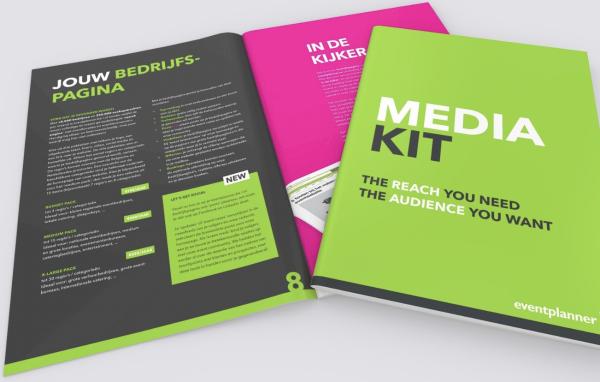
While the terms are often used interchangeably, a press kit traditionally focuses on news-oriented content intended for journalists and reporters—such as press releases, founder bios, and product news. A media kit, conversely, is frequently used by content creators, publishers, and influencers to outline advertising rates, audience demographics, traffic metrics, and sponsorship opportunities for potential commercial partners.
How large should my press kit files be?
Individual image files should generally be optimized for web viewing (under 2MB) while remaining sharp enough for quick inspection, with a separate folder or clear instructions provided for accessing uncompressed print-quality assets. Entire archives bundled into zip files should ideally remain under 50MB to prevent download timeouts on slower internet connections.
Should I password-protect my press kit?
In most cases, press kits should remain completely public to eliminate barriers for journalists working under strict deadlines. Password protection should only be used when releasing embargoed product announcements or sensitive financial data to a vetted list of reporters prior to an official public launch.
How often should a digital press kit be updated?
A press kit should be audited and updated quarterly to ensure team rosters, executive headshots, current metrics, and recent press mentions reflect the most accurate, up-to-date state of the organization. Immediate updates are required whenever a major rebrand, leadership change, or product launch occurs.
Conclusion and Next Actions
Choosing the right press kit for your brand depends entirely on your technical resources, asset types, and target media audience. Start by auditing your existing brand assets—gathering vector logos, updated executive headshots, and clear company biographies. Next, select a hosting platform that matches your workflow, whether that is a streamlined Notion page, a visually striking Canva portfolio, or an integrated website hub. By prioritizing accessibility, clean organization, and high-resolution assets, you establish a professional foundation that encourages accurate, timely media coverage.