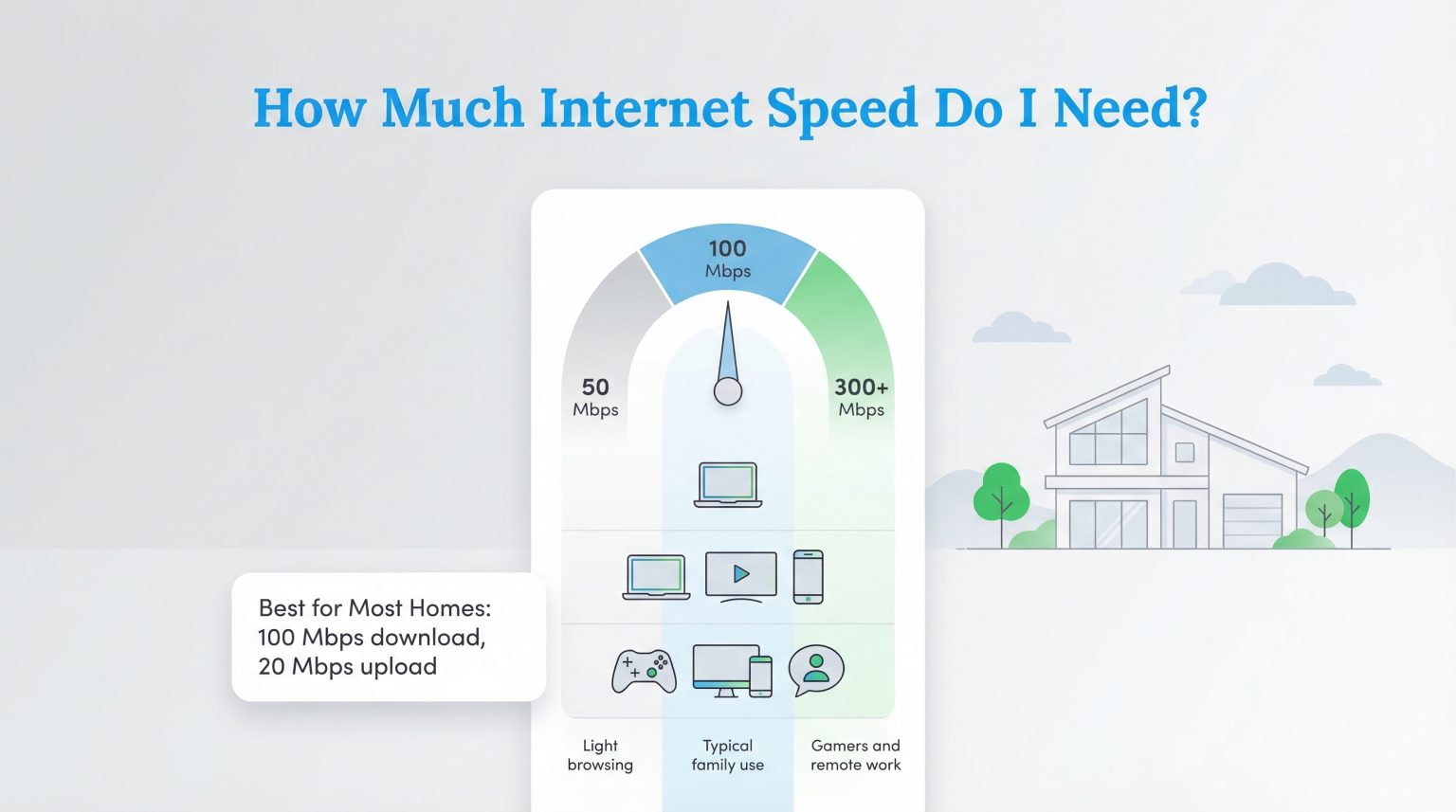
A 100 Mbps (megabits per second) Wi-Fi speed provides a data transmission rate capable of supporting multiple concurrent internet users, streaming 4K video on multiple devices, handling remote work requirements, and managing standard smart home devices without noticeable lag or buffering.
Understanding home internet speeds can often feel like navigating an unfamiliar technical landscape filled with complex jargon, marketing terms, and fluctuating performance metrics. Among the various tiers offered by Internet Service Providers (ISPs), a 100 Mbps connection occupies a foundational sweet spot. It is widely considered a reliable, cost-effective baseline for modern households. However, as applications demand heavier data processing and smart homes become increasingly complex, evaluating whether 100 Mbps aligns with your household's digital footprint requires a careful look at bandwidth, device counts, and real-world network mechanics.
Defining 100 Mbps: Megabits, Megabytes, and Real-World Performance
To understand what 100 Mbps means for your home, it is essential to first clarify what the measurement actually represents. Network speeds are measured in megabits per second (Mbps), where a "bit" is the smallest unit of data. This is frequently confused with megabytes per second (MBps), with a capital "B," which measures file sizes and download rates. Because there are eight bits in a single byte, a theoretical 100 Mbps connection translates to a maximum download speed of approximately 12.5 megabytes per second under ideal laboratory conditions.
Furthermore, consumers must distinguish between download speeds and upload speeds.
- Download speed governs how fast your devices pull data from the internet—such as streaming movies, loading web pages, or downloading software updates.
- Upload speed dictates how fast your devices send data outward—such as hosting a video conference call, uploading large files to cloud storage, or streaming live video.
Many traditional cable providers offer asymmetrical plans, meaning a 100 Mbps download speed might be paired with a much lower upload speed, typically ranging from 10 Mbps to 20 Mbps. Fiber-optic connections, by contrast, frequently offer symmetrical speeds, delivering 100 Mbps for both downloading and uploading. For a deeper look into the standards governing these measurements, the Federal Communications Commission (FCC) provides consumer guides on broadband metrics and testing methodologies.
Household Demands: How 100 Mbps Handles Daily Digital Tasks
The true test of any internet speed is how well it performs under the weight of everyday domestic life. A 100 Mbps connection does not mean a single device hogs the entire pipe; rather, that 100 megabits are dynamically distributed across every connected phone, tablet, television, computer, and smart appliance in the house.
Streaming and Entertainment
Video streaming is one of the most common bandwidth consumers in a modern household. Major streaming platforms typically recommend the following minimum download speeds for optimal video quality:
- Standard Definition (SD): 3 Mbps
- High Definition (HD): 5 Mbps to 8 Mbps
- 4K Ultra High Definition (UHD): 15 Mbps to 25 Mbps per stream
With a 100 Mbps connection, your home can comfortably support multiple 4K streams simultaneously. For instance, three family members could watch separate 4K movies on different televisions while another person browses the web, all without experiencing frustrating compression artifacts or buffering pauses.
Remote Work and Video Conferencing
Remote work, distance learning, and hybrid schedules place unique demands on a network, requiring stability in both directions. Professional video conferencing platforms like Zoom and Microsoft Teams generally require between 2.0 Mbps and 4.0 Mbps for high-definition group video calls.
A 100 Mbps connection easily handles multiple simultaneous work calls. However, if your plan features an asymmetrical upload speed of 10 Mbps or lower, running multiple intensive video uploads alongside large cloud backups might occasionally strain the upstream pipe. For typical remote office tasks—such as editing documents in the cloud, loading emails, and participating in meetings—100 Mbps provides ample headroom.
Online Gaming
Gamers often prioritize low latency (ping) over raw bandwidth, but download speeds remain crucial for acquiring modern video games, which frequently exceed 50 gigabytes in size.
- Active online gameplay typically consumes very little bandwidth, usually between 3 Mbps and 5 Mbps.
- Downloading a massive game update on a 100 Mbps connection will take roughly one hour per 45 gigabytes, which is entirely manageable for casual players, though dedicated enthusiasts with large libraries may prefer faster tiers.
Bandwidth Allocation for a Standard 100 Mbps Home
| Activity / Device Type | Approximate Bandwidth Required | Max Concurrent Streams/Users on 100 Mbps |
|---|---|---|
| 4K Ultra HD Streaming | 15–25 Mbps per stream | 4 to 6 streams |
| HD Video Conferencing | 3–5 Mbps per call | 10 to 20 concurrent calls |
| Online Gaming | 3–5 Mbps per player | 15 to 20 concurrent players |
| Standard Web Browsing & Email | 1–5 Mbps per user | 20+ active users |
| Smart Home Devices / IoT | 0.5–1 Mbps per device | Dozens of background devices |
Wi-Fi Hardware Limitations: Why Your Wireless Speed May Differ
A common point of friction for consumers is subscribing to a 100 Mbps internet plan, running a speed test near the router, and finding the results fall short when tested in a distant bedroom. This discrepancy usually stems from the difference between wired (Ethernet) speeds and wireless (Wi-Fi) speeds, as well as hardware bottlenecks within the home.
Your ISP delivers the 100 Mbps signal to your modem or optical network terminal (ONT). From there, your Wi-Fi router broadcasts that signal through the air using radio waves. Wi-Fi performance is subject to several physical limitations:
- Distance and Obstacles: Thick walls, concrete floors, metal appliances, and mirrors weaken Wi-Fi signals, particularly on the higher-frequency 5 GHz band.
- Router Standards: Older routers utilizing outdated Wi-Fi standards (such as 802.11n or Wi-Fi 4) may struggle to deliver 100 Mbps wirelessly, even if the incoming internet plan supports it. Upgrading to hardware supporting Wi-Fi 5 or Wi-Fi 6 ensures the router can efficiently handle the bandwidth.
- Network Congestion: If you live in an apartment building with dozens of overlapping Wi-Fi networks operating on the same channels, wireless interference can severely degrade your local speed, regardless of what your ISP is providing.
Is 100 Mbps Right for Your Household?
Deciding whether 100 Mbps is the correct tier for your home requires balancing your household size, usage habits, and future-proofing goals against available pricing and infrastructure.
Who 100 Mbps Is Best For
- Single Adults and Couples: One or two tech-heavy users who stream 4K video, work from home, and play occasional online games.
- Small Families: Households with modest digital needs where children and parents share streaming and browsing responsibilities without heavy, simultaneous data transfers.
- Budget-Conscious Consumers: Individuals who want a reliable, fast connection for daily tasks without paying premium prices for gigabit speeds they will never fully utilize.
When You Might Need to Upgrade
- Large Families or Smart Homes: Households with four or more heavy internet users, dozens of smart home cameras streaming continuous footage, and heavy reliance on cloud storage.
- Content Creators and Data Professionals: Individuals who regularly upload multi-gigabyte video files, raw photography portfolios, or large software databases. If your plan's upload speed is restricted to 10 Mbps or lower, moving to a fiber plan with symmetrical speeds is often necessary.
Troubleshooting and Maximizing Your 100 Mbps Connection
If you currently subscribe to a 100 Mbps plan but experience sluggish performance, several practical troubleshooting steps can help you restore optimal speeds before calling your provider:
- Perform a Wired Baseline Test: Plug a computer directly into your router using an Ethernet cable and run a reputable speed test. If the wired result reaches close to 100 Mbps, your internet service is functioning correctly, and the issue lies within your wireless network setup.
- Optimize Router Placement: Position your router in a central, elevated location in your home, away from thick obstructions, cordless phones, and microwave ovens that can cause radio frequency interference.
- Utilize Band Steering: Modern dual-band routers offer both 2.4 GHz and 5 GHz bands. Connect high-bandwidth devices (such as smart TVs and gaming consoles) to the 5 GHz band for faster speeds, while reserving the longer-range 2.4 GHz band for smart home sensors and distant IoT devices.
- Restart Network Hardware: Power-cycling your modem and router clears temporary memory leaks and forces the devices to select the clearest available transmission channels.
Evaluating your home network against these technical parameters ensures you pay only for the bandwidth you genuinely use while maintaining a seamless digital environment for work, school, and entertainment.
Frequently Asked Questions
Can 100 Mbps internet handle working from home?
Yes, 100 Mbps is more than enough for remote work. Standard office tasks like email, document editing, and web research require minimal bandwidth. Even high-definition video conferencing on Zoom or Microsoft Teams only uses about 3 to 5 Mbps per call, meaning multiple family members can work remotely at the same time without issue.
How many devices can run smoothly on a 100 Mbps plan?
A 100 Mbps connection can easily support 8 to 12 active devices performing everyday tasks like web browsing, music streaming, and social media. When intensive tasks like 4K video streaming or online gaming are introduced, the number of concurrent heavy-use devices drops to roughly 4 to 6 to ensure zero buffering.
Why is my Wi-Fi slower than 100 Mbps when my plan is 100 Mbps?
Wireless speeds are frequently lower than wired speeds due to physical barriers like walls, distance from the router, and wireless interference from neighboring networks. Additionally, older Wi-Fi routers may not process wireless signals efficiently enough to deliver the full plan speed over the air.
Is 100 Mbps fast enough for 4K streaming?
Yes. A single 4K video stream typically requires between 15 Mbps and 25 Mbps. A 100 Mbps connection can support up to four simultaneous 4K streams, allowing multiple household members to watch ultra-high-definition content on different screens at the same time.
Should I choose cable or fiber for a 100 Mbps plan?
If both are available at the same price point, fiber is generally superior. Fiber connections offer symmetrical download and upload speeds, lower latency, and greater reliability during peak evening hours, whereas traditional cable plans often feature much slower upload speeds.