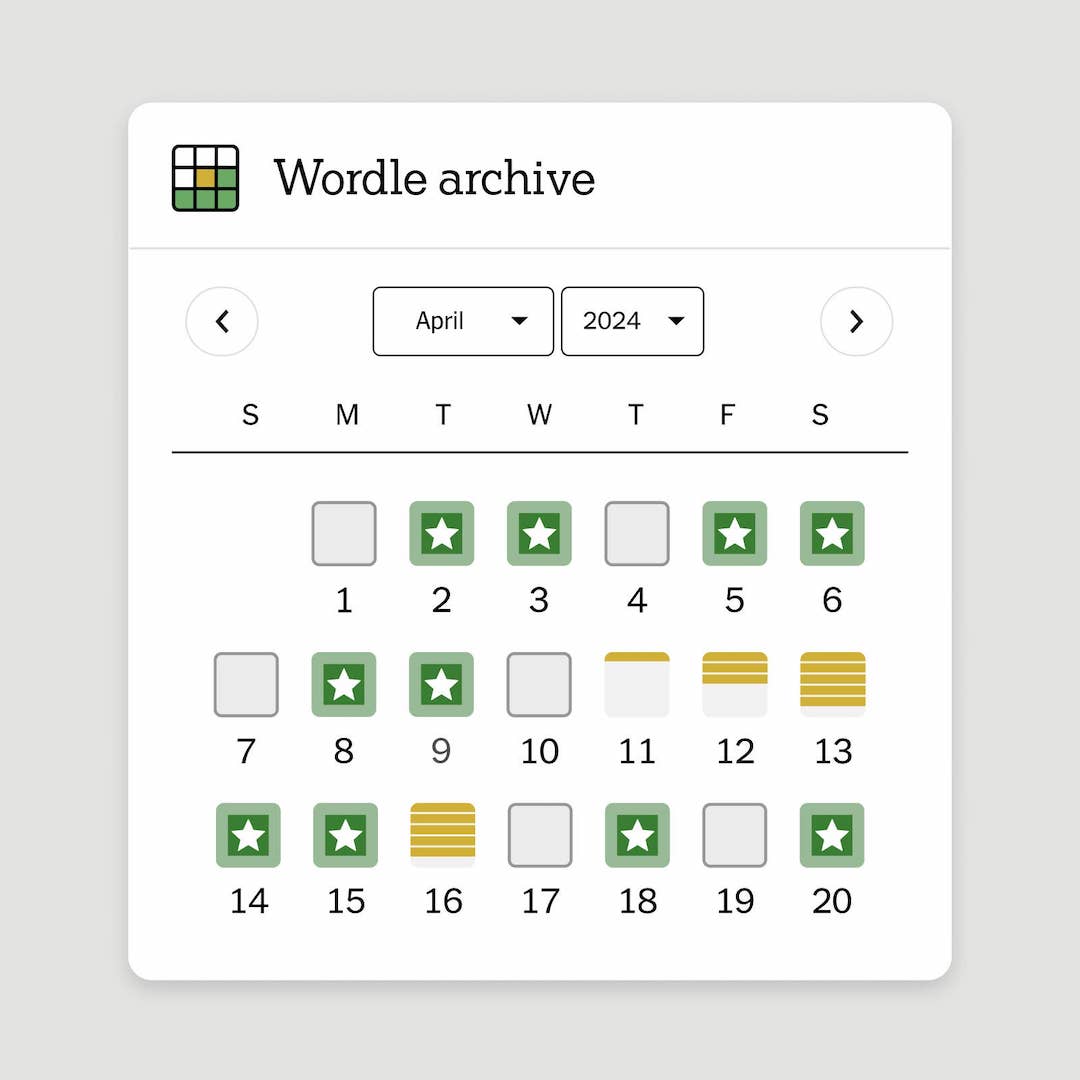
Accessing the New York Times Games archive requires a subscription to the NYT Games service, which grants users entry to a vast library of past puzzles including The Crossword, Wordle, Spelling Bee, and Connections. By logging into an active account, players can view their historical play statistics, revisit previously published puzzles, and track their progress through the digital puzzle ecosystem.
Understanding the New York Times Games Ecosystem in 2026
The New York Times has successfully transformed its puzzle department from a niche newspaper feature into a cornerstone of its digital product suite. As of 2026, the Games archive serves as a centralized hub for millions of players. Unlike a traditional news archive, the Games archive is not merely a static storage of historical documents; it is a functional, interactive platform designed to facilitate ongoing engagement with daily and historical logic puzzles.
To understand how to navigate this space, one must first recognize the distinction between "daily current puzzles" and the "historical archive." Daily puzzles are refreshed every 24 hours according to Eastern Time, while the archive consists of thousands of puzzles spanning decades. The archive is gated behind the All Access subscription or a standalone Games subscription, reflecting the publisher's commitment to monetizing digital utility beyond standard journalistic content.
Prerequisites for Archive Access
Accessing the full breadth of the New York Times Games archive is not a public-domain activity. It requires a verified user profile linked to an active payment status. Before attempting to navigate the archive, ensure you meet the following prerequisites:
- Account Registration: You must have a registered NYT account. This is distinct from a legacy print-only subscription; your account must be linked to your email address to sync progress across devices.
- Subscription Tier: Access to the full archive, specifically for The Crossword, requires a specific Games subscription or an "All Access" digital news subscription. Users without these tiers are typically restricted to free-to-play versions of specific games like Wordle or a limited selection of Mini puzzles.
- Active Internet Connection: Because the games are rendered via web browsers or the official mobile application, an active connection is required to authenticate your subscription status before the archive data can be retrieved from the server.
- Browser Compatibility: The interface relies on modern web standards. Ensure your browser is updated to a recent version to support the complex grid layouts and script-based scoring systems inherent in the archive.
Step-by-Step Guide to Accessing Historical Puzzles
Once your subscription is active, accessing the archive is a straightforward process, though the layout differs slightly between the desktop interface and the mobile application.
Accessing via Web Browser
- Navigate to the official New York Times Games portal at
nytimes.com/crosswords. - Sign in using your credentials. If you are already signed in, look for the "Archive" tab located in the primary navigation menu at the top of the page.
- Use the search and filter tools. The archive allows you to filter by date, difficulty level, puzzle editor, and grid size.
- Select a puzzle from the list. The system will load the puzzle state as it existed at the time of its original publication. If you have previously played the puzzle, the system will offer you the choice to "Resume" your progress or "Reset" the puzzle to start fresh.
Accessing via the Mobile App
- Launch the NYT Games app on your iOS or Android device.
- Ensure you are logged into your subscription account.
- Tap the "Archive" icon or the "Games" tab located on the bottom dashboard.
- Browse the categorized lists. The app often curates "collections" (e.g., "Monday Puzzles," "Difficult Grids") to help users navigate the thousands of available files.
Managing Your Personal Archive Statistics
One of the most compelling aspects of the archive is the "Stats" or "My Progress" feature. The platform tracks your historical performance, including win streaks, average solve times, and total puzzles completed.
When you access an archived puzzle, the system records your performance into your permanent player profile. It is important to understand that your statistics are tethered to your account. If you reset a puzzle, the system may overwrite your previous time data. If you are concerned about maintaining a "record," check your dashboard settings to ensure your sync settings are enabled. This ensures that a puzzle completed on your tablet will be reflected in your history when you log into your desktop browser.
Troubleshooting Common Access Issues
Users occasionally encounter barriers when attempting to open archived content. Following these diagnostic steps can often resolve issues without requiring direct customer support:
- Authentication Errors: If the site prompts you to subscribe despite having an active account, try logging out and clearing your browser’s cache and cookies before signing in again. This forces the browser to refresh the authorization token.
- Missing Features: If you do not see the "Archive" option, verify that your subscription is not a "Basic" news-only tier, which may exclude Games access. You can verify your status in the "Account" section of the NYT settings.
- Mobile App Sync: If your mobile app does not reflect progress made on the web, ensure both the application and your operating system are updated to the current version. Outdated app versions often fail to communicate with the central database, preventing the retrieval of historical puzzle states.
- Regional Restrictions: While the games are available globally, certain payment methods or local internet service provider (ISP) firewalls may occasionally interfere with the scripts used by the game board. Testing via a different network (e.g., mobile data vs. home Wi-Fi) can confirm if the issue is local to your network setup.
Comparison of Access Methods
| Feature | Desktop Web Browser | Mobile App (iOS/Android) |
|---|---|---|
| Interface | Keyboard-optimized for speed | Touch-optimized for mobility |
| Archive Depth | Full access to all available dates | Full access to all available dates |
| Keyboard Support | Full support (arrows, tab, space) | Limited or virtual keyboard only |
| Syncing | Real-time to cloud | Real-time to cloud |
| Offline Play | Limited (requires connection) | Available for select modes |
Frequently Asked Questions
Can I access NYT Games archive puzzles for free?
No, the full archive of The Crossword and other premium games is gated behind a subscription. While The New York Times offers a limited number of free games, such as the daily Wordle or a truncated selection of puzzles, the vast historical archive is an exclusive benefit for paying subscribers.
Do archived puzzles retain their original "difficulty" rating?
Yes, the archive preserves the puzzles exactly as they were published. A Monday puzzle in the archive will maintain its intended difficulty level, and Sunday puzzles will remain in the larger, more complex format established by historical standards.
How far back does the New York Times Crossword archive go?
The electronic archive for The Crossword is remarkably extensive, dating back to 1993. This represents decades of linguistic history, allowing users to trace the evolution of the puzzle format, the difficulty curves, and the cultural references embedded in the clues over the last 30+ years.
Can I print archived puzzles?
Yes, most archived puzzles include a "Print" option within the settings menu. This generates a PDF-ready version of the grid and the accompanying clues, allowing you to solve the puzzle using traditional pen-and-paper methods if you prefer a tactile experience.
What happens to my stats if I cancel my subscription?
If you cancel your subscription, you lose access to the archive and the ability to interact with the game boards. However, The New York Times generally maintains your account history. Should you choose to resubscribe in the future, your historical statistics and completed puzzle records typically remain associated with your account, allowing you to pick up where you left off.
Expert Recommendation for Daily Archive Users
For users who want to maximize their experience with the archive, I recommend establishing a routine for tackling historical puzzles. Instead of approaching the archive randomly, use the "Sort" feature to work through specific eras or specific constructors. Many enthusiasts find that solving puzzles from a particular year provides a unique window into the cultural vernacular of that time.
If you are a regular player, verify your "Account" settings once every few months to ensure your email remains current and that your subscription auto-renewal is enabled. This prevents an accidental lapse in service that could disrupt your ability to access your long-term statistics. If you find the web interface cumbersome, the official mobile app is the most efficient way to maintain a consistent habit, as it allows for quick sessions during commutes or breaks, ensuring you can chip away at the extensive archive at your own pace.