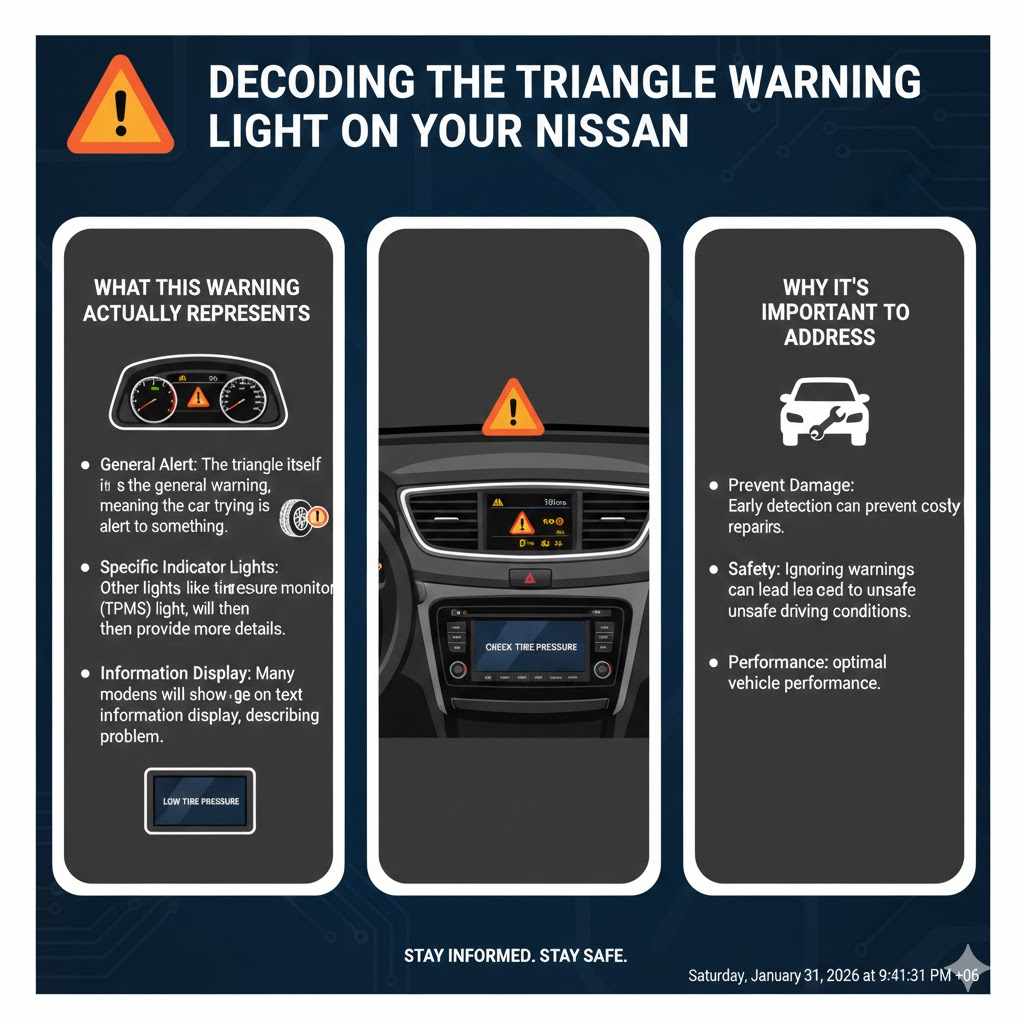
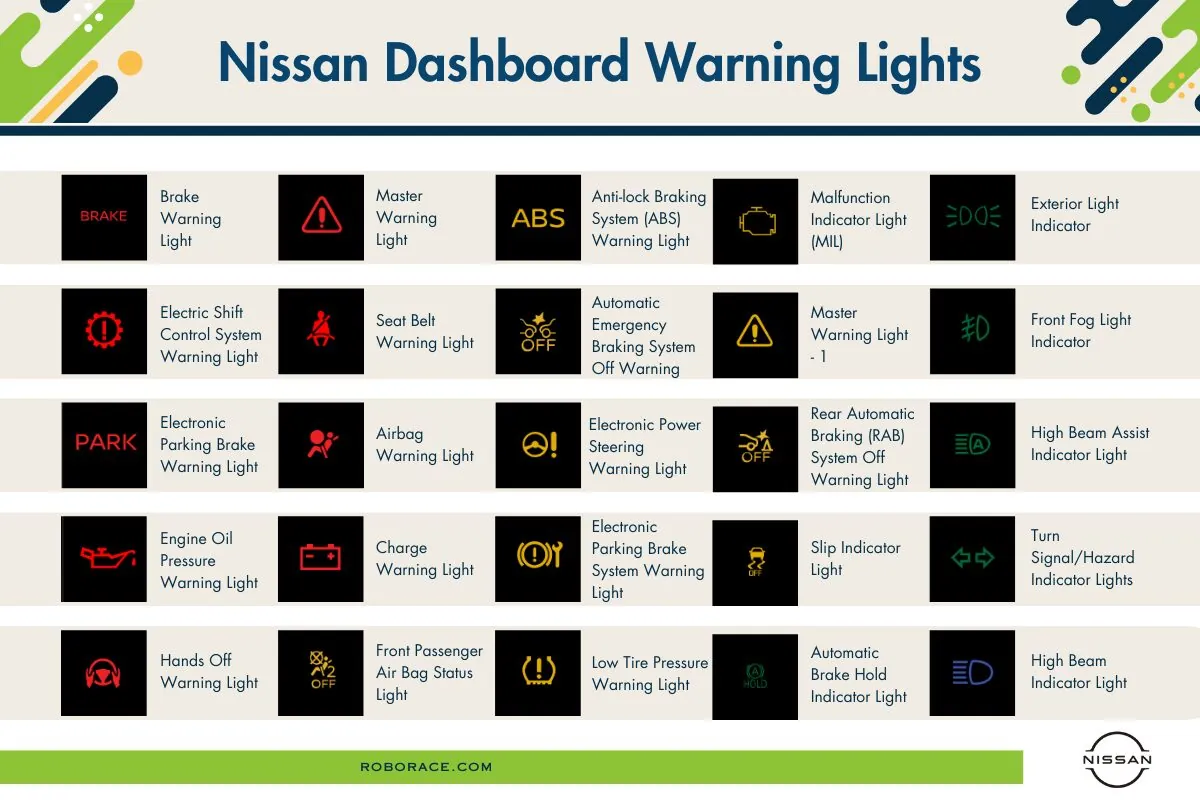
The 2019 Nissan Rogue dashboard acts as your primary communication link with the vehicle’s internal computer systems. When a warning light illuminates, it signals that the Engine Control Module (ECM) or other diagnostic sensors have identified a deviation from standard operating parameters. Understanding these symbols—ranging from minor maintenance reminders to critical safety alerts—is essential for vehicle longevity and passenger safety.
Understanding the Hierarchy of Dashboard Symbols
Dashboard lights on a 2019 Nissan Rogue are generally color-coded to indicate the severity of the situation. Recognizing this color scheme is the first step in assessing how to proceed when a light appears while driving.
- Red Lights: These indicate a serious issue or a safety-critical system failure. If a red light illuminates, you should pull over in a safe location as soon as possible and turn off the engine. Common examples include the oil pressure light or the brake system alert.
- Yellow/Amber Lights: These are caution indicators. They often point to a component that needs attention or a system that is currently experiencing a non-critical fault. You should address these as soon as you can, but they typically do not require an immediate stop unless accompanied by a noticeable drop in vehicle performance.
- Green/Blue Lights: These are informational or "status" lights. They indicate that a system is currently active, such as your turn signals, high beams, or the eco-mode feature. These lights do not require any corrective action.
Critical Red Warning Lights: Immediate Action Required
When a red light flashes on your dashboard, your immediate priority should be the safety of the vehicle occupants. Ignoring these signals can lead to catastrophic mechanical failure or loss of vehicle control.
Engine Oil Pressure Warning
If this light (shaped like an oil can) stays on while the engine is running, it indicates that the engine oil pressure is dangerously low. Low oil pressure means internal engine components are not being properly lubricated. If you see this light, pull over immediately, turn off the engine, and check the oil level using the dipstick. If the oil is low, top it up. If it is at the correct level, the issue may be an oil pump failure or a sensor error, which requires a professional inspection. Do not drive the vehicle, as this can result in permanent engine damage.
Brake System Warning
The "BRAKE" light typically illuminates when the parking brake is engaged. However, if the light remains on after the parking brake has been fully released, it indicates either low brake fluid levels or a malfunction in the Anti-lock Braking System (ABS) electronic control unit. Check your brake fluid reservoir; if the fluid is low, it may indicate a leak or severely worn brake pads.
Charge Warning Light
Represented by a battery icon, this light signifies that the charging system is not functioning correctly. Your vehicle is currently running solely on battery power. Once the battery is depleted, the engine will stall, and electrical systems—including power steering and lighting—will fail. Limit your electrical usage by turning off the A/C and radio, and head directly to a service station.
Yellow/Amber Warning Lights: Addressing Potential Issues
Yellow lights often relate to emission control, stability systems, or minor sensor faults. While you may be able to continue driving, these issues should not be ignored for extended periods.
Check Engine Light (Malfunction Indicator Light)
The most notorious of all dashboard symbols, the engine-shaped icon, indicates a problem with the engine’s emissions control or fuel management system. The 2019 Nissan Rogue’s onboard diagnostic system (OBD-II) will store a specific trouble code when this light triggers. A common, simple cause is a loose or damaged fuel cap, which prevents the fuel system from maintaining pressure. However, it can also signal failing catalytic converters, faulty oxygen sensors, or misfires. Using an OBD-II scanner is the standard method for retrieving the specific code to pinpoint the fault.
Tire Pressure Monitoring System (TPMS)
The exclamation point inside a tire icon appears when the air pressure in one or more of your tires drops below the manufacturer-recommended threshold. In the 2019 Rogue, this system is sensitive to temperature changes; as air contracts in colder weather, the light may flicker on even if the tires are structurally sound. Always verify the pressure with a manual gauge against the sticker located on the driver’s side door jamb, rather than relying solely on the dashboard alert.
Vehicle Dynamic Control (VDC) Off
If the light showing a car with squiggly lines appears, your traction control system has been manually disabled or is experiencing a fault. The VDC is critical for preventing wheel spin on slick surfaces. If this light stays on without you pressing the "OFF" button, have the steering angle sensor or wheel speed sensors checked by a technician.
Troubleshooting and Diagnostic Procedures
When a warning light persists, following a structured troubleshooting approach helps avoid unnecessary repair costs and prevents misdiagnosis.
- Safety First: If you are driving, observe the vehicle’s behavior. Is there a loss of power, unusual vibration, or smoke? If yes, stop immediately.
- Verify the Context: Did the light appear immediately after starting the car, or while at cruising speed? Many lights go through a "bulb check" when you first turn the ignition to the "ON" position—this is normal.
- Manual Check: Consult the 2019 Nissan Rogue Owner’s Manual. It provides the specific interpretations for every indicator unique to your trim level.
- Code Retrieval: Use a standard OBD-II scanner. These tools plug into the port located under the dashboard on the driver’s side. They translate the "Check Engine" light into a standardized alphanumeric code (e.g., P0300).
- Professional Assessment: If a critical light remains on despite basic troubleshooting, seek a certified Nissan technician. They have access to the CONSULT diagnostic software, which can view real-time data from the Rogue's various control modules.
Comparative Analysis of Warning Light Significance
The following table summarizes the urgency levels for common 2019 Nissan Rogue indicators.
| Light Name | Icon Description | Urgency | Recommended Action |
|---|---|---|---|
| Oil Pressure | Oil Can | Critical | Stop engine immediately; check oil. |
| Brake System | "BRAKE" Text | High | Inspect fluid; check parking brake release. |
| Charging System | Battery Symbol | High | Limit power usage; seek service. |
| Check Engine | Engine Outline | Moderate | Scan for codes; avoid aggressive driving. |
| TPMS | Exclamation in Tire | Low/Moderate | Check tire pressure and inflate to specs. |
| VDC/Traction | Squiggly Lines | Moderate | Check for sensor faults; consult manual. |
Common Mistakes and Misconceptions
One frequent error owners make is assuming that "resetting" the computer by disconnecting the battery will resolve the underlying issue. While this may temporarily turn off a warning light, it does not fix the mechanical or electrical failure. Furthermore, it erases the diagnostic "freeze frame" data that a technician needs to accurately identify the root cause.
Another misconception involves the "Maintenance Reminder" systems. These are programmed based on mileage and time intervals, not the actual state of the vehicle components. While it is important to follow the maintenance schedule, resetting a maintenance light does not equate to performing the required service. Always verify that fluids are topped off and mechanical parts are inspected regardless of what the dashboard display indicates.
Maintaining Your Dashboard Health
Keeping your vehicle in good standing requires proactive observation. While the 2019 Nissan Rogue is equipped with advanced sensors, they are not infallible. Corrosion on sensor connectors, wiring damage due to rodents, or simply the natural degradation of sensor sensitivity over seven years (as of 2026) can lead to "false positive" alerts.
Regularly performing a visual inspection of your vehicle's fluid levels, tire condition, and under-hood wiring can help you distinguish between a genuine mechanical problem and an electrical sensor glitch. If you suspect an electrical fault, check the fuse box for any blown fuses, as this is a common, inexpensive fix for seemingly complex dashboard problems.
Frequently Asked Questions
Why does my Check Engine light flash instead of staying solid? A flashing Check Engine light indicates a severe engine misfire that is likely causing unburned fuel to enter the exhaust system. This can destroy your catalytic converter in minutes. You should stop driving the vehicle immediately and have it towed to a mechanic.
Can I drive with the TPMS light on? You can drive, but you should verify your tire pressure immediately. Driving on under-inflated tires increases rolling resistance, reduces fuel efficiency, and poses a safety risk due to potential tire blowout or poor handling in corners.
What does the "AWD" light mean on my 2019 Rogue? This indicates an issue with the All-Wheel Drive system. If this light illuminates, the vehicle may default to two-wheel drive to protect the drivetrain. Have the AWD solenoid or wheel speed sensors checked by a professional.
Will a cold morning affect my warning lights? Yes. Cold temperatures cause air pressure in tires to drop, often triggering the TPMS light. Additionally, extreme cold can decrease battery voltage, which may trigger temporary electrical warnings during startup as the electronics struggle with low power.
Are there hidden lights on my dashboard? The 2019 Nissan Rogue has various indicator lights for features like Blind Spot Warning (BSW), Lane Departure Warning (LDW), and ProPILOT Assist. These lights only illuminate when the system is active, has a status update, or detects a hazard. If you are unsure what a specific icon represents, the owner’s manual contains a dedicated section illustrating every symbol present on your specific instrument cluster.
Next Steps for Vehicle Maintenance
If your dashboard is displaying a persistent warning, start by documenting the context: note the speed, weather conditions, and any changes in how the vehicle handles. If the issue involves a red light, prioritize immediate professional diagnostic services. For yellow lights, scan for error codes yourself to determine if the issue is a simple fix or requires specialized repair. Always maintain a record of any diagnostic reports and repairs to preserve your vehicle's service history.