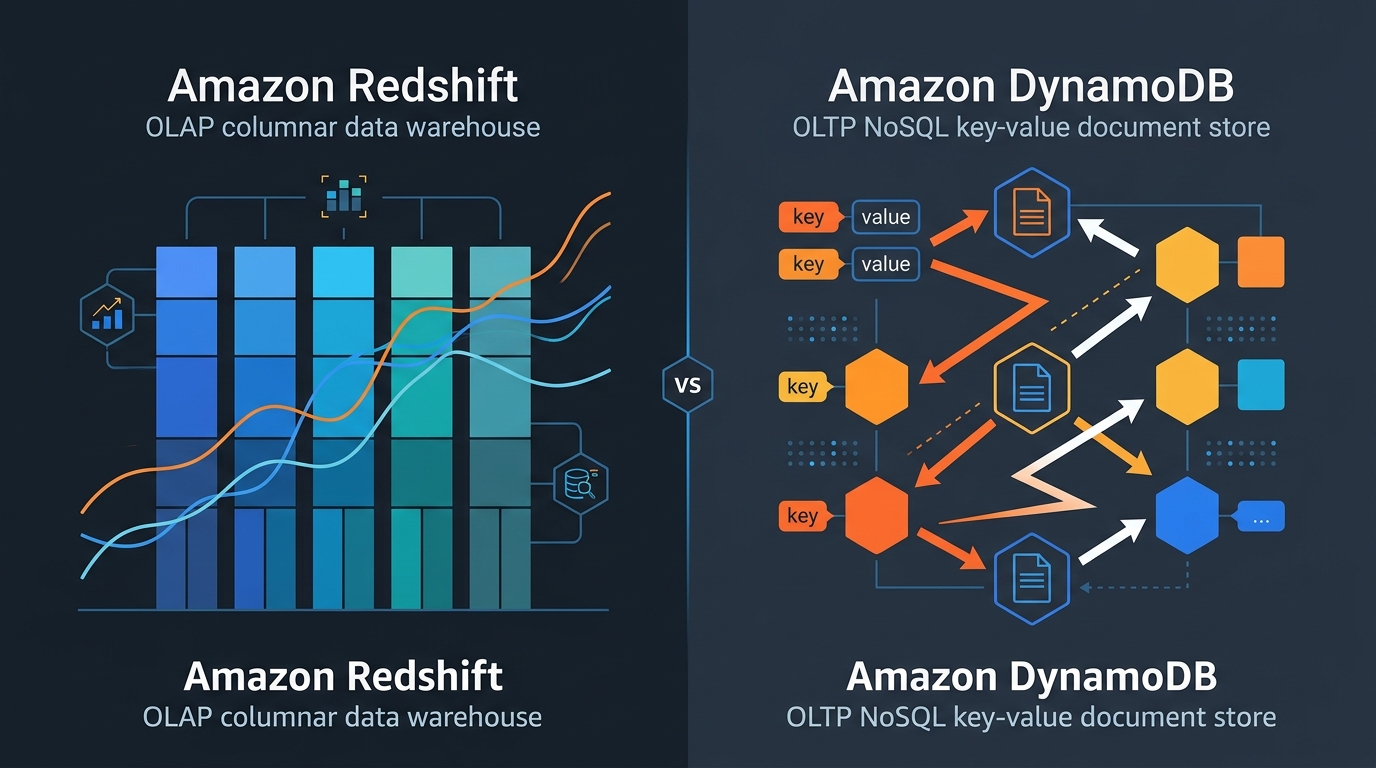
Selecting the right AWS database involves matching your data’s structure—relational, key-value, or graph—with your performance and scaling requirements. By prioritizing factors like ACID compliance, sub-millisecond latency, or serverless elasticity, you can navigate the purpose-built options within the AWS ecosystem to ensure optimal performance and cost-efficiency for your 2026 architecture.
Choosing a database was once a binary decision between a few relational giants. However, as cloud-native architectures have evolved, Amazon Web Services (AWS) has pioneered the "purpose-built" database philosophy. This approach acknowledges that a single database engine cannot satisfy the divergent needs of modern applications, which range from micro-second latency gaming leaderboards to petabyte-scale analytical warehouses. In 2026, the challenge for architects is no longer a lack of options, but rather navigating the sophisticated nuances of the AWS database portfolio to find the perfect alignment between technical requirements and operational overhead.
The Core Selection Framework: Data Modeling and Access Patterns
Before evaluating specific services, architects must define their primary data model. The data model dictates how information is stored and retrieved, which fundamentally influences performance and cost. AWS categorizes its offerings based on these models, and choosing the wrong one often leads to "square peg, round hole" engineering where developers must write complex application-level logic to compensate for database limitations.
Relational (SQL) vs. Non-Relational (NoSQL)
The primary divide remains between relational and non-relational systems. Relational databases are built for structured data and complex queries involving multiple tables. They excel when data integrity and ACID (Atomicity, Consistency, Isolation, Durability) compliance are non-negotiable, such as in financial transactions or ERP systems.
Non-relational databases, or NoSQL, are designed for specific data patterns like key-value pairs, documents, or graphs. They prioritize horizontal scalability and performance over complex relational queries. In 2026, many high-growth applications utilize a polyglot persistence strategy, where different parts of the application use different database types—for example, using a relational database for user accounts and a key-value store for session management.
Assessing Workload Patterns
Beyond the data model, you must evaluate the access patterns. Is the workload OLTP (Online Transactional Processing), characterized by many small, fast writes and reads? Or is it OLAP (Online Analytical Processing), involving complex aggregations across massive datasets? AWS offers distinct services for these patterns, such as Amazon RDS for transactional workloads and Amazon Redshift for analytical ones. Failing to distinguish between these leads to performance bottlenecks that even the largest instance sizes cannot solve.
Amazon RDS and Aurora: The Standard for Relational Data
For applications requiring the familiarity of SQL and the robustness of relational schemas, Amazon Relational Database Service (RDS) and Amazon Aurora are the primary contenders. RDS is a managed service that automates time-consuming tasks like hardware provisioning, database setup, patching, and backups.
Amazon RDS: Multi-Engine Flexibility
Amazon RDS supports six familiar database engines: MySQL, PostgreSQL, MariaDB, Oracle, SQL Server, and IBM DB2. This makes RDS the ideal choice for "lift-and-shift" migrations where an application is already tuned for a specific engine. RDS provides specialized features like Multi-AZ deployments for high availability and Read Replicas to offload read traffic from the primary instance. In 2026, RDS remains the go-to for organizations that need granular control over their database engine versions and specific configuration parameters.
Amazon Aurora: Cloud-Native Performance
Amazon Aurora is a MySQL and PostgreSQL-compatible relational database built specifically for the cloud. It offers up to five times the throughput of standard MySQL and three times the throughput of standard PostgreSQL. Aurora's architecture decouples compute from storage, allowing the storage layer to auto-scale up to 128 TiB and replicate data across three Availability Zones (AZs) by default.
For modern applications with unpredictable traffic, Aurora Serverless v2 has become the gold standard in 2026. It scales compute capacity up and down in fractions of a second based on application demand, ensuring you only pay for what you use without the need to manage database instances or clusters manually. This makes it an exceptional fit for dev/test environments and variable production workloads.
High-Scale Performance with Amazon DynamoDB
When horizontal scalability and ultra-low latency are the primary requirements, Amazon DynamoDB is the definitive choice. DynamoDB is a serverless, NoSQL key-value and document database that delivers single-digit millisecond performance at any scale.
Key-Value Efficiency
DynamoDB is designed for high-concurrency workloads, such as mobile backends, ad-tech platforms, and e-commerce shopping carts. Unlike relational databases that struggle with massive join operations under load, DynamoDB uses partitioning to distribute data across multiple servers, allowing it to handle millions of requests per second.
Global Footprint and Reliability
One of DynamoDB’s standout features is Global Tables, which provide a fully managed, multi-region, and multi-active database. This allows applications to serve local read and write requests to users globally with minimal latency. In 2026, the reliability of DynamoDB is a primary selling point; it provides built-in security, continuous backups, and in-memory caching via DynamoDB Accelerator (DAX) for even faster performance.
Specialized Databases for Unique Use Cases
While RDS and DynamoDB cover a vast majority of use cases, AWS offers specialized engines for data that does not fit neatly into rows or key-value pairs. Using these specialized services can significantly reduce the complexity of your application code.
Amazon DocumentDB (with MongoDB Compatibility)
For applications that store data in JSON-like formats, Amazon DocumentDB provides a managed, scalable, and highly available document database. While DynamoDB can store documents, DocumentDB is specifically architected to provide the rich indexing and querying capabilities that MongoDB users expect, but within the managed AWS ecosystem.
Amazon Neptune for Graph Data
If your application's primary value lies in the relationships between data points—such as social networks, recommendation engines, or fraud detection—Amazon Neptune is the right fit. It is a fast, reliable, and fully managed graph database service that supports popular graph models like Property Graph and W3C's RDF. It allows you to execute complex graph queries with high throughput and low latency, which would be prohibitively slow in a relational database.
Amazon Timestream for Time-Series Data
Modern IoT applications and DevOps monitoring tools generate massive amounts of time-stamped data. Amazon Timestream is a serverless time-series database built to scale to trillions of events per day. It automatically handles data retention, tiering, and compression, and it includes built-in functions for smoothing, approximation, and regression.
Amazon MemoryDB and ElastiCache: In-Memory Speed
For workloads that demand sub-millisecond response times, in-memory databases are essential.
- Amazon ElastiCache: Primarily used as a distributed cache to speed up existing databases (supporting Redis and Memcached).
- Amazon MemoryDB for Redis: A Redis-compatible, durable, in-memory database service. Unlike ElastiCache, MemoryDB is designed to be used as a primary database where data durability is required alongside extreme performance.
The 2026 Landscape: Vector Databases and Generative AI
By 2026, the rise of Generative AI and Large Language Models (LLMs) has elevated the importance of Vector Databases. Vector embeddings—numerical representations of semantic meaning—require specialized storage and indexing to enable fast similarity searches.
AWS has integrated vector search capabilities across its existing portfolio rather than forcing users into a single niche product. Amazon OpenSearch Service features a robust vector engine, while Amazon Aurora and Amazon RDS for PostgreSQL support the pgvector extension. For developers building RAG (Retrieval-Augmented Generation) applications, these integrations allow them to keep their operational data and vector embeddings within the same managed environment, reducing architectural complexity.
Comparison Table: AWS Database Services at a Glance
| Service | Category | Best For | Scaling Model | Key Advantage |
|---|---|---|---|---|
| Amazon Aurora | Relational | High-performance SQL, enterprise apps | Auto-scaling storage, Serverless v2 | 3x-5x speed of standard SQL engines |
| Amazon RDS | Relational | Traditional SQL, existing app migrations | Vertical & Read Replicas | Multi-engine flexibility (Oracle, SQL Server) |
| Amazon DynamoDB | Key-Value | High-scale web apps, mobile, gaming | Serverless, Horizontal | Single-digit ms latency at any scale |
| Amazon DocumentDB | Document | Content management, catalogs | Decoupled storage & compute | MongoDB compatibility with AWS reliability |
| Amazon Neptune | Graph | Fraud detection, social graphs | Multi-AZ clusters | Specialized for complex relationships |
| Amazon Timestream | Time-Series | IoT, application monitoring | Fully Serverless | 1,000x faster than relational for time-series |
| Amazon MemoryDB | In-Memory | Real-time apps, payment processing | Cluster-based | Redis compatibility with full durability |
Cost Considerations and Management Overhead
Choosing a database is not just a technical decision; it is a financial one. AWS database costs are generally driven by instance sizing, storage consumption, and I/O requests.
- Serverless vs. Provisioned: Serverless options (DynamoDB, Aurora Serverless v2, Timestream) are often more cost-effective for workloads with "spiky" traffic. However, for a steady-state, high-utilization workload, a provisioned instance may offer a lower total cost of ownership (TCO) because you can leverage Reserved Instances for significant discounts.
- Storage Costs: Services like Aurora and DocumentDB charge for actual storage used, while RDS requires you to provision a specific volume size. Be mindful of I/O costs, especially in DynamoDB, where "Provisioned Capacity" vs. "On-Demand" can drastically change your monthly bill.
- Managed Service Value: When calculating costs, include the "human" cost. A managed service like RDS might appear more expensive than running MySQL on an EC2 instance, but the reduction in operational hours spent on backups, patches, and high-availability configuration almost always outweighs the service premium.
Frequently Asked Questions
Should I choose Aurora or RDS for a new PostgreSQL project?
In 2026, if you are building a cloud-native application, Amazon Aurora is generally the better choice due to its superior performance, automatic storage scaling, and the flexibility of Aurora Serverless v2. However, choose Amazon RDS if you need a specific PostgreSQL version not yet supported by Aurora or if your workload is small enough that the entry-level RDS instance is significantly cheaper than the Aurora minimum.
Can DynamoDB replace a relational database entirely?
DynamoDB can replace a relational database for many use cases, but it requires a fundamental shift in how you model data. Relational databases are optimized for query flexibility (normalized data), while DynamoDB is optimized for specific access patterns (denormalized data). If your application requires frequent, unpredictable ad-hoc reporting across many entities, a relational database like Aurora remains the better fit.
What is the difference between ElastiCache and MemoryDB for Redis?
The primary difference is durability. ElastiCache is a caching layer; if the nodes fail and the cache is cleared, your application should be able to recover data from a backend database. MemoryDB for Redis, however, uses a multi-AZ transactional log to ensure that data written to the in-memory store is durable. Use MemoryDB if you want Redis performance but need to use it as your primary, authoritative data store.
When should I use Amazon Neptune instead of a relational database with foreign keys?
While you can represent relationships in a relational database using foreign keys and join tables, the performance degrades exponentially as the number of "hops" or connections increases. If your queries frequently ask questions like "find all friends of friends who have bought this product," a graph database like Amazon Neptune will perform those traversals much faster and with simpler query syntax (Gremlin or openCypher).
How does AWS handle database security?
AWS provides a multi-layered security approach for all database services. This includes encryption at rest (using AWS Key Management Service), encryption in transit (using TLS/SSL), and network isolation via Amazon VPC. Access is managed through AWS Identity and Access Management (IAM), allowing for fine-grained permissions at the instance or even the table/item level in some services.
Practical Recommendation for 2026
To choose the right fit, start by identifying your primary access pattern. If you need structured data with complex relationships and transactional integrity, begin with Amazon Aurora Serverless v2. If you require extreme scale and have well-defined, simple access patterns, Amazon DynamoDB is your best option. For everything else—graphs, time-series, or sub-millisecond caching—utilize the specific purpose-built service that matches your data model.
Avoid the temptation to over-engineer by using too many different databases early in a project; start with a versatile option like Aurora or DynamoDB, and only branch out into specialized services like Neptune or Timestream when the specific limitations of your primary database become an operational or performance burden.