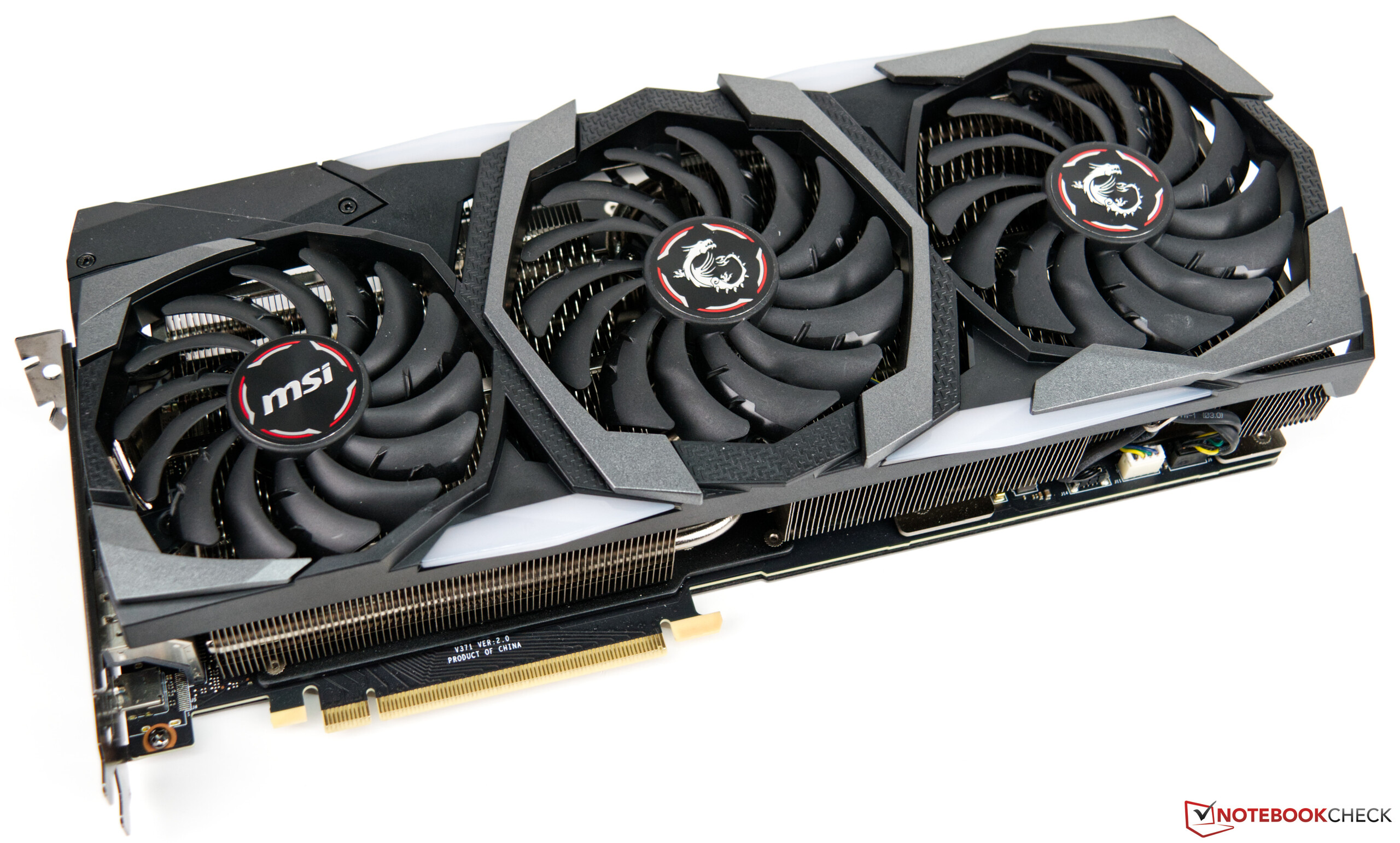
The fastest RTX 2080 Ti configurations are achieved by pairing a factory-overclocked, liquid-cooled variant of the NVIDIA GeForce RTX 2080 Ti—such as the EVGA Kingpin or ASUS ROG Matrix—with a high-airflow chassis, a high-wattage power supply, and an aggressive, stability-tested custom overclocking profile managed through precision software.
The NVIDIA GeForce RTX 2080 Ti remains a formidable piece of hardware in 2026. Despite the release of subsequent generations of graphics cards, the Turing architecture's flagship still provides significant rendering and gaming performance for those who know how to extract every cycle from its silicon. Achieving the "fastest" configuration is not merely a matter of buying the most expensive card; it requires a holistic approach that synchronizes thermal management, power delivery, and firmware tuning.
The Foundation: Selecting the Right Hardware Variant
Not all RTX 2080 Ti cards are created equal. To reach the top tier of performance, you must start with a card that utilizes a high-bin GPU die. NVIDIA sorts their graphics processors based on their ability to handle higher voltages and clock speeds—a process known as binning.
Manufacturers reserve the highest-quality chips for their premium "flagship" models. These cards typically feature non-reference printed circuit boards (PCBs) designed with robust power delivery systems (VRMs) that can handle significantly higher wattage than the Founders Edition.
Premium Air-Cooled vs. Liquid-Cooled Models
- Hybrid/Liquid-Cooled Cards: Models that ship with an integrated All-in-One (AIO) liquid cooler, such as the EVGA FTW3 Hybrid, allow for lower operating temperatures. Since GPU clock speed behavior is tied to thermal thresholds—where the card automatically throttles when it gets too hot—keeping the core under 60°C is essential for maintaining the highest boost clocks.
- Extreme Overclocking Editions: Cards like the EVGA Kingpin are specifically designed for enthusiasts. They often include integrated OLED displays for monitoring, triple-BIOS switches for safety, and significantly beefed-up power phases that prevent voltage droop under heavy load.
Maximizing Power Delivery and Thermal Efficiency
The fastest configuration is useless if the system cannot sustain it. Achieving and maintaining stable, peak clock speeds requires addressing the two biggest limiting factors: power headroom and thermal throttling.
Power Supply Unit (PSU) Requirements
An overclocked RTX 2080 Ti can pull significantly more power than its stock TDP (Thermal Design Power). A quality 750W 80+ Gold or Platinum power supply is the minimum, but an 850W or 1000W unit is recommended. This provides cleaner power delivery and prevents the PSU fan from ramping up excessively, which reduces total system noise. Ensure your PSU uses dedicated PCIe cables for each connection on the GPU rather than using "daisy-chained" cables, which can struggle with high current loads.
Airflow and Ambient Temperature
The "fastest" card in a restrictive case will inevitably lose performance. A high-airflow case (often referred to as a mesh-front chassis) is necessary to ensure the GPU has a constant supply of cool air. If you are using an air-cooled card, the "fastest" result is often achieved by performing a "fan curve override." By setting a custom fan profile in software like MSI Afterburner, you can force the fans to reach 100% speed earlier in the temperature curve, keeping the clock speed from falling as the card heats up during extended sessions.
Tuning for Performance: The Role of Software
Once the hardware is optimized, the software configuration is the final piece of the puzzle. Overclocking is an iterative process that balances core clock, memory clock, and voltage.
The Overclocking Procedure
- Core Clock Offset: Increase the core clock in small increments of 20-30 MHz. Test stability using a demanding benchmark or game engine. If the system crashes, back off the speed.
- Memory Clock: Turing-based cards respond well to memory overclocks, but this is less impactful than core clock. Add 500 MHz, then increment by 100 MHz until visual artifacts (flashing textures) appear.
- Voltage/Frequency Curve: The most efficient way to tune an RTX 2080 Ti is using the Voltage/Frequency curve editor. This allows you to lock the voltage to a higher point, forcing the card to stay at a higher frequency rather than constantly fluctuating based on power limits.
Table: Comparison of RTX 2080 Ti Tiered Hardware Features
| Feature Category | Reference (Founders) | Premium Air (e.g., ROG Strix) | Extreme/Hybrid (e.g., Kingpin) |
|---|---|---|---|
| VRM Phases | Standard (13-phase) | Enhanced (16-phase+) | Extreme (19-phase+) |
| Cooling Type | Blower/Dual Fan | Triple Fan | AIO Liquid / Custom |
| Power Limit | Restricted | Moderate Boost | High/Unlocked |
| Binning Quality | Baseline | High | Top 1% (Hand-picked) |
| Thermal Ceiling | ~80°C (Throttles) | ~70°C (Stable) | ~50-60°C (Optimal) |
Common Pitfalls and Troubleshooting
Users often assume that higher numbers in an overclocking tool translate to better performance. However, there is a phenomenon called "error correction" or "performance regression" where a core clock is set so high that the chip begins to make tiny errors. The GPU corrects these errors, but doing so consumes compute cycles, actually lowering the frame rate.
- Artifacting: If you see small, flickering dots (usually green or purple) or jagged textures, your memory overclock is unstable. Dial it back immediately.
- TDR Errors: A "Timeout Detection and Recovery" error, where the screen goes black and the driver resets, indicates that the core clock or voltage settings are unstable.
- Thermal Soaking: Even with great cooling, the ambient temperature of your room affects performance. If your PC is located in a hot, poorly ventilated room, your fastest configuration will inherently perform worse than one in a cool, climate-controlled environment.
FAQ: Optimizing the RTX 2080 Ti
1. Is it worth overclocking an RTX 2080 Ti in 2026? Yes, if you are looking to squeeze extra performance out of a card you already own. The 2080 Ti remains highly capable, and manual tuning can often bridge the gap in performance between it and entry-level cards from newer generations.
2. Does a custom BIOS improve speed? Some enthusiasts flash BIOS files from different manufacturers (e.g., flashing an EVGA Kingpin BIOS onto a lower-tier card). This is risky and can permanently brick your hardware. It is generally not recommended for the average user, as the potential marginal gain in clock speed rarely justifies the risk of losing the card.
3. What is the role of Resizable BAR? Resizable BAR (Base Address Register) allows the CPU to access the entire GPU frame buffer at once rather than in small chunks. While the 2080 Ti was not originally marketed with this feature, many motherboard manufacturers added support via BIOS updates. Ensure this is enabled in your motherboard settings, as it provides a tangible, risk-free performance boost.
4. How do I know if my PSU is the bottleneck? If your system shuts down completely when you launch a demanding game or benchmark, your PSU is likely tripping its Over-Current Protection (OCP) circuit because the GPU is requesting more power than the PSU can supply. You will need a higher-wattage power supply to continue testing at peak configurations.
5. Does high-speed RAM affect GPU performance? To a degree, yes. A CPU bottleneck can prevent the GPU from reaching its maximum potential. Pairing your fastest RTX 2080 Ti configuration with high-frequency system RAM and a modern, high-clock-speed CPU ensures that the graphics card is never waiting for data to process.
Final Recommendation
To achieve the fastest RTX 2080 Ti configuration in 2026, focus first on your cooling environment and power stability. Secure a premium-binned card with a liquid-cooled or massive triple-fan solution. Use software to map a custom voltage/frequency curve rather than simply pushing the power slider to the maximum. Finally, ensure your system BIOS has Resizable BAR enabled. If you find your card is limited by thermal throttling despite these measures, consider replacing the thermal paste with a high-conductivity modern compound, which can drop temperatures by 5-10°C, providing the necessary headroom to maintain peak boost clocks indefinitely.