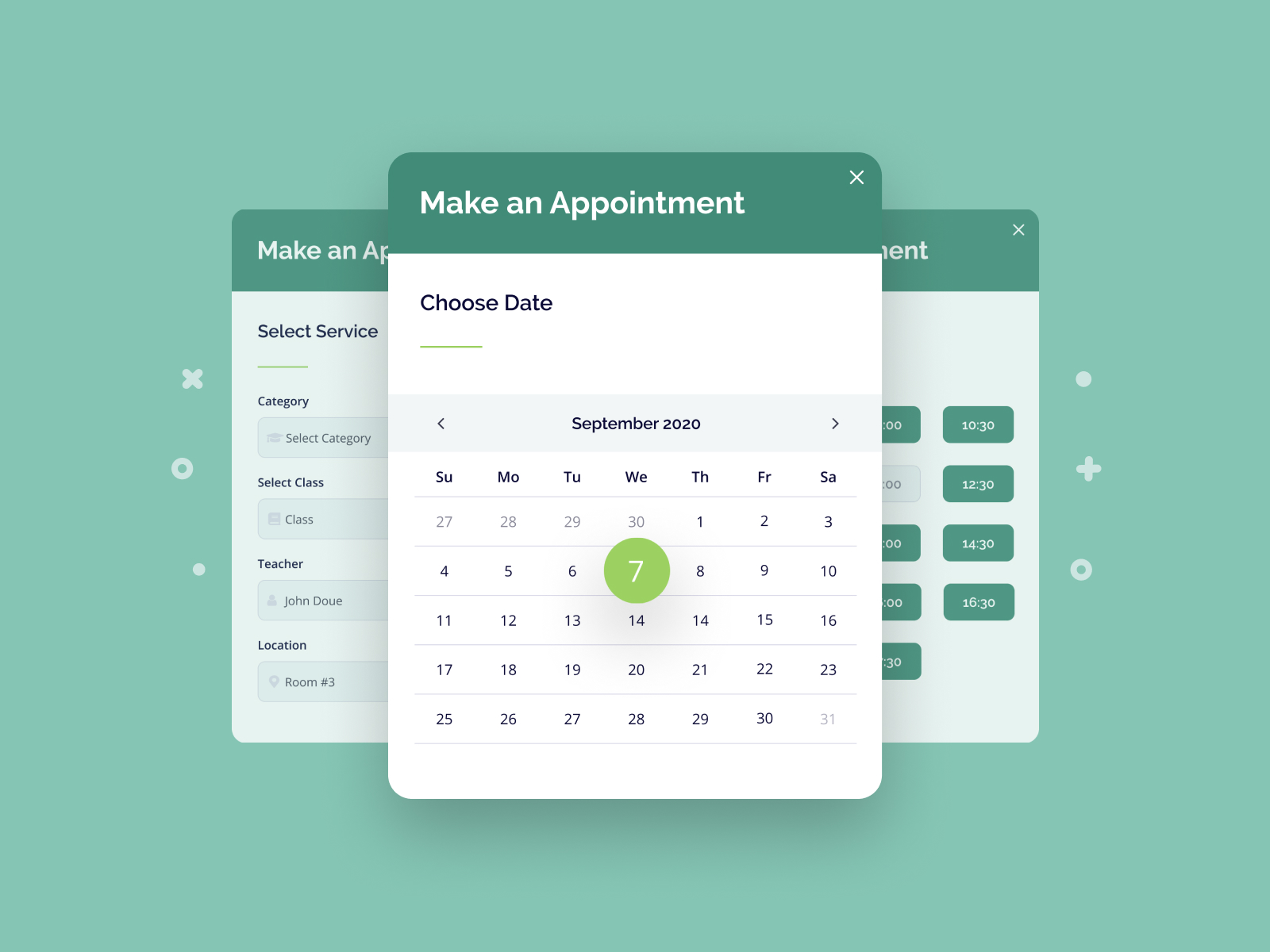
To select the right WordPress appointment plugin, you must evaluate your specific booking workflow against features like real-time calendar synchronization, automated payment processing, and multi-employee management. Top-tier solutions such as Amelia, Bookly, and Simply Schedule Appointments provide the necessary automation to reduce administrative overhead and eliminate double-bookings through seamless API integrations.
Understanding the Role of Appointment Plugins in 2026
By 2026, the landscape of online service delivery has shifted from simple contact forms to fully integrated booking ecosystems. A WordPress appointment plugin is no longer just a calendar on a page; it is a comprehensive management tool that handles customer relations, financial transactions, and resource allocation. For businesses ranging from medical clinics and law firms to fitness studios and hair salons, these plugins serve as the primary interface between the service provider and the client.
The primary goal of implementing an automated system is to maximize "billable hours" while minimizing the time spent on manual scheduling. When a plugin is configured correctly, it manages the entire lifecycle of an appointment: discovery of availability, selection of services, secure payment, automated confirmation, and follow-up reminders. This level of automation is essential for maintaining competitiveness in a market where consumers expect instant gratification and 24/7 accessibility.
Essential Prerequisites for a Robust Booking System
Before installing any appointment software, your WordPress environment must meet specific technical and operational standards to ensure stability and security. Because booking plugins often handle sensitive customer data and financial transactions, the underlying infrastructure is critical.
Technical Requirements
Modern appointment plugins in 2026 typically require PHP 8.2 or higher to handle complex logic and API calls efficiently. Additionally, your hosting environment should offer sufficient memory (at least 256MB) to prevent timeouts during peak booking periods. A valid SSL certificate is non-negotiable; without HTTPS, payment gateways like Stripe or PayPal will not function, and browsers will flag your site as insecure, significantly harming conversion rates.
Business Logic Definition
You must define your operational parameters before the software can work for you. This includes:
- Buffer Times: The necessary gap between appointments for cleanup or preparation.
- Booking Windows: How far in advance a client can book and the minimum notice required for cancellations.
- Resource Mapping: Identifying if an appointment requires a specific room, a specific piece of equipment, or a specific staff member.
Critical Features to Evaluate
When comparing different "appointment wp plugin" options, focus on these core functionalities that differentiate a professional tool from a basic script.
Two-Way Calendar Synchronization
A one-way sync (sending WordPress appointments to Google Calendar) is rarely enough. In 2026, the gold standard is two-way synchronization. This means if a staff member adds a personal event to their Google or Outlook calendar, that time slot is automatically blocked out on the WordPress site. This prevents the nightmare scenario of double-booking and ensures that your website always reflects real-time availability.
Automated Notifications and Reminders
No-shows are the primary cause of revenue loss for service-based businesses. High-quality plugins offer automated workflows via email, SMS, and even WhatsApp. These notifications should be customizable and triggered by specific events: booking confirmation, 24-hour reminders, and "thank you" notes following the appointment.
Flexible Payment Integration
The ability to collect a full payment or a non-refundable deposit at the time of booking is vital. Look for plugins that support Stripe and PayPal natively. Advanced setups may require integration with WooCommerce to leverage local payment methods or complex tax calculations.
Multi-Worker and Multi-Location Support
If your business has more than one employee or operates out of multiple offices, your plugin must support individual staff accounts. Each worker should have their own working hours, service list, and assigned calendar. This hierarchical structure allows clients to choose their preferred provider or find the earliest available slot across the entire organization.
Top WordPress Appointment Plugins Comparison
The following table compares the leading plugins available in 2026 based on their core strengths and typical pricing models for professional use.
| Plugin Name | Best For | Key Strength | 2026 Estimated Starting Price |
|---|---|---|---|
| Amelia | Enterprise & Multi-User | Highly polished UI & Deep Reporting | $79/year |
| Bookly Pro | High-Volume Booking | Modular add-on system | $89 (One-time) |
| Simply Schedule Appointments | Small Businesses | Exceptional support & Ease of use | $99/year |
| LatePoint | Modern UX/UI | Fast, clean interface for clients | $79/year |
| WooCommerce Bookings | E-commerce Integrated | Native product-based booking | $249/year |
Technical Implementation and Configuration Steps
Once you have selected a plugin, the implementation process follows a logical flow to ensure no steps are missed in the setup.
Step 1: Core Settings Configuration
Begin by setting your global time zone. Time zone synchronization is a frequent point of failure in booking systems; ensure your WordPress site and your chosen plugin are aligned with your physical location. Next, define your currency and date/time formats to match your local market.
Step 2: Defining Services and Categories
Organize your offerings logically. For example, a spa might have categories like "Massage" and "Facials." For each service, define the duration, price, and "buffer time" (the time needed before and after a session). In 2026, many plugins also allow for "Service Extras," which are add-ons that can increase the duration or cost of the appointment.
Step 3: Staff and Schedule Assignment
Create profiles for each staff member. Link their professional email addresses and, most importantly, connect their external calendars. Configure their specific working hours, including breaks and recurring days off. If you use a "Resource" model, assign rooms or equipment to these staff members to ensure you never book three massages when you only have two massage tables.
Step 4: UI Integration and Shortcodes
Most modern plugins use Gutenberg blocks or Elementor widgets to display the booking form. You can choose between a multi-step wizard (great for complex services) or a simple calendar view (better for quick bookings). Ensure the form is placed on a high-conversion page with a clear Call to Action (CTA).
Common Mistakes and Troubleshooting
Even with the best software, implementation errors can lead to lost revenue. Avoid these common pitfalls:
- Caching Conflicts: Many WordPress caching plugins (like WP Rocket or Autoptimize) can break the dynamic functionality of a booking calendar. You must exclude the booking pages and the plugin’s JavaScript files from minification and caching to ensure the availability data is always fresh.
- Inadequate Testing: Never go live without testing the entire funnel. Perform a "test purchase" using a live credit card (then refund it) to ensure the payment gateway, the database, and the email notifications are all communicating correctly.
- Ignoring Mobile Responsiveness: In 2026, over 70% of service bookings are made on mobile devices. If your booking form requires a lot of horizontal scrolling or has small buttons, your abandonment rate will skyrocket.
- Database Bloat: Over time, appointment logs and customer data can grow significantly. Regularly clean up old "cancelled" or "pending" entries to keep your
wp_optionsand custom tables lean and fast.
The Future of Booking: AI and Predictive Scheduling
As we move through 2026, we are seeing the emergence of AI-driven scheduling within WordPress plugins. These features analyze historical booking patterns to suggest optimal pricing or to highlight times when you are likely to be busy, allowing you to adjust your availability dynamically. Some plugins now offer "Smart Reminders" that use machine learning to determine the best time to send a message to a specific client to ensure they don't forget their appointment.
While these features are becoming more common, the foundation remains the same: a stable, secure, and user-friendly "appointment wp plugin" that makes it easier for customers to give you their business.
Frequently Asked Questions
Can I use an appointment plugin for free?
While there are free versions of plugins like Amelia and Bookly on the WordPress.org repository, they are typically limited to single-service or single-provider setups. For professional businesses requiring payment integration or calendar syncing, the premium versions are necessary to ensure reliability and access to updates.
How do I handle multiple time zones for virtual appointments?
Top-tier appointment plugins include a "Local Time Zone" toggle. This detects the client's location and displays your availability in their local time, while recording the appointment in your business time zone. This is essential for consultants and coaches working globally in 2026.
Will an appointment plugin slow down my website?
If the plugin is well-coded (using custom database tables) and you have excluded its assets from aggressive caching, the impact on site speed is minimal. However, using a plugin that loads all its resources on every page of your site can affect performance; look for "conditional loading" settings in the plugin configuration.
Is it possible to sync with Apple Calendar?
Yes, most plugins support iCal feeds, which can be imported into Apple Calendar. For true two-way sync, many users connect their Apple Calendar to a Google Calendar account, which then interfaces with the WordPress plugin, as direct iCloud API integrations can be less stable.
How do I prevent spam bookings?
Integrate Google reCAPTCHA v3 or Turnstile into your booking forms. Most reputable appointment plugins have built-in support for these services, which filter out bot submissions without frustrating legitimate human users.
Practical Recommendation
For most service-based businesses in 2026, Amelia offers the best balance of enterprise features and user-friendly design. If your workflow is heavily tied to e-commerce, WooCommerce Bookings is the logical choice. Regardless of the plugin you choose, prioritize two-way calendar synchronization and SMS notifications, as these two features provide the highest return on investment by preventing scheduling conflicts and reducing no-shows.