While an ONT cable is fundamentally a standard fiber optic cable, it is not "ordinary" in the sense that any random fiber cord will work; it must be a Single Mode (OS2) fiber cable, typically featuring SC/APC (green) connectors and G.657 bend-insensitive glass to function correctly with most residential Internet Service Provider (ISP) equipment in 2026.
Modern fiber-to-the-home (FTTH) installations rely on a specific ecosystem of hardware. When users ask if the cable connecting their wall jack to their Optical Network Terminal (ONT) is "just an ordinary cable," they are usually trying to determine if they can buy a replacement on the open market or if they are locked into proprietary ISP hardware. To understand the nuances, we must break down the physical and optical characteristics that define these cables.
Defining the ONT and Its Role in Your Network
The Optical Network Terminal (ONT) acts as the bridge between the provider's massive fiber-optic network and your home's local network. Think of it as the "fiber modem." Its primary job is to convert the infrared light pulses traveling through the glass fibers into electrical signals that your router can understand via an Ethernet cable.
In 2026, as multi-gigabit symmetrical speeds (such as 2Gbps, 5Gbps, and even 10Gbps XGS-PON) become the standard for suburban and urban households, the integrity of the connection between the wall and the ONT has never been more critical. The "ONT cable"—often referred to in technical circles as a fiber patch cord or fiber jump cable—is the final leg of this journey.
Because this cable is exposed to the user (unlike the ruggedized cables buried underground), it is often the most vulnerable point of failure. Understanding its "ordinariness" helps users troubleshoot signal loss or plan home office relocations without waiting days for a technician.
The "Ordinary" Myth: Single Mode vs. Multi-Mode Fiber
To the untrained eye, all fiber optic cables look similar: thin, often yellow or white, with plastic connectors at the ends. However, fiber is divided into two major categories that are fundamentally incompatible: Single Mode and Multi-Mode.
Single Mode Fiber (OS2)
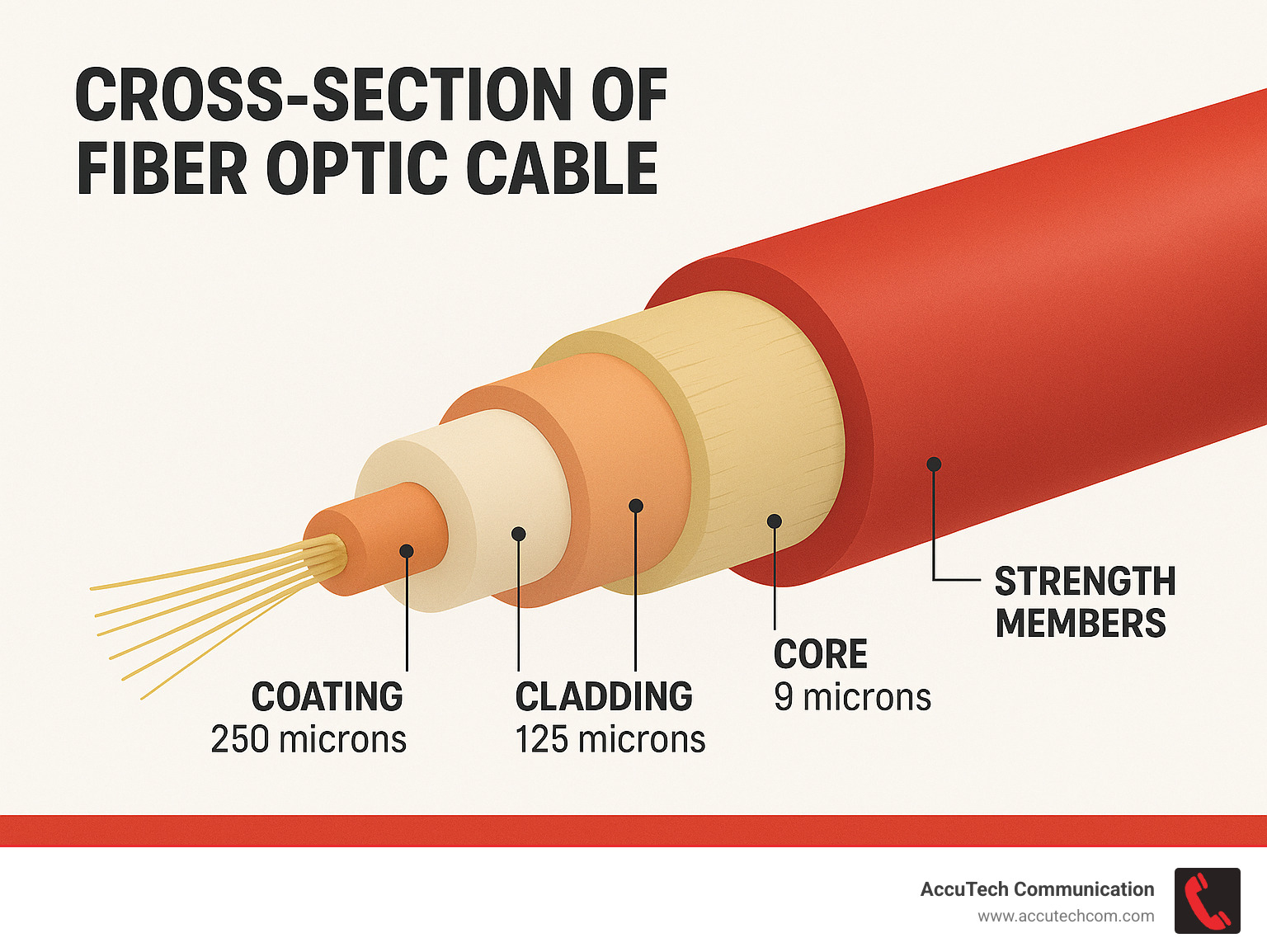
The cable used for an ONT is almost exclusively Single Mode fiber. Single Mode fiber has a very small core (typically 9 microns in diameter) that allows only one mode of light to propagate. This design is essential for the long distances required by ISPs. Whether your ISP is using GPON or the newer XGS-PON standards prevalent in 2026, they rely on Single Mode glass to maintain signal integrity over kilometers of distance.
Multi-Mode Fiber (OM3/OM4/OM5)
Multi-mode fiber is what you find in data centers or local enterprise networks. It has a much larger core (50 or 62.5 microns), allowing multiple light paths. This is "ordinary" in a server room, but it will not work for an ONT. If you try to use a multi-mode patch cable to connect your ONT, the light signal from the ISP will scatter, and the ONT will fail to "sync" or "train," resulting in a red LOS (Loss of Signal) light.
Identifying the Connectors: The Significance of the Green Plug
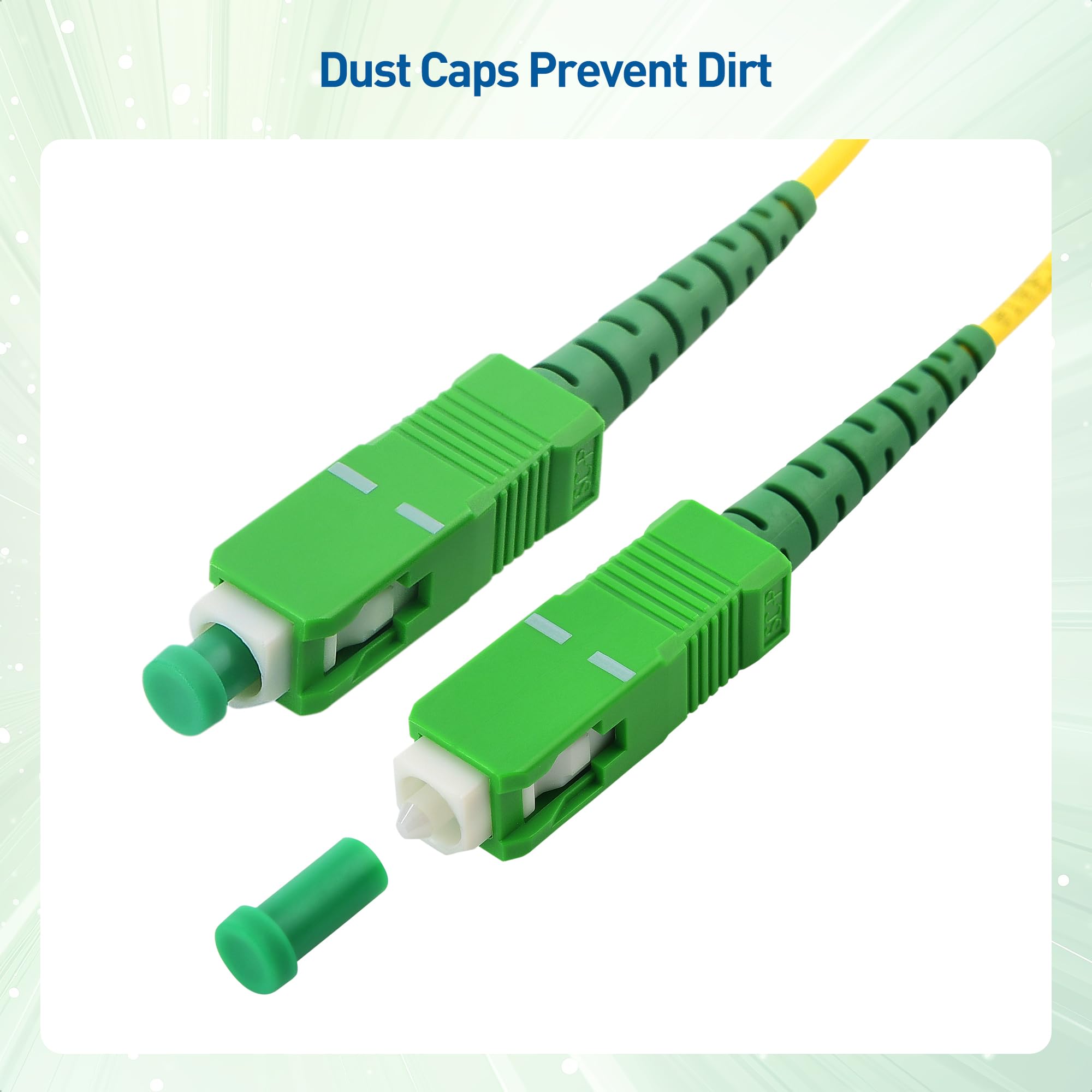
If you look at the "ONT cable" provided by companies like AT&T, Verizon (Fios), or Google Fiber, you will notice the connectors are almost always bright green. This is not an aesthetic choice; it is a critical technical color code.
SC/APC: The Standard for ONT Connections
The most common connector for residential ONTs is the SC/APC (Subscriber Connector / Angled Physical Contact).
- SC (Subscriber Connector): Refers to the "square" shape of the plug that clicks into place.
- APC (Angled Physical Contact): This is the most crucial part. The end-face of the glass fiber inside the connector is polished at an 8-degree angle.
Why the Angle Matters
In high-speed fiber networks, light reflections can bounce back toward the source (the ISP's laser), causing interference and data loss. This is called "back reflection" or "return loss." By angling the glass at 8 degrees, any reflected light is shunted out into the cladding of the fiber rather than bouncing back to the source.
In contrast, blue connectors (UPC or Ultra Physical Contact) are polished flat. While they are "ordinary" in many networking contexts, you cannot mix green and blue connectors. Plugging a blue UPC cable into a green APC port on your ONT will likely cause an air gap or, worse, physically damage the delicate glass faces, leading to high signal attenuation and a dropped connection.
Technical Specifications: Bend-Insensitive Fiber (G.657.A2)
In a home environment, cables are frequently tucked under baseboards, snaked around sharp corners, or accidentally pinched behind furniture. Ordinary glass fiber is fragile and loses signal if bent too sharply—a phenomenon known as "bend loss."
By 2026, most reputable ONT patch cables are manufactured using G.657.A2 bend-insensitive fiber. This is a specific standard of glass that allows the cable to be looped or bent with a radius as small as 7.5mm without significant signal degradation. When searching for a replacement "ordinary" cable, ensuring it meets the G.657.A2 standard is the difference between a stable 10Gbps connection and a connection that drops every time the cable is moved.
Comparison of Fiber Cable Types
The following table distinguishes the specific "ONT cable" from other types of fiber cables you might encounter in the marketplace.
| Feature | ONT Patch Cable (Typical) | Data Center Fiber | Legacy Fiber (OM1) |
|---|---|---|---|
| Fiber Type | Single Mode (OS2) | Multi-Mode (OM4/OM5) | Multi-Mode (OM1) |
| Core Size | 9 Microns | 50 Microns | 62.5 Microns |
| Connector Color | Green (APC) | Aqua/Magenta/Lime (UPC) | Beige/Orange (UPC) |
| Common Standard | ITU-T G.657.A2 | ISO/IEC 11801 | Legacy/Obsolete |
| Use Case | ISP Wall to ONT | Switch to Server | 1990s Local Networks |
| Max Distance | 10km - 40km+ | 300m - 500m | 33m (at 10Gbps) |
Can You Replace or Extend Your ONT Cable Yourself?
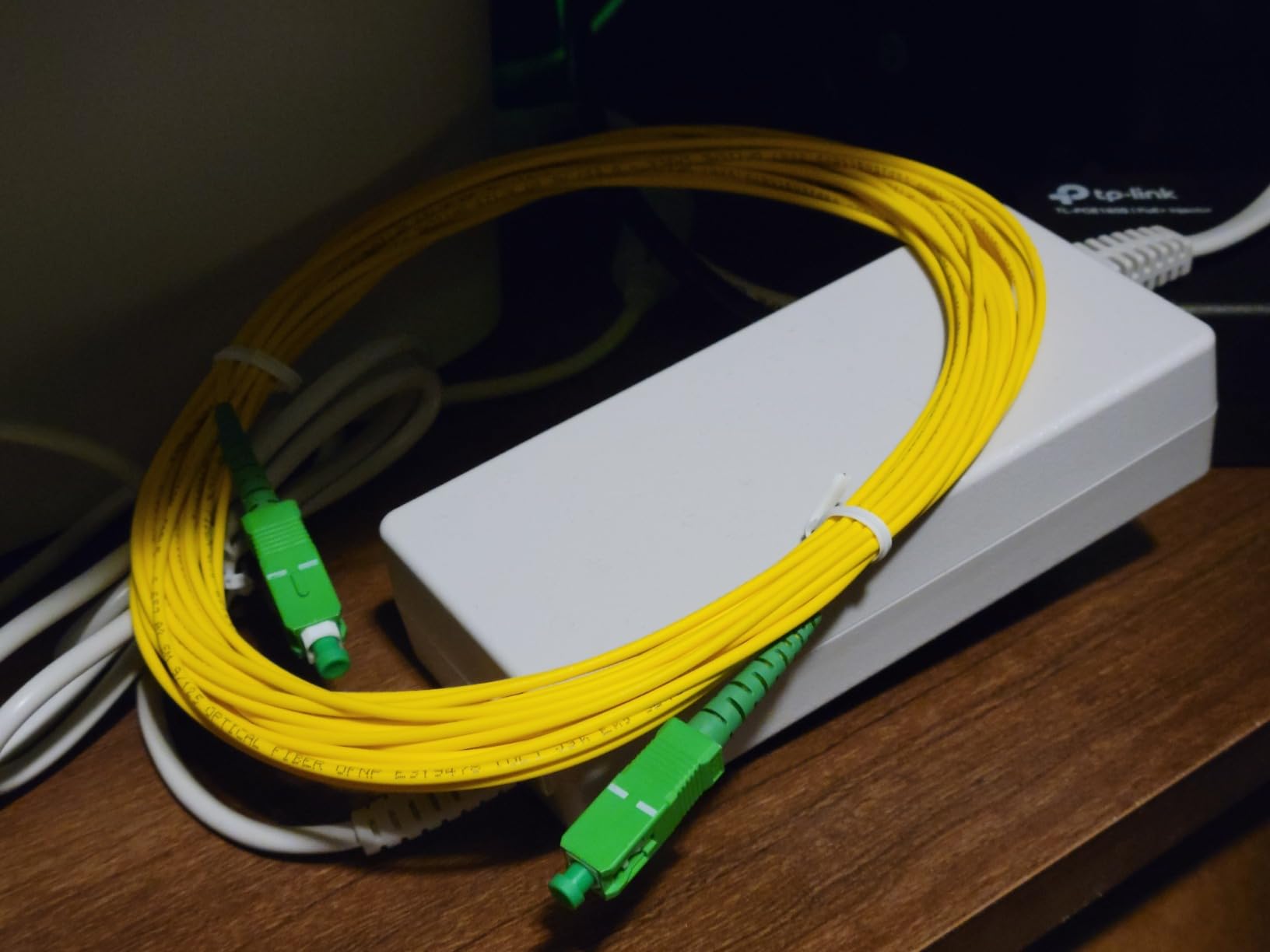
The short answer is yes. Unlike the old days of copper telephony or proprietary cable TV lines, fiber optic patch cables are standardized. If your cat chews through your fiber line or you want to move your ONT to a different room, you do not necessarily need to pay for a $150 service call from your ISP.
However, "ordinary" does not mean "rugged." If you choose to replace the cable yourself, you must follow these professional guidelines:
- Verify the Connector: Ensure both ends match your equipment. Most home setups are SC/APC to SC/APC (Green to Green). Some smaller ONTs use LC/APC connectors (smaller, with a latch).
- Purchase the Right Length: Avoid buying a 50-foot cable if you only need 3 feet. While fiber doesn't suffer from electrical interference, excess coils of fiber create more opportunities for physical "macro-bends" that can degrade the signal.
- The "Golden Rule" of Fiber Cleaning: The most common cause of "broken" fiber is actually just dust. A single speck of skin oil or dust on the tip of the connector can block the laser light. Never touch the glass tip with your fingers. Ideally, use a "One-Click" fiber cleaner or 99% isopropyl alcohol with a lint-free wipe before plugging a new cable in.
- Avoid Sharp Kinks: Even bend-insensitive fiber has its limits. Do not use staples to secure the cable; use plastic clips that do not compress the jacket.
Common Misconceptions and Safety Risks
A common misconception is that the "ONT cable" carries electricity. It does not. It carries photons (light). This makes it immune to lightning strikes or electromagnetic interference from power lines. However, this leads to two specific risks that users often overlook.
Invisible Laser Danger
The light used in residential fiber (typically 1310nm, 1490nm, or 1550nm wavelengths) is in the Infrared (IR) spectrum. It is completely invisible to the human eye. Just because you don't see a "red laser" coming out of the end of the cable doesn't mean it isn't active. Looking directly into an active fiber cable can cause permanent retinal damage because your eye's natural blink reflex isn't triggered by invisible IR light. Always assume the fiber is "live."
Fragility vs. Flexibility
Users often assume that because the cable is thin, it is as flexible as a headphone wire. While G.657.A2 fiber is remarkably resilient, the internal glass core is still essentially a very thin strand of flexible glass. If it is "kinked" (bent at a 90-degree angle with a sharp crease), the glass will fracture. The cable may look fine on the outside, but the light will no longer pass through.
Troubleshooting a "Non-Ordinary" Connection
If you have replaced your ONT cable with a standard Single Mode SC/APC cord and your internet still isn't working, the issue likely resides in one of three areas:
- Contamination: As mentioned, dust is the enemy. If you didn't clean the connectors, the ONT might report a "Low Optical Power" alarm.
- Mismatched Polishing: If you accidentally used a blue (UPC) cable in a green (APC) port, the connection will be unstable or non-functional.
- Signal Levels: Fiber signals operate within a specific "power budget" (measured in dBm). If the ISP's signal arriving at your wall is already weak, adding a long or poor-quality patch cable might push the signal below the ONT's sensitivity threshold (typically around -27 dBm to -28 dBm for most 2026-era ONTs).
Frequently Asked Questions
Can I use a longer fiber cable to move my ONT to another room?
Yes, you can replace a short 1-meter patch cable with a longer version (e.g., 10 or 20 meters). As long as you use Single Mode OS2 SC/APC fiber, the signal loss over that distance is negligible (roughly 0.3 dB per kilometer). Ensure you buy a cable with a "3.0mm jacket" for better durability if it will be exposed along baseboards.
Why is my ISP's fiber cable yellow while the one I bought is white?
The color of the outer jacket is often used for identification but isn't always a strict rule for patch cords. Traditionally, yellow indicates Single Mode (OS2) and aqua/orange indicates Multi-mode. However, many residential "thin" patch cords are white or black to be less conspicuous in a home. The connector color (Green) is a much more reliable indicator of compatibility than the jacket color.
What happens if I plug an ONT cable into a regular Ethernet port?
It won't fit. A fiber connector (SC) is a physical plug for glass, while an Ethernet port (RJ45) is for copper pins. Never attempt to force a fiber connector into a router's LAN or WAN port unless that port is specifically an SFP (Small Form-factor Pluggable) slot designed for a fiber transceiver.
Can I repair a broken ONT cable with tape?
No. If the glass core inside the cable is snapped, no amount of tape will fix it. Unlike copper wire, which can be twisted together, fiber requires a "fusion splice" (melting the glass back together with an electric arc) or a total replacement of the patch cord. Given that patch cords are inexpensive in 2026, replacement is always the better option.
Practical Recommendation: What to Do Next
If you suspect your ONT cable is damaged or you need a different length, do not search for "ordinary fiber cable." Instead, search for a "Single Mode Simplex Fiber Patch Cable SC/APC to SC/APC G.657.A2."
Before installing the new cable, ensure the ONT and the wall jack are free of debris. Use a dedicated fiber cleaning tool if available, or at the very least, ensure the plastic dust caps remain on the connectors until the very second you are ready to plug them in. This "clean-first" approach ensures that your 2026 high-speed internet remains stable and delivers the full bandwidth you are paying for.