Affordable WordPress hosting for small sites refers to entry-level server infrastructure—typically shared hosting environments—that provides the necessary resources to run a lightweight, low-traffic WordPress installation at a predictable, low monthly cost. These services balance technical constraints with ease of use, enabling individuals and small businesses to maintain an online presence without excessive overhead.
Understanding the WordPress Hosting Landscape in 2026
For a small business, personal blog, or portfolio, the hosting requirement is rarely about handling tens of thousands of concurrent visitors. Instead, the primary need is for a stable, secure, and compatible environment that supports the latest stable version of WordPress, PHP, and MySQL/MariaDB. In 2026, the baseline expectation for any legitimate host includes automated SSL certificate provisioning, daily backups, and a user-friendly control panel like cPanel, Plesk, or a custom interface.
When evaluating "affordable" options, it is critical to distinguish between introductory promotional pricing and the actual cost of renewal. Many providers advertise extremely low monthly rates that spike significantly after the first term (usually 12, 24, or 36 months). A small site owner must calculate the total cost of ownership over a three-year period to identify true affordability.
Core Technical Requirements for Small Sites
Before selecting a host, you must understand what your WordPress site actually requires to function correctly. WordPress is a database-driven content management system (CMS). If your hosting environment is underpowered, the site will experience slow Time to First Byte (TTFB) and potential timeouts during administrative tasks.
- PHP Versioning: Ensure the host supports current stable releases of PHP (such as 8.3 or 8.4). Older versions pose significant security risks and may cause compatibility issues with modern plugins.
- Memory Limits: A standard site needs at least 128MB of PHP memory limit, though 256MB is preferred to avoid "Memory Exhausted" errors when running heavy plugins.
- Storage Type: Even on a budget, prioritize providers that offer NVMe or SSD storage. Traditional mechanical hard drives are insufficient for the random I/O read/write operations required by WordPress databases.
- Database Management: You need the ability to create and manage MySQL databases, and ideally, the host should provide an interface like phpMyAdmin.
Navigating Shared Hosting vs. Managed Hosting
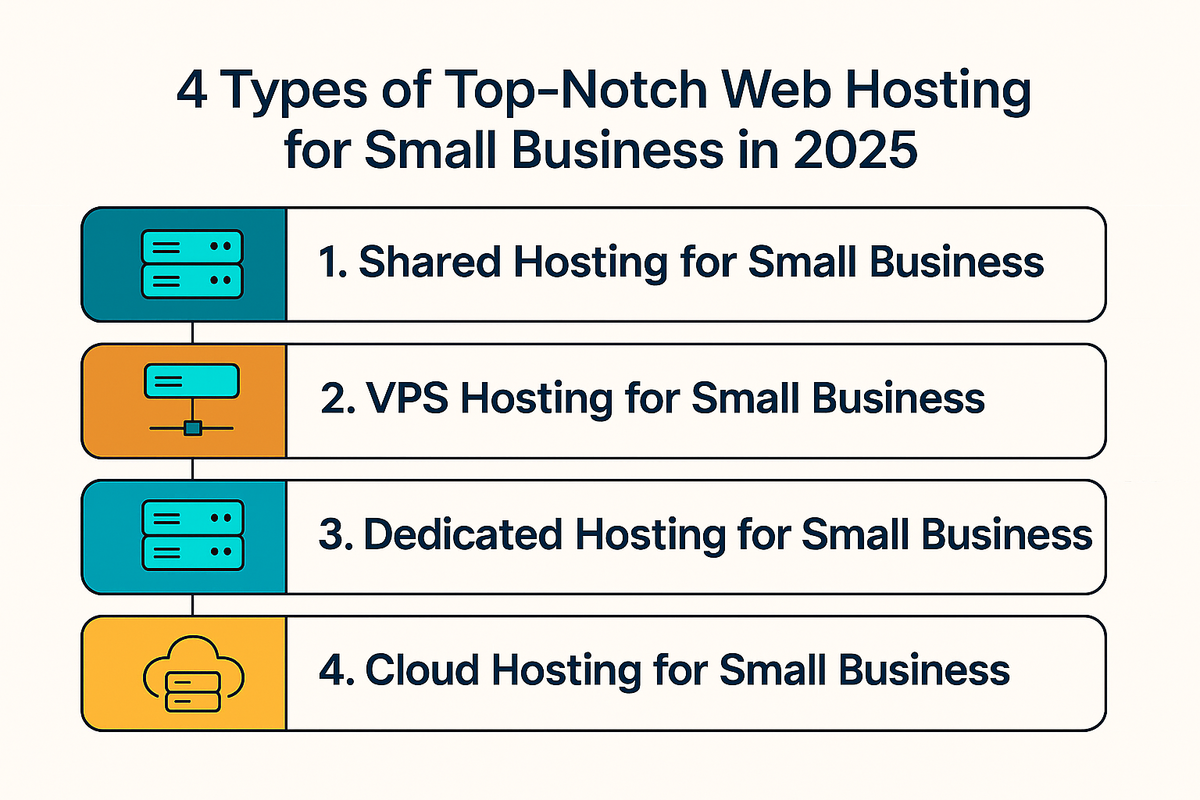
The market for affordable WordPress hosting is split into two primary categories: shared hosting and entry-level managed hosting.
Shared Hosting is the most cost-effective solution. You occupy a server alongside hundreds of other websites. Resources like CPU and RAM are shared. If a neighboring site on the same server experiences a massive traffic spike, it can occasionally degrade your performance—a phenomenon known as the "bad neighbor" effect. However, for a small, static-heavy site, this is rarely an issue.
Managed WordPress Hosting at the entry level often provides a more streamlined experience. These plans are optimized specifically for the CMS, meaning the server configuration is tuned to handle WordPress caching by default. While you might pay a slight premium over basic shared hosting, you often get better security hardening, specialized support, and automated plugin update management, which can save you significant time.
Evaluating Key Features for Small Site Owners
When comparing providers, do not be distracted by "unlimited" claims. "Unlimited bandwidth" or "unlimited storage" is almost always subject to an Acceptable Use Policy (AUP) that throttles your site if you exceed normal resource usage.
| Feature | Importance for Small Sites | Why it Matters |
|---|---|---|
| SSL Certificates | Mandatory | Browsers flag non-HTTPS sites as "Not Secure." |
| Backups | Critical | Necessary for recovery after a failed update or hack. |
| Caching | High | Improves site speed significantly without extra cost. |
| Staging Area | Moderate | Allows testing site changes before going live. |
| Support Channels | High | 24/7 access via chat or ticket is vital for beginners. |
Practical Steps to Launch Your Site
Launching a WordPress site on an affordable host should follow a consistent process to ensure security and performance from day one.
- Domain Registration: While many hosts offer a "free domain" for the first year, consider registering your domain with a dedicated registrar. This keeps your domain management separate from your hosting, making it easier to migrate in the future.
- Security Hardening: Even if your host provides security features, you are responsible for site-level security. Use strong, unique passwords, enable Two-Factor Authentication (2FA) for your WordPress dashboard, and limit login attempts via a plugin.
- Performance Optimization: Install a reputable caching plugin if your host does not provide server-side caching. Optimize your images using a compression tool before uploading them to the media library to reduce page size and bandwidth usage.
- Regular Maintenance: Set a monthly schedule to update the WordPress core, your theme, and all plugins. Outdated software is the leading cause of site compromises.
Troubleshooting Common Performance Issues
If your site feels sluggish, do not immediately upgrade your hosting plan. Most performance issues on small sites stem from software configuration rather than server hardware.
- Plugin Bloat: Too many plugins can increase the number of requests your server must process. Audit your plugins and deactivate those that are not strictly necessary.
- Heavy Themes: If your theme loads dozens of scripts and stylesheets, it will impact your Core Web Vitals. Consider switching to a lightweight "block-based" theme.
- Database Clutter: WordPress stores post revisions, spam comments, and transient options in the database. Periodically cleaning these out can keep the database nimble.
- Lack of Caching: If your site is not serving cached pages, every visitor is forcing your server to regenerate the HTML from scratch, which is highly resource-intensive.
The Trade-offs of Budget Hosting
Affordable hosting is not without limitations. You must be prepared for the realities of the entry-level tier. You will not have dedicated hardware, meaning you have less control over server-level configurations. If your site suddenly gains significant traction, you will likely hit resource limits that necessitate an upgrade to a Virtual Private Server (VPS) or a higher-tier cloud plan.
Furthermore, support on budget plans is often tiered. You may face longer wait times or receive responses from front-line support agents who can only assist with basic hosting issues rather than specific WordPress development problems. Understand that the low price is subsidized by high-volume, automated infrastructure, which leaves little room for individualized technical consulting.
Frequently Asked Questions
Is free WordPress hosting a viable option for small sites? Generally, no. Free hosting often includes intrusive advertisements on your site, lacks support, and carries significant security risks. Because these hosts monetize through data or upsells, they are rarely suitable for professional or serious personal projects.
How much should I expect to pay for decent hosting in 2026? For a reliable entry-level plan, expect to pay between $5 and $12 per month. Be wary of plans that drop below $3 per month, as they often carry aggressive renewal fees that increase your cost by 300% or more after the initial term.
Can I move my site if I am unhappy with my host? Yes. WordPress is portable. You can move your content using standard migration tools or plugins. When choosing a host, check if they offer "free site migration" as part of their signup package; many reputable companies will handle the transfer for you.
Do I need an SSL certificate if I don't take payments? Yes. Modern web standards require HTTPS even for informational sites. Most hosts now provide free SSL certificates via Let's Encrypt, so there is no reason for your site to be served over insecure HTTP.
What is the "uptime" guarantee I see on hosting sites? Uptime is the percentage of time your server is accessible. Aim for a host that guarantees 99.9% uptime. While 100% is impossible, 99.9% ensures your site is down for less than nine hours per year, which is standard for reliable service.
Final Recommendation
When selecting an affordable WordPress host, prioritize stability and support over "gimmick" features. Look for a provider that has been established for several years and maintains a clear, public knowledge base. Start with a basic, well-reviewed shared hosting plan. Monitor your site's performance through the dashboard and keep your software updated. If your site outgrows the initial plan, the ease of upgrading within your existing host's ecosystem will be your greatest asset.