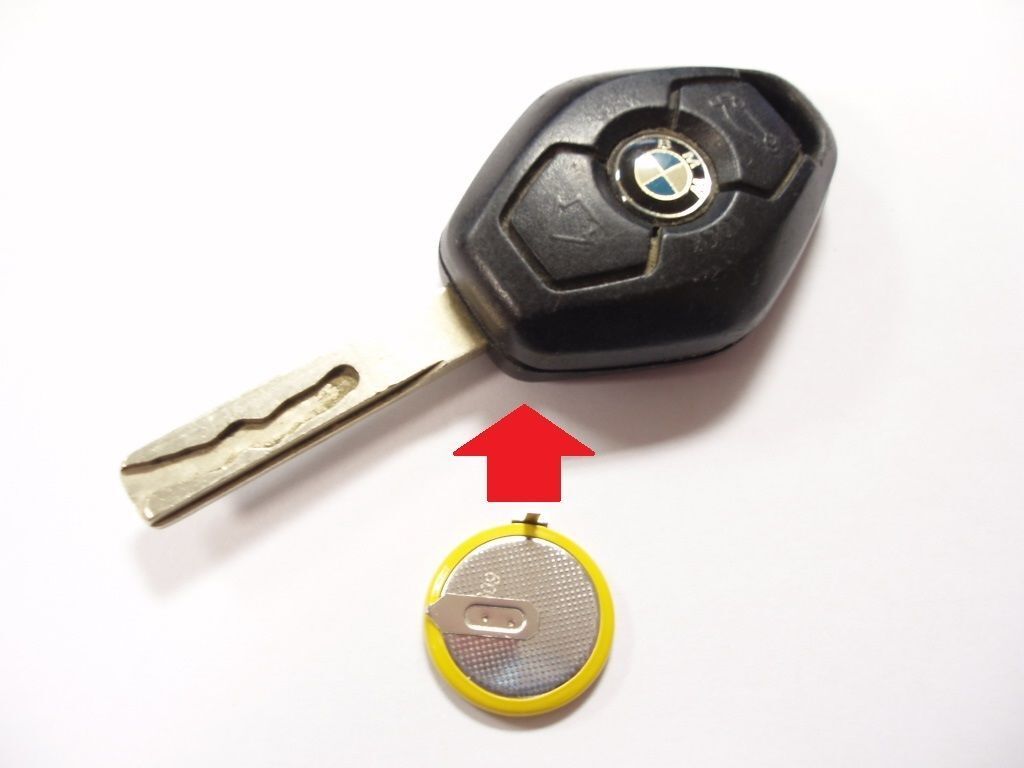
Replacing a BMW X5 key battery involves releasing the mechanical key blade via the release button, opening the rear battery compartment cover, and swapping the old coin cell battery—typically a CR2450 or CR2032 depending on your vehicle's model generation—with a fresh one, ensuring correct positive-side-up polarity.
Modern luxury vehicles like the BMW X5 rely heavily on electronic key fobs for comfort access, remote locking, and push-button ignition. Over time, the internal lithium coin cell battery inside the fob inevitably loses its charge. When this happens, you may notice diminished remote range, intermittent vehicle response, or a persistent warning message on your instrument cluster reading "Remote control battery depleted."
Addressing this issue promptly prevents you from being locked out of your vehicle or stranded without the ability to start the engine. Fortunately, replacing the battery in a BMW X5 key fob is a straightforward, cost-effective maintenance task that does not require specialized automotive tools or a trip to the dealership parts counter. Understanding the specific generation of your BMW X5, gathering the correct replacement battery size, and executing the swap with care ensures your key fob continues to function reliably for years to come.
Prerequisites and Identifying Your BMW X5 Key Generation
Before attempting to change the battery in your BMW X5 key fob, you must first determine the exact model year and key fob design associated with your vehicle. BMW has produced multiple generations of the X5 since its debut, and key fob configurations have evolved significantly. Knowing your specific generation ensures you purchase the correct battery size and avoid damaging delicate plastic internal clips during disassembly.
The BMW X5 spans four major generational eras:
- First Generation (E53: 1999–2006): Utilizes an older diamond-shaped key that is traditionally recharged by the ignition switch, though some variants feature replaceable batteries requiring casing separation.
- Second Generation (E70: 2007–2013): Typically features a slot-in smart key or an early Comfort Access remote containing a standard replaceable coin cell battery.
- Third Generation (F15: 2014–2018): Features a rectangular electronic smart key fob with a side-mounted mechanical key release and a rear access panel for battery replacement.
- Fourth Generation (G05: 2019–Present): Utilizes modern smart keys, including display keys or sleek electronic fobs that require specific slide-or-clip rear cover removal methods.
Inspecting your key fob visually will immediately reveal whether it features a removable mechanical key blade and a sliding back cover or a snap-fit clamshell housing.
Gathering Required Tools and Supplies
You do not need an extensive toolkit to service a BMW X5 key fob. However, having the right supplies on hand prevents frustration and protects the plastic housing from cosmetic damage.
- Replacement Battery: Verify whether your specific fob requires a CR2450 (common for modern F15 and G05 fobs) or a CR2032 3-volt lithium coin cell battery. Purchasing a reputable brand (such as Panasonic, Energizer, or Sony) ensures stable voltage delivery and longevity.
- Small Flathead Screwdriver or Plastic Pry Tool: Useful for gently releasing stubborn access covers or unclipping housing seams if your specific key design requires it. Avoid using metal screwdrivers directly against painted or high-gloss plastic surfaces to prevent scratching.
- Microfiber Cloth: Useful for wiping down the key housing and handling the new battery. Oils from bare fingers can leave residue on lithium coin cells, potentially accelerating self-discharge or causing poor electrical contact.
Step 1: Release and Remove the Mechanical Key Blade
The foundation of accessing the internal electronics and battery compartment of a modern BMW X5 key fob begins with removing the integrated mechanical key blade. This metal blade not only serves as a manual backup to unlock the driver’s door if the vehicle's 12-volt battery is dead, but it also acts as a release mechanism or leverage tool for the battery cover itself.
Locating the Release Button
Hold your BMW X5 key fob in the palm of your hand with the back cover facing upward. Look for a small, recessed square or rectangular button located near the top edge or side of the housing. On modern F15 and G05 fobs, this button is flush with the surface of the casing.
Sliding and Pulling the Blade
Press and hold the mechanical release button firmly with your thumb or fingernail. While holding the button down, use your other hand to grip the exposed top head of the mechanical key blade. Pull straight out. The blade should slide smoothly out of the main key housing.
Once removed, inspect the base of the key blade and the internal channel it occupied. Some older E-series or early F-series fobs utilize the tip of this exact mechanical key blade as a customized tool to push open the battery compartment cover. Set the metal key blade aside in a safe location while you proceed to the next step.
Step 2: Open the Rear Battery Compartment Cover
With the mechanical key blade removed, the interior architecture of the key fob is partially exposed. Your next objective is to remove the rear cover panel to reveal the coin cell battery housing. The exact mechanism for opening this cover varies slightly depending on whether your X5 key is a standard comfort access fob or a heavier smart key variant.
Unlatching or Sliding the Cover
- For Standard Smart Keys (F15 / G05 styles): Look inside the cavity where you just removed the mechanical key blade. You will often see a small slot or a secondary release latch. Insert the tip of the mechanical key blade (or a small flathead tool) into this designated slot and apply gentle upward pressure or slide the rear cover plate in the direction indicated by small embossed arrows on the plastic housing. The cover should pop loose or slide backward, exposing the battery bay.
- For Clamshell or Older Key Designs: If your key fob does not feature a sliding panel, you may need to carefully separate the two halves of the plastic shell. Insert a plastic pry tool or a fine flathead screwdriver into the seam near the key ring loop, twisting gently to pop the perimeter clips apart. Take extreme caution not to puncture the internal rubber gasket seal, which protects the electronics from moisture.
Inspecting the Battery Bay
Once the cover is removed, you will see the circular lithium coin cell battery held securely beneath a plastic or metal retention clip. Note the orientation of the battery before touching it. In virtually all BMW key fobs, the positive (+) side of the battery faces upward, displaying the battery code (such as CR2450) and brand markings, while the negative (-) side faces downward against the circuit board contact point.
Step 3: Swap the Battery and Reassemble the Fob
The final stage of the process involves extracting the depleted energy cell, inserting the fresh replacement battery, and locking all housing components back into their original secure positions. Precision and cleanliness during this step ensure optimal electrical conductivity and prevent loose components.
Removing the Old Battery
Using your fingernail or a non-conductive plastic tool, gently pry or slide the old coin cell battery out of its retaining clip. Avoid using sharp metal objects directly against the circuit board or battery terminals to prevent scratching or short-circuiting the microscopic surface components. Dispose of the old lithium battery responsibly in accordance with local recycling ordinances.
Installing the New Battery
Take your new CR2450 or CR2032 battery. Remember to handle it by its edges using a clean cloth or clean fingers to avoid transferring skin oils onto the metal surfaces. Orient the battery so that the positive (+) side faces up. Slide or press the battery firmly into the retention slot until it clicks securely beneath the retaining tab and sits completely flat against the base contact.
Reassembly Checklist
Reassembling your BMW X5 key fob is the exact reverse of disassembly:
- Align the rear battery compartment cover or housing shell halves.
- Press down firmly until all plastic clips snap securely into place with an audible click, ensuring there are no gaps along the perimeter seam.
- Slide the mechanical key blade back into its designated channel until the release button clicks outward to lock it firmly in position.
| Key Generation | Typical Model Years | Battery Type | Cover Removal Method |
|---|---|---|---|
| E53 Generation | 1999–2006 | Rechargeable / CR2032 | Clamshell separation / ignition recharge |
| E70 Generation | 2007–2013 | CR2032 | Slot-in or rear slide panel |
| F15 Generation | 2014–2018 | CR2450 | Key blade release + sliding rear hatch |
| G05 Generation | 2019–Present | CR2450 | Key blade release + cover pop/slide |
Verifying Functionality and Troubleshooting
After completing the three-step battery replacement process, you must verify that your BMW X5 key fob communicates correctly with the vehicle's receiver module. Stand close to your vehicle and test the primary remote functions.
Testing Remote Functions
- Lock Button: Press the BMW roundel or lock icon once. The exterior turn signals should flash once, and the doors should lock audibly.
- Unlock Button: Press the unlock button. The doors should unlock and interior lighting should activate.
- Tailgate / Trunk Release: Press and hold the trunk release button to ensure the power tailgate responds correctly.
- Comfort Access Check: Approach the locked vehicle with the key in your pocket and touch the exterior door handle sensor to verify that proximity unlocking functions normally.
Troubleshooting Unresponsive Fobs
If your key fob fails to operate the vehicle after a battery replacement, consider the following troubleshooting steps:
- Check Battery Polarity: Open the rear cover again and verify that the positive (+) side is facing upward. Installing the battery upside down prevents electrical contact.
- Inspect Terminal Contacts: Ensure the metal contact prongs inside the battery bay are clean and making firm contact with the top and bottom surfaces of the coin cell. Gently bend a loose contact prong upward if necessary.
- Check for Static Discharge or Pairing Loss: Occasionally, if a key fob has been unpowered for an extended period, it may require re-synchronization. Place the key fob against the designated emergency backup sensor area on the steering column (marked with a key symbol on many modern BMW models) and press the start button while holding the brake pedal to re-establish the immobilizer handshake.
Frequently Asked Questions
How often should I replace my BMW X5 key battery?
Under normal operating conditions, a BMW X5 key fob battery lasts between two to four years. The lifespan depends heavily on how frequently you use Comfort Access features, which cause the fob to constantly broadcast proximity signals to the vehicle.
Will replacing the battery erase my key memory or programming?
No. Replacing the coin cell battery does not erase the vehicle pairing data, seat memory settings, or remote programming stored on the internal microchip. The fob retains its memory configuration while unpowered.
Can I drive my BMW X5 if the key battery is completely dead?
Yes. Modern BMW X5 models feature an emergency transponder coil. Even if the coin cell battery is entirely dead, you can start the vehicle by holding the key fob directly against the emergency backup sensor icon located on the steering column or lower dashboard while pressing the start button.
What should I do if the key fob housing clips break during replacement?
If an older or brittle plastic housing clip snaps during disassembly, the rear cover may not stay securely attached. In this scenario, you can temporarily secure the cover with a small piece of discreet tape, though ordering an aftermarket replacement key shell online and swapping the internal circuit board into the new shell is the most durable permanent fix.
Are CR2032 and CR2450 batteries interchangeable?
No. CR2032 and CR2450 batteries feature different physical diameters and thicknesses. A CR2450 is thicker and provides a higher milliamp-hour (mAh) capacity than a CR2032. You must use the exact battery size specified for your specific BMW X5 key fob generation to ensure proper fitment and electrical function.
Next Actions and Professional Assistance
Replacing your BMW X5 key battery yourself is a quick, inexpensive task that saves you a trip to the dealership service bay. Once your fresh battery is installed and tested, store your vehicle's second key fob in a safe, dry location at home to ensure you always have a reliable backup.
If your key fob remains entirely unresponsive after installing a verified, brand-new battery and checking contact terminals, the internal circuit board may have suffered physical or water damage. In such cases, visit an authorized BMW center or a qualified automotive locksmith equipped with specialized diagnostic programming tools to order and code a replacement key fob for your vehicle.