To optimize a modern workplace in 2026, organizations must prioritize a Zero Trust security architecture, integrate generative AI into standard workflows, and adopt cloud-native infrastructure. Success relies on balancing seamless user experiences for hybrid employees with robust data governance and automated endpoint management to ensure scalability, security, and sustained productivity.
The Evolution of the Modern Workplace in 2026
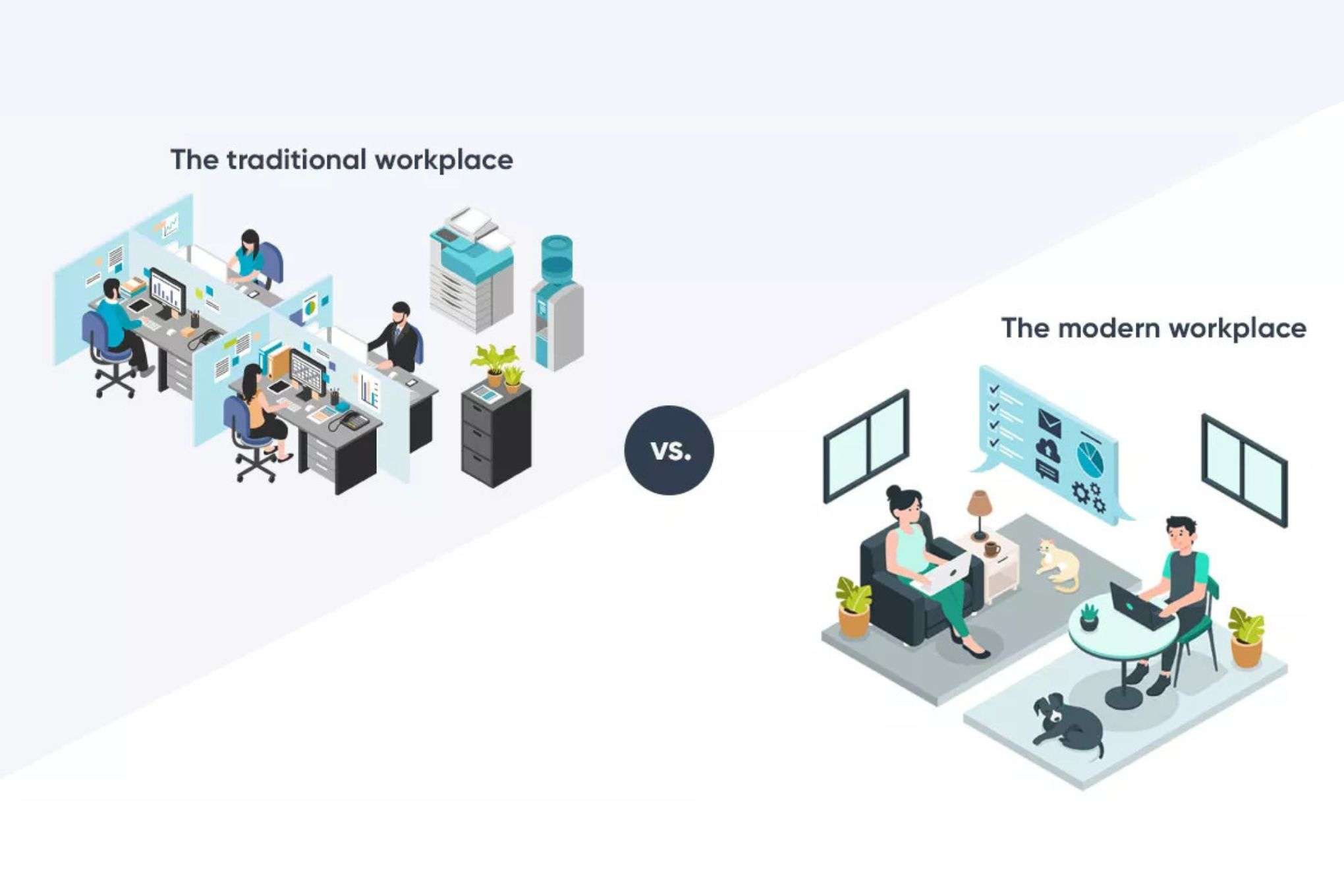
The definition of the "workplace" has undergone a fundamental shift. It is no longer a physical location but a digital ecosystem that supports employees wherever they are. By 2026, the distinction between "remote" and "office" work has blurred into a unified hybrid model. This transition requires IT departments to move away from legacy perimeter-based security and static hardware deployments toward agile, software-defined environments.
Modern IT solutions are now judged by their ability to provide "frictionless" productivity. If a security measure or a software tool slows down an employee’s creative flow, it is considered a failure. Consequently, the focus for IT leadership has shifted from merely keeping the lights on to driving digital transformation that directly impacts the bottom line. The following twelve tips provide a comprehensive roadmap for navigating this complex landscape.
1. Implement a Zero Trust Security Framework
The traditional "castle and moat" approach to cybersecurity—where everything inside the office network is trusted—is obsolete. In a modern workplace, the network is always assumed to be hostile. Zero Trust Architecture (ZTA) operates on the principle of "never trust, always verify." Every access request, regardless of its origin, must be fully authenticated, authorized, and encrypted.
By 2026, ZTA has become the standard for preventing lateral movement by attackers within a network. This involves micro-segmentation, where the network is divided into small zones to contain potential breaches. For example, an employee in marketing should not have network-level access to the accounting department's servers. Implementing ZTA requires a shift toward identity-centric security, where the user's identity, device health, and context (such as location and time) determine access rights in real-time.
2. Prioritize Passwordless and Phishing-Resistant MFA
Standard Multi-Factor Authentication (MFA) using SMS codes or push notifications is increasingly vulnerable to "MFA fatigue" attacks and sophisticated phishing. To harden the modern workplace, IT solutions must pivot toward FIDO2-compliant passwordless authentication. This technology uses cryptographic keys stored on a device or a physical security key, making it virtually impossible for an attacker to intercept or spoof credentials.
Moving to a passwordless environment significantly reduces the burden on IT helpdesks, as password resets consistently rank among the highest volume of support tickets. Furthermore, it improves the employee experience by removing the friction of remembering and rotating complex passwords. By 2026, biometrics—such as Windows Hello for Business or Apple’s FaceID—integrated with enterprise systems, have become the primary method of accessing corporate resources.
3. Leverage AI-Powered Workflow Automation
Artificial Intelligence is no longer an experimental tool; it is the engine of the modern workplace. Organizations should implement specialized Large Language Models (LLMs) and AI agents that are grounded in their own corporate data. These tools can automate routine tasks such as summarizing long meeting transcripts, drafting standard reports, or managing complex scheduling.
The key to successful AI integration is governance. IT teams must provide "walled garden" AI environments to prevent sensitive company data from leaking into public models. By using enterprise-grade AI solutions, such as Microsoft 365 Copilot or Claude for Enterprise, businesses can ensure that their data remains within their compliance boundary while providing employees with the productivity gains of generative AI.
4. Adopt Unified Endpoint Management (UEM)
With employees using a mix of corporate-owned laptops, tablets, and personal smartphones (BYOD), managing the "endpoint" has become a monumental task. Unified Endpoint Management (UEM) solutions allow IT administrators to manage, secure, and deploy software to all devices from a single console. This is critical for maintaining compliance and ensuring that every device accessing corporate data meets the required security posture.
UEM tools facilitate "zero-touch deployment," where a new hire can receive a laptop in the mail, open it, connect to Wi-Fi, and have all their necessary applications and security policies automatically installed over the air. This eliminates the need for IT staff to manually "image" machines, saving hundreds of labor hours annually for mid-to-large-sized enterprises.
5. Transition to a Cloud-Native Infrastructure
In 2026, the "cloud-first" strategy has evolved into "cloud-only" for many organizations. Moving away from on-premise servers to cloud-native services like Azure, AWS, or Google Cloud provides unparalleled scalability and disaster recovery capabilities. Cloud-native solutions allow for auto-scaling, where computing resources expand or contract based on real-time demand, ensuring cost-efficiency.
Furthermore, cloud-native applications (SaaS) are easier to update and secure than traditional on-premise software. IT teams should focus on migrating legacy workloads to the cloud using "refactoring" or "replatforming" techniques rather than simple "lift-and-shift" to take full advantage of cloud-specific features like serverless computing and managed databases.
6. Optimize Hybrid Connectivity with SD-WAN
The reliability of a workplace now depends on the quality of its internet connection, especially for high-definition video conferencing and real-time collaboration. Software-Defined Wide Area Networking (SD-WAN) allows organizations to manage their network traffic dynamically across multiple connection types, such as fiber, 5G, and satellite.
SD-WAN prioritizes critical traffic—such as a Zoom call or a VoIP session—over less urgent data like background file backups. This ensures that even if one internet provider experiences a slowdown, the most essential business functions continue uninterrupted. For remote workers, providing "enterprise-at-home" hardware that extends the corporate SD-WAN can significantly improve the performance of cloud applications.
7. Invest in Digital Employee Experience (DEX) Tools
As work becomes more digital, the quality of that experience directly correlates with employee retention and productivity. Digital Employee Experience (DEX) monitoring tools provide IT departments with visibility into the health of an employee’s digital environment. These tools can proactively identify if a specific application is crashing frequently or if a user’s laptop battery is nearing the end of its life before the employee even notices.
By analyzing telemetry data from endpoints, IT can move from a "reactive" support model (fixing things when they break) to a "proactive" model (fixing things before they break). This data-driven approach allows leadership to make informed decisions about hardware refreshes and software licensing based on actual usage patterns rather than guesswork.
8. Establish Robust Data Governance and Sovereignty
In an era of strict privacy regulations like GDPR, CCPA, and evolving 2026 data laws, knowing where your data resides is paramount. IT solutions must include automated data classification tools that scan documents for sensitive information (like credit card numbers or intellectual property) and apply appropriate encryption and access controls automatically.
Data sovereignty—the concept that data is subject to the laws of the country in which it is located—must be a core consideration when choosing cloud providers. Modern workplaces must ensure that their IT architecture allows for regional data residency to meet legal requirements, especially for multinational corporations.
9. Utilize Managed IT Services for Scalability
Many modern workplaces find that maintaining a full-scale internal IT department is neither cost-effective nor efficient. Managed Service Providers (MSPs) offer specialized expertise in areas like cybersecurity, cloud architecture, and helpdesk support. Partnering with an MSP allows internal IT teams to focus on strategic business initiatives rather than routine maintenance.
| Feature | In-House IT Team | Managed IT Services (MSP) |
|---|---|---|
| Availability | Typically business hours | 24/7/365 Monitoring |
| Cost Structure | High fixed costs (salaries/benefits) | Predictable monthly operational expense |
| Specialization | Generalist knowledge of the specific business | Broad access to specialized experts |
| Scalability | Slow (requires hiring and training) | Rapid (can scale up/down instantly) |
| Focus | Strategic alignment with company goals | Operational efficiency and uptime |
10. Implement Advanced Threat Protection (ATP)
As cyber threats become more sophisticated, traditional antivirus software is no longer sufficient. Advanced Threat Protection (ATP) uses machine learning and behavioral analysis to detect threats that do not have a known "signature." For instance, if an employee suddenly begins downloading an unusual amount of data from a SharePoint site at 3:00 AM, an ATP system can automatically flag this behavior and revoke the user's access until the activity is verified.
ATP solutions also include "sandboxing" capabilities, where suspicious email attachments are opened in a secure, isolated environment to check for malicious behavior before they reach the user's inbox. In 2026, these systems are deeply integrated with Extended Detection and Response (XDR) platforms to provide a holistic view of the entire security landscape.
11. Support Modern Collaboration with UCaaS
Communication is the lifeblood of the modern workplace. Unified Communications as a Service (UCaaS) integrates voice, video, messaging, and file sharing into a single platform. This eliminates the need for separate PBX phone systems and disparate chat apps, creating a more cohesive user experience.
The integration of AI into UCaaS platforms in 2026 has revolutionized meetings. Features like real-time translation, automated action-item tracking, and "spatial audio" for virtual reality meeting rooms are becoming common. IT solutions must ensure these platforms are not only functional but also secure, with end-to-end encryption for sensitive discussions.
12. Commit to Sustainable and "Green" IT
Sustainability is a critical pillar of corporate responsibility in 2026. IT solutions should focus on reducing the carbon footprint of the digital workplace. This includes choosing cloud providers that run on 100% renewable energy, implementing power-management policies for office hardware, and establishing a formal Electronic Waste (E-waste) recycling program.
Furthermore, extending the lifecycle of hardware through better maintenance and modular repairability can significantly reduce environmental impact. IT departments should prioritize vendors who provide transparency regarding the lifecycle carbon cost of their devices, from manufacturing to disposal.
Frequently Asked Questions
What is the most important IT solution for a small business in 2026?
The most critical solution is a robust, cloud-based Identity and Access Management (IAM) system combined with Phishing-Resistant MFA. Small businesses are frequently targeted because they often lack the sophisticated security of larger enterprises. By securing the "identity" of the employees, a small business can protect the majority of its assets even with a limited budget.
How does AI change the role of the IT helpdesk?
AI is shifting the helpdesk from a human-first to an AI-first model. In 2026, most common issues—such as software installation, password resets, or basic troubleshooting—are handled by sophisticated AI chatbots that can resolve tickets in seconds. This allows human IT staff to focus on complex problem-solving, infrastructure design, and high-level strategy.
Is a VPN still necessary for remote work?
While traditional VPNs are still in use, they are being rapidly replaced by Zero Trust Network Access (ZTNA). Unlike a VPN, which often grants a user broad access to a network once they are "in," ZTNA provides granular access only to the specific applications the user needs. ZTNA is generally more secure and provides a faster, more reliable user experience for remote workers.
What are the risks of using "Shadow AI" in the workplace?
"Shadow AI" refers to employees using unapproved, public AI tools for work tasks. The primary risk is data leakage; sensitive company information or client data entered into a public AI model may be used to train that model, making it potentially accessible to others. IT departments must provide approved, secure alternatives to prevent this behavior.
How often should we refresh our workplace hardware?
In 2026, the trend has shifted away from fixed three-year cycles toward "condition-based" refreshes. By using Digital Employee Experience (DEX) tools, IT can monitor the actual performance and battery health of devices. A well-maintained laptop may last five years, while a high-demand power user might need a refresh after two. This approach is more cost-effective and sustainable.
What is the role of 5G in the modern workplace?
5G acts as a high-speed failover and a primary connection for mobile workers. It enables high-bandwidth tasks, like 4K video conferencing and large file transfers, to happen anywhere without relying on public Wi-Fi, which is often insecure and slow. In many cases, 5G is now used as a primary internet source for smaller satellite offices.
Practical Recommendation
To begin modernizing your workplace, conduct a comprehensive IT infrastructure audit focused on security and user experience. Start by migrating to a FIDO2-compliant passwordless authentication system to immediately reduce your most significant security risk. Simultaneously, assess your current application stack for cloud readiness and identify one or two routine workflows where AI automation can be piloted to demonstrate immediate ROI.