To reset the oil maintenance light on a 2013 Mazda 3, turn the ignition to the "ON" position without starting the engine. Use the "INFO" button on the steering wheel to navigate the Multi-Information Display (MID) to the "Settings" or "Maintenance" menu. Select "Oil Change," then choose "Reset" and confirm your selection to clear the reminder.
The 2013 Mazda 3 represents a significant transitional year for the Japanese automaker. As the final year of the second-generation "BL" series, it featured a blend of traditional MZR engines and the then-revolutionary SkyActiv-G technology. Because of this technological overlap, the method for resetting the oil life monitor can vary slightly depending on the specific trim level and the type of instrument cluster installed in your vehicle. Whether you are performing a DIY oil change in 2026 or simply need to clear a persistent "Wrench" icon after a professional service, understanding the logic behind Mazda’s maintenance tracking system is essential for long-term vehicle health.
Understanding the 2013 Mazda 3 Maintenance Monitor System
The maintenance monitor in a 2013 Mazda 3 is not just a simple timer; it is a software-based system designed to alert the driver when the engine oil has reached the end of its effective life. Unlike some modern vehicles that use complex algorithms to analyze driving habits, the 2013 model primarily relies on a "Fixed" or "Flexible" distance-based interval that is programmed into the car’s Multi-Information Display (MID).
The system manifests in two primary ways:
- The Wrench Indicator Light: This is a small, amber-colored wrench icon that appears on the instrument cluster. It serves as a general warning that maintenance is due.
- The Multi-Information Display (MID) Message: Located on the upper dash above the center console, this screen provides specific text-based alerts, such as "Oil Change Due" or "Maintenance Required."
In 2026, many of these vehicles have high mileage, making it even more critical to adhere to these reminders. Neglecting the oil reset doesn't just leave a light on the dash; it disrupts the vehicle’s ability to provide accurate future warnings, which can lead to skipped services and premature engine wear.
Prerequisites Before Performing the Reset
Before you proceed with the button-pressing sequence, ensure that the actual maintenance work has been completed. Resetting the light without changing the oil is highly discouraged, as the 2013 Mazda 3 (especially the SkyActiv models) relies on fresh lubricants to maintain its high-compression efficiency.
Required Oil Specifications
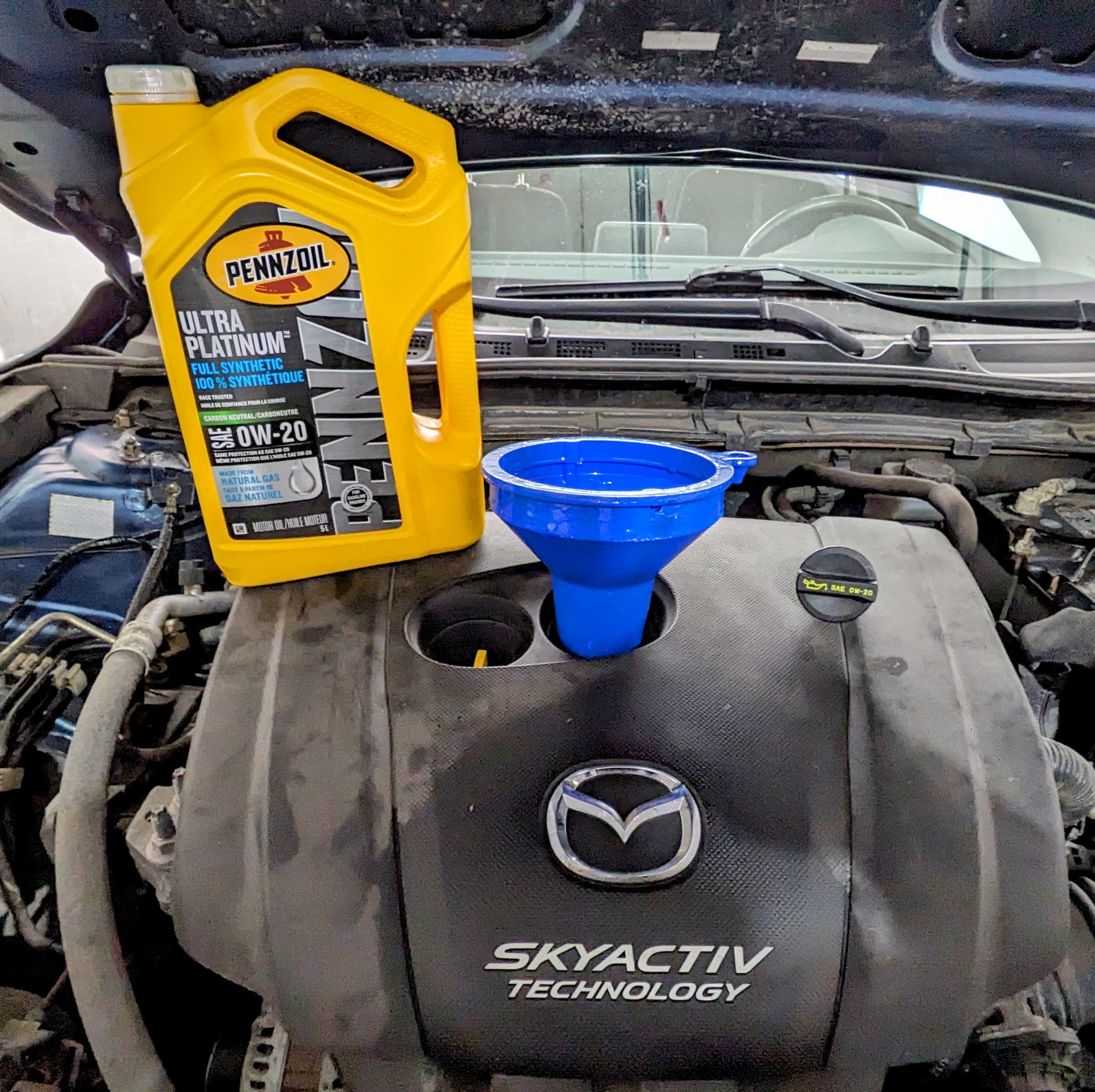
The 2013 Mazda 3 with the 2.0L SkyActiv engine requires SAE 0W-20 synthetic oil. This low-viscosity oil is critical for the SkyActiv-G's internal components. Models equipped with the older 2.0L MZR or 2.5L engines typically utilize SAE 5W-20 or 5W-30, depending on regional climate and specific owner's manual recommendations.
Safety and Preparation
- Park the vehicle on a level surface: Ensure the car is in "Park" (Automatic) or in gear with the parking brake engaged (Manual).
- Engine Off: The reset procedure is performed with the ignition in the "ON" position, but the engine should not be running.
- Access the Controls: Most functions are handled via the steering wheel-mounted "INFO" button and the navigation switches (Up/Down/Set) located on the left-hand spoke of the steering wheel.
Reset Procedure for Models with Multi-Information Display (MID)
Most 2013 Mazda 3 trims (Touring and Grand Touring) come equipped with the color or high-resolution monochrome MID. This is the most common interface for managing maintenance intervals.
Step 1: Ignition Status
Insert your key into the ignition (or have the key fob inside for Push-Button Start models). Turn the ignition to the ON position. This is the second click for keyed ignitions or two presses of the Start button without touching the brake pedal. The dashboard lights should illuminate, but the engine should remain silent.
Step 2: Navigate the Menu
Locate the INFO button on the left side of your steering wheel. Press this button repeatedly while watching the upper dashboard display. You are looking for the screen that displays "Settings."
Step 3: Enter Maintenance Settings
Once "Settings" is highlighted, use the "Up" or "Down" arrows on the steering wheel to find the Maintenance sub-menu. Press the "Select" or "Enter" button (often the center of the arrow pad).
Step 4: Select Oil Change
Within the Maintenance menu, you will see options for "Tire Rotation," "Scheduled Maintenance," and "Oil Change." Highlight "Oil Change" and press the select button.
Step 5: Execute the Reset
The screen will display the current remaining distance or a "Reset" option. Highlight "Reset" and press the select button. The system will usually ask for confirmation (e.g., "Are you sure?"). Confirm the action. The display should now reflect the new interval (typically 5,000 or 7,500 miles, depending on your previous settings).
Reset Procedure for Models Without the MID
If your 2013 Mazda 3 is a base "i Sport" trim or a specific regional variant without the upper dash display, the "Wrench" light is often reset through a combination of the ignition switch and the trip meter (Odometer) reset button.
- Ignition Off: Start with the ignition in the OFF position.
- Hold the Button: Press and hold the Trip Meter/Reset button located on the instrument cluster (the small plastic stalk near the speedometer).
- Turn Ignition On: While continuing to hold the button, turn the ignition to the ON position (do not start the engine).
- Wait for Flashing: Keep holding the button for approximately 5 to 10 seconds. You should see the "Wrench" light or the master warning light (triangle icon) flash.
- Release: Once the light stops flashing or turns off, release the button. Turn the ignition off and then start the engine to verify the light has been cleared.
Understanding Maintenance Schedules: Normal vs. Severe
When you reset your oil life, the 2013 Mazda 3 allows you to set a specific distance. Mazda categorizes driving into "Schedule 1" (Normal) and "Schedule 2" (Severe). By 2026, most automotive experts suggest following Schedule 2 for older vehicles to ensure longevity.
| Driving Condition | Description | Recommended Interval |
|---|---|---|
| Schedule 1 (Normal) | Highway driving, moderate temperatures, minimal idling. | 7,500 Miles / 12 Months |
| Schedule 2 (Severe) | Stop-and-go traffic, extreme heat/cold, short trips (< 5 miles), dusty roads. | 5,000 Miles / 6 Months |
| SkyActiv Specific | High-efficiency driving with full synthetic 0W-20. | 5,000 - 7,500 Miles |
If you primarily drive in city traffic or live in a region with harsh winters, you should manually adjust your reset interval in the MID settings to the 5,000-mile mark rather than the default 7,500.
Troubleshooting Common Reset Issues
Even with the correct steps, you may encounter issues where the light refuses to clear or reappears shortly after the reset.
The Light Reappears Immediately
If the wrench light returns within a few miles, it may not be an oil life reminder. In the 2013 Mazda 3, the wrench icon can also signify that a Scheduled Maintenance interval (not just oil) has been reached. Go back into the Maintenance menu on the MID and check the "Scheduled" and "Tire Rotation" sections. If any of those have reached "0," they will trigger the same wrench icon. You must reset each category individually.
The "INFO" Button is Unresponsive
This is a common mechanical failure in older Mazda 3 steering wheels. If the INFO button does not allow you to cycle through the menus, you may have a failed clock spring or a dirty button contact. In this scenario, you may need a professional scan tool connected to the OBD-II port to force a reset of the maintenance counters.
Mismatched Intervals
If you set the "Oil Change" interval to 5,000 miles but the "Scheduled Maintenance" to 7,500 miles, the light will come on twice at different times. For simplicity, it is often best to sync all maintenance categories to the same mileage interval during the reset process.
The Role of the SkyActiv Technology in Maintenance
The 2013 model year was a landmark for the Mazda 3 because it introduced the "SkyActiv-G" engine to a wider audience. This engine uses an exceptionally high compression ratio (12.0:1 or 13.0:1 depending on the market) to achieve better fuel economy.
Because of this design, the engine generates more internal heat and pressure than traditional engines. This makes the oil reset and the quality of the oil used more than just a suggestion. Using non-synthetic oil or ignoring the oil change reminder can lead to carbon buildup on the intake valves—a known issue with direct-injection engines. By keeping the maintenance monitor reset and updated, you ensure the car's computer accurately tracks the oil's degradation, protecting the sensitive SkyActiv components.
Frequently Asked Questions
Does the 2013 Mazda 3 have a "Flexible" oil life monitor?
While newer Mazdas (2014+) have a truly "Flexible" monitor that calculates oil life based on sensor data and driving style, the 2013 model is primarily distance-based. You must manually select the interval (e.g., 5,000 or 7,500 miles) in the settings menu. It will then count down from that specific number.
Can I reset the oil light while driving?
No. For safety reasons and to ensure the ECU (Engine Control Unit) correctly registers the change, the vehicle must be in the "ON" position with the engine off. Attempting to navigate deep settings menus while driving is often blocked by the system's software.
What if I don't have the "INFO" button on my steering wheel?
If your steering wheel lacks the "INFO" button, your vehicle likely uses the "Trip Stalk" method. Refer to the "Models Without the MID" section above. This involves holding the physical button on the instrument cluster while cycling the ignition.
Does resetting the oil light also reset the "Check Engine" light?
No. The oil maintenance reset and the Check Engine Light (CEL) are entirely different systems. The CEL indicates a fault in the emission system or engine sensors (detected by the OBD-II system). Resetting the maintenance monitor will not clear diagnostic trouble codes (DTCs).
Why is my wrench light red instead of amber?
In most 2013 Mazda 3 models, the wrench is amber. If you see a red oil pressure light (shaped like an oil can), stop driving immediately. A red oil light indicates a loss of oil pressure, which can destroy the engine in seconds. The amber wrench is a maintenance reminder; the red oil can is a mechanical emergency.
Practical Recommendation for 2013 Mazda 3 Owners
As of 2026, the 2013 Mazda 3 is an aging but durable vehicle. To maximize the life of your engine, do not rely solely on the dashboard light. We recommend checking your oil level manually using the dipstick at least once a month. Mazda engines of this era, particularly the 2.5L variant, can consume small amounts of oil between changes as they age.
When performing the reset, take a moment to also inspect your engine air filter and cabin air filter. Since you are already in the "Maintenance" menu, resetting these internal timers together creates a consistent service history that can improve the resale value of your vehicle. Always use a high-quality oil filter (such as the Mazda Genuine 1WPE-14-302 or a reputable equivalent) to ensure the bypass valve operates correctly during cold starts.