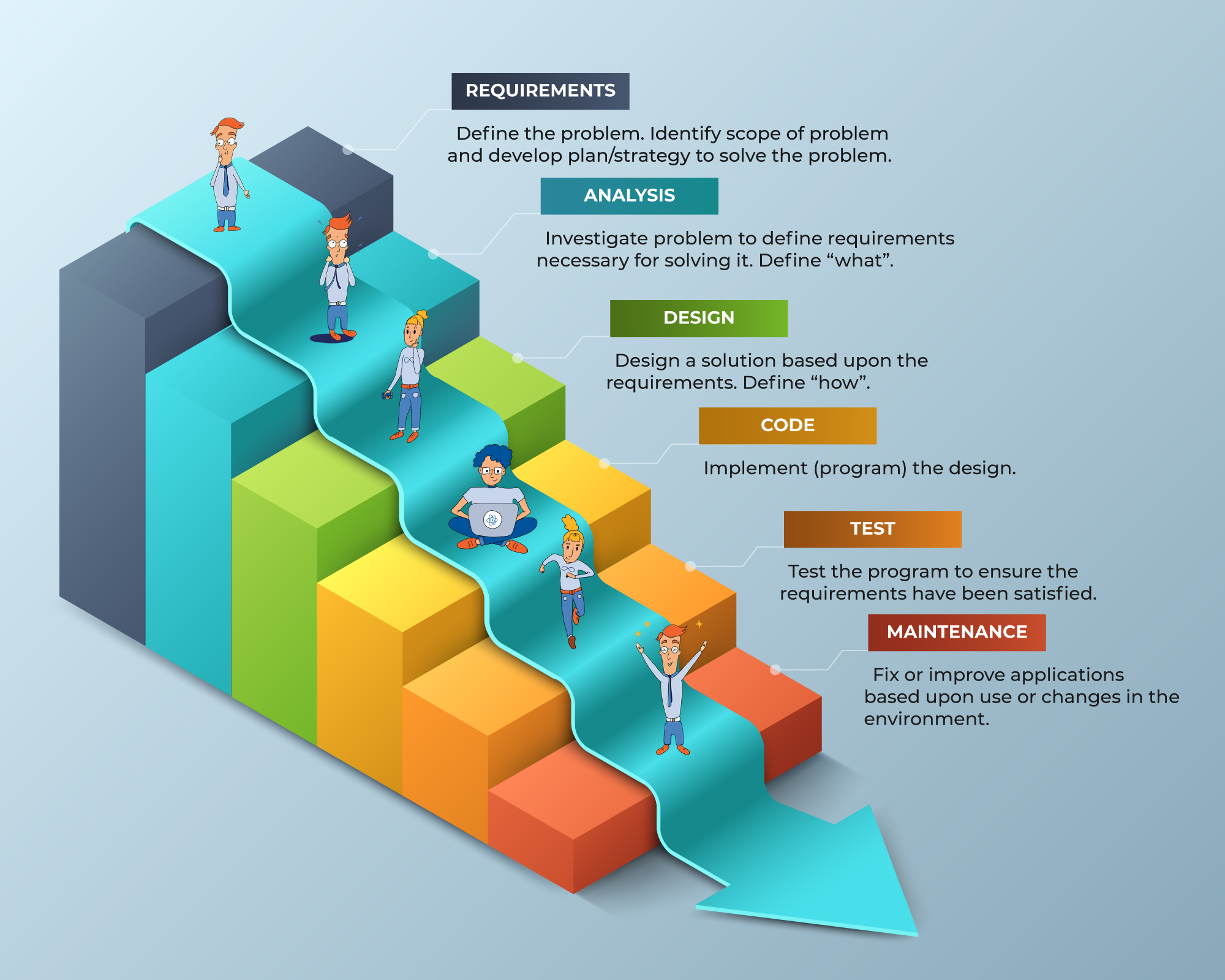
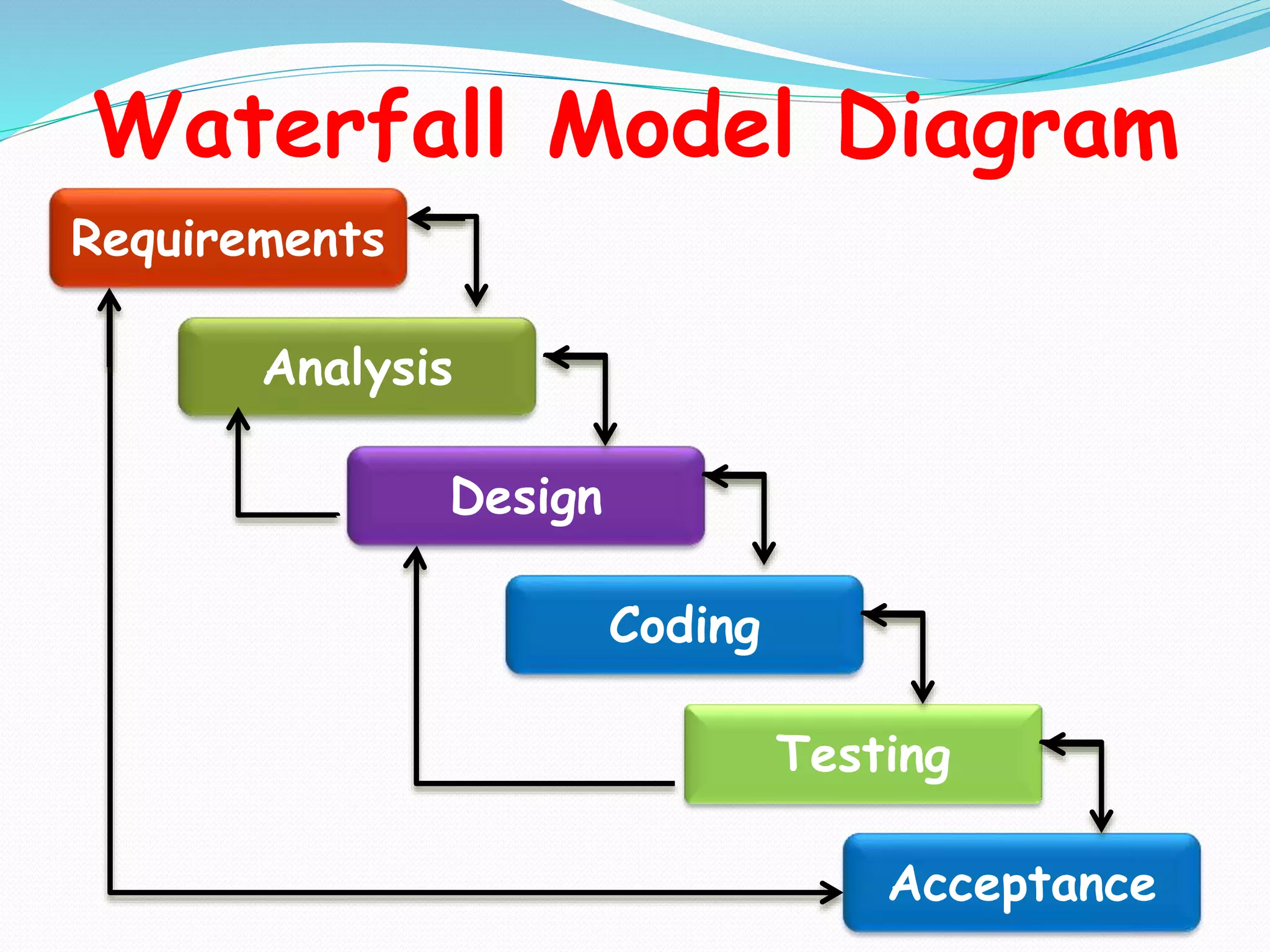
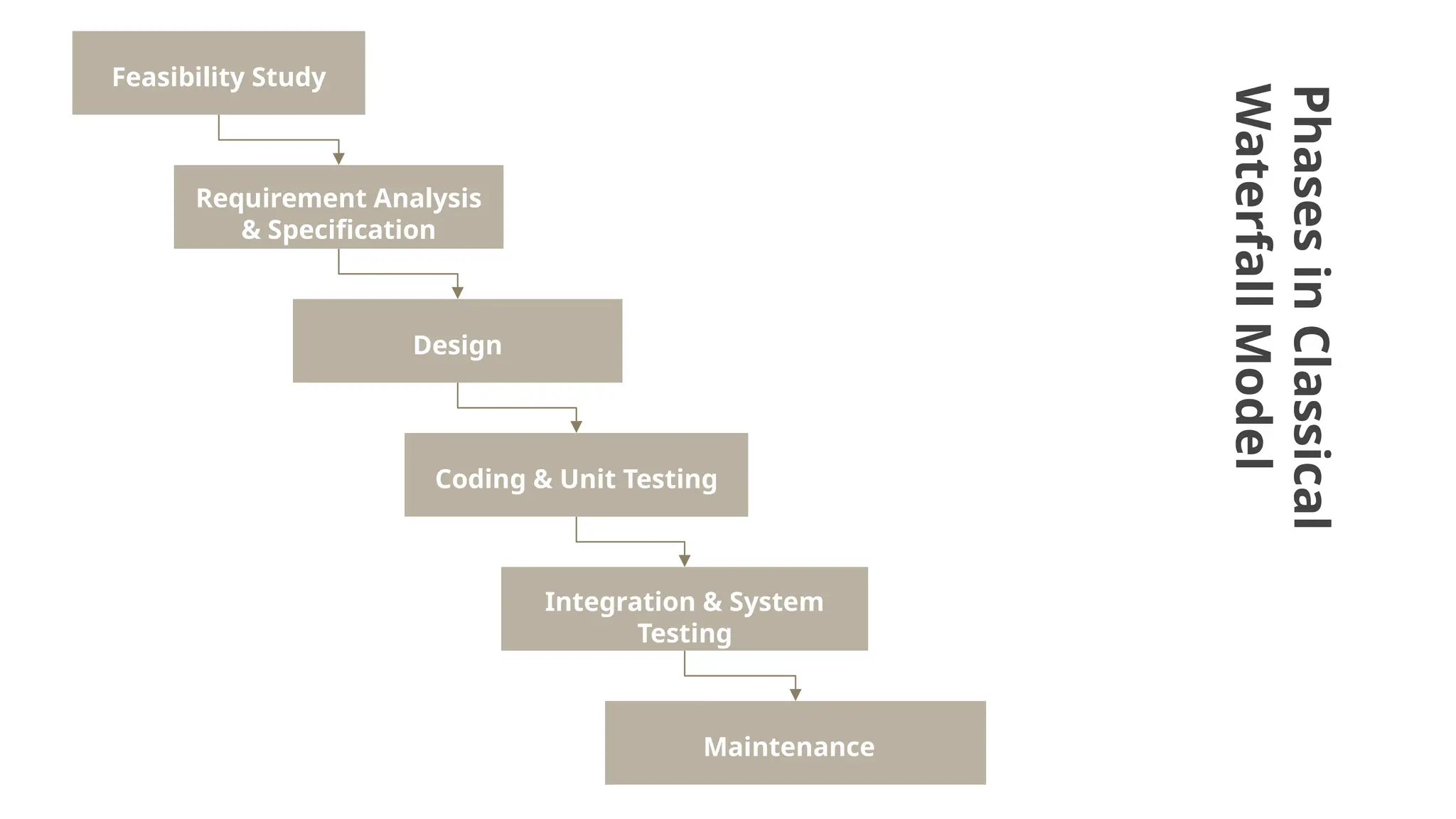
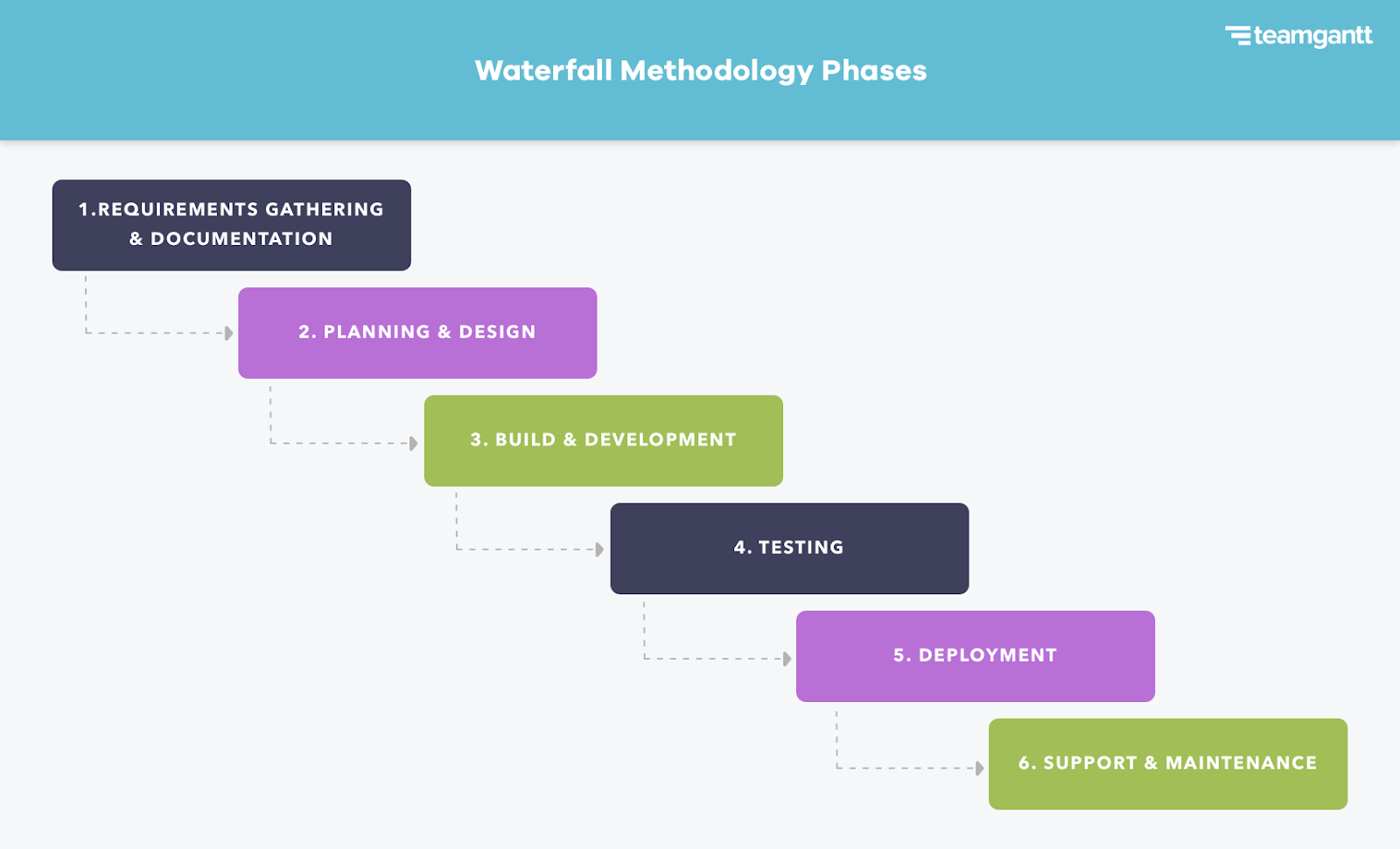
A waterfall model example for software projects provides a clear, linear view of traditional software development where execution flows sequentially through distinct phases like requirements gathering, system design, implementation, testing, deployment, and maintenance, with each stage requiring formal approval before the next begins.
The waterfall model stands as one of the oldest and most structured methodologies in software engineering. First formally described by Winston W. Royce in a 1970 paper (though he critiqued its rigid structure and advocated for iteration), it organizes software development into a sequential cascade. Understanding a concrete waterfall model example helps project managers, stakeholders, and developers evaluate whether this linear framework fits their specific technical constraints, regulatory environments, and organizational structures.
As software engineering has evolved toward agile paradigms, the waterfall model retains high relevance in safety-critical systems, government procurement, and fixed-scope enterprise deployments where changing requirements mid-stream carry prohibitive costs. Examining a complete software project lifecycle under this methodology clarifies its strict dependencies, gatekeeping mechanisms, and documentation-heavy nature.
What is the Waterfall Methodology in Software Engineering?
The waterfall methodology is a linear-sequential software development life cycle (SDLC) approach. Progress flows downward through separate phases, resembling a cascading waterfall where water moves steadily over a cliff face and cannot easily flow backward.
In this structure, completion of each phase depends directly on the successful output of the previous one. There is little room for revisiting completed phases without triggering a formal change management process or restarting the entire sequence. This approach contrasts sharply with iterative and incremental models, which embrace changing requirements and continuous user feedback throughout development.
The core philosophy behind the waterfall approach is predictability. By locking down requirements early, engineering teams can estimate budgets, timelines, and resource allocations with high initial precision. This makes the methodology attractive to clients who require a fixed-price contract and a guaranteed delivery date before writing a single line of code.
Core Phases in a Traditional Waterfall Software Project
A standard waterfall software project moves through six distinct sequential phases. Each phase has well-defined entry and exit criteria, comprehensive documentation requirements, and formal sign-offs.
[Requirements] ➔ [Design] ➔ [Implementation] ➔ [Testing] ➔ [Deployment] ➔ [Maintenance]
1. Requirements Gathering and Analysis
The project begins with a comprehensive investigation of what the software must accomplish. Business analysts, product managers, and system architects interview stakeholders, review existing legacy systems, and analyze regulatory or compliance frameworks.
The output of this phase is the Software Requirements Specification (SRS) document. This artifact serves as the single source of truth for the entire project. Once the SRS is signed off by all stakeholders, the requirements are effectively frozen.
2. System and Software Design
Armed with a frozen SRS, system architects and senior developers design the technical architecture. This phase splits into two distinct tiers:
- High-Level Design (HLD): Outlines the overall system architecture, database schemas, technology stacks, server topologies, and third-party integrations.
- Low-Level Design (LLD): Details individual module logic, algorithms, class diagrams, user interface wireframes, and API contracts.
The design phase produces architectural blueprints that guide developers during coding, ensuring the software meets scalability, security, and performance standards.
3. Implementation and Coding
During implementation, software developers write code based strictly on the LLD and HLD documents. Because the design is already complete and approved, developers generally work with minimal ambiguity about what functionality to build.
Developers write unit tests for their individual modules to verify that small pieces of code function correctly in isolation. As components are completed, they are checked into a central version control repository and assembled into a cohesive application build.
4. Integration and Testing
Once the entire codebase is assembled, the software enters the testing phase. Quality assurance (QA) engineers execute test plans derived directly from the SRS document. Testing activities include:
- Integration Testing: Ensuring different modules and third-party APIs work together seamlessly.
- System Testing: Validating the complete application against functional and non-functional specifications.
- User Acceptance Testing (UAT): Allowing end-users or client representatives to verify that the software meets operational business needs.
Any defects or deviations from the SRS are logged as bug reports and sent back to the development team for remediation before final release.
5. Deployment and Installation
After successful testing and final client sign-off, the software is deployed to the production environment. This phase involves setting up production servers, configuring databases, executing data migration scripts for legacy data, and training end-users.
For shrink-wrapped software, this phase involves packaging the application for distribution. For enterprise web applications, it involves cloud provisioning, domain configuration, and launching the live system for public or internal use.
6. Maintenance and Support
Even after deployment, the waterfall lifecycle requires ongoing maintenance. This phase addresses software bugs discovered by users in production, performance degradation, security patching, and minor enhancements.
Because structural changes are difficult in a waterfall model, major feature additions typically trigger a brand-new waterfall cycle (Version 2.0 project).
A Concrete Waterfall Model Example: Inventory Management System
To understand how these phases operate in practice, consider a hypothetical software project: developing an enterprise inventory management system for a mid-sized regional logistics company.
Step-by-Step Execution of the Logistics Project
- Requirements Phase (Months 1–2): The project team meets with warehouse managers, accountants, and dispatchers. They document that the system must track 50,000 unique SKU items, integrate with barcode scanners via USB and Bluetooth, generate automated daily stock reports, and interface with an existing Oracle financial database. The team compiles these rules into a 120-page SRS document, which the company's chief operating officer signs.
- Design Phase (Month 3): System architects design a three-tier web application using Java Spring Boot for the backend, PostgreSQL for relational data storage, and React for the frontend dashboard. They create database entity-relationship diagrams and API endpoint specifications, which the client reviews and approves.
- Implementation Phase (Months 4–7): Four backend developers and three frontend developers write code according to the LLD specifications. They build the barcode ingestion module, user authentication system, and reporting engine over four months.
- Testing Phase (Month 8): A dedicated QA team runs 450 test cases. They discover that barcode scanners manufactured by a specific vendor fail to populate weight fields correctly. Developers patch the driver integration, and the QA team re-tests the system until zero critical bugs remain. UAT is successfully completed with two warehouse supervisors.
- Deployment Phase (Week 1 of Month 9): The system is deployed to an AWS cloud environment. Technicians install client software on 40 rugged warehouse tablets, migrate 3 years of historical inventory data from Excel sheets into PostgreSQL, and conduct a 2-hour staff training session.
- Maintenance Phase (Month 9 Onward): A small support team handles minor bug fixes, such as adjusting report margins and applying security patches to the Linux operating system.
Comparison: Waterfall vs. Agile in Software Projects
Choosing between waterfall and other development methodologies depends on project predictability, budget constraints, and stakeholder involvement.
| Project Attribute | Waterfall Model | Agile Methodology |
|---|---|---|
| Requirements | Fixed and fully defined upfront | Evolving and flexible throughout |
| Client Involvement | High at start and end; low during coding | Continuous collaboration throughout sprints |
| Testing Phase | Occurs entirely after coding is complete | Conducted continuously alongside development |
| Handling Changes | Expensive and disruptive; requires formal change requests | Welcomed at any stage during sprint planning |
| Best Suited For | Regulated, fixed-scope, hardware-dependent projects | Dynamic web apps, startups, user-facing products |
Advantages and Disadvantages of the Waterfall Model
Every software development methodology carries distinct trade-offs. Evaluating these pros and cons helps teams determine project suitability.
Advantages
- Clear Structure and Milestones: Every phase has defined start and end points, making project progress easy to measure for non-technical stakeholders.
- Rigorous Documentation: Comprehensive documentation (SRS, HLD, LLD) ensures that staff turnover does not cripple project understanding.
- Predictable Costs and Timelines: Fixed requirements allow accurate upfront budgeting and scheduling.
- Simplicity in Management: Sequential dependencies simplify project management, as teams focus on one phase at a time without juggling shifting priorities.
Disadvantages
- High Risk of Late Discoveries: Because testing occurs at the very end of the project lifecycle, architectural flaws discovered during testing can be expensive to fix.
- Inflexibility to Change: Incorporating new feature requests mid-project is difficult and often requires restarting the cycle.
- No Working Software Early: Stakeholders cannot see or interact with a working version of the application until late in the timeline.
- Vulnerability to Misunderstood Requirements: If the initial SRS misses a crucial business rule, the final product will fail to meet user needs despite meeting all written specifications.
When Should You Choose the Waterfall Model?
The waterfall model is not obsolete; rather, its utility is concentrated in specific project environments. It remains an optimal choice under the following conditions:
- Fixed Scope and Budget: The client and vendor agree on exact deliverables, and neither budget nor scope will tolerate expansion.
- Clear, Unchanging Requirements: The domain is well-understood, mature, and governed by strict regulations or standards (such as aerospace, medical device software, or defense systems).
- Stable Technology Stacks: The technologies, programming languages, and hardware interfaces are well-known to the development team, minimizing technical surprises.
- Regulatory Compliance: Industries requiring extensive audit trails, traceable requirements, and formal government certification benefit heavily from waterfall's documentation-heavy approach.
Common Mistakes in Waterfall Software Projects
When teams attempt waterfall development without strict discipline, projects frequently fail. Avoiding common pitfalls ensures better project outcomes:
- Skipping Documentation to Save Time: Rushing through requirements or design to start coding early undermines the entire purpose of the waterfall model, turning it into an unstructured "code-and-fix" mess.
- Failing to Freeze Requirements: Allowing stakeholders to continuously inject small feature requests during the implementation phase breaks the linear dependency chain and causes severe budget overruns.
- Treating Testing as an Afterthought: Inadequate test planning during the design phase leads to bottlenecks and rushed quality checks before deployment.
- Ignoring Risk Analysis: Assuming that every technical hurdle will resolve itself without early prototyping exposes the project to catastrophic failure during late-stage integration.
Practical Recommendations for Implementing Waterfall
If your organization decides to use a waterfall model for a software project, follow these actionable guidelines to maximize success:
- Invest Heavily in Upfront Requirements: Spend extra time during the requirements phase. Involve end-users, legal teams, and technical architects to ensure nothing is missed before the SRS is signed.
- Implement Strict Change Control Boards: Establish a formal change request process. Any modification to the frozen SRS must pass through a review board to evaluate cost, schedule impact, and technical feasibility.
- Conduct Rigorous Design Reviews: Require peer reviews for both high-level and low-level designs before authorizing developers to write code.
- Use Prototypes for User Interfaces: If stakeholders struggle to visualize the final product from text documents, build clickable wireframes during the design phase to confirm visual and workflow expectations before coding begins.