Android RAM management directly dictates multitasking efficiency, app load times, and system responsiveness, serving as the foundational engine for how applications operate within finite hardware constraints. Far beyond a simple capacity metric, performance relies heavily on how modern Android architectures compress memory, swap data to storage, and govern background processes.
Introduction to Android Memory Architecture
To understand how random-access memory (RAM) influences Android device performance, one must look past raw megabyte and gigabyte counts. Unlike desktop operating systems that rely heavily on large page files on traditional solid-state drives, Android devices operate within stringent thermal and electrical budgets. These constraints require an aggressive, highly dynamic approach to memory allocation and garbage collection.
At the heart of the Android OS lies the Linux kernel, modified with custom memory management drivers. The most notable of these drivers is Low Memory Killer (LMK), which monitors available system memory and terminates background processes when thresholds are breached. However, modern iterations of Android have evolved far beyond basic process termination. They utilize sophisticated compression frameworks, artificial intelligence-based app launching predictions, and fine-grained resource grouping to ensure that front-facing applications receive the priority they need without draining the battery.
Performance degradation on an Android device is rarely a symptom of a single bottleneck. Instead, it is typically the cumulative result of memory fragmentation, aggressive third-party background services, unoptimized application code, and thermal throttling that forces the central processing unit (CPU) to slow down, indirectly exacerbating RAM latency. Balancing hardware capacity with software optimization remains the core challenge for device manufacturers and application developers alike.
How Android Manages RAM: Processes and the Linux Kernel
The Android runtime environment executes applications inside sandboxed instances of the Android Runtime (ART). Every application runs in its own process, ensuring stability and security; if one application crashes, it does not bring down the entire operating system. However, this isolation comes at a cost: multiple running applications duplicate common framework resources, increasing overall memory consumption.
To keep memory consumption in check, the system categorizes every running process into a strict hierarchy known as the importance hierarchy. Understanding this hierarchy explains why simply closing apps from the recent apps menu is often counterproductive on modern Android versions:
- Foreground Process: The application currently interacting with the user (e.g., an active phone call, a game in play, or a document being typed). These are protected against termination unless an absolute emergency occurs.
- Visible Process: An application that is visible on the screen but not actively in the foreground, such as an app running a semi-transparent dialog or a split-screen secondary app.
- Service Process: Applications running background operations that are not immediately visible to the user, such as music streaming services or file downloads.
- Cached Process: Applications that are currently not in use but are kept in RAM for quick resumption. These are the primary targets for the Low Memory Killer when new resources are required.
When a user launches a new application, the system checks for available cached processes. If sufficient RAM is free, the app opens instantly. If memory is low, the LMK terminates one or more cached processes to reclaim memory blocks, converting a "warm start" (resuming from RAM) into a "cold start" (loading from flash storage), which consumes more time and battery power.
The Evolution of RAM Capacities and System Requirements
The hardware landscape for Android has shifted dramatically over the past decade. In the early days of the platform, devices featuring 512MB to 1GB of RAM struggled to maintain more than a couple of lightweight applications in memory. Today, flagship smartphones frequently feature 12GB, 16GB, or even 24GB of RAM—capacities that rival or exceed many modern desktop computers and laptops.
This rapid inflation in hardware specifications is driven by several competing factors:
- Bloated Application Frameworks: Modern applications rely heavily on cross-platform frameworks, embedded browser engines (such as Chromium instances for in-app web views), and massive asset libraries.
- Rich Background Telemetry: Social media applications, messaging platforms, and utility tools maintain persistent background connections for real-time synchronization, location tracking, and ad delivery.
- On-Device Machine Learning: Modern features like local large language models (LLMs), computational photography processing pipelines, and real-time translation require dedicated memory buffers to function without routing data to cloud servers.
| RAM Capacity Tier | Typical Use Case | Multitasking Performance | System Longevity |
|---|---|---|---|
| 4GB - 6GB | Entry-level devices, basic web browsing, single-app focus. | Frequent reloading of apps; poor background retention. | Short (1–2 years before noticeable lag). |
| 8GB | Mid-range smartphones, standard daily productivity. | Good retention of 4–6 apps; occasional cold reloads. | Moderate (2–3 years of smooth operation). |
| 12GB - 16GB | Flagship smartphones, heavy gaming, local AI processing. | Excellent multitasking; seamless switching across heavy suites. | High (3–5+ years of robust performance). |
| 24GB+ | Enthusiast hardware, extreme mobile workstations. | Maximum possible retention; future-proofing against heavy AI models. | Maximum hardware headroom. |
RAM Compression and Virtual Memory Strategies
Physical RAM is fast, but it is also expensive and physically limited within the slim chassis of a mobile device. To bridge the gap between physical memory capacity and application demands, Android utilizes advanced virtual memory and compression techniques.
ZRAM and Memory Compression
Instead of writing inactive memory pages directly to flash storage—which would cause severe wear on the storage chips and introduce unacceptable latency—Android utilizes ZRAM. ZRAM creates a compressed block device in RAM itself. When the system needs to swap out inactive memory pages, it compresses them on the fly and stores them in this designated ZRAM pool.
For example, 4 gigabytes of uncompressed application data might be compressed down to 1.5 gigabytes within ZRAM. While this process consumes a small amount of CPU cycles to compress and decompress data, it drastically increases the effective capacity of the physical RAM, reducing the need to kill background apps or read from slower flash storage.
Swap Files and Storage Paging
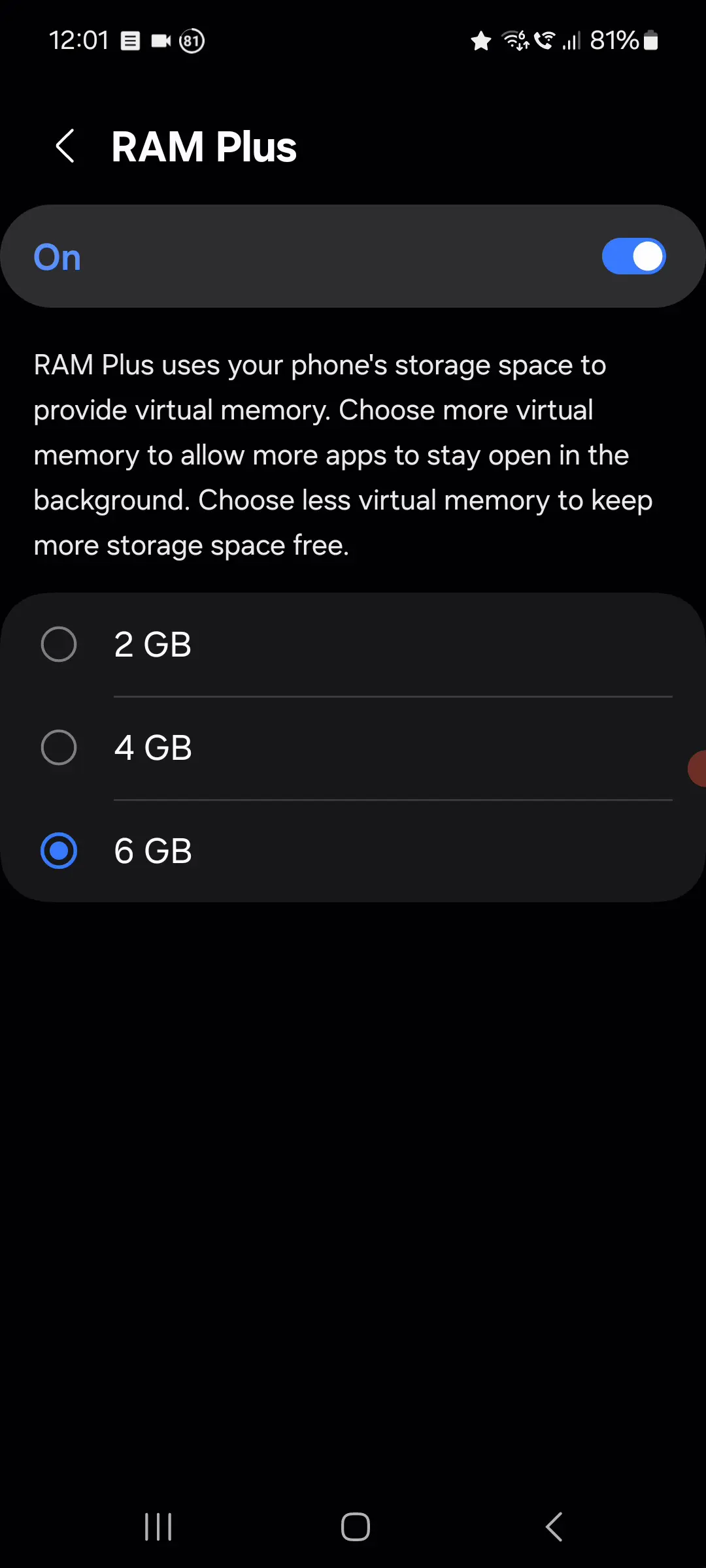
In addition to ZRAM, modern Linux kernels support traditional swap partitions or swap files residing on the Universal Flash Storage (UFS). While slower than RAM or ZRAM, this serves as a final safety net to prevent kernel panics and out-of-memory crashes when extreme memory pressure occurs. However, heavy reliance on storage swapping degrades performance, leading to stutters and input lag commonly referred to as "jank."
Common Misconceptions About Android RAM Management
Despite the transparency of modern operating systems, several pervasive myths regarding Android RAM and device performance continue to circulate among users.
The Myth of Task Killers and RAM Cleaners
One of the most enduring fallacies is that third-party "RAM cleaner" or "task killer" applications improve device speed and battery life. These applications operate by forcefully terminating background processes.
However, as detailed in the process hierarchy section, Android is specifically designed to keep RAM full. Unused RAM is wasted RAM. When a third-party app clears memory, the operating system and the closed applications immediately use CPU cycles and battery power to reload those services back into memory. Furthermore, forcing critical system services to close can break notifications, delay message delivery, and force cold starts that degrade overall system fluidity.
The "More RAM Always Equals Faster Speed" Fallacy
While a device with 12GB of RAM will generally multitask better than a device with 4GB, raw capacity does not dictate speed. RAM speed—measured in memory bandwidth and frequency (such as LPDDR5X standards)—alongside CPU cache size, storage read/write speeds (UFS 4.0 vs. older standards), and software optimization play an equally vital role in real-world performance. A poorly optimized software skin running on 16GB of RAM can easily feel slower than a clean, well-optimized operating system running on 8GB.
Diagnosing and Troubleshooting RAM-Related Performance Issues
When an Android device begins to stutter, freeze, or abnormally reload applications, users can diagnose the root cause using built-in developer tools rather than guessing with unverified utilities.
Utilizing Developer Options
By tapping the device's build number seven times in the system settings, users can unlock Developer Options. Within this menu, two specific tools provide deep insight into memory usage:
- Running Services: Displays a real-time list of active applications, background services, and the exact amount of RAM consumed by each component.
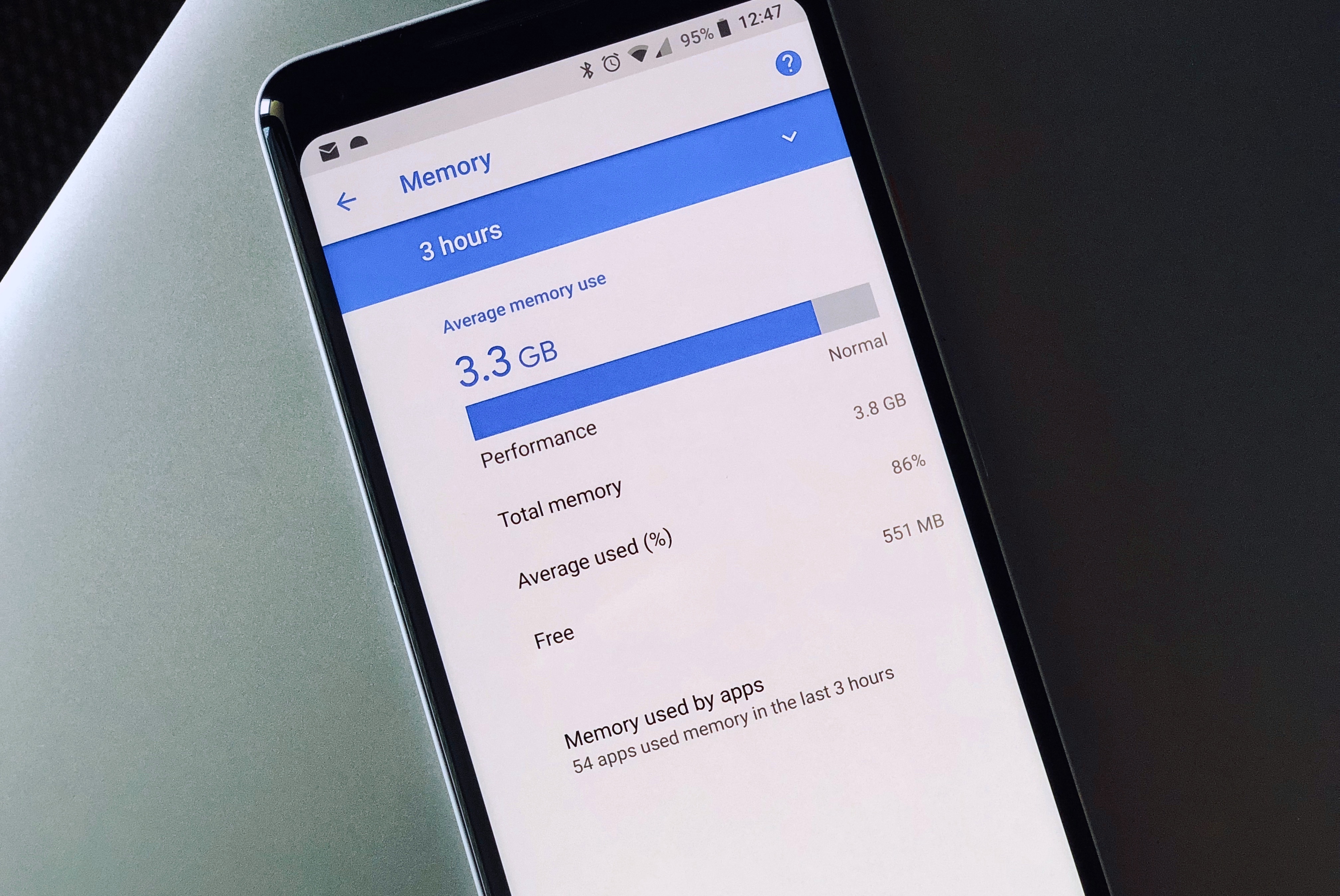
- Memory Usage (Memory Stats): Shows historical data spanning 3 to 24 hours, highlighting average RAM usage, free memory percentages, and which apps are consuming the most resources over time.
Practical Steps to Optimize Performance
If a device exhibits chronic memory bottlenecks, users can take several constructive steps to restore responsiveness:
- Identify Resource-Heavy Culprits: Check the memory usage stats to locate rogue applications that maintain excessive background wake locks or memory leaks. Consider replacing them with lightweight alternatives or web-app equivalents.
- Manage Application Cache: While individual app caches help performance, accumulated system cache corruption can cause instability. Clearing system cache partitions via recovery mode can resolve erratic behavior.
- Factory Reset: Over years of updates and app installations, residual files and fragmented databases can accumulate. A clean factory reset clears out legacy background bloat and restores the kernel's memory allocation efficiency.
- Update the Operating System: Manufacturers frequently push firmware patches that refine the LMK thresholds, optimize ZRAM compression ratios, and patch memory leaks present in older software builds.
Frequently Asked Questions
How much RAM do I actually need in an Android device today?
For basic communication, media consumption, and light web browsing, 6GB to 8GB of RAM is sufficient. However, for seamless multitasking, modern mobile gaming, and future-proofing against heavy on-site AI tasks, 12GB of RAM represents the ideal sweet spot for longevity and performance.
Do task killers actually save battery life?
No. Modern Android operating systems manage power consumption and memory allocation far more efficiently than any manual task killer. Forcing apps closed often harms battery life because the CPU must expend extra energy and power to cold-restart those applications later.
Why does my phone say 70% of RAM is used even when I have no apps open?
Android is designed to keep RAM populated with cached applications and system frameworks to ensure instant app launching. High RAM utilization is normal, healthy, and indicates that the operating system is utilizing its available hardware resources to maximum efficiency.
What is ZRAM and how does it help performance?
ZRAM is a Linux kernel feature that creates a compressed block device within physical RAM. Instead of closing apps or writing data to slow flash storage, Android compresses inactive memory pages and stores them in ZRAM, effectively increasing available memory capacity.
Can I physically upgrade the RAM on my Android smartphone?
No. Mobile device RAM is soldered directly onto the motherboard alongside the system-on-chip (SoC) during manufacturing. It cannot be physically replaced, upgraded, or expanded.
Conclusion
Android RAM and device performance form a complex, highly automated ecosystem where hardware specifications and software intelligence intersect. While raw capacity matters, how the Linux kernel, the Low Memory Killer, and memory compression technologies manage those resources determines the actual user experience. By understanding the realities of process management and avoiding counterproductive practices like manual task killing, users can better evaluate device specifications and maintain optimal system performance over time.