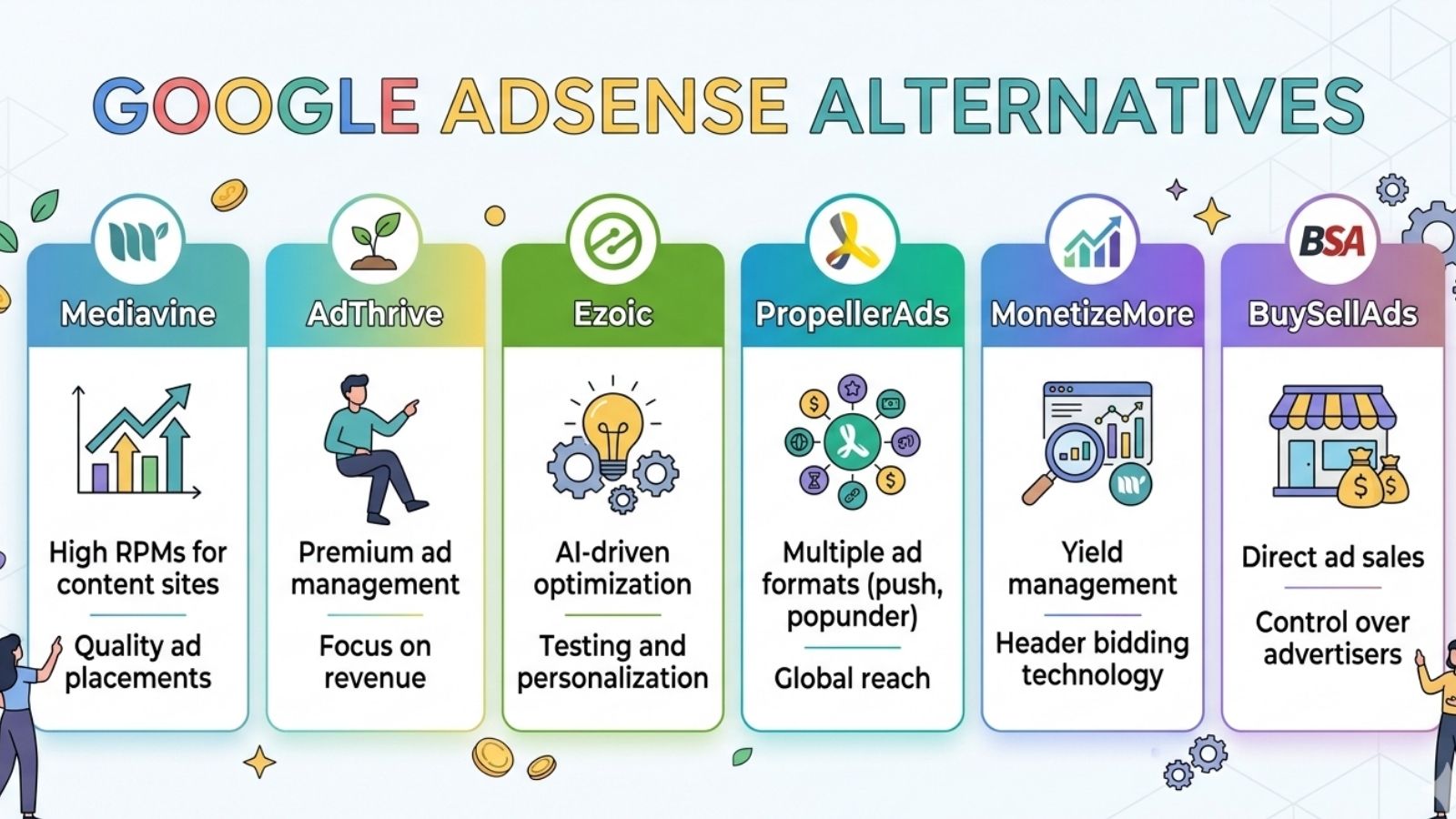
The best Google AdSense alternatives for Blogger (Blogspot) depend on your blog's monthly traffic volume and domain setup. For high-traffic sites (over 50,000 monthly sessions), premium ad management platforms like Mediavine and Raptive offer significantly higher revenue per thousand impressions (RPM). For smaller or newer Blogger sites, networks like Ezoic, PropellerAds, and Infolinks provide low or zero minimum traffic requirements and easy integration via Blogger’s layout gadgets.
Why Blogger Creators Seek Alternatives to Google AdSense
While Google AdSense is historically the default monetization option for Google’s free Blogger platform, relying solely on it presents several challenges for content creators:
- Strict Approval Guidelines: Getting a Blogger site approved by AdSense has become increasingly difficult. Sites with clean designs can still face rejection for vague reasons like "low-value content" or "navigational issues."
- Low Cost-Per-Click (CPC) and RPM Rates: In many niches and geographical regions, AdSense earnings yield only pennies per click. Modern header-bidding and managed ad networks frequently outperform AdSense by auctioning ad space to multiple demand partners simultaneously.
- Account Suspensions and Invalid Traffic Bans: AdSense accounts can be suspended or permanently disabled with little recourse if automated systems flag suspicious clicks or policy oversights.
- Strict Domain and Subdomain Rules: While AdSense allows monetization on standard
.blogspot.comsubdomains, configuring custom domains or switching architectures can disrupt existing ad approvals.
Diversifying revenue sources ensures continuous income while opening up specialized formats—such as in-text monetization, push notifications, header bidding, and native affiliate scripts—that often pay higher rates than traditional display banner ads.
Technical Considerations for Monetizing a Blogger Site
Integrating third-party monetization tools into Google’s Blogger architecture differs from managing a self-hosted WordPress site. Blogger operates on a proprietary XML template engine and sandboxed layout system. Before selecting an alternative ad network, evaluate these technical parameters:
1. Custom Domain vs. Free Subdomain
Most premium ad management platforms (such as Mediavine, Raptive, and Monumetric) require a top-level custom domain (e.g., yourname.com). They will not approve sites operating on free blogspot.com subdomains. If your blog runs on a standard .blogspot.com address, your options are primarily limited to entry-level networks like PropellerAds, Adsterra, or Infolinks—unless you purchase a custom domain and map it through Blogger's DNS settings.
2. Script Insertion Methods
Blogger provides two primary ways to add ad tracking code and dynamic scripts:
- Layout Gadgets (HTML/JavaScript): Ideal for placing individual display banners, native ad widgets, or sidebar blocks. This method keeps your template code clean and reduces the risk of breaking site navigation.
- Editing Theme XML Code: Required by header-bidding platforms, site-wide script tags, and verification meta tags. You must insert script tags directly inside the
...section of your Blogger theme XML.
Caution: When modifying Blogger XML directly, unescaped characters (such as & inside JavaScript links) can cause template parsing errors. You must escape special characters or wrap scripts inside blocks when necessary.
3. Page Speed and Cumulative Layout Shift (CLS)
Blogger templates often lack built-in asset optimization plugins. Adding multiple asynchronous ad scripts can degrade loading speed and create layout instability as ads render on screen. Prioritize ad networks that utilize lazy loading, asynchronous delivery, and container reserve heights to protect Core Web Vitals and user experience.
Top AdSense Alternatives for High-Traffic Blogger Sites
If your blog receives steady monthly traffic and operates on a custom domain, premium ad management services handle inventory optimization, ad layout design, and programmatic bidding to maximize earnings.
- PUBLISHER TRAFFIC TIER
- High Traffic (50k+ Sessions): Mediavine / Raptive
- Medium Traffic (10k-50k Views): Monumetric / Ezoic
- Low/New Traffic (<10k Views): PropellerAds / Adsterra / Infolinks
1. Mediavine
Mediavine is widely regarded as one of the premier ad networks for lifestyle, food, travel, tech, and personal finance blogs.
- Traffic Minimum: 50,000 sessions per month (verified via Google Analytics).
- Key Advantage: Mediavine offers full-service ad management, optimizing ad placements to maintain high page speed while maximizing RPMs through header bidding with top advertising partners.
- Blogger Compatibility: Fully compatible, provided your blog uses a custom domain. Mediavine provides a primary script tag that you insert directly into your theme's XML header, eliminating the need to manually embed individual ad banners throughout your posts.
- Payment Terms: Net-65 basis, paying via Direct Deposit (ACH), PayPal, Wire Transfer, or International ACH.
2. Raptive (Formerly AdThrive)
Raptive specializes in managing programmatic ad inventory for mid-to-large publishing brands.
- Traffic Minimum: 100,000 pageviews per month, primarily from Tier 1 traffic countries (United States, United Kingdom, Canada, Australia, New Zealand).
- Key Advantage: Offers customized ad layouts, dedicated account management, and earnings guarantees for qualifying sites making the transition from other platforms.
- Blogger Compatibility: Works on Blogger sites with custom domains. Their engineering team provides script tags and recommended layout structures designed to fit custom HTML/XML themes.
- Payment Terms: Net-45 basis via Direct Deposit, Local Bank Transfer, PayPal, or Wire Transfer.
3. Monumetric
Monumetric (formerly The Publisher Network) provides a revenue-sharing ad model structured into distinct traffic tiers, making it accessible to growing publications.
- Traffic Minimum: 10,000 pageviews per month for the entry-level "Propel" program.
- Key Advantage: Monumetric emphasizes user experience by controlling ad densities and matching ad inventory with high-paying video and display buyers.
- Blogger Compatibility: Requires a custom domain and access to your site’s
tag. For blogs under 80,000 monthly pageviews, Monumetric charges a one-time setup fee ($99) to configure optimized ad tags. - Payment Terms: Net-60 basis via direct deposit or PayPal.
Best Ad Networks for Small or New Blogger Sites
For new blogs, entry-level sites on standard .blogspot.com subdomains, or niche sites with modest traffic counts, several networks provide instant approval and low payout thresholds.
4. Ezoic
Ezoic is a technology platform that uses machine learning to test different ad placements, formats, and densities on a per-user basis to balance user experience and revenue.
- Traffic Minimum: No hard minimum traffic requirement. Smaller publishers can apply through Ezoic’s entry programs.
- Key Advantage: Ezoic offers granular control over ad positions and integrated analytics showing which blog posts generate the highest yield. It also features tools to boost site speed through asset caching.
- Blogger Compatibility: Can be integrated by inserting JavaScript header tags directly into the Blogger XML theme. A custom domain is strongly recommended for full functionality.
- Payment Terms: Net-30 basis, with a minimum payout threshold of $20 via PayPal, Direct Deposit, Payoneer, or Wire Transfer.
5. PropellerAds
PropellerAds is an international ad network offering flexible ad formats, fast verification, and low minimum payout options.
- Traffic Minimum: None. Instant approval for most site categories.
- Supported Formats: Push notifications, interstitial ads, native banners, smart links, and popunders (OnClick ads).
- Blogger Compatibility: Highly flexible. PropellerAds works seamlessly with standard
.blogspot.comsubdomains. Ad codes can be placed using standard HTML/JavaScript gadgets inside the Blogger layout editor without editing theme XML files. - Payment Terms: Weekly payouts with a minimum threshold of just $5 via PayPal, Skrill, WebMoney, or Payoneer.
6. Adsterra
Adsterra is a popular self-serve ad network known for high fill rates across worldwide traffic and minimal onboarding friction.
- Traffic Minimum: None. Automatic site approval process.
- Supported Formats: Social Bar (interactive web push widgets), popunders, native banners, display banners, and direct links.
- Blogger Compatibility: Works on both free subdomains and custom domains. Offers easy HTML snippet placement for Blogger layout sections.
- Payment Terms: Bi-weekly payouts (Net-15 schedule) with a $5 minimum threshold for WebMoney and Paxum, or $100 for PayPal, Bitcoin, and Wire Transfers.
7. Infolinks
Infolinks takes a distinct approach to monetization by delivering contextual ads that integrate into your blog's written text rather than relying solely on traditional display banner space.
- Traffic Minimum: None.
- Supported Formats: InFold (sticky footer ads), InText (hyperlinked contextual keywords), InTag (cloud keyword banners), and InFrame (margin ads).
- Blogger Compatibility: Requires adding a single script line before the closing
tag in your Blogger theme XML. Because it targets post body text automatically, you do not need to insert manual banner units inside your posts. - Payment Terms: Net-45 basis with a $50 minimum threshold via PayPal, Payoneer, or ACH.
Contextual and Automated Monetization Alternatives
Display ad networks are not the only way to earn revenue on Blogger. Integrating automated affiliate networks and product recommendation scripts often yields higher conversion rates on informational and review content.
8. Skimlinks and Sovrn Commerce (Formerly VigLink)
Skimlinks and Sovrn Commerce automatically convert standard outgoing merchant links on your blog into affiliate tracking links. When a reader clicks a link to an e-commerce platform (such as Target, Walmart, or specialty retailers) and makes a purchase, you earn a commission.
- How it Works on Blogger: Copy a single JavaScript snippet provided by the network and paste it into the head section of your Blogger theme XML or into an HTML/JavaScript Layout Gadget. The script scans your content automatically for merchant links without requiring manual link building.
- Best For: Product review blogs, tech tutorials, fashion sites, and buying guides.
9. Amazon Associates Program
The Amazon Associates program allows you to embed text links, custom product cards, and native shopping recommendations inside your Blogger posts.
- Integration: Amazon provides HTML code snippets for individual product listings and banners. You can paste these directly into individual Blogger posts using the post editor's HTML view or place global banners inside layout widgets.
- Key Advantage: Earnings are generated not only on the recommended item but on any qualifying product added to the user's cart within the active session window.
Detailed Comparison: Ad Networks for Blogger
The following table summarizes key metrics, requirements, and features for evaluating top AdSense alternatives for Blogger:
| Monetization Network | Minimum Monthly Traffic | Custom Domain Required? | Payout Threshold | Payout Frequency | Primary Ad Formats Offered |
|---|---|---|---|---|---|
| Mediavine | 50,000 Sessions | Yes | $25 (ACH/PayPal) | Net-65 | Premium Display, Native Video, Header Bidding |
| Raptive | 100,000 Pageviews | Yes | $25 | Net-45 | Programmatic Display, Video, Sticky Headers |
| Monumetric | 10,000 Pageviews | Yes | $10 | Net-60 | Display, In-Screen Video, Native Cards |
| Ezoic | None | Recommended | $20 | Net-30 | AI-Optimized Display, Native, Video |
| PropellerAds | None | No | $5 | Weekly | Push Notifications, Interstitials, Popunders |
| Adsterra | None | No | $5 (WebMoney/Paxum) | Net-15 (Bi-Weekly) | Social Bar, Popunders, Display, Direct Links |
| Infolinks | None | No | $50 | Net-45 | Contextual In-Text, InFold, InFrame |
| Sovrn Commerce | None | No | $10 | Net-90 | Automated Affiliate Links, Native Cards |
Step-by-Step Guide: Installing Ad Code on Blogger
Integrating third-party scripts requires proper execution inside Blogger to maintain theme stability and prevent code syntax errors.
Method 1: Using the Blogger Layout Editor (Recommended for Display Banners)
- Log into your Blogger Dashboard.
- Select Layout from the left navigation menu.
- Choose the section where you want the ad to appear (e.g., Sidebar, Below Post Body, or Header Right) and click Add a Gadget.
- In the pop-up menu, select HTML/JavaScript.
- Leave the Title field blank (to hide any widget heading) and paste your ad network code snippet into the Content area.
- Click Save and then click the orange Save Layout icon in the bottom right corner of the page.
- Blogger Dashboard -> Layout
- Header Section
- Main Post Area
- Sidebar (Right)
- Add a Gadget -> HTML/JavaScript
- (Paste Ad Script Here)
- Add a Gadget -> HTML/JavaScript
Method 2: Editing the Theme XML (Required for Header Scripts)
For ad platforms requiring site-wide verification or global script tags (like Ezoic, Infolinks, or Skimlinks):
- Go to your Blogger Dashboard and click Theme.
- Click the drop-down arrow next to the Customize button and select Edit HTML.
- Locate the opening
tag near the top of the file, or useCtrl + F(Cmd + Fon Mac) to search for. - Paste your ad network script directly above the
tag. - If Blogger returns a XML parse error upon saving, wrap your JavaScript code block inside CDATA tags as shown below:
/**/
- Click the Save Theme icon (floppy disk) in the top right corner.
Common Mistakes When Switching from AdSense on Blogger
Transitioning away from AdSense to third-party monetization tools can cause performance degradation or earnings loss if executed incorrectly. Avoid these common traps:
1. Overloading the Site with Aggressive Formats
Adding multiple popunder scripts, full-screen interstitials, and heavy auto-play video players can quickly drive visitors away and degrade Core Web Vitals. Excessively intrusive ad formats increase user bounce rates, which can impair long-term search engine visibility. Balance user experience with monetization density.
2. Failing to Create an Ads.txt File
Most modern ad networks use an ads.txt file to declare authorized sellers of your inventory. Without a correctly configured ads.txt file, programmatic demand partners will refuse to bid on your site, leading to low revenue.
- To configure on Blogger: Navigate to Settings > Monetization > Enable Custom ads.txt, and paste the verified vendor strings provided by your ad network.
3. Ignoring Mobile Layout Optimization
Over 60% of web traffic originates from mobile devices. Placing fixed-width 728x90 desktop banners inside your Blogger content area can break responsive page borders on smartphones. Always use responsive ad tags or target specific mobile-friendly formats (such as 300x250 medium rectangles or responsive sticky footers).
4. Running Conflicting Ad Networks
While combining networks (e.g., using Infolinks for text ads alongside PropellerAds for push notifications) is permissible, running multiple networks that auto-insert auto-optimized banners can lead to duplicate ad auctions, broken layouts, and slow loading times. Limit display monetization to one primary ad partner at a time.
Frequently Asked Questions
Can I use AdSense alternatives alongside Google AdSense on Blogger?
Yes, you can run multiple ad networks simultaneously, provided their terms of service do not demand exclusive monetization rights. For example, using Infolinks or affiliate networks like Skimlinks alongside active AdSense units is fully compliant. However, premium managed platforms like Mediavine and Raptive require exclusivity for display ad inventory.
Do I need a custom domain to earn money with AdSense alternatives on Blogger?
Not necessarily. Entry-level platforms such as PropellerAds, Adsterra, and Infolinks work directly with standard .blogspot.com free subdomains. However, top-tier programmatic networks (Mediavine, Raptive, Monumetric) require a registered custom domain (e.g., yourdomain.com).
Why was my Blogger site rejected by premium ad networks despite high traffic?
Premium networks evaluate traffic origin, content depth, copyright history, and site architecture. If your traffic predominantly comes from regions with lower advertiser demand, or if your blog relies heavily on aggregated or thin content, premium networks may decline the application regardless of total pageview volume.
How do third-party ad networks pay Blogger creators?
Payout methods depend on the specific network. Common channels include PayPal, Direct Deposit (ACH), Payoneer, Wire Transfer, and WebMoney. Minimum payment thresholds range from $5 (PropellerAds, Adsterra) to $50–$100 for larger networks and wire transfers.
Will adding third-party ad scripts slow down my Blogger blog?
Yes, adding external JavaScript execution tags can decrease rendering speeds. To minimize speed impact, select networks that utilize asynchronous script loading, limit auto-refreshing banner tags, and test your site’s speed using Google PageSpeed Insights after implementing new code.
Recommended Next Steps
- Audit Your Current Traffic: Check Google Analytics to establish your exact 30-day session count, pageview total, and primary geographic traffic split (e.g., percentage of Tier 1 visitors).
- Determine Domain Strategy: If operating on a
.blogspot.comaddress, consider purchasing a custom domain to unlock access to higher-tier ad networks in the future. - Select Your Primary Partner:
- For >50,000 monthly sessions, apply to Mediavine or Raptive.
- For 10,000 to 50,000 pageviews, apply to Monumetric or Ezoic.
- For new blogs or free subdomains, implement PropellerAds, Adsterra, or Infolinks.
- Implement Ads.txt: Ensure your updated network tags are reflected inside your Blogger Settings > Custom ads.txt field to verify ownership and protect your ad revenue.