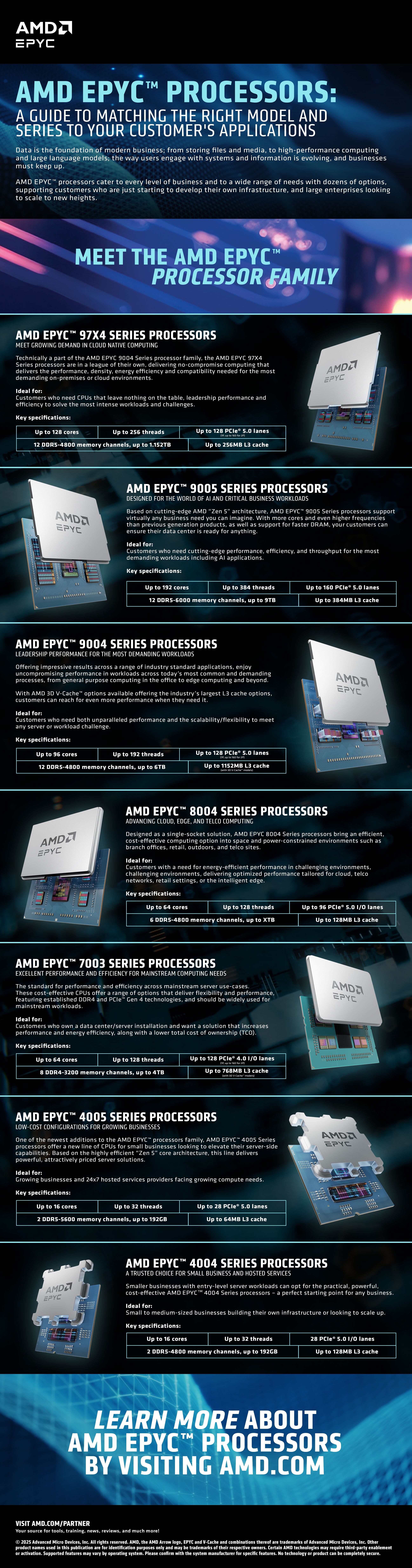
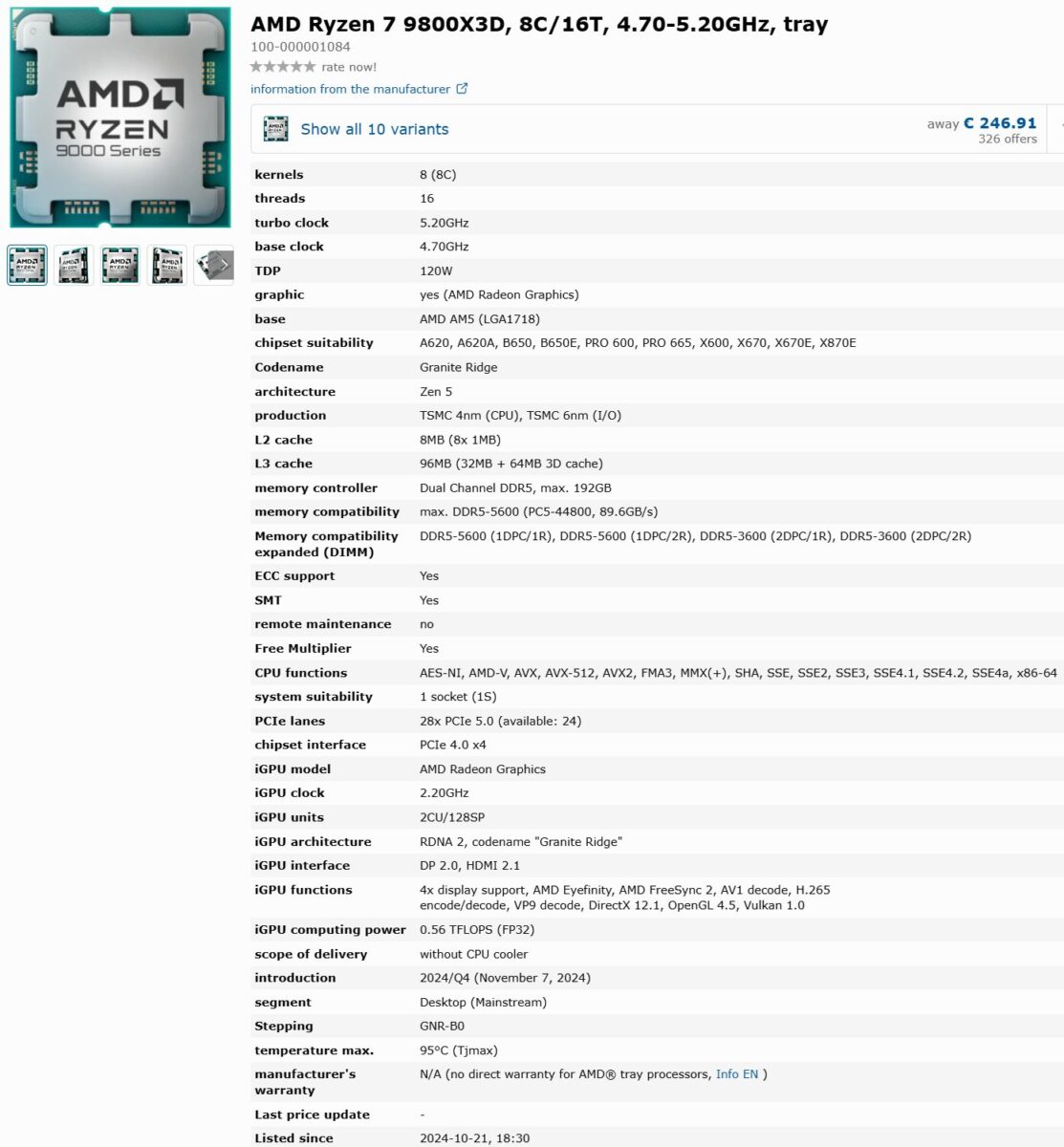
Navigating AMD specifications requires understanding the distinct architectural families powering their current ecosystem, including Ryzen processors for consumer desktops, EPYC for enterprise servers, and Radeon graphics cards. Whether you are building a workstation, upgrading a gaming rig, or planning server infrastructure, evaluating performance hinges on understanding core counts, IPC (instructions per clock), thermal design power (TDP), and memory compatibility.
Understanding the AMD Ecosystem Hierarchy
AMD organizes its hardware into specialized segments to address different computational needs. By 2026, the distinction between these segments has become more pronounced, with specific socket types and memory standards acting as the primary gatekeepers for performance.
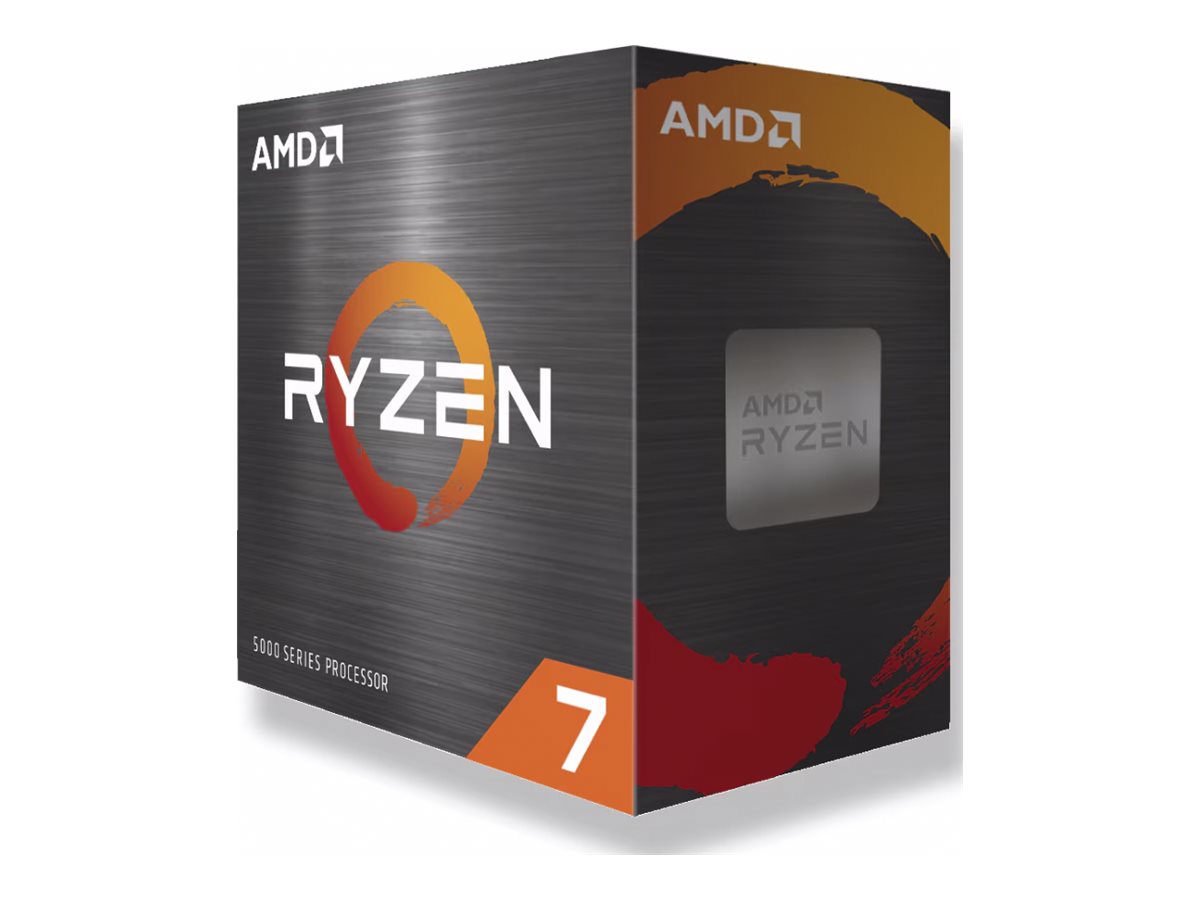
- Ryzen Desktop: Targeted at consumers, gamers, and content creators. These processors prioritize clock speeds and cache density.
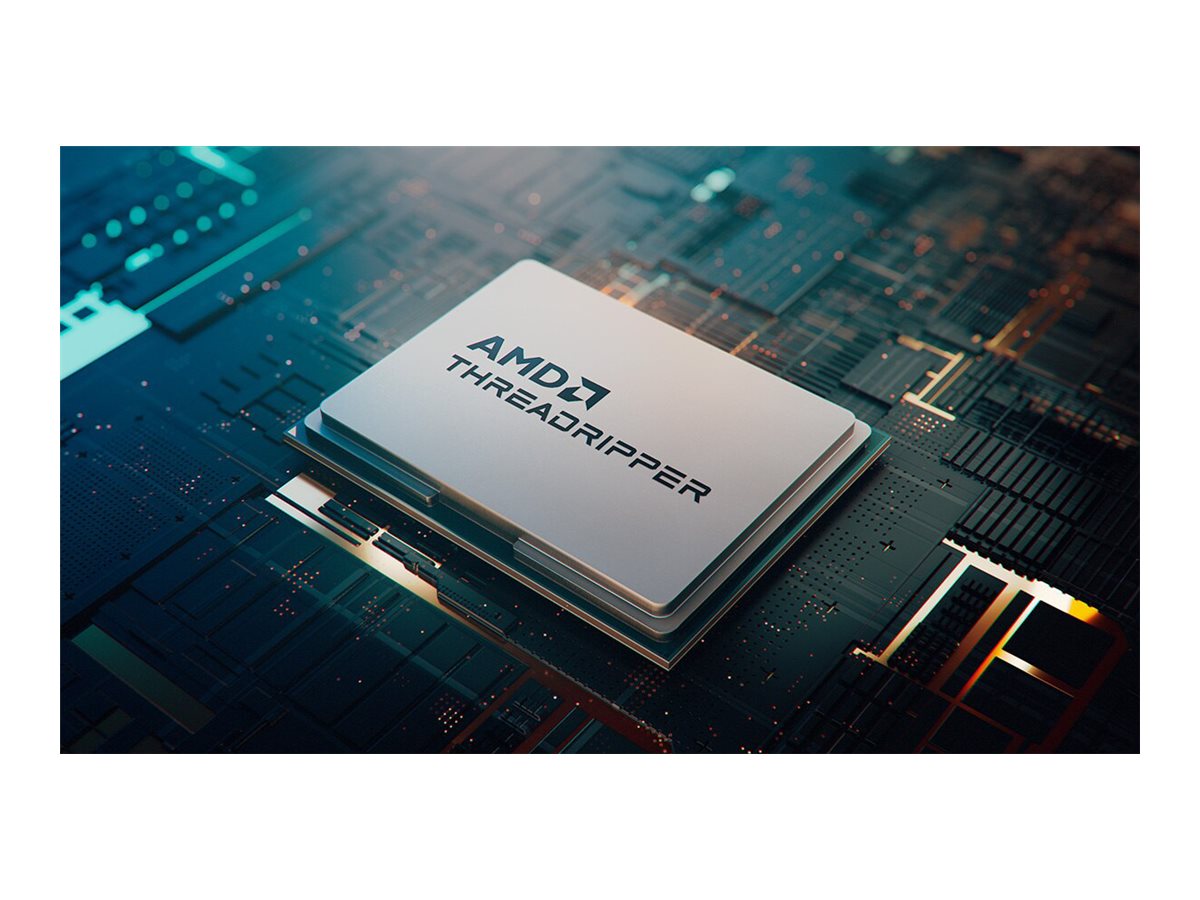
- Ryzen Threadripper: Aimed at the "High-End Desktop" (HEDT) market, these CPUs offer massive lane counts and multi-threaded performance for professional rendering and heavy data processing.
- EPYC: The server-grade enterprise line, focusing on massive core counts, extreme memory capacity, and high-density virtualization support.
- Radeon Graphics: AMD’s GPU lineup, utilizing the RDNA architecture to compete in both gaming performance and high-performance computing (HPC) workflows.
Deciphering Technical Specifications: Key Metrics
When reviewing specifications, certain metrics act as the primary indicators of a component’s real-world capability. It is a common mistake to focus exclusively on the "clock speed" (GHz) without accounting for the underlying architecture.
Instructions Per Clock (IPC)
IPC represents how many tasks a CPU can perform in a single clock cycle. Even if an older processor has a higher clock speed, a modern CPU with a higher IPC will significantly outperform it in nearly every application. When comparing AMD generations—such as the transition from Zen 3 to the latest iterations—the IPC gains are usually the most important factor in tangible performance improvements.
Thermal Design Power (TDP)
TDP indicates the amount of heat a chip generates under a standard workload, measured in watts. This is not necessarily the maximum power draw, but it is the critical baseline for cooling system selection. A higher TDP component requires more robust cooling, such as liquid cooling or larger air-cooled heatsinks, to prevent "thermal throttling," where the CPU slows down to protect itself from heat damage.
Cache Architecture (L1, L2, L3)
AMD’s implementation of large "GameCache" or L3 cache, particularly in their X3D series, has been a defining feature. A larger cache allows the processor to store more data closer to the execution cores, reducing the time spent fetching data from slower system RAM. For gaming and latency-sensitive applications, cache size is often more influential than raw frequency.
Memory Standards and Compatibility
By 2026, the transition to DDR5 memory is standard across the entire modern AMD product stack. However, not all motherboards are equal. When selecting components, one must verify the "Memory QVL" (Qualified Vendor List) for their specific motherboard.
- DDR5 Frequency: AMD Ryzen processors have specific "sweet spots" for memory frequency. Running memory faster than the CPU's internal fabric clock can support may require manual tuning of the Infinity Fabric or EXPO (Extended Profiles for Overclocking) settings.
- Dual-Channel Configuration: To achieve the maximum bandwidth intended by the architecture, memory must be installed in pairs or sets that utilize the motherboard’s dual-channel or quad-channel memory controllers.
- Capacity Requirements: For general gaming, 32GB is the current baseline recommendation. Professional workloads, including 8K video editing or large-scale virtual machine hosting, typically demand 64GB to 128GB or higher.
Comparing AMD Product Categories
| Segment | Primary Use Case | Socket Type | Memory Support |
|---|---|---|---|
| Ryzen Mainstream | Gaming, Home Office | AM5 | DDR5 |
| Ryzen Threadripper | Professional Workstation | sTR5 | DDR5 (ECC) |
| EPYC Server | Cloud/Data Centers | SP5 | DDR5 (RDIMM) |
| Radeon GPU | Gaming, Compute | PCIe 5.0 | GDDR6/GDDR6X |
Navigating Socket Transitions
A significant consideration in any hardware upgrade is the longevity of the socket. AMD has historically maintained socket compatibility for longer periods than its competitors, but transitions—such as the move from AM4 to AM5—require a complete motherboard replacement. When checking specifications, ensure the CPU generation aligns with the physical pins or pads on the motherboard socket. Using an incompatible CPU will result in a "no-post" condition where the computer fails to initialize.
Troubleshooting Common Specification Mismatches
When a system does not perform as expected, the issue is often a configuration mismatch rather than a hardware defect.
- BIOS/UEFI Versioning: New CPU releases often require a motherboard firmware (BIOS) update to recognize the chip. Always check the manufacturer’s support page to see if your motherboard revision supports the specific processor version before installation.
- Power Supply Unit (PSU) Capacity: When combining a high-performance GPU with a top-tier CPU, the transient power spikes can trip an insufficient PSU. Ensure your power supply provides 20-30% overhead beyond the sum of the TDPs of your major components.
- PCIe Lane Limitations: In workstation builds, verify the PCIe lane configuration. Some motherboards disable certain M.2 slots if all PCIe expansion slots are populated, or they may force GPUs to run at lower bandwidth (x8 instead of x16) if other devices share the lanes.
Frequently Asked Questions
What is the difference between Ryzen 7 and Ryzen 9 in practical terms? Ryzen 7 processors generally feature 8 cores, which is optimal for gaming and general productivity. Ryzen 9 processors offer 12 or 16 cores, which provide significant benefits for tasks that can be "parallelized," such as 3D rendering, software compilation, or heavy multitasking, though they provide diminishing returns for pure gaming.
How do I verify if my RAM is compatible with my CPU? Consult your motherboard manufacturer’s support website. Look for the "Memory Support List" or "QVL." This document verifies that the specific model of RAM has been tested for stability at rated speeds with your exact motherboard and chipset combination.
Why does my CPU temperature spike during light tasks? Modern processors are designed to boost to their maximum clock speed at the slightest hint of a workload to ensure responsiveness. This behavior often causes short, sharp temperature spikes. Unless your CPU is hitting its thermal junction temperature (TjMax) during sustained load, these spikes are generally a normal part of the boost algorithm.
What is AMD EXPO? AMD EXPO (Extended Profiles for Overclocking) is a technology that allows for easy, one-click memory overclocking. It loads pre-tested, optimized settings for frequency, voltage, and timings, ensuring your memory runs at its advertised speed rather than the slower default JEDEC standard.
Should I choose a GPU with more VRAM or a faster clock speed? For gaming and rendering, VRAM capacity is usually more important than raw speed. If your project or game exceeds the available VRAM, the system will be forced to use system RAM, which is significantly slower, leading to severe stuttering and performance degradation. Always prioritize capacity for professional creative workflows.
Final Recommendation
When researching AMD specifications for a build or purchase, always start with the official product page on the manufacturer’s website rather than third-party retailers. Retail sites may occasionally list incomplete or aggregated data. Prioritize matching your memory and motherboard to the CPU’s official memory controller specifications to ensure long-term system stability. Before finalizing your parts list, cross-reference your total power consumption against a reliable PSU calculator to ensure your power delivery is sufficient for the most demanding scenarios your system will encounter.