Finding the best free VPN for PS4 gaming requires balancing connection stability with data limitations. As of 2026, the top three choices are Proton VPN, PrivadoVPN, and Windscribe. Because the PS4 does not support native VPN apps, you must share a connection via a PC or configure these services on your router to secure your console.
The Reality of PS4 Gaming with a VPN in 2026
While the PlayStation 4 is a legacy console in 2026, it remains a staple for millions of gamers globally due to its vast library and the continued support of cross-generation titles. Using a Virtual Private Network (VPN) on a PS4 is primarily a strategy to circumvent ISP (Internet Service Provider) throttling, protect against Distributed Denial of Service (DDoS) attacks, and access regional gaming servers that might otherwise be locked.
However, the "free" aspect of a VPN introduces specific hurdles for gamers. Unlike paid tiers, free VPNs typically impose data caps, limit the number of available server locations, and may throttle speeds during peak hours. For PS4 users, the challenge is compounded by the hardware: Sony’s console lacks an internal VPN client. This means users must utilize workarounds like Windows ICS (Internet Connection Sharing), Mac bridge connections, or router-level integration. To have a functional experience, the VPN provider must support these manual configurations or provide a robust desktop client that permits hotspot sharing.
1. Proton VPN: The Best for Unlimited Data
Proton VPN remains a standout in 2026 for one primary reason: it is one of the few reputable "freemium" providers that offers unlimited data on its free tier. For a PS4 gamer, this is crucial. Modern multiplayer games, even those from the PS4 era, can consume significant bandwidth over long sessions, and game updates can easily exceed the 10GB limits found on other free services.
Technical Performance and Latency
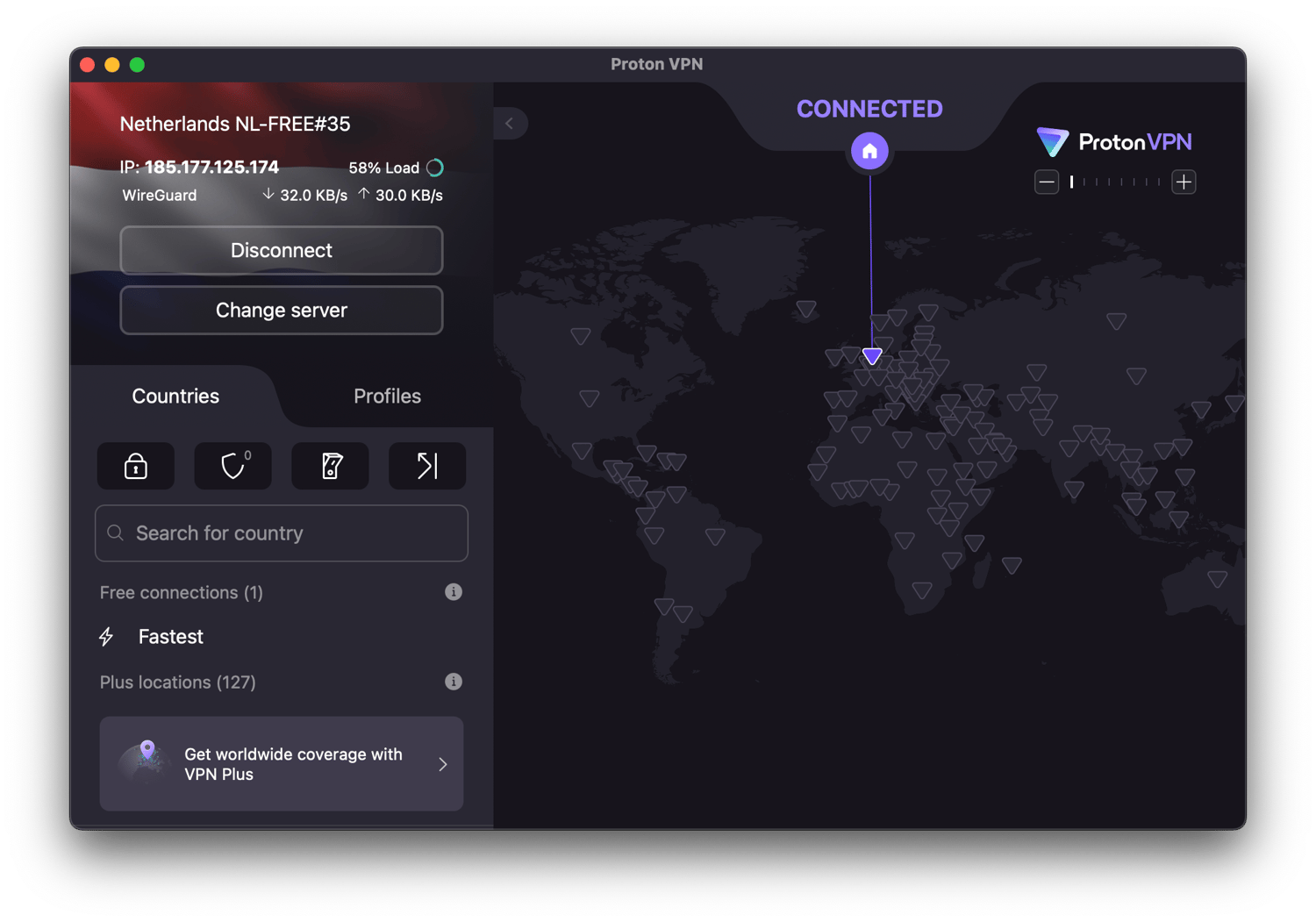
Proton VPN’s free tier utilizes the same high-security infrastructure as its paid counterparts, including the OpenVPN and WireGuard protocols. For gaming, WireGuard is the preferred choice due to its lower overhead and faster handshake speeds, which help minimize the "ping" or latency that can ruin a competitive match. While Proton VPN does not explicitly throttle free users, they are limited to servers in three main regions: the United States, the Netherlands, and Japan.
If you are a PS4 user in Europe or North America, these locations are often sufficient to maintain a stable connection. The primary drawback is server congestion. Because these servers are free and unlimited, they are frequently at high capacity, which can lead to jitter—variable latency that causes "rubber-banding" in games like Call of Duty or Apex Legends.
Security Features for Gamers
Proton VPN is based in Switzerland, benefitting from some of the world’s strongest privacy laws. For PS4 users, the "no-logs" policy ensures that your gaming habits and IP address are not recorded. More importantly for the competitive scene, their servers provide robust protection against DDoS attacks. By masking your actual home IP address with a Proton VPN IP, malicious actors cannot target your home network to knock you offline during a match.
2. PrivadoVPN: Superior Speeds and Server Choice
PrivadoVPN has gained significant traction by 2026 as a top-tier choice for users who prioritize speed over unlimited data. While it imposes a monthly data cap (typically 10GB), it provides access to a wider variety of global servers compared to Proton’s free tier. This makes it an excellent choice for PS4 players looking to access specific regional DLC or join lobbies in countries like Brazil, Germany, or the UK.
Why Speed Matters for PS4
The PS4's built-in Wi-Fi chip, particularly on the original and "Slim" models, is notoriously weak compared to modern standards. Adding a VPN layer can further slow down the connection. PrivadoVPN mitigates this by allowing free users to access "Premium" servers until their data cap is reached. These servers are often less crowded, providing a cleaner route for your data packets.
When your data is routed through a high-quality server, you may actually see a more stable ping if your ISP has poor routing to the game’s official servers. PrivadoVPN uses the WireGuard protocol, which is highly efficient for the PS4’s older hardware to process when the connection is bridged through a PC.
The 10GB Limitation
The main caveat with PrivadoVPN is the 10GB limit. In 2026, a 10GB allowance is sufficient for approximately 40 to 60 hours of active online gameplay in titles like Rocket League or Fortnite. However, it is entirely inadequate for downloading game patches or digital titles. PS4 users should toggle the VPN off when performing system updates or downloading games from the PlayStation Store to preserve their data for actual gameplay.
3. Windscribe: Flexibility and Customization
Windscribe is a perennial favorite in the privacy community because of its generous and flexible free plan. In 2026, it offers up to 10GB of data per month (if you confirm your email) and provides access to servers in over 10 countries. What sets Windscribe apart for PS4 users is its ease of use when setting up a shared connection through a laptop.
Connectivity and "R.O.B.E.R.T."
Windscribe includes a unique tool called R.O.B.E.R.T., a server-side ad and malware blocker. While ads aren't a major issue on the PS4 dashboard, R.O.B.E.R.T. can block tracking domains and telemetry that might otherwise eat into your small data cap. This ensures that every kilobyte of your 10GB is dedicated to your game’s data packets.
Split Tunneling and Compatibility
While the PS4 itself doesn't support split tunneling, the Windscribe desktop app (used to share the connection) does. This allows you to route only the PS4’s traffic through the VPN while your PC’s other applications use the standard local connection. This preserves bandwidth and reduces the CPU load on the hosting computer, which helps maintain a lower latency for the console. Windscribe is also known for its strong compatibility with older router firmwares, making it a viable choice for those attempting to install a free VPN at the network level.
Comparison of Top Free VPNs for PS4 (2026 Data)
| Feature | Proton VPN | PrivadoVPN | Windscribe |
|---|---|---|---|
| Data Allowance | Unlimited | 10GB per month | 10GB per month |
| Free Server Locations | 3 (USA, NL, JP) | 10+ (Global) | 10+ (Global) |
| Best For | Long gaming sessions | Low-latency competitive play | Regional variety and security |
| Primary Protocol | WireGuard, OpenVPN | WireGuard, IKEv2 | WireGuard, Stealth |
| DDoS Protection | Excellent | Very Good | Very Good |
| Router Support | Yes (Manual) | Yes (Manual) | Yes (Manual) |
Technical Setup: How to Connect a Free VPN to PS4
Since you cannot download a VPN app directly from the PlayStation Store, you must use a secondary device to act as a gateway. There are two primary methods for doing this in 2026.
Method 1: Windows 10/11 Mobile Hotspot
This is the easiest method for most users. It involves using your PC’s Wi-Fi or Ethernet connection to share the VPN-protected internet with your PS4.
- Install the VPN: Download and install Proton VPN, PrivadoVPN, or Windscribe on your Windows PC.
- Enable the Hotspot: Go to Settings > Network & Internet > Mobile Hotspot. Turn it on and select "Wi-Fi" as the sharing medium.
- Configure Adapter Options: Go to Change adapter options in the Network settings. Find the adapter associated with your VPN (e.g., "TAP-ProtonVPN Windows Adapter").
- Share the Connection: Right-click the VPN adapter, select Properties, and go to the Sharing tab. Check the box "Allow other network users to connect through this computer’s Internet connection" and select the hotspot adapter you just created.
- Connect the PS4: On your PS4, go to Settings > Network > Set Up Internet Connection and select your PC's hotspot name.
Method 2: Ethernet Bridge (PC to PS4)
This is the preferred method for serious gamers as it offers the lowest possible latency.
- Connect your PS4 to your PC using an Ethernet cable.
- Open the Network and Sharing Center on your PC.
- Go to Change adapter settings.
- Right-click your VPN connection and select Properties > Sharing.
- Check "Allow other network users to connect..." and select the Ethernet port connected to your PS4.
- On your PS4, set up the internet connection using "LAN Cable" and select "Easy" setup.
Optimizing Your PS4 VPN Connection for Gaming
Even with the best free VPN, the PS4’s legacy hardware requires some optimization to ensure the best performance.
Understanding NAT Types
When using a VPN, your PS4 will likely report a NAT Type 2 (Moderate). This is generally ideal for gaming.
- NAT Type 1 (Open): Connected directly to the internet (rare and risky).
- NAT Type 2 (Moderate): Connected via a router or VPN. This allows you to host lobbies and join most games.
- NAT Type 3 (Strict): This will cause issues with voice chat and matchmaking. If you see this, you may need to enable UPnP on your router or adjust the port forwarding settings in your PC’s VPN software.
Adjusting MTU Settings
The Maximum Transmission Unit (MTU) determines the size of the data packets sent over the network. Sometimes, the added encryption of a VPN makes packets too large for the PS4 to handle efficiently, leading to fragmentation and lag. If you experience "lag spikes," try manually setting the MTU on your PS4 to 1450 or 1473 instead of the default 1500. This can be found under the "Custom" network setup on the console.
Choosing the Right Protocol
In 2026, WireGuard is the industry standard. It is significantly faster and more "lightweight" than the older OpenVPN protocol. Always check your VPN app settings and ensure WireGuard is selected. If you are using a router, ensure the firmware (such as DD-WRT) is updated to support WireGuard for maximum throughput.
Risks and Limitations of Free VPNs
While the three providers mentioned are reputable, the free VPN market is saturated with "traps." Many free apps found on mobile app stores or shady websites harvest user data to sell to advertisers, which defeats the purpose of a VPN.
- Security Vulnerabilities: Some free VPNs use outdated encryption standards like PPTP, which are easily cracked. Always stick to providers using AES-256 or ChaCha20 encryption.
- Latency Penalties: Because free servers are often located far away or are overloaded, your ping will almost always be higher than a direct connection. If your ping exceeds 100ms, competitive play becomes difficult.
- In-Game Bans: While rare, some games may flag certain VPN IP addresses if they are associated with cheating or botting. Reputable providers like Proton and Windscribe frequently cycle their IPs to minimize this risk.
Frequently Asked Questions
Does a VPN reduce lag on PS4?
In most cases, no. A VPN adds an extra "stop" for your data, which usually increases latency. However, if your ISP is intentionally throttling your gaming traffic or has extremely poor routing to a specific game server, a VPN can provide a more direct path, potentially lowering your ping or eliminating jitter.
Can I install a VPN directly on PS4?
No. The PlayStation 4 operating system (Orbis OS) does not support VPN client software. You must use an external method, such as a VPN-enabled router or a shared connection from a PC or Mac, to protect the console's traffic.
Is it legal to use a VPN on the PlayStation Network (PSN)?
Using a VPN does not violate any international laws. However, Sony’s Terms of Service are technically strict regarding "spoofing" your location to buy games from different regions at lower prices. While thousands of users use VPNs for security and lag reduction without issue, using one to bypass regional pricing carries a risk of account suspension.
Why is my NAT type "Failed" when using a VPN?
A "Failed" NAT type usually indicates a firewall conflict. Ensure that your PC's firewall allows the VPN connection to be shared. Additionally, some free VPNs do not support Peer-to-Peer (P2P) traffic on their free servers, which can interfere with the way the PS4 communicates with other players in a lobby.
Which free VPN is best for Warzone on PS4?
For a data-heavy game like Warzone, Proton VPN is the best choice because of its unlimited data. A single evening of Warzone can easily consume 2GB to 3GB of data, which would exhaust the monthly limits of PrivadoVPN or Windscribe in just a few days.
Final Recommendation
For the average PS4 gamer in 2026, Proton VPN is the superior choice due to its lack of data caps, allowing for uninterrupted play and background system processes. If you only play occasionally and require specific regional access for better matchmaking, PrivadoVPN offers the best speeds. For those who need a balance of both and appreciate advanced security features like R.O.B.E.R.T., Windscribe is an excellent alternative. To get started, set up a Windows Mobile Hotspot and connect your PS4 via Wi-Fi for the quickest results.