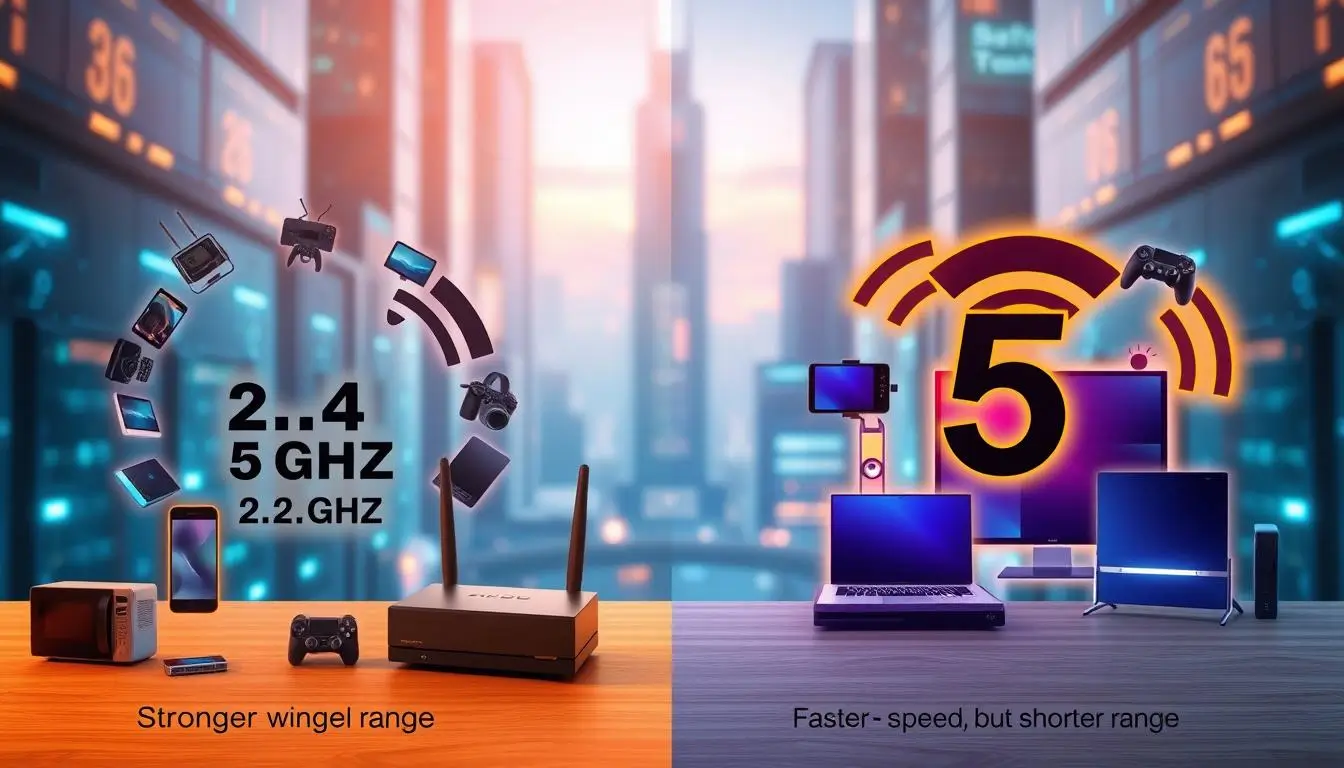
Choosing between 5 GHz and 2.4 GHz Wi-Fi frequencies depends entirely on your specific connectivity needs, as neither option is universally superior to the other. The 2.4 GHz band offers superior range and wall penetration, making it ideal for smart home devices and long-distance coverage, while the 5 GHz band delivers significantly faster data speeds and lower latency at shorter ranges, making it the better choice for bandwidth-intensive activities like 4K streaming, online gaming, and large file downloads.
Understanding the Fundamentals of Wireless Frequencies
When setting up a home wireless network, understanding the foundational differences between the two primary frequency bands—2.4 GHz and 5 GHz—is essential for optimizing your internet performance. Wireless routers broadcast data using radio waves divided into distinct frequency channels. These frequencies determine how much data can be transmitted and how far those signals can travel before degrading.
The numbers themselves refer to gigahertz (GHz), representing billions of cycles per second. While higher frequencies can carry more data packets per second, they struggle to travel long distances or punch through dense building materials. Conversely, lower frequencies travel further and navigate obstacles more effectively, but they carry less overall data. Modern dual-band and tri-band routers emit both frequencies simultaneously, allowing connected devices to choose the optimal band based on distance, interference levels, and application demands.
The 2.4 GHz Band: Range, Penetration, and Congestion
The 2.4 GHz frequency band has been the bedrock of wireless networking for decades. It operates over a wider physical area because lower-frequency radio waves possess longer wavelengths. These longer waves bend around solid objects like walls, appliances, and furniture more easily than their 5 GHz counterparts. If your router is located on the ground floor and you need a stable connection in an upstairs bedroom or a detached garage, the 2.4 GHz band typically maintains a connection where 5 GHz signals fail entirely.
However, this widespread coverage comes with significant drawbacks, primarily stemming from congestion. The 2.4 GHz spectrum is exceptionally crowded. It only provides three non-overlapping channels (1, 6, and 11) for data transmission. Furthermore, numerous household electronics—including microwave ovens, Bluetooth devices, baby monitors, cordless landline phones, and garage door openers—operate on the exact same 2.4 GHz frequency.
This overlap creates severe electromagnetic interference. When multiple devices and neighboring Wi-Fi networks compete for the same limited channels, packet loss increases, latency spikes, and overall throughput drops significantly. Consequently, while 2.4 GHz is reliable for basic tasks, it often struggles under heavy data loads in modern urban environments or densely populated apartment buildings.
The 5 GHz Band: Speed, Bandwidth, and Interference Management
The 5 GHz frequency band represents a major leap forward in data throughput and network efficiency. Because it operates at a higher frequency, it can transmit significantly more data per second than the 2.4 GHz band. This makes 5 GHz the mandatory choice for modern high-bandwidth applications, such as competitive multiplayer gaming, real-time video conferencing, backing up terabytes of data to cloud storage, and streaming uncompressed 4K or 8K video content.
Another major advantage of the 5 GHz band is channel availability and interference management. The 5 GHz spectrum offers a much larger number of non-overlapping channels (up to 23 depending on regional regulations), which drastically reduces the likelihood of interference from neighboring routers. Because fewer household appliances utilize this frequency range, the airwaves remain relatively clean.
The primary trade-off with 5 GHz is its physical limitation regarding range and barrier penetration. Higher frequencies feature shorter wavelengths, which lose energy rapidly when interacting with physical obstructions. Concrete walls, thick brick, metal studs, and even large mirrors can severely attenuate a 5 GHz signal. As you move further away from your wireless access point, the 5 GHz signal degrades much faster than a 2.4 GHz signal, resulting in abrupt speed drops or complete connection loss.
Direct Comparison: 5 GHz vs. 2.4 GHz
| Feature | 2.4 GHz Band | 5 GHz Band |
|---|---|---|
| Maximum Speed | Lower (typically up to 450–600 Mbps depending on standards) | Higher (can exceed 1300+ Mbps depending on Wi-Fi generation) |
| Signal Range | Extensive (covers a wide area throughout the home) | Limited (shorter radius around the router) |
| Wall Penetration | Excellent (navigates obstacles and solid barriers easily) | Poor (attenuates rapidly when passing through walls and objects) |
| Interference | High (crowded with Bluetooth, microwaves, and neighbors) | Low (cleaner spectrum with more non-overlapping channels) |
| Ideal Use Cases | Smart home IoT devices, smart bulbs, basic web browsing, long-range needs | 4K/8K video streaming, online gaming, large downloads, video calls |
Determining Which Band Is Better for Specific Use Cases
Deciding which frequency is better depends entirely on what you are trying to accomplish on your network. A one-size-fits-all approach rarely works in a modern household filled with dozens of connected electronics.
For Online Gaming and Streaming
If you are streaming high-definition video or playing fast-paced online multiplayer games, the 5 GHz band is objectively better. Gaming and streaming require low latency and high bandwidth to prevent stuttering, lag spikes, and buffering. The 5 GHz band provides the necessary throughput and avoids the random latency spikes caused by interference on the 2.4 GHz band. However, you must remain relatively close to the router or ensure a clear line of sight to maximize performance.
For Smart Home Devices and IoT
For smart home gadgets such as smart plugs, Wi-Fi security cameras, smart bulbs, and robotic vacuums, the 2.4 GHz band is usually the better choice. These devices do not require massive amounts of data bandwidth; instead, they prioritize stable, continuous connectivity. Because smart devices are often installed in remote locations, inside walls, or outdoors where signals must travel long distances, the superior range and wall penetration of 2.4 GHz ensure they remain reliably connected to the network.
Modern Solutions: Dual-Band Routers and Mesh Systems
Modern networking technology has largely evolved past the dilemma of having to manually choose between the two frequencies. Contemporary routers are almost exclusively dual-band or tri-band systems that broadcast both 2.4 GHz and 5 GHz networks simultaneously.
Many advanced routers feature a capability known as "Smart Connect" or band steering. This feature combines both frequency bands under a single Wi-Fi name (SSID). The router automatically evaluates the distance, signal strength, and bandwidth requirements of each connected device, dynamically steering them to the best band without user intervention. When a laptop moves close to the router, it shifts to 5 GHz for maximum speed; when it moves to a distant bedroom, the router seamlessly transitions it to 2.4 GHz to maintain a stable link.
For larger homes or multi-story buildings where a single router cannot provide adequate 5 GHz coverage throughout the space, Wi-Fi mesh systems offer an effective solution. Mesh networks utilize a primary router node paired with multiple satellite modules placed strategically around the home. These nodes create a single, unified wireless network, blanketing the property in high-speed 5 GHz coverage while leveraging optimized backhaul connections to eliminate dead zones entirely.
Frequently Asked Questions
Should I use 2.4 GHz or 5 GHz for my primary work laptop?
You should use the 5 GHz band for your primary work laptop, provided you are within reasonable range of your router. The 5 GHz band offers the high speeds, low latency, and stable throughput required for seamless video conferencing, large file transfers, and responsive remote desktop applications. If you must work from a distant room where the 5 GHz signal is weak, switching to 2.4 GHz or using a wired Ethernet connection is recommended.
Why do some smart home devices only connect to 2.4 GHz?
Many smart home and Internet of Things (IoT) devices only support 2.4 GHz because the chips required for 2.4 GHz-only radios are significantly cheaper to manufacture and consume much less electrical power. Furthermore, manufacturers prioritize the 2.4 GHz band for smart devices because its extended range and wall penetration ensure the device remains online even if it is installed in a garage, basement, or behind heavy furniture.
Does 5 GHz drain device batteries faster than 2.4 GHz?
Generally, maintaining a connection on the 5 GHz band can consume slightly more power on mobile devices because higher frequencies require more energy to process data packets at elevated rates. However, the difference in battery drain between the two bands is usually negligible compared to screen brightness, background app refresh rates, and cellular modem activity.
Can I rename my 2.4 GHz and 5 GHz bands to have different names?
Yes, most routers allow you to access the administrative settings panel and assign separate network names (SSIDs) to your 2.4 GHz and 5 GHz bands. This practice is often recommended if you experience issues with smart home device setup procedures that require your phone to be on the same frequency, or if you want absolute manual control over which devices connect to which frequency band.
Is 6 GHz better than 5 GHz and 2.4 GHz?
The newer 6 GHz band, introduced with Wi-Fi 6E and Wi-Fi 7, is technically superior in terms of speed, channel width, and congestion management because it represents an entirely uncrowded spectrum. However, its range is even shorter and its ability to penetrate physical barriers is even worse than 5 GHz. Think of 6 GHz as the ultimate short-range performance band for compatible high-end devices located in the same room as the router.