An A3 poster measures 29.7 × 42.0 centimeters or 11.7 × 16.5 inches, making it a compact yet highly visible format ideal for indoor signage, art prints, and event notices. It offers twice the surface area of an A4 sheet, balancing portability with enough canvas space to command attention in retail spaces, offices, and exhibitions.
Designing and printing an A3 poster requires a clear understanding of physical dimensions, digital resolution standards, bleed requirements, and paper types. Whether you are preparing a promotional display for a local event, printing architectural sketches, or mounting an art portfolio, mastering the technical parameters of this standard international paper size ensures professional, high-impact results.
Understanding International Paper Sizes and the ISO 216 Standard
The A3 poster format belongs to the ISO 216 international standard for paper sizes, which is utilized globally outside of North America. This system relies on a consistent aspect ratio of the square root of two (approximately 1:1.4142). This mathematical relationship creates a unique property: when you fold any A-series paper in half across its longest side, the resulting two pieces conform exactly to the next smaller size in the series.
Under this framework, two A4 sheets placed side-by-side equal one A3 sheet, while two A3 sheets equal one A2 sheet. This geometric scaling simplifies graphic design workflow, as layouts can be scaled up or down proportionally without altering the composition or distorting typography and imagery.
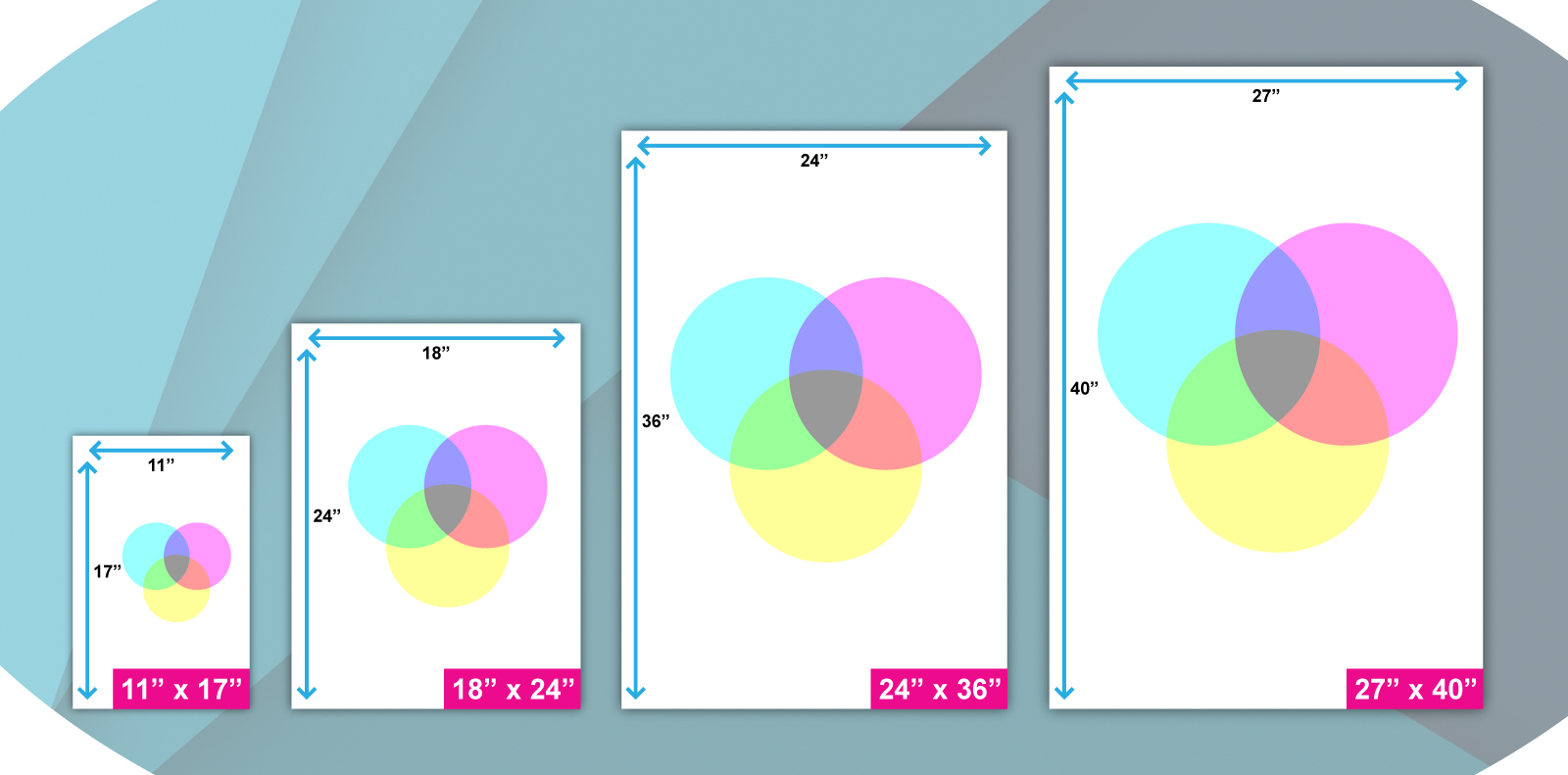
While North America relies on ANSI standards—where the closest equivalent to A3 is Tabloid or Ledger paper measuring 11 × 17 inches—the global design community standardizes on metric measurements. Knowing these regional differences prevents critical layout errors when sending digital files to international printers or sourcing frames from overseas manufacturers.
Exact Dimensions in Millimeters, Inches, and Pixels
Precision is vital when setting up design software such as Adobe Illustrator, Photoshop, or open-source alternatives like GIMP. The exact specifications for an A3 sheet define the physical boundaries of your project.
Physical Dimensions
- Millimeters: 297 × 420 mm
- Centimeters: 29.7 × 42 cm
- Inches: 11.7 × 16.5 inches
Digital Resolution and Pixel Dimensions
For digital design, physical dimensions must be translated into pixels based on the printing resolution. Print resolution is measured in Dots Per Inch (DPI) or Pixels Per Inch (PPI).
- Standard Print Quality (300 PPI): To achieve sharp, professional-grade prints suitable for close-up viewing, an A3 canvas at 300 PPI requires dimensions of 3508 × 4961 pixels.
- Draft or Large-Format Viewing (150 PPI): For posters viewed from a distance where ultra-fine details are less critical, a resolution of 150 PPI requires 1754 × 2480 pixels. Designing below 150 PPI risks noticeable pixelation and blurred text.
Setting Up Your Document: Bleed, Trim, and Safe Zones
Failing to account for printing mechanics is one of the most common reasons professional print jobs fail. When commercial printers cut large paper sheets down to final dimensions, microscopic mechanical shifts can occur. To prevent unsightly white borders along the edge of your finished poster, you must configure your document with specific safety margins.
Bleed Area
Bleed refers to extending your background colors, images, or design elements beyond the final trim edge of the poster. For an A3 poster, printers typically require a 3 mm to 5 mm bleed on all four sides. This means your working canvas should be slightly larger than the actual 297 × 420 mm size—usually measuring 303 × 426 mm. Any background graphics must stretch to cover this extra margin so that when the guillotine cuts the paper, the ink goes right to the edge.
Safe Zone (Margin)
Conversely, critical elements such as body text, logos, and borders must be kept well away from the trim edge. You should establish an internal safe zone of at least 5 mm to 10 mm inside the final trim line. Keeping text within this boundary ensures that no important information is accidentally sliced off during trimming or obscured by framing.
A3 Dimensions and Specifications Overview
| Parameter | Specification | Purpose / Description |
|---|---|---|
| Width × Height (mm) | 297 × 420 mm | Exact metric dimensions for trimmed output. |
| Width × Height (inches) | 11.7 × 16.5 in | Standard imperial conversion for reference. |
| Pixel Dimensions (300 DPI) | 3508 × 4961 px | Recommended digital canvas size for high-res printing. |
| Bleed Area | +3 mm to +5 mm per side | Prevents unprinted white edges during trimming. |
| Safe Zone | 5 mm to 10 mm inward | Protects text and logos from being cut off. |
| Area | 0.125 square meters | Total printable surface area per side. |
Common Uses for A3 Posters
The A3 format bridges the gap between handheld flyers and massive outdoor billboards. Its versatility makes it a staple across numerous industries and creative pursuits.
Retail and Point-of-Sale Displays
Retail environments use A3 posters to highlight seasonal sales, special promotions, new product launches, and store directory maps. Because they fit easily on walls, pillars, and glass doors without overwhelming limited space, they capture shopper attention effectively without requiring structural mounting hardware.
Corporate Offices and Internal Communications
Corporate environments rely on A3 size for internal communications, health and safety notices, corporate mission statements, project timelines, and organizational charts. Placed near breakrooms or elevator banks, A3 sheets provide enough surface area to present dense information clearly to employees.
Art Prints and Photography Portfolios
Photographers and digital illustrators frequently choose A3 paper for fine art prints. It offers a substantial display format for gallery exhibitions and home decor while remaining economical to produce and frame compared to larger formats like A1 or A2.
Educational and Academic Presentations
Schools, universities, and research institutions utilize A3 posters for classroom aids, campus event announcements, and condensed academic presentations. Students often compile research findings onto a single A3 sheet for portfolio reviews and preliminary project defenses.
Choosing the Right Paper Stock and Weight
Selecting the correct paper weight—measured in grams per square meter (gsm)—fundamentally changes the tactile quality, durability, and visual appearance of an A3 poster.
- Lightweight Paper (130–150 gsm): This stock is budget-friendly and ideal for high-volume promotional posters distributed for short-term events. However, it is prone to curling, tearing easily, and showing bleed-through if heavy ink coverage is used.
- Medium Weight Paper (170–200 gsm): Striking a balance between rigidity and cost, 170 gsm to 200 gsm paper is the industry standard for general-purpose posters. It feels substantial in the hand and resists sagging when hung with tape or pins.
- Heavyweight Cardstock (250–300+ gsm): Recommended for art prints, portfolio pieces, and premium retail displays. This heavy stock offers rigid durability, resists environmental humidity changes, and provides an executive feel, particularly when paired with matte or gloss laminations.
Surface finishes also impact the final aesthetic. Gloss finishes enhance color saturation and contrast, making photographs pop, but they can create glare under direct lighting. Matte finishes eliminate reflections, lending an elegant, understated look that improves readability for text-heavy notices.
Printing Methods: Digital vs. Offset
When preparing your files for production, understanding the printing technology helps optimize cost and quality.
- Digital Printing: Best for short runs (ranging from a single copy up to a few hundred). Digital presses offer fast turnaround times and variable data printing, making them cost-effective for localized campaigns or custom art prints.
- Offset Lithography: Ideal for mass-producing thousands of identical posters. While offset printing involves higher upfront setup costs for creating printing plates, the per-unit cost drops significantly at scale, and it delivers exceptional color fidelity and consistency.
Frequently Asked Questions
Can I print an A3 poster on a standard home printer?
Most standard home and office desktop printers are designed to handle up to A4 paper. To print an A3 poster at home, you must verify that your printer supports oversized media by checking the paper tray specifications. If your printer only supports A4, you can print an A3 design across two A4 pages using tiling software settings and carefully tape them together, though this is rarely suitable for professional displays.
What is the difference between A3 and Ledger paper?
While both formats serve similar purposes for large documents and posters, they belong to different measurement systems. A3 is part of the ISO 216 international metric standard and measures 297 × 420 mm (11.7 × 16.5 inches). Ledger (also known as Tabloid) is part of North American standards and measures 11 × 17 inches. They are not interchangeable without scaling your document layout, as Ledger is slightly wider and shorter than A3.
How many A4 sheets fit into one A3 sheet?
Exactly two A4 sheets fit side-by-side to make one A3 sheet. This geometric relationship is consistent across the entire ISO paper standard, meaning scaling a document from A4 to A3 requires increasing the dimensions by a factor of approximately 1.414 (or scaling the page size by 141 percent in your printer settings).
What file format should I export my A3 poster design in for printing?
Commercial printers universally prefer high-resolution PDF formats, specifically PDF/X-1a or PDF/X-4 standards. These formats embed all fonts, lock vector graphics, and preserve the CMYK color space. If PDFs are unavailable, high-resolution TIFF files saved at 300 PPI with bleed included serve as a reliable alternative. Avoid compressed formats like standard JPEG or PNG for final print production unless exported at maximum quality settings.
Do I need to design in CMYK or RGB color mode?
You should design your A3 poster using the CMYK (Cyan, Magenta, Yellow, Key/Black) color mode if it is destined for commercial offset or digital printing presses. Computer monitors display colors using RGB (Red, Green, Blue) light, which encompasses a broader color spectrum than printing inks can reproduce. Designing in CMYK from the start prevents unexpected color shifts, ensuring that vibrant screen colors do not appear muted or muddy when printed.
Final Recommendations for Your Project
Before sending your A3 poster to a commercial printer or outputting it on a local device, run a comprehensive pre-flight checklist. Inspect your document at 100 percent zoom in design software to check for pixelation in imagery, verify that all critical text stays safely within the inner margins, and confirm that the background extends fully into the 3 mm bleed zone. Double-check that your color profile is set to CMYK and that resolution meets the 300 PPI threshold. Taking these precautionary steps guarantees an accurate, professional reproduction of your visual work.