A vertex in a 3D shape is a precise point where three or more edges meet, forming the corners of polyhedra and geometric models. These points serve as the foundational coordinates in computer graphics and mathematics, defining the shape's structure, volume, and spatial orientation.
Introduction to 3D Geometry and the Role of Vertices
In the study of geometry and computer graphics, three-dimensional shapes form the building blocks of spatial understanding. Whether analyzing a simple physical block or rendering a complex character in a video game engine, the underlying architecture relies on mathematical points, lines, and planes. At the heart of this architecture is the vertex.
Understanding what a vertex is, how it functions within various 3D shapes, and how it is manipulated across different industries provides essential insight into spatial mathematics. This guide explores the definition of a vertex, its relationship with other geometric components like edges and faces, and its practical applications in modern digital environments.
Defining the Vertex in Three-Dimensional Space
A vertex (plural: vertices) is a zero-dimensional point that defines the intersection of edges in a geometric figure. In two-dimensional geometry, a vertex typically marks the meeting point of two line segments, such as the corners of a square or triangle. However, in three-dimensional geometry, a vertex represents the junction where three or more edges converge.
To visualize a vertex in three-dimensional space, consider the corner of a standard cardboard box. Where the vertical edge meets two horizontal edges, a single corner point is formed. That exact point is a vertex. In a Cartesian coordinate system, this vertex is defined by three numerical values representing its exact location along the X, Y, and Z axes ($x, y, z$).
Core Components of Polyhedra
Vertices do not exist in isolation; they work in tandem with other structural elements to create complete 3D shapes, specifically polyhedra. A polyhedron is a solid shape with flat faces and straight edges. The three primary components of any polyhedron are:
- Vertices: The corner points where edges meet.
- Edges: The line segments formed where two faces intersect.
- Faces: The flat or curved surfaces that enclose a volume.
The interplay between these three elements is governed by fundamental mathematical principles, most notably Euler's Formula for polyhedra.
Euler's Formula and Topological Relationships
In the 18th century, mathematician Leonhard Euler discovered a fundamental relationship linking the number of vertices, edges, and faces in any convex polyhedron. This relationship, known as Euler's Polyhedron Formula, is expressed as:
$$V - E + F = 2$$
Where:
- $V$ represents the number of vertices.
- $E$ represents the number of edges.
- $F$ represents the number of faces.
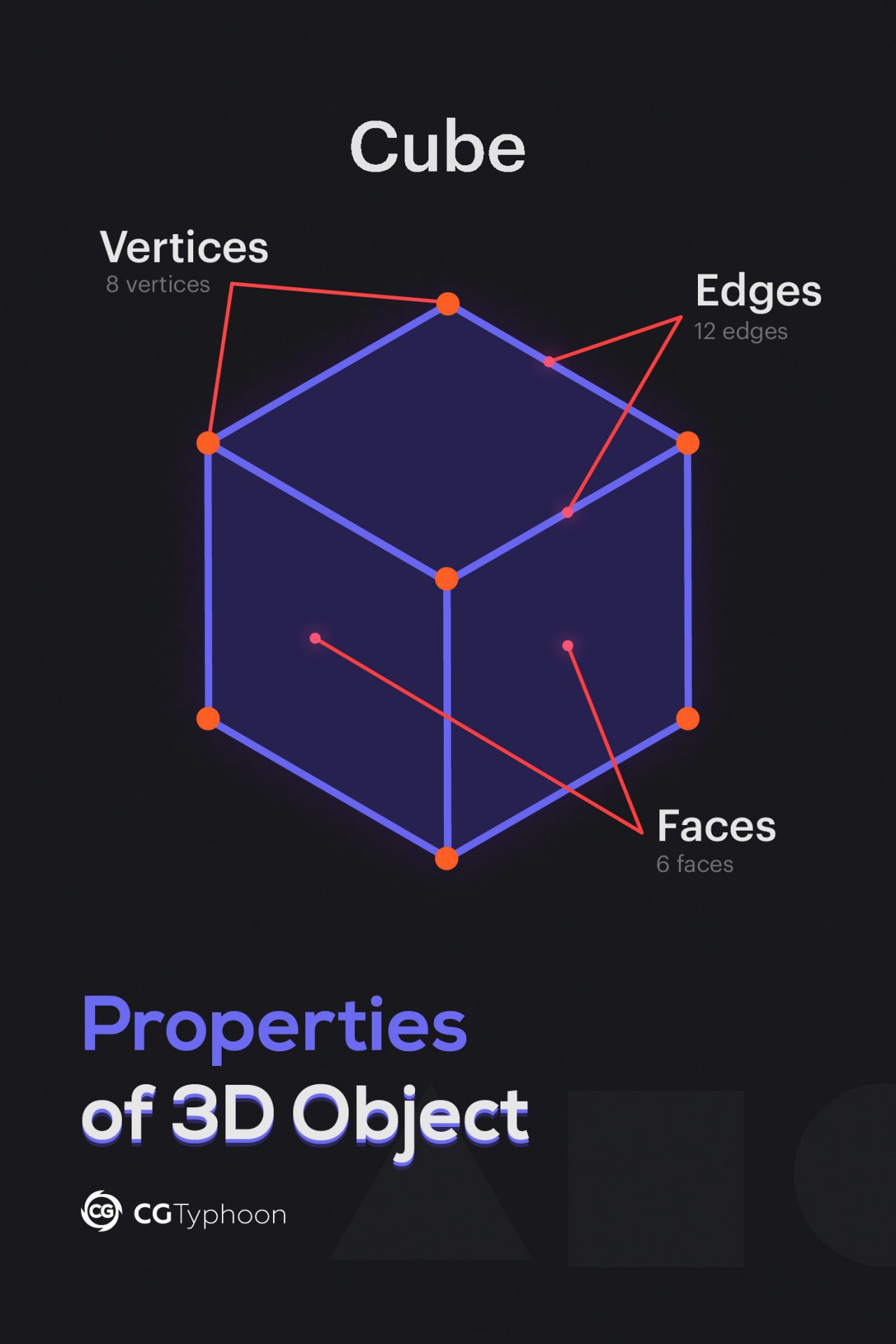
This formula applies universally to standard 3D shapes like cubes, pyramids, and prisms. Testing this formula on a simple cube illustrates how vertices dictate the geometry of a shape:
- A cube has 8 vertices ($V = 8$).
- A cube has 12 edges ($E = 12$).
- A cube has 6 faces ($F = 6$).
Applying the formula: $8 - 12 + 6 = 2$. The equation balances, proving the topological consistency of the shape.
Breakdown of Common 3D Shapes and Their Vertices
Different geometric solids feature distinct configurations of vertices, edges, and faces. Understanding these configurations helps mathematicians and digital modelers calculate spatial properties.
| 3D Shape | Number of Vertices ($V$) | Number of Edges ($E$) | Number of Faces ($F$) | Euler's Formula Check ($V - E + F$) |
|---|---|---|---|---|
| Tetrahedron | 4 | 6 | 4 | $4 - 6 + 4 = 2$ |
| Cube | 8 | 12 | 6 | $8 - 12 + 6 = 2$ |
| Octahedron | 6 | 12 | 8 | $6 - 12 + 8 = 2$ |
| Dodecahedron | 20 | 30 | 12 | $20 - 30 + 12 = 2$ |
| Square Pyramid | 5 | 8 | 5 | $5 - 8 + 5 = 2$ |
Vertices in Computer Graphics and Digital Modeling
While vertices are vital in theoretical mathematics, their practical significance expands exponentially in computer graphics, computer-aided design (CAD), and digital animation. In these digital domains, 3D models are constructed using polygonal meshes, where vertices act as the primary coordinate anchors.
Polygonal Meshes and Wireframes
When a 3D artist creates a digital model, the software does not render a solid object immediately. Instead, it generates a wireframe consisting of interconnected vertices.
- Points (Vertices): Placed in a 3D Cartesian coordinate system.
- Lines (Edges): Connect pairs of vertices to outline shapes.
- Polygons (Faces): The filled areas between edges, often triangles or quadrilaterals, that give the model its surface appearance.
By manipulating individual vertices, artists can reshape geometry, bend surfaces, and create complex organic or mechanical forms. For example, moving a single central vertex upward on a flat square mesh instantly transforms it into a pyramid structure.
Vertex Attributes in Rendering
In modern rendering engines, a vertex is not merely a coordinate point $(x, y, z)$. It acts as a data container carrying multiple attributes essential for shading and lighting calculations:
- Position Coordinates: The exact spatial location in the 3D world.
- Normal Vectors: Directions perpendicular to the surface at that vertex, telling the rendering engine how light should bounce off the surface.
- Texture Coordinates (UVs): Instructions on how a 2D image texture wraps around the 3D geometry.
- Vertex Colors: Base color data assigned directly to the point, which can blend across the face of the polygon.
Vertex Density and Optimization
The number of vertices in a 3D model directly impacts its complexity, file size, and performance during rendering. This concept is often measured as polygon count or vertex count.
High-Poly vs. Low-Poly Models
- High-Poly Models: Contain hundreds of thousands or millions of vertices. These are used in visual effects for feature films, digital sculpting, and close-up architectural renders where hyper-realistic detail, smooth curves, and micro-surface deformations are required.
- Low-Poly Models: Utilize a minimal number of vertices. These are common in real-time applications such as video games, mobile apps, and interactive web experiences where performance, fast frame rates, and low memory consumption are critical.
Performance Implications
Managing vertices efficiently is a core responsibility for game developers and 3D engineers. Excessive vertices can cause rendering bottlenecks, strain graphics processing units (GPUs), and increase loading times. Techniques like normal mapping and displacement mapping allow developers to simulate high-poly surface detail on low-poly meshes, reducing vertex counts without sacrificing visual fidelity.
Frequently Asked Questions
Can a 3D shape exist without vertices?
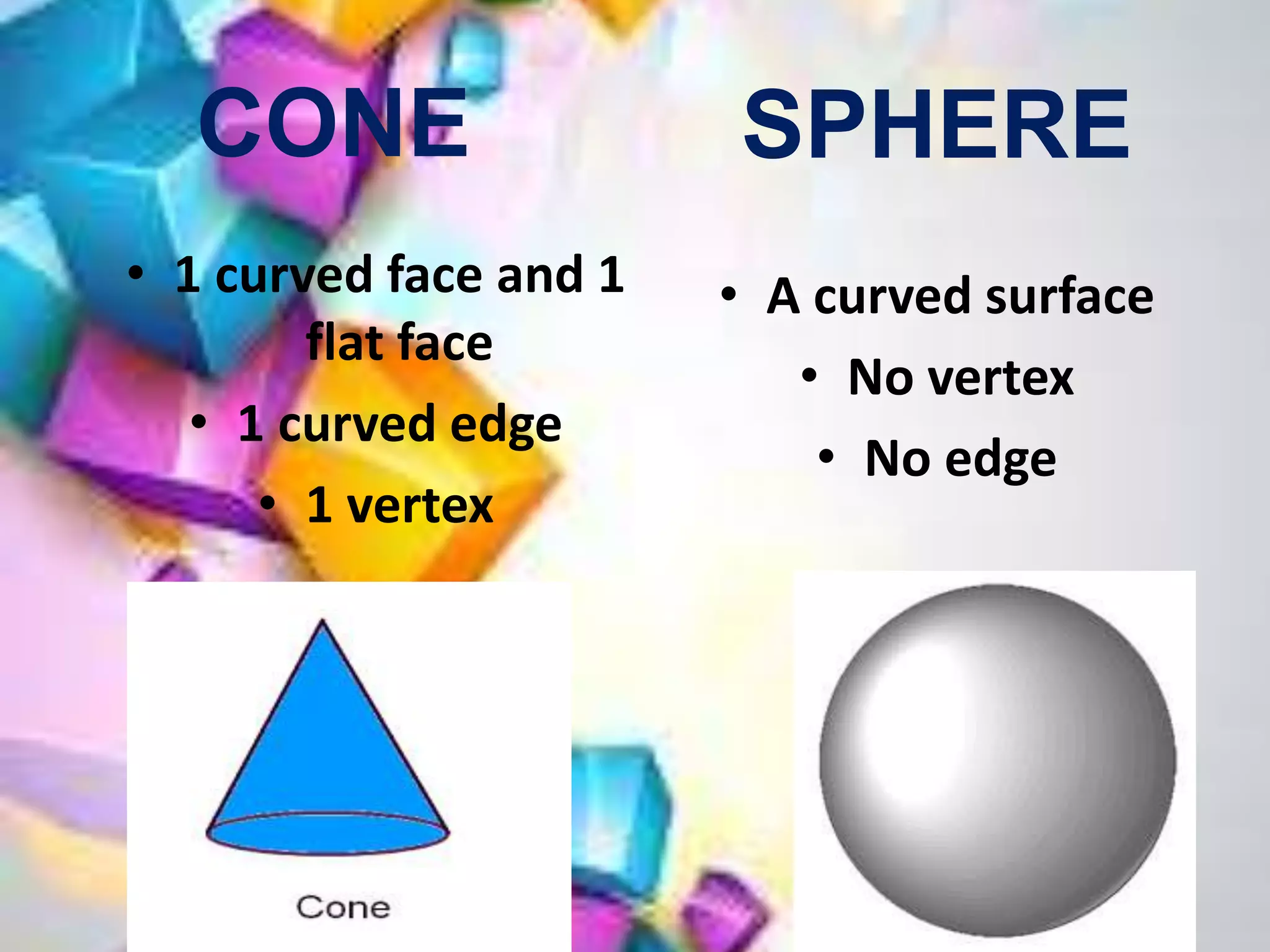
Yes, purely curved 3D shapes do not have traditional vertices. Objects such as spheres, cylinders, and cones feature curved surfaces and edges rather than flat faces meeting at sharp corners. However, in digital environments, computer software approximates these smooth shapes by generating meshes composed of hundreds of flat polygons connected by vertices.
How do vertices differ from nodes or control points?
While the terms are sometimes used interchangeably in casual conversation, they have distinct technical meanings. A vertex is a specific geometric point where edges intersect. A node often refers to a point in a network, data structure, or physics simulation. A control point refers to a point used in spline-based modeling (like NURBS) to influence the curvature of a surface rather than marking a rigid corner.
Why are triangles preferred for vertex-based meshes in 3D software?
Triangles are mathematically rigid and always planar, meaning all three vertices of a triangle will always lie on the exact same flat plane. Quadrilaterals and n-sided polygons can warp or bend in 3D space, creating ambiguity in rendering engines regarding how light should reflect off the surface. Consequently, game engines often convert complex polygon models into triangles (triangulation) before rendering.
How are vertex coordinates calculated during transformations?
When a 3D shape is rotated, scaled, or translated, the software applies linear algebra—specifically matrix multiplication—to the coordinates of every individual vertex. Multiplying a vertex's position vector by a transformation matrix updates its X, Y, and Z values instantly, shifting the entire shape across the virtual space.
Conclusion and Next Actions
The vertex is much more than a simple corner point; it is the mathematical foundation of three-dimensional form and digital rendering. From satisfying the rules of Euler's Formula to dictating the performance and visual quality of modern video games, vertices govern how shapes occupy and interact with space.
To expand your knowledge, consider experimenting with a free 3D modeling software such as Blender. By creating a basic primitive shape and entering "Edit Mode," you can manually select, move, and extrude individual vertices to observe firsthand how structural geometry responds to manipulation.